Online Form Builder: Build Branded Forms Without Code
Zunoy's online form builder lets anyone build a professional form in minutes. Type your questions, match your brand, and share a link or put the form on your website. No code needed.
Free plan
No credit card
Built-in spam protection
GETTING STARTED
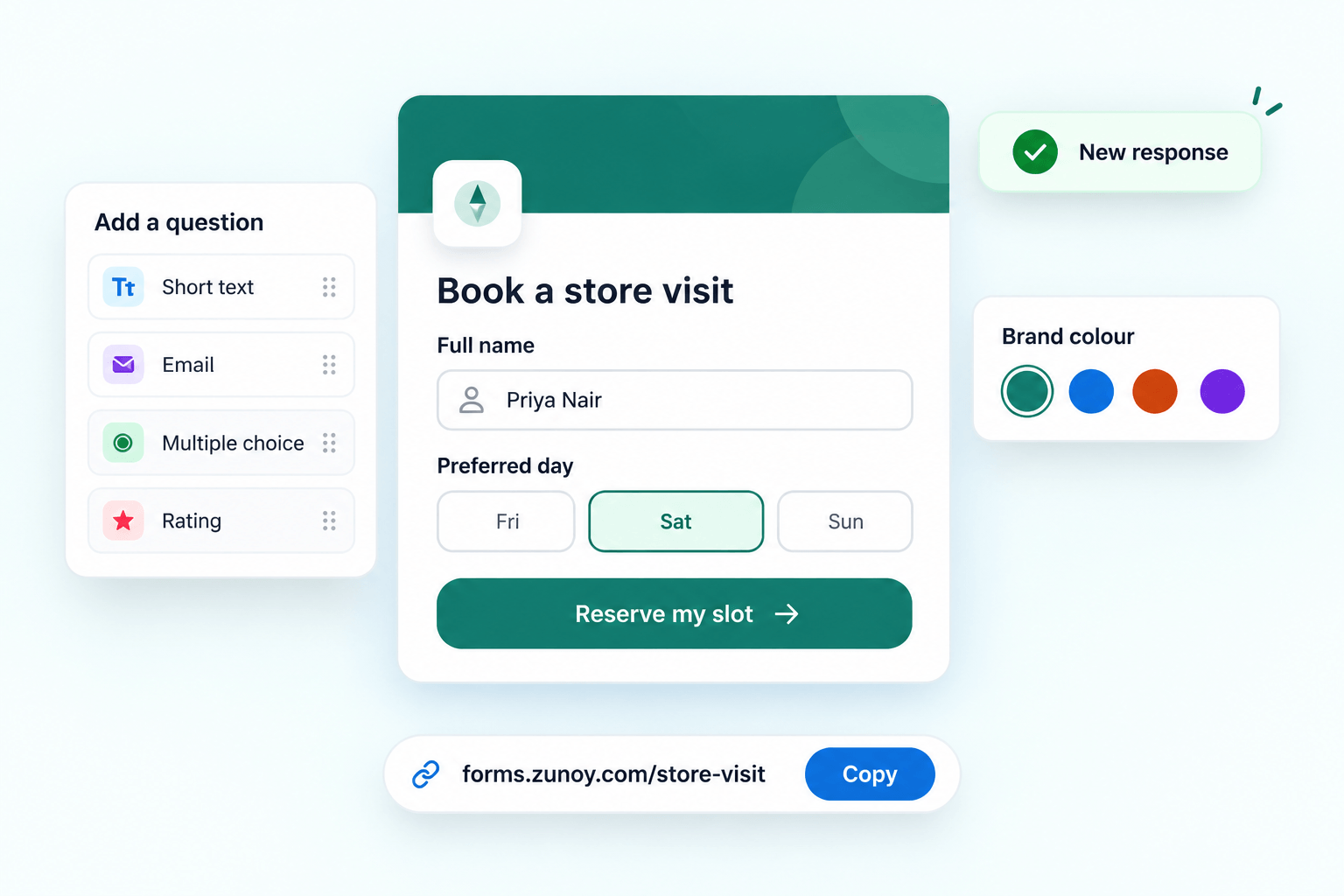
Build Your First Form in Under Five Minutes
Pick a starting point
Start from a ready-made template or a blank page.
Type your questions
Click and type, or press "/" to add any of 30+ question and content blocks.
Make it yours
Add your logo, colours and fonts, then preview it exactly as visitors will see it.
Publish and share
Share a link, embed it on your site, or open it as a popup.
SMART FORMS
Smart Forms That Adapt to Each Person
Visitors only see the questions that matter to them, so more people finish.
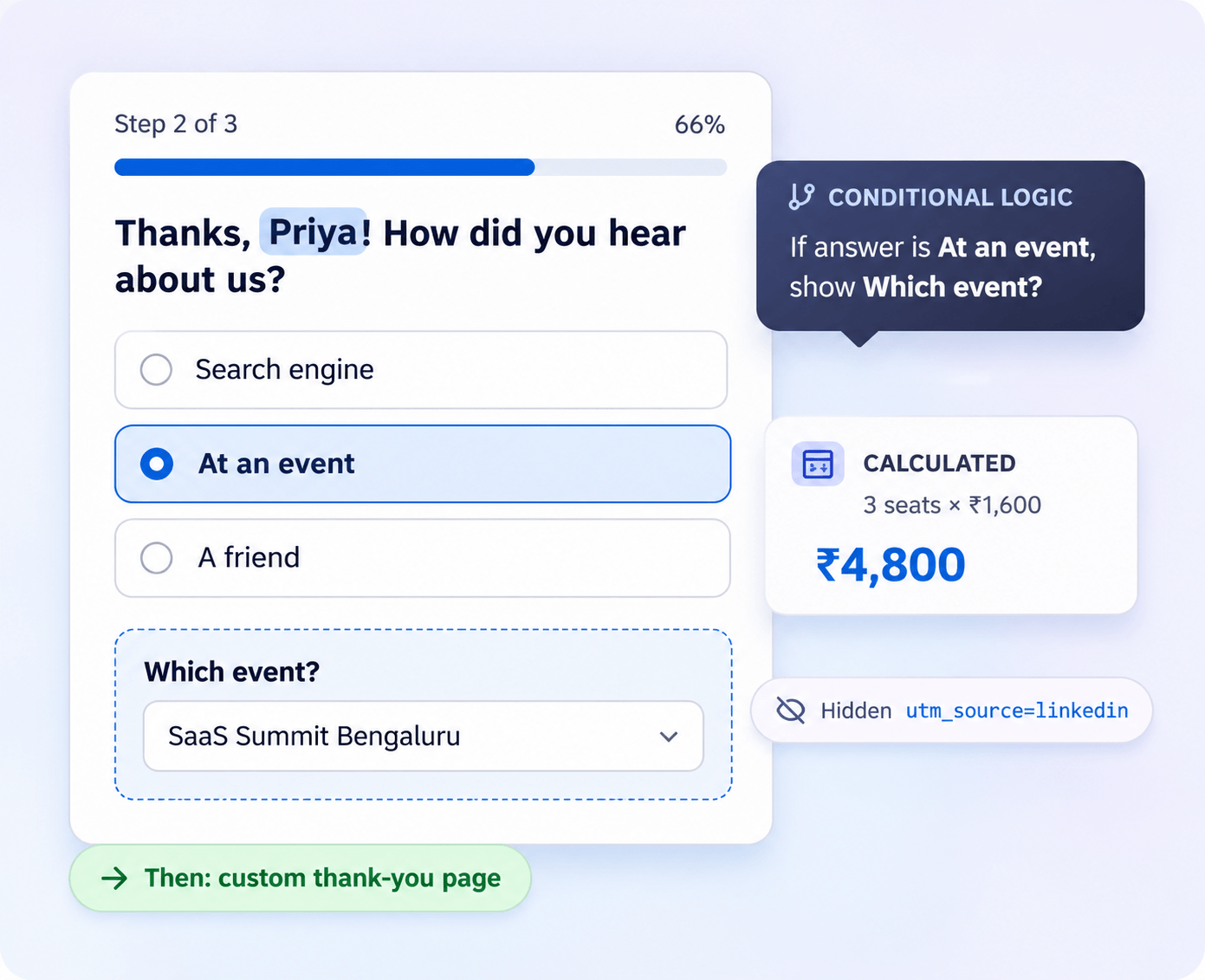
Conditional logic: show or hide questions based on earlier answers. Simple rules work on every plan; paid plans add AND/OR groups and multiple conditions.
Calculated fields: add up scores, prices or totals for quizzes, quotes and order forms.
Answer piping: reuse an earlier answer later, like "Thanks, Priya! What's your email?"
Hidden fields and pre-fill: track which campaign a lead came from, or open the form with a name already filled in.
Multi-page forms: split long forms into steps, rename each Next button, then show a custom thank-you page or redirect to your site.
DESIGN & BRANDING
Forms That Look Like Your Brand, Not Ours
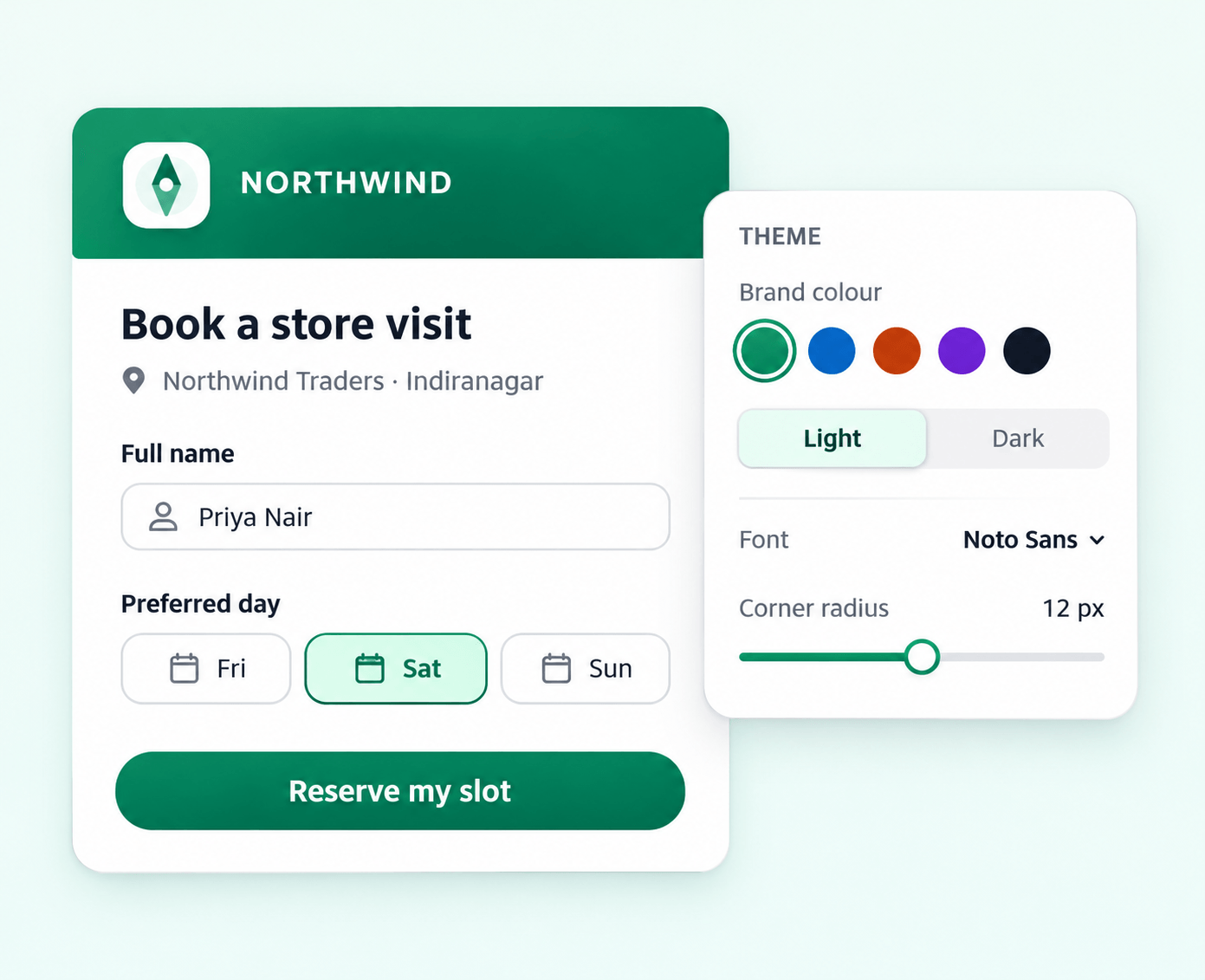
Make every form match your website in a few clicks.
Logo, cover image and brand colours for background, text, accents and buttons
Light and dark themes, fonts and text size
Page width, field size, rounded corners and borders
Button size, alignment, colour and text
Custom CSS for designers who want full control
Keep or remove "Made with Zunoy" branding, depending on your plan
Every Question Type You Need
Subheading: Our online form builder covers simple contact forms and long applications alike.
Basic answers
Short and long answer, email, phone number with country code, number and link.
Choices
Multiple choice, checkboxes, dropdown, multi-select, ranking and images on answer options.
Special inputs
File upload, signature, star rating, linear scale, and date and time.
Content blocks
Headings, text, images, video, audio, embeds and dividers.
Valid answers only
Required fields, character limits, number ranges, date limits and default answers.
Faster editing
Shuffle options, place fields side by side, paste a list to bulk-add options, and switch a question's type in one click.
SHARING
Put Your Form Wherever Your Audience Is
One form, many places. Share it the way your visitors already browse, and choose what they see before they even open it.
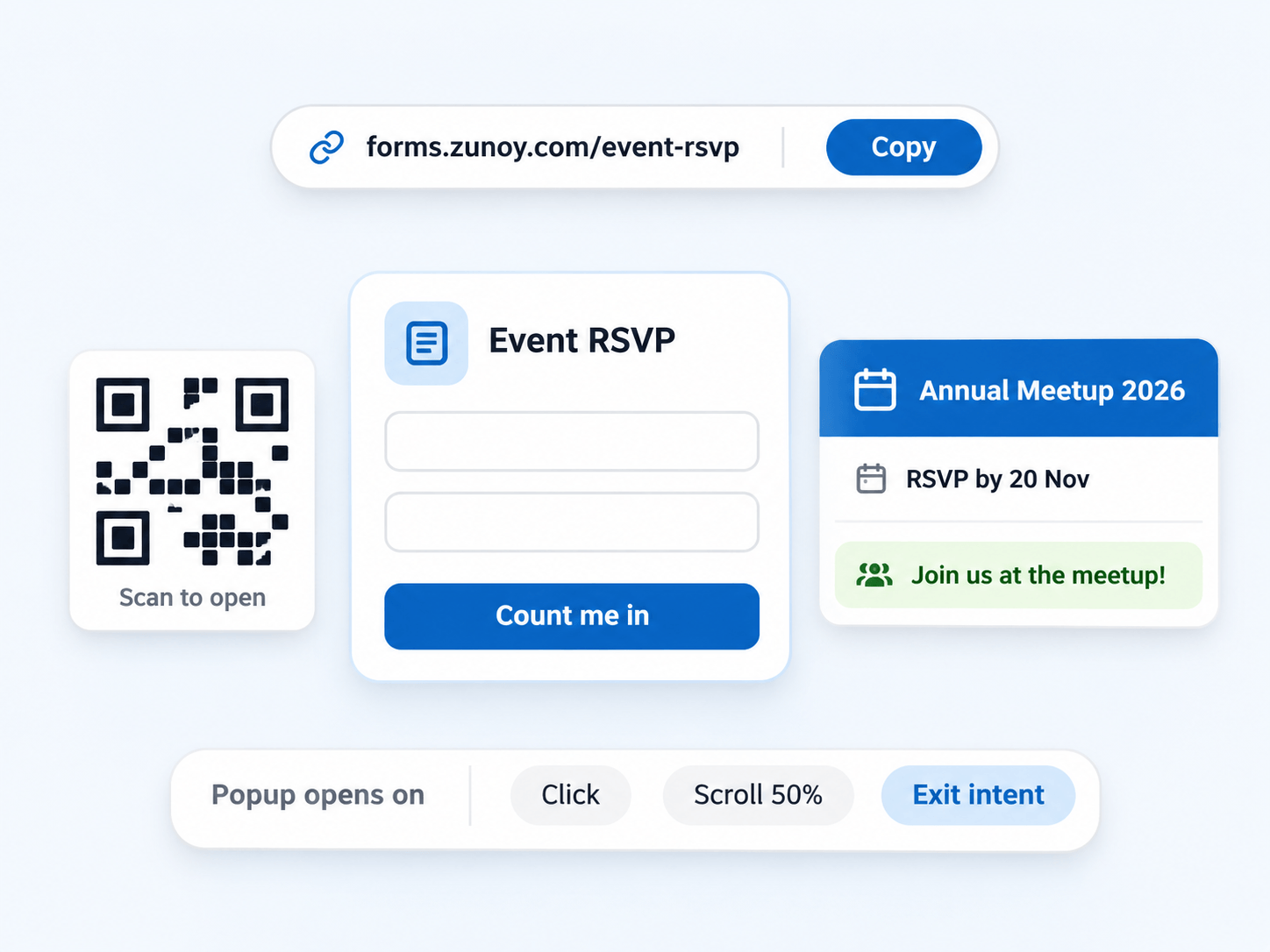
Public link for email, WhatsApp, social media or a QR code
Website embed that resizes itself to fit your page
Popup that opens on click, page load, scroll, after a delay or when a visitor is about to leave
Full-page form or a Notion embed
Custom link preview with your own title, description and image
Control Who Responds, and When
Set the rules once in the online form builder, and every form follows them automatically.
Password protection
Only people with the password can open the form.
Scheduled open and close
Open registrations on Monday and close them on Friday, in any time zone.
Pause any time
Take a short break without unpublishing the form.
Response limits
Stop at the first 100 sign-ups, or any number you choose.
One response per person
Prevent duplicate submissions from the same person.
Friendly messages
Visitors see a clear note when a form is closed, paused or full.
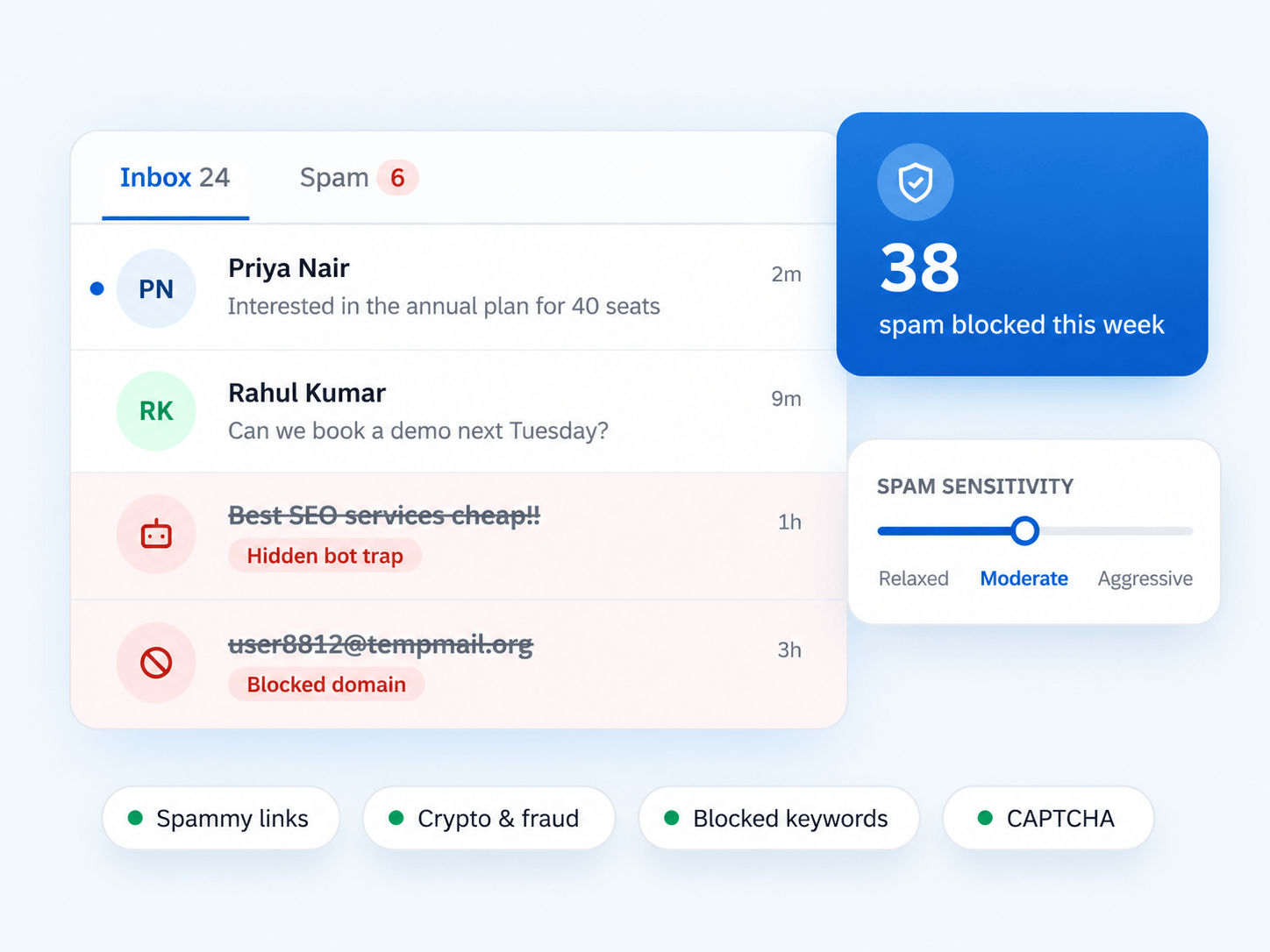
FORM SHIELD
Spam Protection Built In
Hidden bot trap that catches robots and never bothers real people
Spam filter levels: Relaxed, Moderate or Aggressive
Automatic rules for spam phrases, spammy links, crypto and fraud content
Blocked keywords and blocked email domains, such as throwaway addresses
CAPTCHA when you want a human check
A separate Spam folder, so you never lose a real lead
Basic protection is on every plan. Advanced rules are on Growth and Business.
Never Miss a Response
Every answer collected through the online form builder is organised and ready to act on.

Submissions inbox
Search, filter, switch between table and card view, preview files, and export to CSV or JSON.
Partial responses
See answers from people who started but didn't finish, so you can follow up and win the lead back.
Drop-off analytics
Find the exact question where people leave, plus visitors, completion rate and median time to complete.
Instant alerts
Email, Slack, Microsoft Teams, Discord, Telegram, webhooks, Zapier and the mobile app, with a log of every alert.
Auto reply for each form
Send every respondent an instant confirmation email. Plain text on every plan, designed HTML emails on paid plans.
Weekly reports
Weekly and monthly summaries emailed to anyone you choose (Business plan).
Who Uses the Zunoy Online Form Builder

Marketing teams
Lead capture popups, campaign tracking with hidden fields and partial responses.

Founders and small businesses
Templates, branded forms and auto-reply emails on the free plan.

HR and recruiting
Job applications with CV upload, signatures and multi-page steps.

Events and educators
Registrations with seat limits, open and close dates, and no duplicates.

Agencies
A separate workspace for each client, with team templates.
Start From Ready-Made Form Templates

Contact Form
Name, email and message, ready to embed on any website.

Lead Generation
Capture qualified leads with the fields your sales team needs.

Customer Feedback
Ask what customers think, with ratings and open answers.

Customer Satisfaction
Measure satisfaction after a purchase, a support ticket or an event.

Newsletter Signup
Grow your mailing list with a short, branded signup form.

Waitlist
Collect early sign-ups for a launch, a beta or a new feature.
Prefer to Write Your Own HTML?
Use Form API instead. Keep your own form, point it at your Zunoy endpoint, and get the same inbox, spam protection and alerts. Both options live in one account.
Quick Answers
What is an online form builder?
Do I need to know how to code?
No. If you can write a document, you can build a form. Developers who prefer their own HTML can use Form API instead.
Can people upload files or sign the form?
Yes. Add file upload and signature fields to any form. The maximum upload size depends on your plan.
Is Zunoy's online form builder free?
Yes. The free plan includes basic templates, simple logic, built-in spam protection and text auto-replies. Paid plans add advanced logic, more templates and higher limits.
Can I add the form to my website?
Yes. Embed it inside a page, open it as a popup, or share it as a full-page form or link.
Can I control when the form accepts responses?
Yes. Set open and close dates, pause the form, limit total responses, or allow one response per person.
Get Started
Build Your First Form Now
Pick a template or start blank, and publish a branded form today with the free online form builder. It's a no-code form builder with spam protection, alerts and analytics included.