- Powerful API Design Studio
Go from idea to a working API in minutes, not days.
Our process is designed for developers, by developers. It cuts out all the complexity and gives you exactly what you need: a realistic, functional API mock, fast.

GET
HTTP method used to retrieve data from a server without modifying it.

POST
HTTP method used to send data to a server to create or process a resource.

PUT
HTTP method used to update or replace an existing resource on a server.

PATCH
HTTP method used to apply partial updates to an existing resource.

DELETE
HTTP method used to remove a resource from a server.

HEAD
Fetches only headers of a resource.

OPTIONS
Shows communication options for a resource.
Advanced Request/Response Configurations

Request Configuration
Query parameters, headers, and multiple authentication methods — Basic, Bearer, API Key.

Dynamic Response Body
Support for JSON, XML, raw text, form data, and binary data.

Precise Control
Set specific HTTP status codes and simulate response latency.
WHY DEVELOPERS LOVE MOCKAPI
MockAPI Use Cases

Simulated Mock APIs
Create mock versions of real APIs to replicate their behavior without requiring the live service.

Faster Development
Allow front-end teams to work independently of back-end development, reducing waiting time for actual API availability.

Real-Time Testing
Test API integrations and workflows using mock responses to ensure functionality before live deployment.

No Server Required
Mock APIs eliminate the need for a live server, enabling testing in isolated environments.

Easy Integration
Integrate mock APIs quickly into the development environment to support testing and iteration without complex setup.
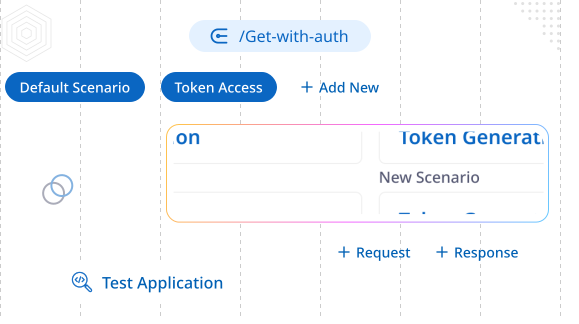
Multiple Scenarios
Test Every Possible Outcome
Model different behaviors and responses for a single mock API to comprehensively cover all success, error, and edge case testing scenarios.
Header/query switching
Per-route variants
Error Case Modeling
A/B Testing Support
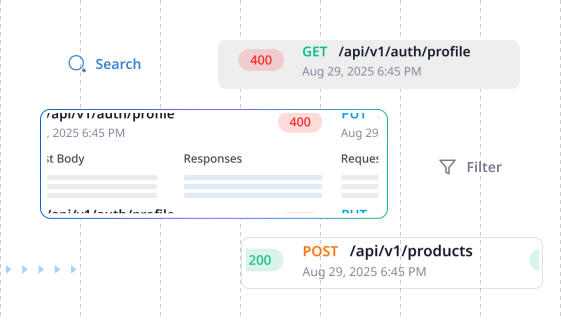
API Logs
Real-Time API Monitoring
Track and analyze every API call with instant visibility into requests, responses, and performance metrics as they happen.
Live Request Streaming
Full req/resp capture
Route/status/time filters
Search your logs
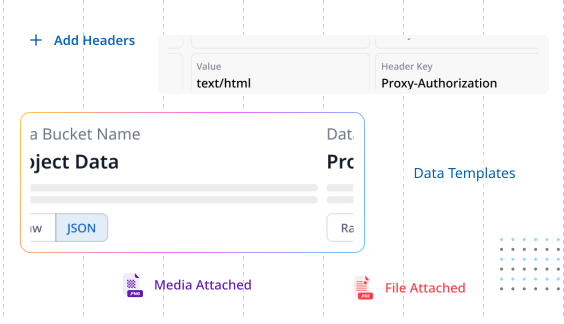
Global Definitions
Centralized API Components
Create and manage reusable schemas, headers, and data templates that can be efficiently shared across all your projects and endpoints.
Shared JSON Templates
Global Header Management
Project-wide defaults
Per-route overrides
Highly Customizable Key Features

Payload Limit
Requests and responses supported up to 10 MB each.
Media & Form-Data
Handle multipart uploads alongside JSON, raw text, and files.
Binary Uploads
Accept application/octet-stream for file and blob payload testing.
Per-Route Notes
Add inline documentation that appears in the UI and Swagger.
Latency Controls
Simulate network delays per route in milliseconds to test UX states.
Default Scenario
Choose a fallback response variant when no scenario matches.
Status Control
Return any HTTP code, including redirects with Location and Retry-After.
CORS & Preflight
Handle OPTIONS automatically; configure origins, methods, and allowed headers.
TLS by Default
All endpoints served over HTTPS with modern cipher suites.
FAQS
Frequently Asked Questions
What is MockAPI used for?
MockAPI is used to simulate API endpoints, allowing developers to test applications, build UIs, and validate API responses without needing a live backend.
Does MockAPI generate API documentation?
MockAPI automatically generates Swagger documentation for all created endpoints, making it easy to visualize and share API structures.
Can I simulate different HTTP responses?
Yes, MockAPI lets you define various HTTP status codes, response delays, and error messages to test how applications handle different API behaviors.
Can I integrate MockAPI with automated testing frameworks?
Yes, MockAPI can be used with automated testing tools like Postman, Cypress, and Jest to simulate API responses and validate application behavior.
Can I share my MockAPI with my team?
Yes, you can collaborate with your team by sharing API endpoints, enabling them to test and develop without setting up a backend.
Does MockAPI provide usage statistics?
Yes, MockAPI offers detailed usage statistics, including request counts, response times, and error rates, helping you analyze performance and optimize your API configurations.
Ready to Experience Zunoy?
Start your journey with Zunoy's powerful suite of tools, designed for startups, developers, and growing teams alike.
All our products come with a lifetime free tier.