


Introduction
An agency files bugs across six different clients. Severity and priority don't tell anyone which client a bug belongs to. Nothing in the default field set does, because "which client" isn't a question most bug trackers were built to ask, and it's exactly the gap custom fields in a bug tracker exist to close.
What are Custom Fields in a Bug Tracker?
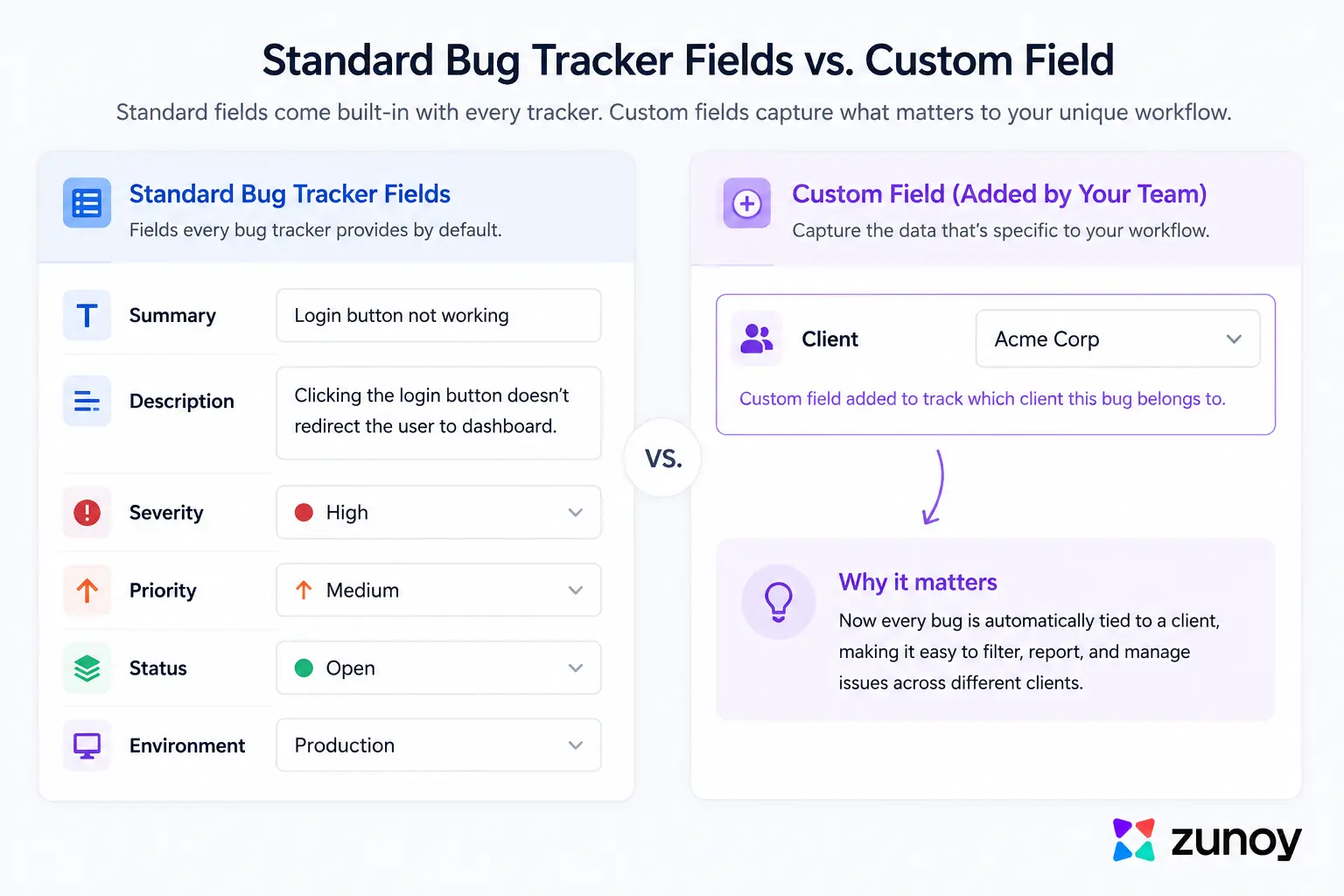
Custom fields in a bug tracker are additional data fields a team defines for itself, on top of the standard ones, to capture whatever specific piece of information their workflow actually depends on. Severity, priority, and environment cover most teams well. Custom fields exist for the piece that's missing for yours specifically.
How Custom Fields work in a Bug Tracker?
How custom fields work in a bug tracker: a team adds a field to a bug record that isn't part of the tool's default set, built to capture something specific to how that team actually works. That's the whole mechanism behind custom fields in a bug tracker. A generic bug tracker ships with fields that make sense for almost everyone: severity, priority, environment, status. Custom fields in a bug tracker are for the data that's specific to one team's situation, not everyone's.
An agency can add a "Client" field. A mobile team can add "Device Model." A support-heavy team can add "Ticket Reference" to connect a bug back to the original support conversation it came from. These are common examples of bug tracker custom fields in practice, and each shows a genuinely different reason to use custom fields for bug tracking. Each is a small example of how custom fields work in a bug tracker once a team's actual needs get specific. None of these are universal enough to justify being a default field for every team. They're exactly specific enough to matter for the team that added them.
Why the Default Fields Aren't Always Enough
Default fields cover the questions almost every team needs answered: how bad is this, how urgent is it, where did it happen. Custom fields in a bug tracker exist for the question that's left over after those. They don't cover the question that's specific to one team's actual situation, and that gap is invisible until it isn't.
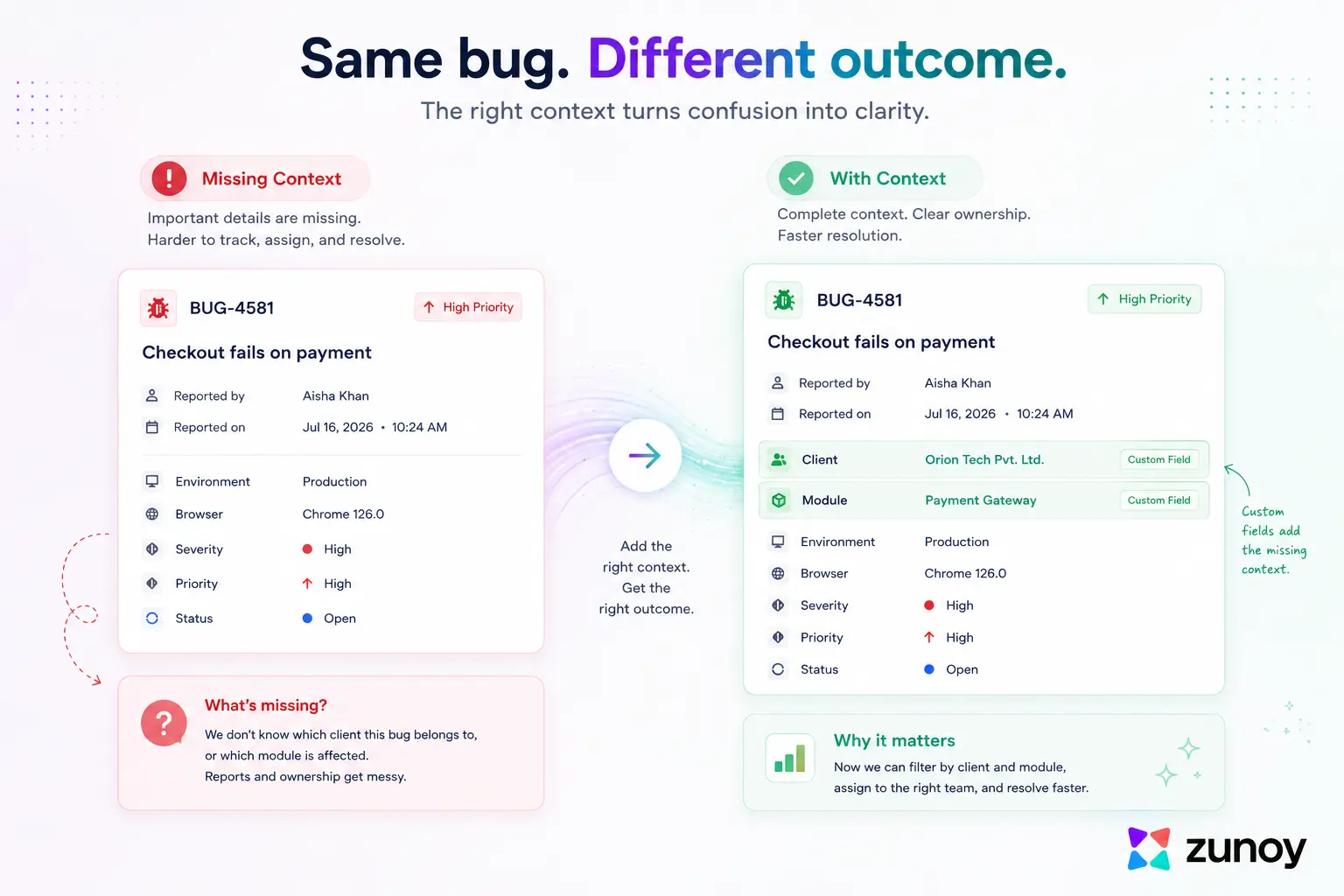
The agency example makes this concrete. Severity and priority genuinely matter for every client's bugs. Neither one answers "which client is this for," and without that answer, a report meant to sit inside a specific client's context ends up mixed in with everyone else's, or requires someone to manually tag it every single time. A custom field turns that manual tagging into a required part of filing the bug in the first place.
How Do Custom Fields Help You Capture the Right Data?
This is really what it means to capture the right bug data: making a team-specific question a required part of every bug report, instead of hoping someone remembers to answer it in a comment. Three real examples show the pattern clearly.
Examples of Useful Custom Fields
- An agency adds a "Client" field. Every bug is now filterable and reportable by client automatically, without anyone tagging it after the fact.
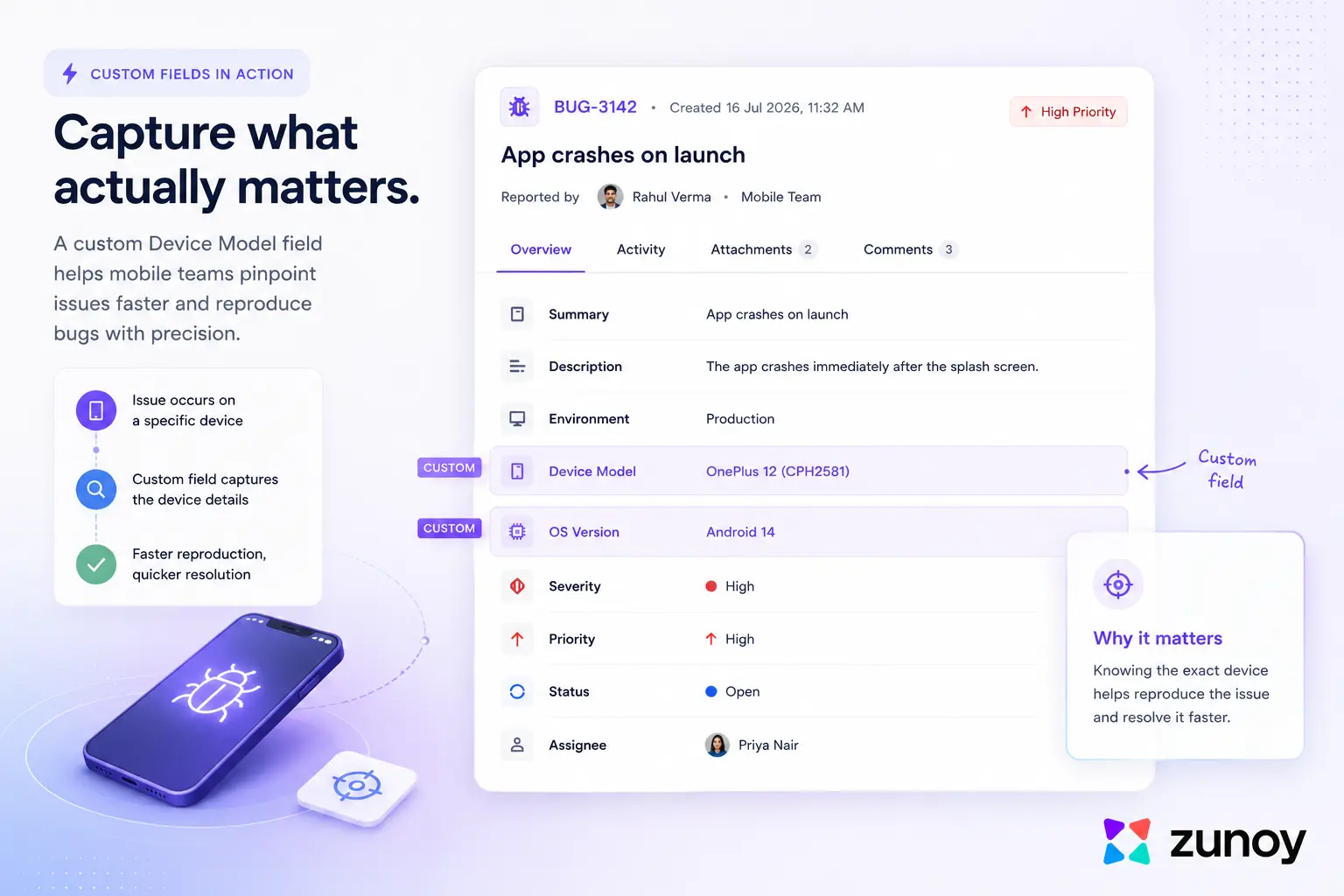
- A mobile team adds a "Device Model" field. A crash that only happens on one specific phone stops looking like a random, unreproducible bug.
- A support-heavy team adds a "Support Ticket ID" field. Anyone looking at the bug can trace it straight back to the original customer conversation, without searching a separate system.
None of these bug tracker custom fields exist in a generic bug tracker by default, because that's not how custom fields for bug tracking are meant to work, and custom fields in a bug tracker only earn their place when they answer something specific. None of them are universal. That's exactly why they're custom fields and not standard ones. A data model built for one team's actual workflow looks different from a generic one, and custom fields are how a bug tracker gets to be that specific without needing custom software built from scratch.
How Many Custom Fields Should a Bug Tracker Have?
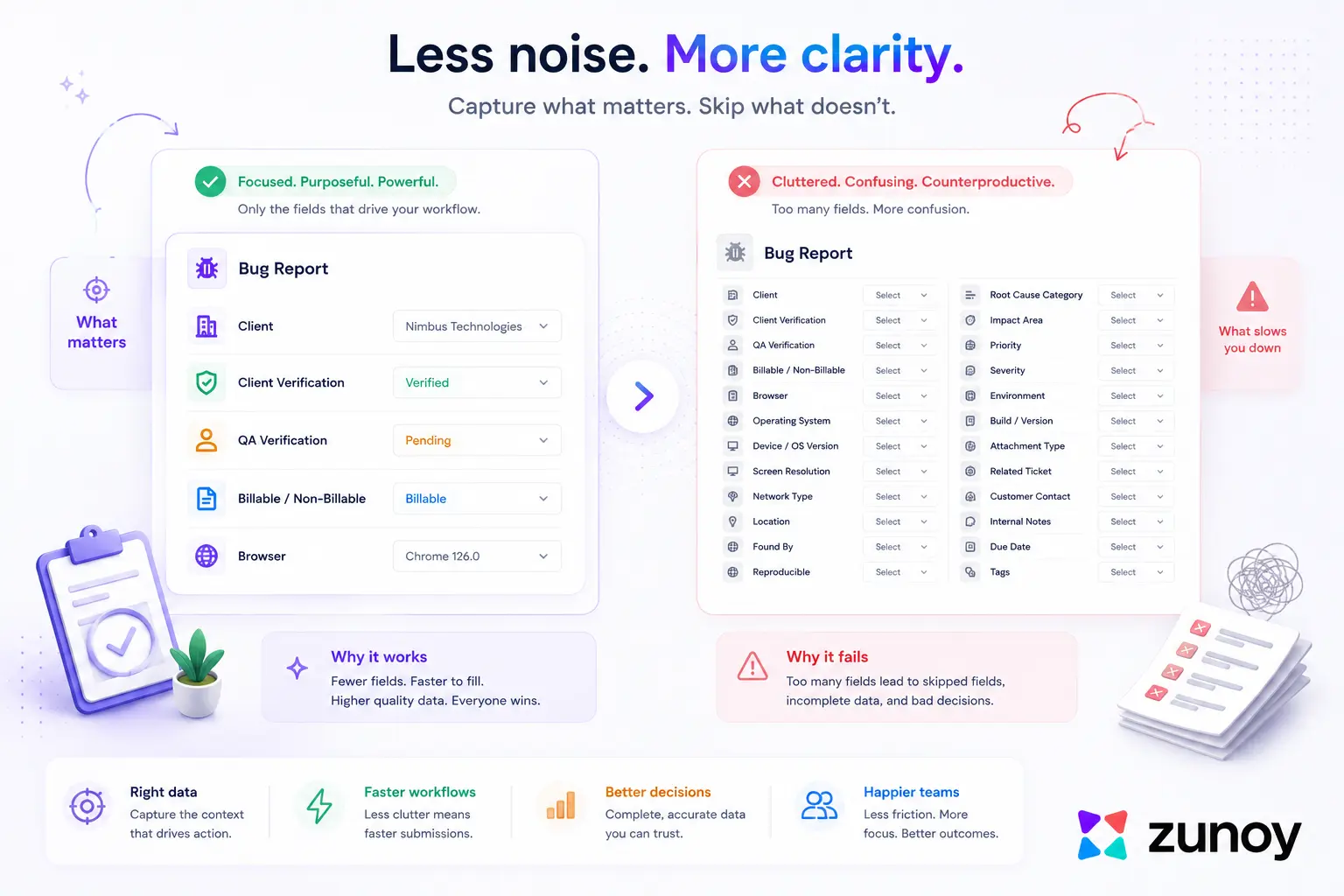
As few as actually answer a real, recurring question, which for most teams is one or two, not ten. Every custom field is a small tax on the person filing the bug: one more thing to fill in before the report is done. A field that gets used matters more than five fields that get skipped because filing a bug started to feel like paperwork.
This is worth saying plainly about custom fields for bug tracking, because the instinct runs the other way. It's easy to think of a dozen pieces of information that may be useful someday, and tempting to add a field for all of them. Most of those fields end up blank most of the time, which doesn't just clutter the form, it trains people to skip fields in general, including the ones that actually matter.
A useful test before adding custom fields to a bug tracker is simple: Has this missing information caused a real problem more than once? If yes, add a field. If it only seems nice to have, leave it out.
What Makes a Custom Field Actually Useful, Not Just Extra
This is the real test for custom fields in a bug tracker: a useful field answers a question your team asks repeatedly. The client field earns its place because “which client?” comes up on every bug at that agency. A field that matters once a quarter belongs in a comment rather than as a permanent addition to every report.
Metadata, in the most basic sense, is the information that describes your data, and a custom field is metadata a team decided was worth capturing structurally instead of leaving buried in free text, the whole idea behind bug tracker custom fields. The bar for adding one should be the same bar for any piece of structured data: is this something you'll filter by, report on, or search for regularly? If not, a comment field already covers it. That's the real test behind how custom fields work in a bug tracker worth keeping.
Starting Small
None of this requires perfecting custom fields in a bug tracker on day one. Start with zero custom fields and add one when a real, recurring gap appears, such as an agency needing a client field or a mobile team needing a device field. This approach helps teams learn how to capture the right bug data based on actual needs and introduces custom fields in a bug tracker without overbuilding.
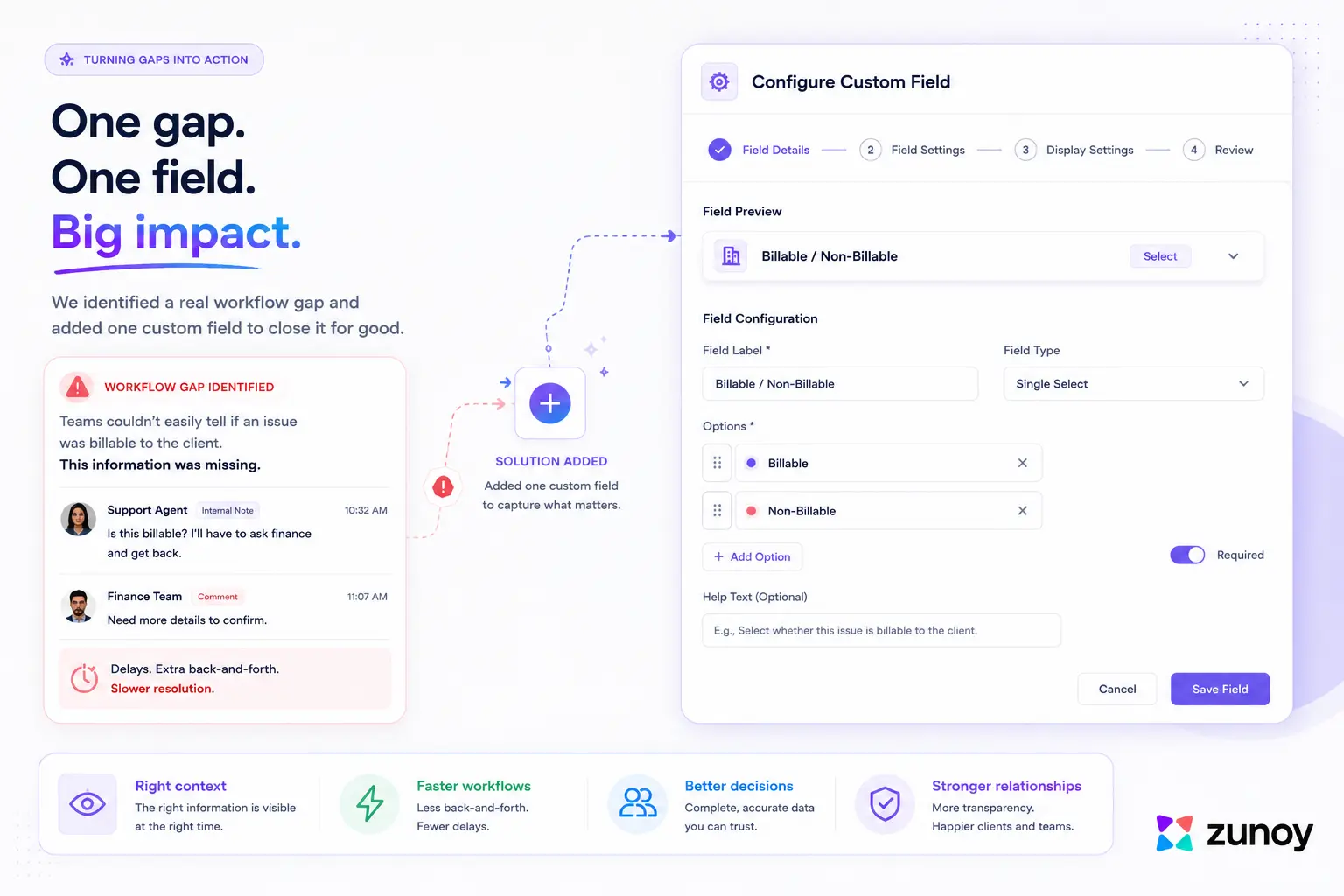
Zunoy BugTracker supports custom fields in a bug tracker directly on top of the standard ones, so a team doesn't have to choose between a generic tool and one built to capture the right bug data for their specific workflow. If you're deciding which fields actually matter for your team, the bug tracker features covers how custom fields work in a bug tracker alongside severity, priority, and the rest of the default set.
Ready to capture the right bug data? Sign up for Zunoy BugTracker and add custom fields that fit your workflow.