Zunoy Notes — Your Online Notes App.Your thoughts Organized.
Capture ideas, organize thoughts, and turn notes into clear next steps.
Free forever plan
No credit card
No downloads
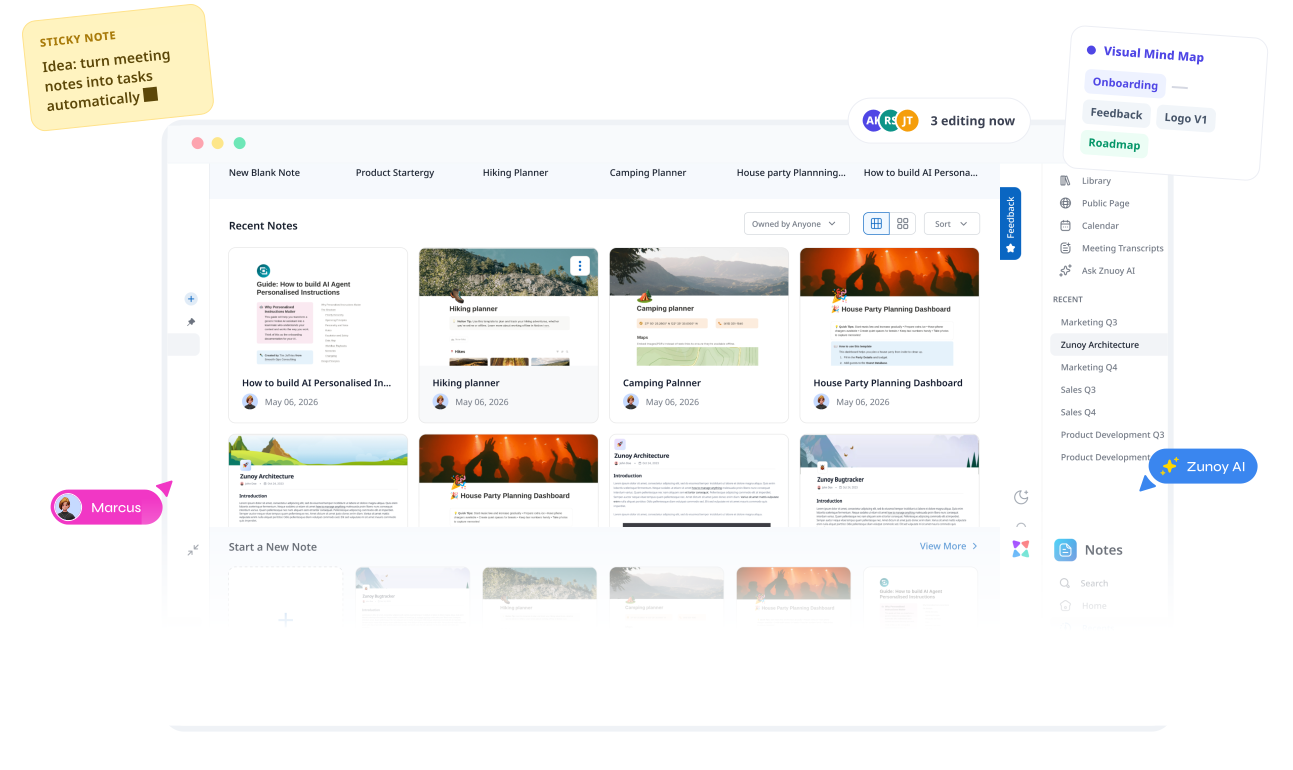
Real-time collaboration
SCATTERED EQUALS UNCLEAR
Your second brain app, finally organized.
Notes, tasks, research, meeting summaries, saved ideas, and useful links tend to end up across different tools. Nothing is technically lost—but finding what you need in your online notes app, seeing what connects, and knowing what to do next takes more effort than it should.
Start with a note taking workspace for personal knowledge management and everything that matters to you, then create projects to keep related notes, tasks, and ideas together.
Context gets lost in threads
Zunoy keeps full context attached
BUILT FOR THE WAY YOU THINK
One workspace. Every kind of thought.
Some days you're drafting. Some days you're mapping a mess of half-formed ideas into something that makes sense. As a versatile online notes app, Zunoy Notes doesn't make you pick a mode.

Write & Build
Create kanban boards, tables, to-dos, and shared plans in this collaborative notes app.

See the Connections
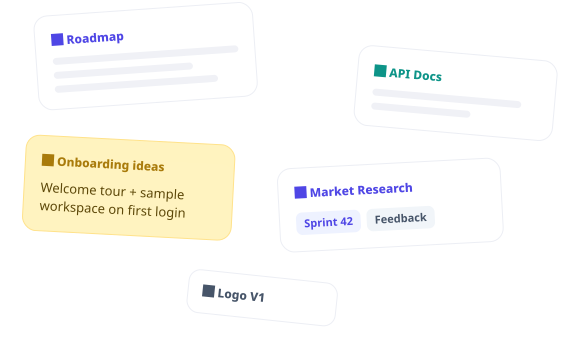
Discover connections with your second brain app’s Visual Mind Map and Glossary.

Capture Without Losing It
Capture quick, half-formed thoughts with Sticky Notes and organize them when you’re ready.

Keep What Matters Close
Pin and favorite important notes to keep what matters close in your smart notes app.

Move Ideas Forward
Add tasks, reminders, and deadlines when your ideas happen in this smart notes app.

Visual Mindmap
Explore your entire knowledge base as a living, connected 2D graph with easy navigation.

200 Free AI Credits

No Credit Card Required

Free Forever
No installs
Write, check things off, keep moving — it all syncs the second you're back
Setup under 5 minutes
Real human support by Zunoy team
ZUNOY NOTES AI
Your notes have never been this smart.
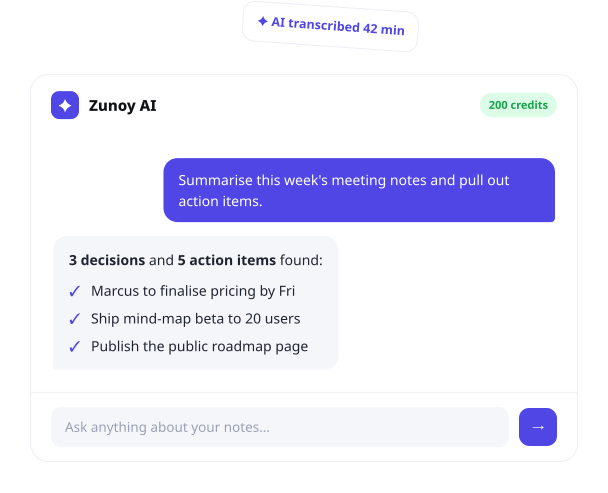
Ask it something. Hand it a bad first draft. Point it at a meeting and let it figure out what actually needs doing. This is what an AI notes app should feel like — not a chatbot bolted to the side, but part of how the workspace thinks with you.
Talk to Your Notes
Ask anything, get answers pulled straight from across your workspace.AI Edits
Within this AI notes app, rewrite, shorten, fix the tone, or fix the grammar.Meeting Transcripts It listens, it transcribes, it hands you the action items without you lifting a finger.
AI SummariesFeed it a wall of text. Get back what actually matters.
PUBLISH PAGES
From Private Note to Public Stage
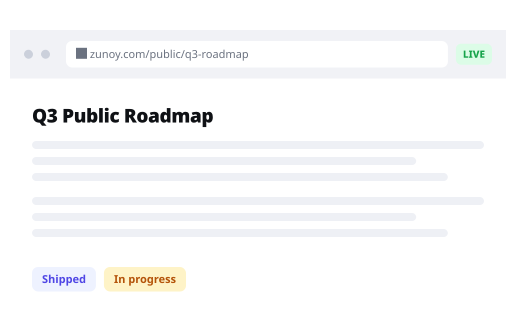
One click, and a note becomes a live web page. Your domain if you want it. Password protection if you need it. Full control over who sees it, and a clear read on how people engage once they do. No separate site to build. No separate site to maintain.
Blogs, policies, product docs, UI kits, resource hubs — whatever your audience is looking for, published straight from where you wrote it.
ZUNOY TEMPLATES LIBRARY
Start with a little structure
A blank page is harder to face than a shaped one. Grab a template for meetings, notes with calendar and tasks, research, or journaling, make it yours in minutes, and skip straight to the part that matters.





THINK BEYOND THE PAGES
When a note needs more room to think.
Some ideas outgrow the page. Turn any note into a Canvas and let it spread out — sketch it, map it, connect it — without cutting it loose from where it started.Zunoy Canvas — A living whiteboard, one click away. Map ideas and bring your team into the same space in this collaborative notes app.
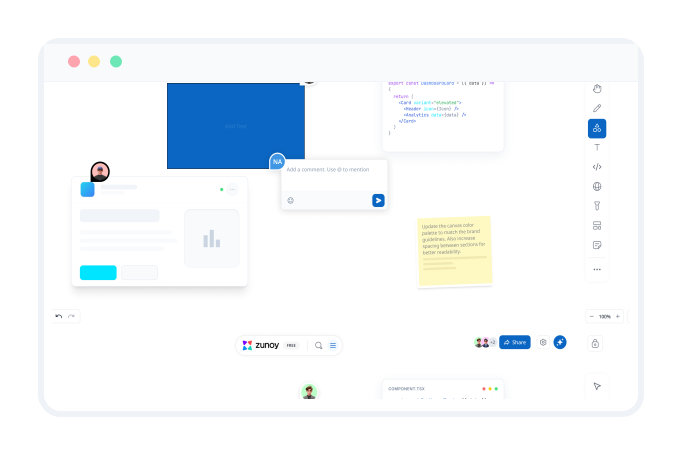
Keep your team's thinking in the same place.
Shared workspaces, real-time edits, comments, and reactions, all next to the work they belong to.
Keep everyone aligned without endless syncs in your collaborative notes app.

Comments in context
Discuss ideas right where the work happens.

Simultaneous Edits
See cursors and changes as they happen.

Shared workspaces
Organize projects so everyone stays aligned.

Brainstorm together
Share ideas and build on them together.
LOWEST ON PRICING
Start free. Upgrade when your thinking grows.
1 Workspace
1 Project
3 Boards
Up to 5 Seats
10 Viewers per Board
No Guest Users
Watermarked Export (PNG / SVG / PDF)
No Public Board Publishing
No Timer & Voting
10 AI Credits / Month
Unlimited Projects
Unlimited Boards
Up to 50 Seats
50 Viewers per Board
25 Guest Users
Clean Export (PNG / SVG / PDF)
Publish Boards Publicly
Timer & Voting
100 AI Credits / Month + AI MCP Server
What's included in Team
Everything from Pro plus:Unlimited Workspaces
Unlimited Seats
Unlimited Viewers per Board
Unlimited Guest Users
Audio Rooms & Tasks on Boards
Audit Logs & 30 Days Version History
300 AI Credits / Month + Priority Support
THE HONEST COMPARISON
Find the notes app that fits how you work.
Every notes app makes a trade-off somewhere. Need heavy-duty databases? Want fully local, offline files? Living inside an office suite already? Or do you just want to write, organize, publish, and share — without three different tools stitched together?
FEATURES | TYPICAL NOTES TOOLS | ZUNOY NOTES |
|---|---|---|
Shared Workspace |  No |  yes |
Integrations | No | Yes |
Real-time Edits | No | Yes |
Comments | No | Yes |
AI integrations | No | Yes |
See where Zunoy Notes actually stands against the alternatives. Feature by feature. No pretending one tool fits everyone.
FAQ
Questions? We’ve got answers
Is Zunoy Notes free?
Yes. You can start with our AI notes app for free, with no credit card required. Upgrade only when you need more collaboration, AI usage, publishing controls, or workspace features.
What is Zunoy Notes?
Zunoy Notes is a connected collaborative notes app for notes, ideas, research, tasks, and team knowledge. It helps you capture information, organise it clearly, and return to it when you need it.
How is Zunoy Notes different from Notion?
Zunoy Notes is built notes-first: a simpler online notes app to think, write, and connect knowledge without turning every workflow into a database. It also brings AI, visual mind maps, tasks, publishing, and collaboration into the same workspace.
Can I publish my notes as a website?
Yes. With Public Pages, you can publish selected notes as shareable web pages. You can control access, add password protection, use a custom domain, and manage SEO settings where available on your plan.
Does Zunoy Notes have AI?
Yes. As a leading AI notes app, Zunoy Notes AI can help you ask questions across your workspace, improve writing, transcribe meetings, extract action items, and summarise long notes.
The Zunoy Suite
More Than Just Notes
From brainstorming ideas in Canvas to documenting in Notes, tracking bugs, monitoring uptime, managing APIs, and running HR operations, Zunoy brings your entire workflow into one connected workspace.


All our products come with a Lifetime Free tier.
TALK TO AI
Ask before you decide.
Not sure this online notes app fits how you work? Skip the guesswork — ask the AI. It knows this product better than any page ever could.


Stop losing track of what matters.
Write documents, organize projects, build shared knowledge bases, and use AI to surface insights instantly. Stop searching across disconnected tools and keep work moving forward.
 Free forever
- Set up in 30 seconds
- No downloads