Ask Your AI Assistant for Notes Anything.
Ask a question in plain language and get an answer which's already inside your workspace, acting as your AI assistant for notes.

Try Zunoy AI free
BYOA supported
Private by default
AI is included in every plan
Works across your entire workspace
STATIC NOTES PROBLEM
AI Assistant for Notes. Never Lose Knowledge.
Notes are easy to create and surprisingly hard to use later. As your workspace grows, useful information gets buried across meeting notes, research, plans, and documents. You remember the question, but not the exact words or page that holds the answer. This is where advanced ai notes search becomes essential for making your work easier.

WORKSPACE IN CONVERSATION
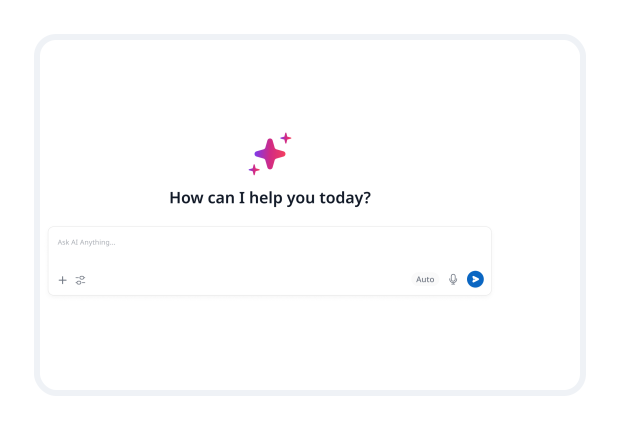
Meet Ask AI
Ask AI turns your workspace into an AI assistant for notes you can talk to. Instead of opening notes one by one, use our ai notes app to ask a direct question and get the relevant context brought together in a clear answer.
Ask what was decided about a project or feature.
Find recurring customer feedback and research themes like a dedicated ai research assistant.
Revisit meeting outcomes without searching through old pages.
Explore follow-up questions in the same conversation.
GROUNDED IN WORK
Answers From Your Knowledge Base
Ask AI works with the notes, documents, and project helping you find useful answers without relying on generic search results.
AI Chat and RAG
Search across notes, documents, and projects in one conversation.
Summarize research, compare ideas, and revisit past decisions.
Use retrieval-augmented generation, or RAG, to bring relevant knowledge into every answer.
Source-Aware Answers
Open the notes and documents used as sources in your ai notes app.
Verify details without searching for the original discussion using smart ai notes search.
Keep important decisions and your notes connected to their full context.
Workspace Context
Bring together related meeting notes, plans, research, and feedback.
Find answers even when information is spread across several documents.
Understand the context behind a decision, not just the final statement.
MORE THAN SEARCH
Workspace-Wide Intelligence
Our AI assistant for notes helps surface patterns, connections, and possible gaps across your workspace, so important context is easier to notice.

Intelligence Insights
See recurring themes and signals across the work your workspace already holds.
• Identify repeated customer needs and common questions.• Notice patterns across your notes with your ai research assistant.• Bring emerging ideas and important decisions into view.
Smart Note Suggestions
Discover useful context while you work, not only after you think to search for it.
• Find related notes and documents connected to your current task.• Surface useful background before making a decision.• Build stronger connections across your knowledge base.
Conflict Detector
Keep inconsistent information from quietly creating confusion later.
• Flag possible contradictions across notes and project documents.• Spot mismatched dates, decisions, or assumptions.• Review the original context and keep documentation aligned.
Ask AI How
From Question To Clarity
Ask AI finds the most relevant information and brings it into a clear, source-aware answer using advanced ai notes search.
Capture knowledge
Save meeting notes, research, ideas, project plans, and decisions in your workspace.
Ask naturally
Type questions the way you would ask a teammate and get clear, useful answers.
Retrieve context
Let AI search your notes and documents to find the context most relevant to you.
Review the answer
Read responses, open sources, and ask follow-up questions with your AI assistant for notes.
Move work forward
Turn the context you find into decisions, tasks, plans, or shared team updates.
REAL KNOWLEDGE WORK
Real World Scenarios

Researchers
Summarize topics before writing. Compare ideas across research notes with an AI research assistant. Trace insights to their original sources.

Founders
Find past decisions and reasoning behind them. Revisit customer feedback before setting priorities. Keep knowledge accessible beyond one person.

Product Managers
Find recurring user problems across feedback. Revisit product trade-offs before making decisions. Retrieve launch context without chasing stakeholders.
FAQ
Questions About Ask AI
What is an AI assistant for notes?
An AI assistant for notes helps you find, understand, and use information stored in notes, documents, and workspace content. You ask a question in natural language and receive an answer based on relevant information.
How does Ask AI search notes and documents?
Ask AI uses AI-powered retrieval to find workspace content related to your question. It brings together relevant context and generates a response based on the information it finds through robust ai notes search.
Can I see the sources behind an Ask AI answer?
Yes. Source-aware answers show which notes and documents informed a response, so you can review the original context and verify important details.
Can Ask AI answer questions from my notes?
Yes. Ask AI is designed to retrieve relevant information from notes, documents, and workspace content available in Zunoy, then use that context to answer your question.
What does RAG mean in Ask AI?
RAG means retrieval-augmented generation. It retrieves relevant information from your workspace before generating an answer, helping keep responses connected to your notes and documents.
Does Ask AI understand context across multiple notes?
Ask AI is designed to search across related notes, documents, projects, and workspace content. This helps it provide answers that reflect a broader context instead of one isolated note.
 Free forever
- AI at all plans
- Real time Colloboration