


Introduction
A developer fixes a bug in fifteen minutes on a Tuesday between two other tasks. Nobody logs it. Multiply that by every small fix across every client, every week, and an agency isn't losing minutes. It's losing invoices.
To track bug fix hours means recording the time spent on each bug close to where the work actually happens, not reconstructing it from memory at the end of the week, the habit that eventually lets an agency bill clients accurately without guessing. Agencies that do this well don't just capture more time. They bill clients accurately, because the hours on the invoice match the hours that were actually spent.
This matters most for maintenance and support work, where dozens of small fixes can happen in a single sprint and none of them feel large enough to remember on their own.
 What does it mean to track bug fix hours?
Tracking bug fix hours means logging the time spent investigating and resolving a bug at the point the work happens, tied to that specific bug rather than a general task or project line. A timesheet has always worked this way in principle, a record of time against specific work, bug-level tracking just applies that same principle at a finer level of detail than most teams are used to. Instead of a developer trying to recall "roughly two hours on bugs" at the end of the week, each fix carries its own record of exactly how long it took.
This distinction matters for agency time tracking specifically, since it's what separates a real system from a rough estimate. Most generic time tracking setups get this part wrong: they group work by project or client. Bug-level tracking goes one step further and ties hours to the individual issue, which is what makes it possible to show a client exactly what a specific fix cost, not just a lump sum for "maintenance."
If you're not familiar with how bug tracking works more broadly, see What is a Bug Tracker before setting up agency time tracking on top of it, since good agency time tracking depends on that foundation. Time tracking only works once the underlying bug data is solid.
Why accurate agency time tracking matters for billing?
Agencies lose money on bug fixes for a simple reason: small tasks are the easiest ones to forget to log. A two-hour feature build gets remembered. A ten-minute fix squeezed in before a meeting usually doesn't.
That gap is exactly where unbilled hours start piling up, and where software maintenance billing quietly falls apart. Harvest's own guidance on time tracking real-time logging is ideal, end-of-day logging is acceptable, and weekly logging is highly inaccurate. Applied to bug fixing, that gap shows up as unbilled hours, real work the agency performed but never invoiced. It's margin that quietly disappears without anyone noticing.
What Untracked Time Actually Costs an Agency
This creates a few specific problems:
- Retainers quietly run over. If a client's maintenance retainer covers a fixed number of hours, untracked time makes it look like the agency is comfortably within budget when it's actually absorbing the overage for free, unbilled hours nobody notices until the contract.
- Scope conversations get harder. Without a record tied to each bug, it's difficult to bill clients accurately or explain why a "small fix" took longer than expected. Skip this step enough times and billing clients accurately stops being a habit and goes back to being a guess.
- Profitability becomes a guess. An agency can't tell whether a maintenance contract is profitable if the hours behind it were never fully captured. That's exactly the blind spot software maintenance billing is supposed to close. Unbilled time is really just an overhead expense the agency didn't choose to absorb, it just never noticed it was happening.
None of this is about asking developers to be more disciplined about memory, or expecting them to somehow prevent unbilled hours through sheer willpower. It's moving the time log to the same place the bug already lives, so logging time takes less effort than skipping it.
How to track bug fix hours without leaving the tracker
This is the practical side of agency time tracking. The most reliable approach is to log time directly on the bug itself, at the moment the work happens, rather than in a separate timesheet tool developers have to remember to update.
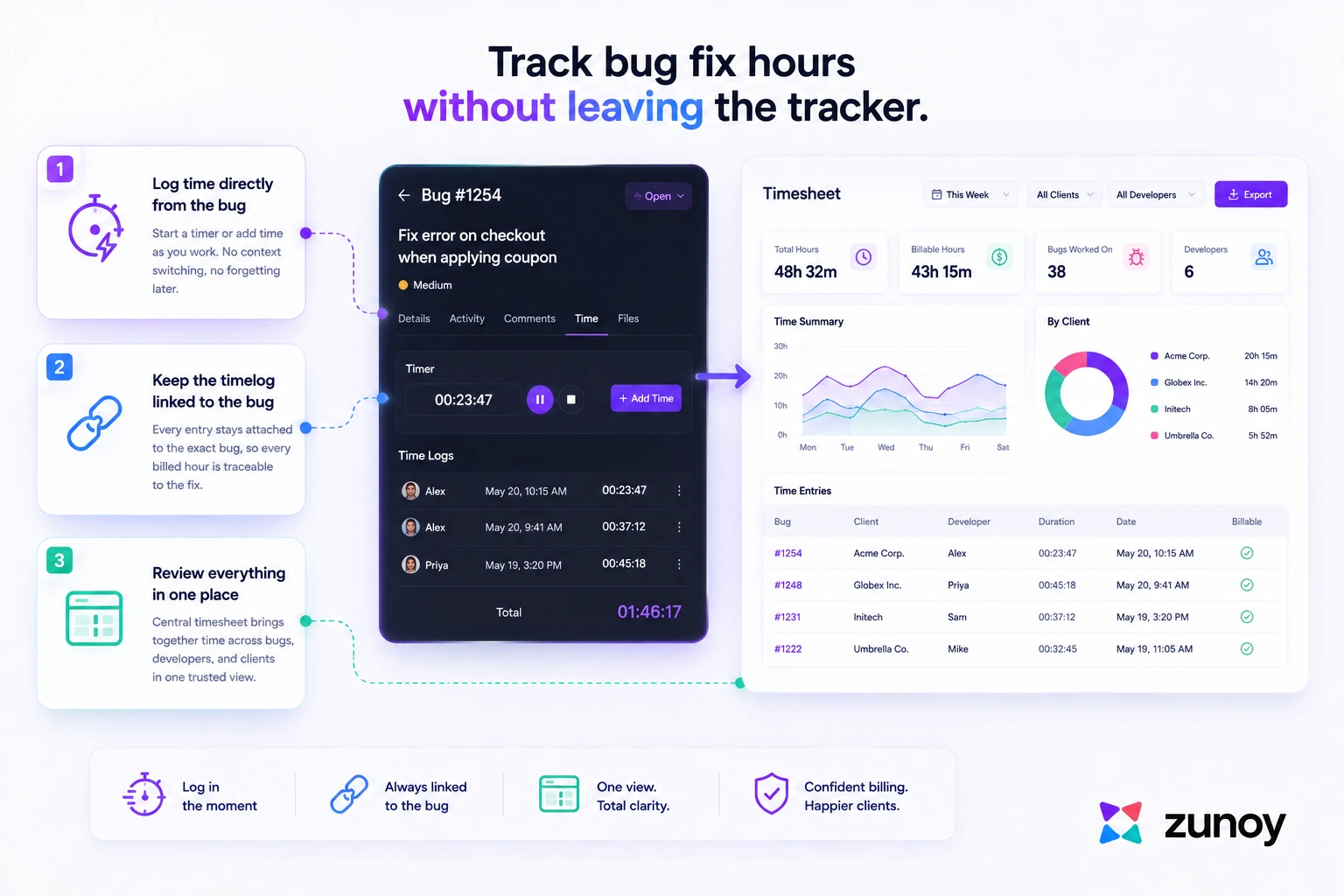
Zunoy Bug Tracker's timesheet management is built around this idea:
- Log time directly from the bug
When a developer picks up a bug, they can log time against it right there, without switching to a separate app or waiting until end of day, the first real step toward agency time tracking that holds up. - Keep the timelog linked to the bug
Each logged entry stays attached to the specific bug it was spent on, not just a general project bucket. That's what makes it possible to trace a billed hour back to the exact fix later, if a client asks. - Review everything in one place
A central timesheet manager pulls logged time across bugs, developers, and clients into a single view, instead of leaving it scattered across individual bug records. That's what real agency time tracking looks like, not a spreadsheet nobody trusts.
Because the timelog lives on the bug itself, it inherits the same context the bug already has: severity, client, and status. Nobody has to re-enter that information separately just to make the hours billable.
From Timelogs to Invoice: Turning Tracked Hours Into Accurate Client Bills
Logging time is only half the job. Turning that logged time into an accurate client bill is what actually protects agency revenue.
Once time is logged against bugs, Zunoy Bug Tracker's timesheet analytics let a team see logged hours broken down in ways that map directly to how agencies bill:
- By client or workspace, since agencies typically separate each client's bugs and time into their own workspace
- By time period, matching whatever billing cycle the agency uses
- By bug or project, for clients who want to see time itemized rather than billed as a flat maintenance fee
That view is what an agency actually needs at invoicing time: not a guess at "about how many hours," but a record that shows exactly which bugs were worked on and how long each one took.
For teams that want that data flowing into an invoicing tool automatically rather than exported by hand, Zunoy Bug Tracker's Zapier and n8n integrations can route timesheet data to other systems as part of a broader automation setup. For more on how those integrations work, see Bug Tracker Integrations.
This is really what closes the gap between tracking and software maintenance billing: the hours don't just exist somewhere, they're organized in a way that turns directly into what a client sees on their invoice.
Common mistakes that lead to unbilled hours
Most unbilled hours don't come from developers deliberately not logging time. They come from small process gaps that make logging feel optional.
The most common mistakes:
- Treating time logging as an end-of-day task instead of an in-the-moment one
- Logging time against a general "maintenance" bucket instead of the specific bug
- Not separating client work into distinct workspaces, so hours get mixed together
- Reviewing timesheets only at invoicing time, when gaps are hardest to reconstruct
- Assuming a fix was "too small to bother logging"
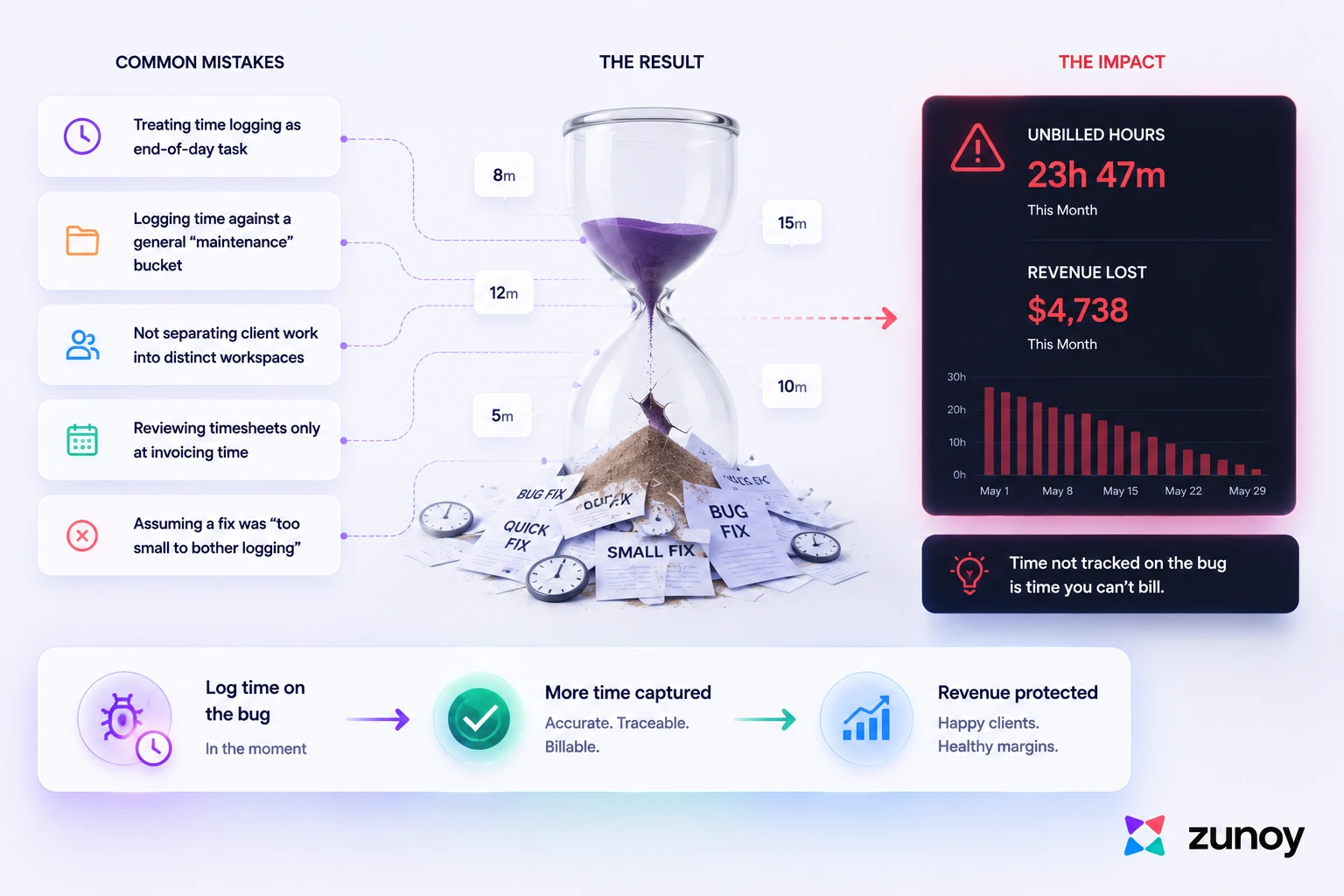 Each of these has the same root cause: the time log lives somewhere separate from the work itself. The fewer steps it takes to log time on a bug, the more of it actually gets captured, and the fewer hours quietly go unbilled.
Final Takeaway
Agencies that reliably track bug fix hours aren't doing more work. They're just doing the logging closer to where the fix actually happens, instead of trying to reconstruct it later.
That's what turns scattered effort into hours a client can actually be billed for, and it's the difference between a maintenance retainer that's profitable and one that quietly isn't.
Look at your last month of bug fixes. How many of those hours would you be confident showing a client, itemized, right now?
Turn every bug fix into billable, traceable time. Start your free trial with Zunoy BugTracker and track bug fix hours where the work actually happens.