IT Asset Requisition Software Where Employees Stop Emailing IT to Ask for a Monitor
Request new equipment, report a broken laptop, track approval status — all without a single follow-up email.
THREE REQUESTS, ONE PORTAL
Everything an Employee Might Need to Ask IT For

Employee Hardware Requests
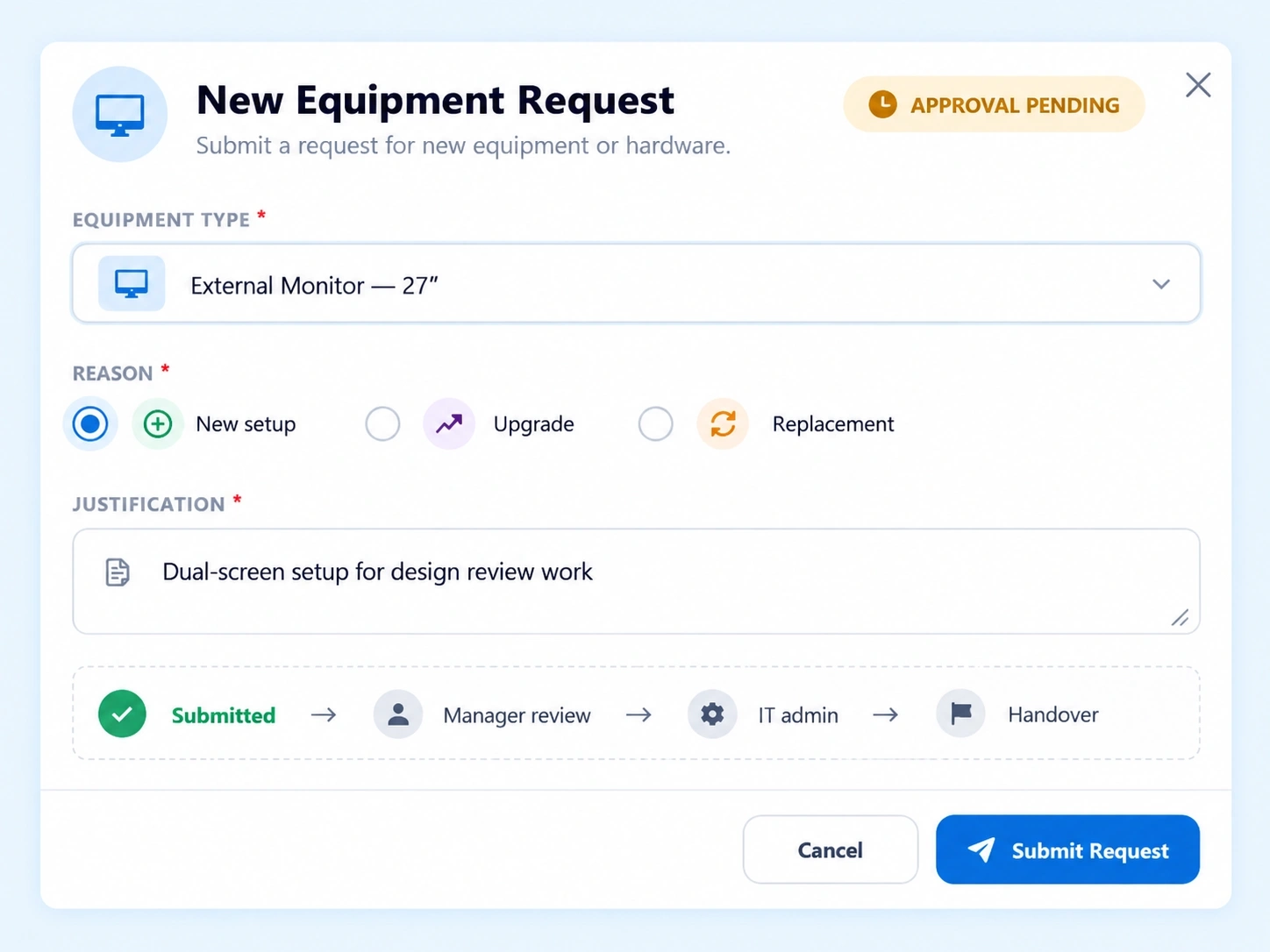
A self-service interface to request new equipment, upgrades, or replacements, without going through a manual back-and-forth.

Approval Pipeline
A routing system for managers and IT admins to review, approve, or reject requests in sequence.

Damage & Repair Ticketing
Report broken or lost assets directly, triggering repair or replacement action automatically.
A Self Service IT Portal Where Approvals Don't Depend on Finding the Right Person
Requests don't stall waiting for someone to notice an email. The Approval Pipeline routes each request through the right reviewers automatically.
Manager Review
First-level approval from the employee's direct manager.
Routed to the requester's direct reporting line
IT Admin Review
Technical or inventory-level approval from IT.
Checked against current stock and specs
Status Tracking
Employees see exactly where their request sits, without asking.
Pending, approved, or fulfilled — visible to the requester
BROKEN TO FIXED
How an Asset Repair Ticketing System Turns a Report Into Action
Report the Issue
Staff flag a broken or lost asset directly through the portal, no separate email required.
Ticket Triggered
The report automatically triggers a repair or replacement action.
Resolved or Replaced
IT resolves the ticket, whether that means a repair or issuing a replacement device.
LESS BACK-AND-FORTH
An Employee Hardware Request Tool Built to Skip the Manual Chase
Every request an employee makes shouldn’t require them to know who to ask.

Self-Service by Default
Employees request what they need without going through IT directly first.

Multi-Tier Approval
Manager and IT admin review built into the same pipeline.

Damage Reporting Included
Broken or lost assets reported the same way as new requests.

Nothing Falls Through
Every request tracked from submission to resolution.
QUESTIONS, ANSWERED
Frequently Asked Questions
What is IT asset requisition software?
It’s a system that lets employees request new equipment, upgrades, or replacements through a self-service portal, routing each request through manager and IT admin approval before fulfillment.
How does the approval pipeline work?
Requests route through managers and IT admins in sequence, each reviewing and approving or rejecting the request before it moves forward or gets fulfilled.
Can employees report a broken or lost device here?
Yes, Damage & Repair Ticketing lets staff report broken or lost assets directly, automatically triggering a repair or replacement action instead of a manual report process.
How do employees request new hardware?
Through Employee Hardware Requests, a self-service interface where staff submit requests for new equipment, upgrades, or replacements directly, without needing to email IT separately.
Is this considered a self service IT portal?
Yes, it functions as a complete self service IT portal, covering equipment requests, approvals, and damage reporting without requiring direct IT contact for each step.
Is this an asset repair ticketing system as well?
Yes, alongside new equipment requests, it functions as a genuine asset repair ticketing system, handling damage reports and replacement triggers in the same portal.
Let Employees Ask, Approvals Route, and IT Just Act
Requests, approvals, and repair reports — all through one self-service portal, tracked start to finish.
Hardware Requests
Approval Pipeline
Damage Reporting