Employee Device Management That Decides Who's Allowed In Before They Ever Log In
Approve, reject, or revoke — every device tied to your HRMS stays visible, verified, and under your control.
Five Layers of Control
Everything Between an Unknown Device and a Trusted One

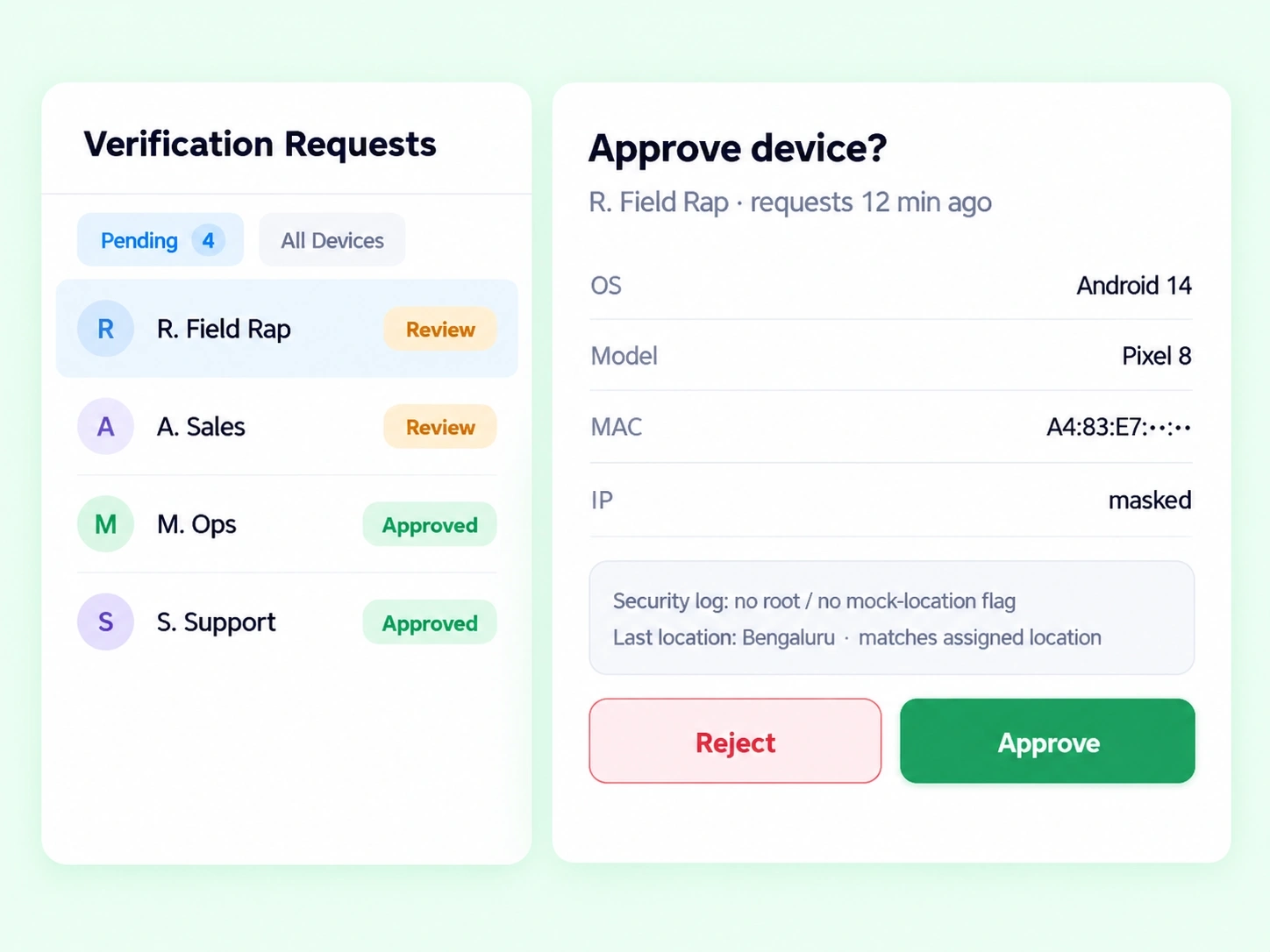
Verification Requests Management
A multi-tab view — Pending Verification and All Employee Devices — with clear status indicators for every request.

Approval & Rejection Drawers
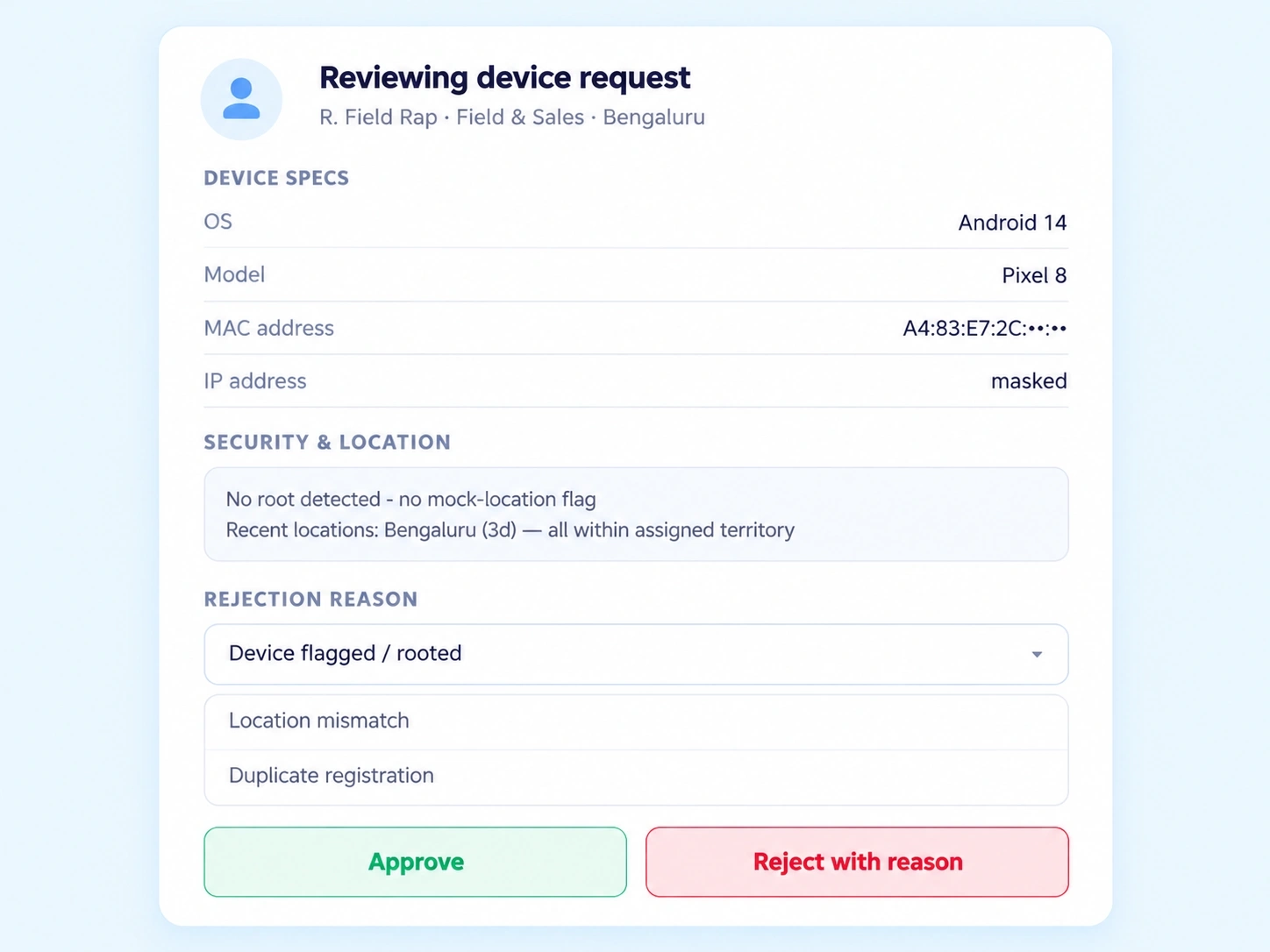
Inspect employee profiles, device specs, security logs, and location history before deciding, with structured rejection reasons built in.

Employee Device Registry
A central list of every bound device, with admin controls to remotely disable or revoke access at any time.

System Policy Configurations
Set maximum devices per employee, auto-expiring access, role-based approval permissions, and rules for unverified logins.

Compliance & Device Analytics
A dashboard tracking department allocation, OS breakdown, device usage ratios, and the most common rejection reasons.
Look Before You Approve
BYOD Security Management That Doesn't Approve on Trust Alone
A device requesting access shouldn't get in just because someone clicked "yes." The approval drawer surfaces the full picture first — OS, model, MAC/IP address, security logs, and recent location history — so every approval or rejection is backed by actual evidence, not a guess.
Full device spec visibility before approval
Security logs and location history included
Structured rejection reasons, not vague denials
Set the Boundaries
Device Binding Software That Runs on Rules You Define
Access Limits
Maximum devices allowed per employee (1–5)
Auto-expiring access after a set period
Rules for unverified device login attempts
Approval Governance
Role-based approval permissions (Admin, HR, Manager)
Multi-tab tracking of pending and approved devices
Central registry with remote disable/revoke controls
Numbers, Not Guesses
What the Device Analytics Dashboard Actually Shows You
Questions, Answered
Frequently Asked Questions
What is employee device management?
It's the process of verifying, approving, and controlling which devices employees can use to access HRMS systems, ensuring only authorized, trusted devices are granted entry into company data and records.
Can employees register multiple devices?
Yes, admins can configure a maximum device limit per employee, ranging from 1 to 5, giving flexibility while still preventing unlimited or untracked device registration.
Can device access be revoked remotely?
Yes, the Employee Device Registry includes administrative controls to remotely disable or revoke access for any bound device, immediately cutting off HRMS access without needing physical device contact.
How does BYOD security management work here?
Employees can register personal devices, but each one goes through an approval drawer reviewing OS, model, MAC/IP, and security logs before access is granted, keeping personal-device use secure and controlled.
What information is reviewed during device binding software approval?
Reviewers see the employee profile, device specifications, security logs, and recent location history, giving full context before a device is approved, rejected, or flagged for further review.
Who can approve or reject device requests?
Role-based approval permissions let Admins, HR, or Managers handle approvals depending on your configuration, so device verification authority matches your organization's existing approval hierarchy.
Know Every Device That Touches Your HRMS
Approve with evidence, revoke with one click, and track every device from one central registry.
Full device inspection before approval
Remote disable/revoke controls
Role-based approval permissions
Compliance analytics dashboard