AI Whiteboard tool for AI Brainstorming, Diagrams,and Collaborative whiteboard with AI
Imagine an AI-powered whiteboard that doesn't interrupt — it just knows. Knows what your team built. Knows where you're stuck. Knows the next move. Zunoy Canvas AI lives inside your board, not above it. So your ideas keep flowing. And the AI just helps.
Bg music included
Video conference + recording ready
Upload video & audio
10 free AI credits
No setup
Works on every board
MEET YOUR NEW TEAMMATE
An AI That Already Knows What's On Your Board.
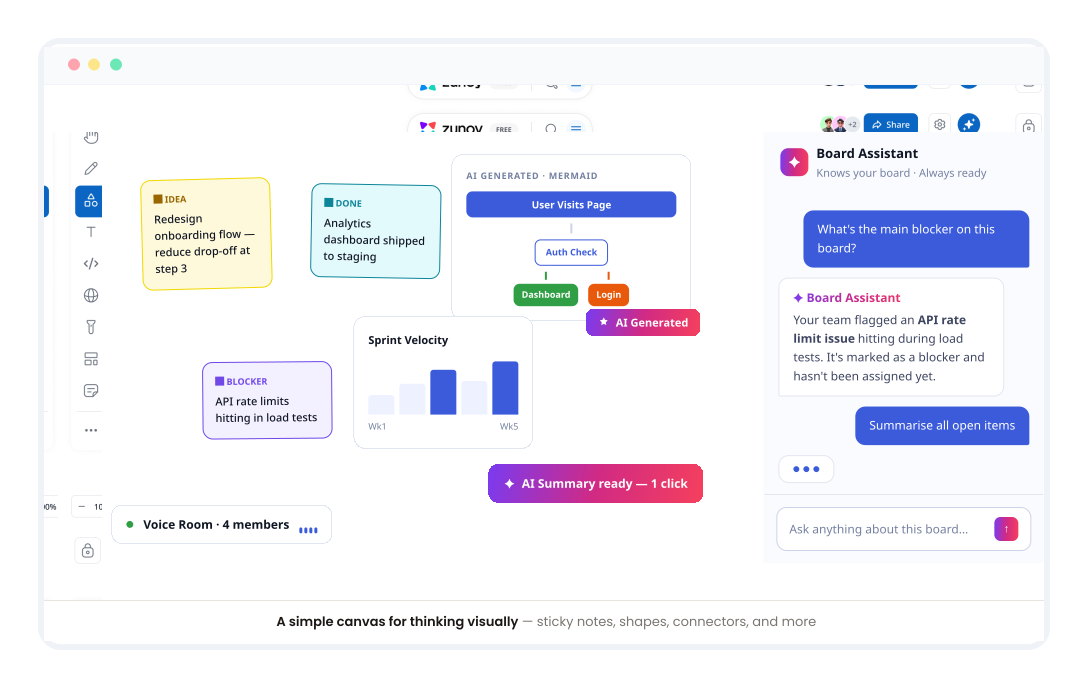
Most AI tools need a briefing before they can help. The Board Assistant doesn't. It has already read the board — AI sticky notes, diagrams, frameworks, comments, decisions, connections.Ask a question. Give an instruction. Start a conversation. The context is already there. No prompts explaining what happened. No catching AI up. Just answers that fit the work already happening.

Summarise Entire Boards
Instantly, in plain language.

Answer Questions About Board Content
Without you explaining any context.

Find Gaps & Missing Ideas
In your team's thinking, before they become blockers.

Suggest Logical Next Steps
Based on everything already on the board.

Act as an AI Mind Map Generator
Connect ideas and turn scattered thoughts into clear action.
SHIPPED. READY. NOW.
Six Ways Zunoy Canvas AI Makes Your Team Faster.
Built into the board. Ready the moment you open a canvas.
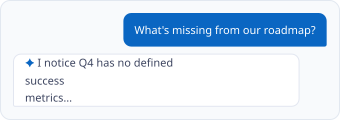
Talk to Your Board. It Talks Back.
The Board Assistant isn't hidden in a sidebar. It's right there — ready to answer, summarise, suggest, organise, and even build an auto mind map. Just ask. No prompting tutorials needed.
Describe It. Watch It Become a Diagram.
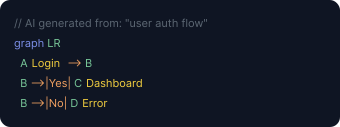
Type what you need in plain English. Zunoy Canvas AI generates a clean Mermaid diagram instantly. Edit it manually or ask AI to refine it. No syntax knowledge required. No hopping to a separate AI diagramming tool — you generate diagrams with AI seamlessly.
Write Better. Directly on the Board.
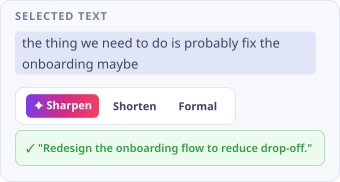
Select any text — a sticky note, a heading, a messy thought. AI steps in. Sharpens your wording. Fixes awkward phrasing. Makes you clearer. Without changing what you're trying to say.
Less Noise. More Signal.
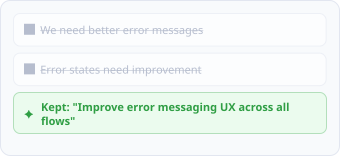
Active boards get noisy. AI scans your comments, flags overlaps, and clears repetition. Your team focuses on feedback that actually matters — not the same suggestion typed five ways.
Everything on the Board. One Click. One Page.
Two weeks of work. One click. AI reads everything and generates a clean, structured summary: decisions made, what's open, what needs attention. Ready to share instantly.

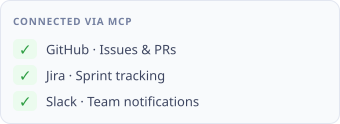
AI That Works Across Your Entire Stack.
Connect Zunoy Canvas AI to your external tools and pipelines via the MCP protocol. For teams that want AI working across everything they build — not just inside the whiteboard.
WHY IT FEELS DIFFERENT
AI That Helps You Think. Not Think for You.
Every Collaborative whiteboard with AI tool right now claims to make you faster. Most make you dependent instead. They generate content you didn't write. Diagrams you don't understand. Summaries that miss the point entirely.Zunoy Canvas AI was built on a different belief: the best AI doesn't replace your thinking. It clears the path so your thinking can go further.

Built Into the Board — Not Bolted On
Zunoy Canvas AI operates as a smart canvas that has access to everything on your board — not just what you copy-paste into a prompt. It works with your full context from the moment you open a session.

Works With Your Team — Not Around Them
Every AI feature is collaborative by design. Summaries, suggestions, and edits are visible to the whole team — not just the person who asked for them.

Transparent and Controllable — Always
You decide what AI touches and what it doesn't. No background processing. No silent changes. Every AI action is visible, reversible, and in your team's control.
AI CREDITS
Simple. Transparent. No Surprise Charges.
Every plan includes AI credits. Use them for any AI feature. Top up anytime. Credits roll over for 30 days — unused credits never disappear overnight.
FREE
10
credits/month
Perfect for getting started and exploring what an AI whiteboard tool can do.
$0
PRO
100
credits/month
For individuals and teams using AI features regularly across multiple boards.
$12/mo
TEAM
300
credits/month
For teams that want AI working across every session, every board, every week.
$29/mo
ADD-ON · ANY PLAN
200
credits
Need more mid-month? Top up anytime. Credits roll over for 30 days.
$5 one-time
See Full Pricing
AI IN ACTION
See Zunoy Canvas AI In Every Workflow.
Placeholder section — not present in the source mockup screenshots. Replace or remove in the CMS.
FOR PRODUCT TEAMS
Turn Meeting Notes Into Action Items
Ask the Board Assistant to scan your planning board and generate a task list nobody has to write by hand.
FOR DESIGNERS
Sketch to Structured Diagram in Seconds
Describe a flow in plain English and let AI turn it into a clean, editable diagram on your board.
FOR ENGINEERS
Ship Docs Without Leaving the Board
Generate a one-page summary of your architecture board and connect it to your tools via MCP.
COMING NEXT — EARLY ACCESS
The Features That Will Change How Your Team Works. Again.
Built from what real teams told us they actually needed. Early access available.
Your Board Is Already a Story. AI Tells It.
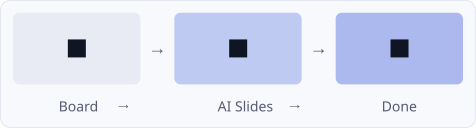
Your team spent hours building a board full of ideas, diagrams, decisions. AI turns it into a clean presentation — slides, structure, and all. No starting over in another tool.
Walk Back In Like You Never Left.
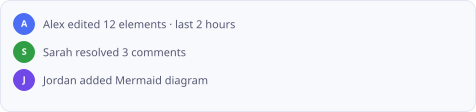
Who worked on what? What changed since you last opened the board? AI reads the activity timeline and gives your team a clear human summary — before anyone has to ask.
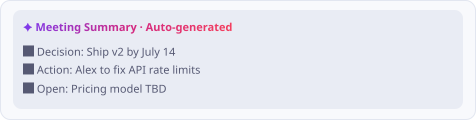
Your Meeting Ends. Your Summary Is Already Written.
Run your meeting on the board. AI listens, follows along, and generates a post-meeting summary the moment it ends — decisions, actions, owners, and all. No notes. No follow-up emails.
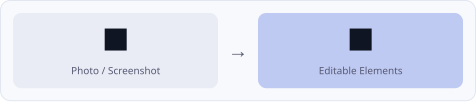
A Photo In. A Working Board Out.
Upload a photo of a physical whiteboard, a Miro screenshot, or a hand-drawn sketch. AI recreates it as fully editable canvas elements — shapes, text, diagrams. Your rough thinking becomes a working canvas in seconds.
PARKED — BUT COMING
The Boring Stuff. That We're Making Less Boring.
Every AI-powered whiteboard needs these. We're building them so you don't have to stitch together five different tools.

The Foundation. Done Right.
Infinite canvas. Sticky notes. Shapes. Connectors. Text boxes. Freehand drawing. Templates. All the stuff you expect — built clean, fast, and collaborative from day one.

Talk. Show. Record. Stay on the Board.
Drop in a Loom recording. Upload a meeting replay. Add voice notes to sticky notes. Your board becomes the source of truth — not a link graveyard.

Yes, Really. Music on the Board.
Ambient sound. Focus mode. Lo-fi beats to run AI brainstorming sessions to. Because sometimes a whiteboard feels better with a background track. Toggle it on. Or off. Your call.

Your Meeting. Your Board. Same Place.
Start a video call from inside the canvas. Share your screen. Present the board. Record the entire session — decisions, diagrams, awkward silences and all. The recording lives on the board. So no one ever asks “was that recorded?” again.
AI IN THE REAL WORLD
How Real Teams Use Zunoy Canvas AI Every Day.
Not hypothetical. Not a demo. Here's what it actually looks like when AI works inside the canvas.
REMOTE & DISTRIBUTED TEAMS
Async collaboration that actually feels like collaboration.
A distributed team runs all their planning on their AI whiteboard tool, Zunoy Canvas. Comments pile up across time zones. Before their weekly sync, AI scans the board, removes duplicate comments, and surfaces feedback that still needs a response. The meeting starts clean. The team spends time deciding — not decoding.
DEVELOPER & ENGINEERING TEAMS
From description to diagram in seconds.
A dev team is mapping a new system architecture. Instead of opening a separate AI diagramming tool, someone types a plain English description into Zunoy Canvas. AI generates a clean Mermaid diagram directly on the board. The team edits it live, adds components, and connects it to the rest of their planning — all in one session. All in one place.
PRODUCT TEAMS
One board. One summary. One team that knows what's happening.
A product team has been running sprint planning on the same board for three weeks. A new stakeholder joins. Instead of a 20-minute catch-up call, someone clicks One Page AI Board Summary. AI generates a clean overview of every decision, every open item, every next step — in seconds. The stakeholder is up to speed before the session begins.
FAQS
Frequently Asked Questions
What is Zunoy Canvas AI?
Zunoy Canvas AI is an AI-powered whiteboard packed with a set of AI features built directly into the canvas — not added on top. From the Board Assistant that manages your board through conversation, to Text to Mermaid, to the AI Powered Editor — every feature works inside the AI whiteboard tool with full context, without breaking your team's flow.
How does Text to Mermaid Diagram work?
Type a plain English description of the diagram you need — a user flow, system architecture, sequence diagram — and Zunoy Canvas AI generates a clean Mermaid diagram directly on the board. Edit it manually afterward or ask AI to refine it further. No Mermaid syntax needed, making it a flawless AI diagramming tool.
What is the One Page AI Board Summary?
One Page AI Board Summary reads your entire board and generates a clean, structured one-page overview — what your team is working on, what decisions have been made, what's still open, and what needs attention next. One click. Ready to share instantly.
What is the Board Assistant and what can it do?
The Board Assistant is an AI chat built into your canvas that reads your entire board and helps you work with it through plain conversation. Ask it to summarise, act as an AI mind map generator, identify gaps, suggest next steps, answer questions, or help reorganise elements. It already knows the context — you don't need to brief it.
What does the AI Powered Editor do?
Select any text element on your board — a label, description, heading, note — and AI refines the wording, sharpens clarity, and fixes awkward phrasing without changing what you're trying to say. Your voice stays yours.
What is MCP Server for Canvas?
MCP Server for Canvas connects Zunoy Canvas AI to your external tools, pipelines, and workflows using the Model Context Protocol. Designed for teams that want AI working across their entire technical stack — not just inside a standalone AI diagramming tool or canvas.
GET STARTED
Your AI Whiteboard tool Is Smarter Than You Think. Let AI Prove It.
Ten free AI credits. No setup. No AI experience needed. Just open a board and see what it can do.
Video conference + recording
Upload video & audio
10 free credits
Works on every board
No setup
Cancel anytime

Canvas
Zunoy Canvas is the free online whiteboard tool and visual collaboration software.
Operational
Mail Us
support@zunoy.com
Copyright © 2026 - Mentcube Innovations Pvt Ltd.. All Rights Reserved.
v0.1.227