Online Whiteboard Features for Modern Teams
Real-time collaboration, UML components, Mermaid diagram syntax, version control, voice rooms, comments, an image library and more. Explore the essential online whiteboard features Zunoy Canvas offers to bring every tool your team reaches for into one fluid, distraction-free workspace. No bloat. No buried menus. Just the right canvas features right when you need them.


Free forever plan
Every feature unlocked from day one
No downloads
Set up in 30 seconds
CANVAS CORE
The Features Your Team Will Use Every Single Day.
These aren't extras or nice-to-haves. They're the core online whiteboard features every great team runs on.

Collaboration
Work together on one live board, in real time. Every draw, every edit, every idea visible to your whole team the moment it happens. Enjoy seamless collaborative whiteboard features.

Community
Browse templates built by real teams — designers, developers, educators and founders. Use them as-is, remix them for your workflow, or submit your own.

Audit Log
Know exactly who did what and when. The comprehensive audit log tracks every action on your board so your team stays accountable and nothing quietly disappears.

Image Library
Every image you drop onto a board is automatically saved to your image library. No hunting through folders. No re-uploading the same asset twice.

Templates
Choose from templates built for design, education, business and development. Your team is moving in minutes — not hours. Start smart. Not from scratch.

Access & Roles
Manage access and roles by assigning Viewers, Editors and Admins to every board. Full control over who sees what and who can change what. No confusion.
Customise Board
Change colours, fonts and styles to match your brand or your way of working. Every board on Zunoy Canvas flexes around the team using it — not the other way around.
WORKSPACE MANAGEMENT
Keep Your Team Organised. Keep the Work Moving.
The robust Collaborative tool features that run quietly in the background — so your team can stay fully focused on what actually matters.

Assign Tasks
Turn board items into action before anyone closes the tab. Assign tasks directly to team members inside the canvas.

Project Owner Transfer
Handing off a project? Transfer full board ownership in one click. The work, the history and the access all stay intact.

Private Templates
Save your best boards as private templates — visible only to your team. Reuse them, refine them and build on them project after project.

Version Control & Restoring
Made a change you regret? Use version control to restore any previous state of your board cleanly and instantly. Nothing gets permanently lost.

Copy & Reuse Templates
Found a template that works? Copy it, make it yours and reuse it across projects to build a library of go-to boards your whole team can pull from.
ADVANCED FEATURES
For Teams That Want to Go Deeper.
Technical, precise and powerful — these advanced canvas features show up once your team is ready for them.

UML Components
Build flowcharts, sequence diagrams and class diagrams directly on your board using built-in UML components. Just drag, drop and diagram.

Laser Pointer
Guide your team's attention across the board in real time with the laser pointer. Perfect for presentations and live walkthroughs.

Emoji
Drop a reaction anywhere on the board. Sometimes the fastest response is the most human one.

Icons
A full icon library built right into the canvas. Label ideas and mark sections instantly without leaving the board.

Table
Add structured tables directly to your canvas for comparisons, data breakdowns and organised planning.

Frame
Divide your board into clearly named sections so large projects stay navigable.
UML Components
Build flowcharts, sequence diagrams and class diagrams directly on your board using built-in UML components. Just drag, drop and diagram.
Laser Pointer
Guide your team's attention across the board in real time with the laser pointer. Perfect for presentations and live walkthroughs.
Emoji
Drop a reaction anywhere on the board. Sometimes the fastest response is the most human one.
Icons
A full icon library built right into the canvas. Label ideas and mark sections instantly without leaving the board.
Table
Add structured tables directly to your canvas for comparisons, data breakdowns and organised planning.
Frame
Divide your board into clearly named sections so large projects stay navigable.
UML Components
Build flowcharts, sequence diagrams and class diagrams directly on your board using built-in UML components. Just drag, drop and diagram.
Laser Pointer
Guide your team's attention across the board in real time with the laser pointer. Perfect for presentations and live walkthroughs.
Emoji
Drop a reaction anywhere on the board. Sometimes the fastest response is the most human one.
Icons
A full icon library built right into the canvas. Label ideas and mark sections instantly without leaving the board.
Table
Add structured tables directly to your canvas for comparisons, data breakdowns and organised planning.
Frame
Divide your board into clearly named sections so large projects stay navigable.

Mermaid Diagram
Write syntax and watch it render as a clean, professional Mermaid diagram instantly. Built for teams who think in code.

Math Equation
Add a math equation rendered cleanly and professionally on the board. Essential for educators, researchers and technical teams.
Code Block
Add formatted code snippets directly to your canvas for technical planning and team collaboration.

Chart
Drop charts — bar, line, pie and more — directly onto your canvas. Turn numbers into visuals without leaving the board.
Image
Insert images directly from your device or your global image library.
Mermaid Diagram
Write syntax and watch it render as a clean, professional Mermaid diagram instantly. Built for teams who think in code.
Math Equation
Add a math equation rendered cleanly and professionally on the board. Essential for educators, researchers and technical teams.
Code Block
Add formatted code snippets directly to your canvas for technical planning and team collaboration.
Chart
Drop charts — bar, line, pie and more — directly onto your canvas. Turn numbers into visuals without leaving the board.
Image
Insert images directly from your device or your global image library.
Mermaid Diagram
Write syntax and watch it render as a clean, professional Mermaid diagram instantly. Built for teams who think in code.
Math Equation
Add a math equation rendered cleanly and professionally on the board. Essential for educators, researchers and technical teams.
Code Block
Add formatted code snippets directly to your canvas for technical planning and team collaboration.
Chart
Drop charts — bar, line, pie and more — directly onto your canvas. Turn numbers into visuals without leaving the board.
Image
Insert images directly from your device or your global image library.
COLLABORATION FEATURES
Built for Teams That Think Out Loud — Together.
Real collaboration isn't just shared access. It's shared momentum. Dive into the top-tier Collaborative tool features that keep your team moving in the same direction.
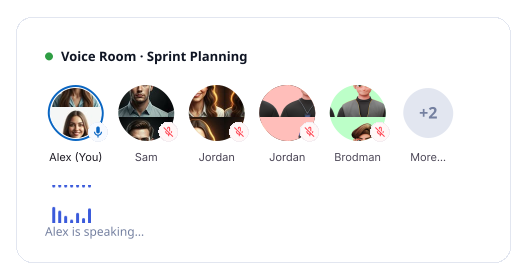
Talk While You Build. Without Leaving the Board.
Your team doesn't need another tab. Jump straight into a live voice room. Your team's voice is right there on the canvas, exactly where the work is happening.
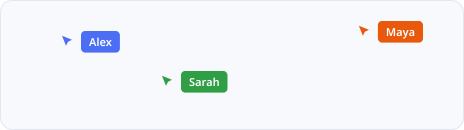
See Where Everyone Is. Always.
A staple of modern collaborative whiteboard features, every team member's cursor is visible in real time. You can see who's working where before anyone says a word.
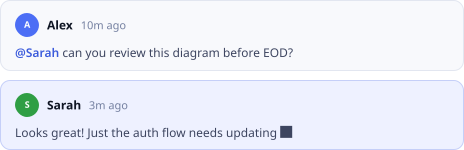
Feedback That Lives on the Board. Not in Your Inbox.
Leave comments directly on any element. Mention a teammate with an @ and they get notified instantly — inside their workspace or via email.
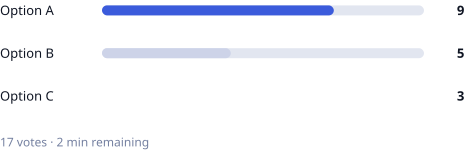
Stop Going in Circles. Let the Team Decide.
Drop a vote on any idea or direction. The best option rises. No endless discussions that go nowhere. Just clear outcomes made together.
Keep Sessions Focused. Keep Energy Up.
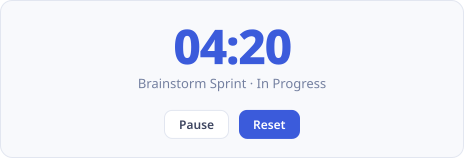
Set a visible countdown directly on your board for focused sprints or timed brainstorms. When the clock is on screen, everyone stays on track.
PUBLISHED BOARDS & GUEST SHARING
Share Your Work With Anyone. No Account Needed.
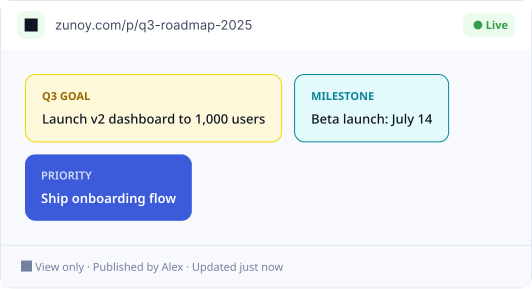
Take advantage of our online whiteboard features for external sharing. Publish a live link to clients, stakeholders or anyone who needs to see your work.

Live. Clean. Always Up to Date.
Hit publish and your board becomes a live shareable link. Every update you make shows up in real time on their screen. Non-Zunoy users see only the board. No toolbars. Just your work, presented cleanly.
Full Control Over What Gets Shared.
You decide what goes public and what stays private. Keep everything else inside your workspace where it belongs.
AI FEATURES
Your Canvas. Now Powered by AI.
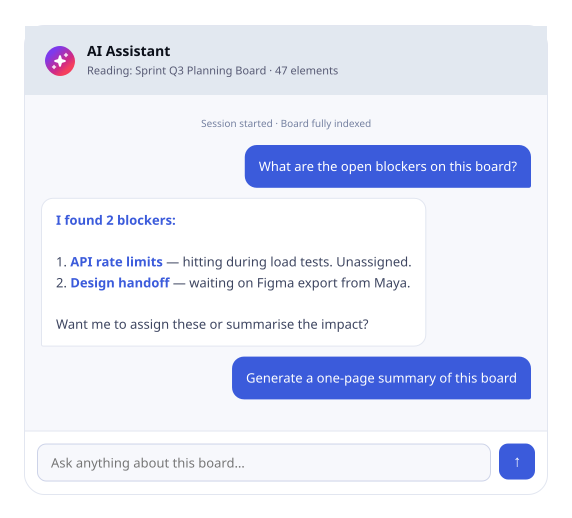
AI collaboration in Zunoy Canvas enhances standard canvas features to help your team think faster, build smarter and move from rough idea to clear plan.
GLOBAL MEDIA LIBRARY
Every Visual Asset Your Team Has Ever Used. Right Here.
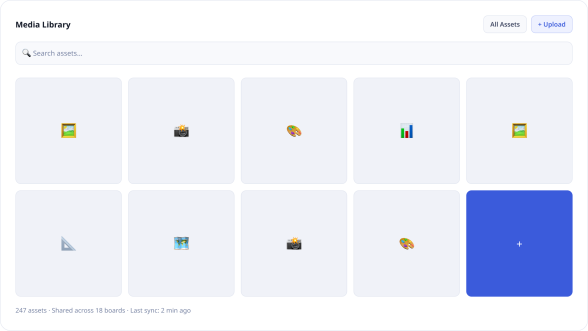
Every image dropped onto any board is saved to the Global Media Library. No re-uploading assets you've already used. Your team's visuals live in one central place, always in sync.
TEAM BOARD PREFERENCES
Set the Standard. Let Your Team Stay Consistent.
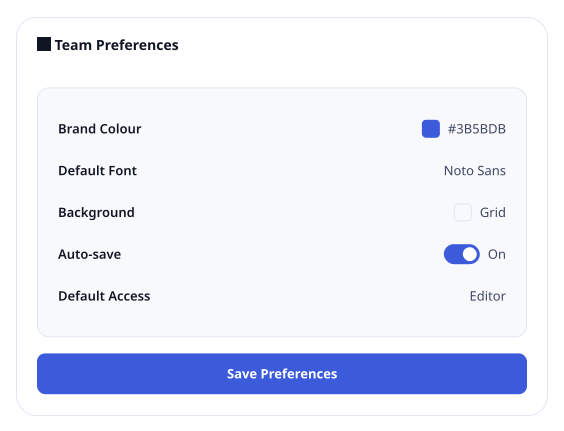
Team Board Preferences let you set default styles and settings across your boards. Consistent colours. Consistent fonts. Consistent structure. Less setup. More doing.
Your Brand. Your Style. Built Into Every Board.
Set preferences once at the team level and every board your team creates inherits them automatically. It's all there — before anyone opens a blank board.

Consistent colours across every board
Consistent fonts and styles
Consistent structure and layout
Less setup. More doing.
RECENT ACTIVITIES
Never Lose Track of What's Happening on Your Boards.
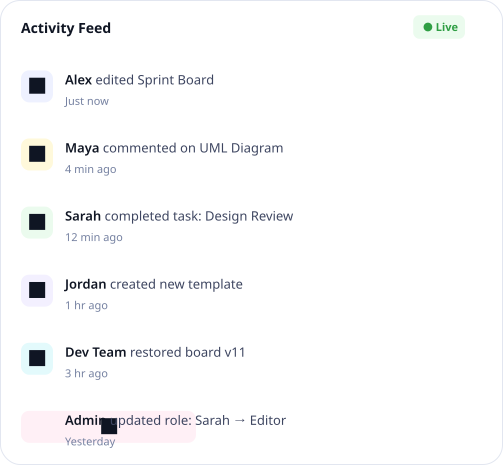
Recent Activities gives you a live feed of everything happening across your workspace — complementing your whiteboard collaboration tools. All in one place, without having to open every board to find out what changed.Walk Back In Like You Never Left.Open Zunoy Canvas after a break and Recent Activities brings you straight up to speed. See exactly what your team did while you were away.
ZUNOY TEMPLATES
Start With a Board That's Already Halfway There.
Browse templates built by real teams. Pick one, make it yours, and your team is moving in minutes. Plus, save your own workflows as private templates.
ENTERPRISE
Built for Teams That Need More Control.
When your team grows, your tools need to grow with it. Zunoy Canvas Enterprise scales your online whiteboard features to give larger teams visibility, control, and governance.
Audit Trail — Full Visibility. Complete Accountability.
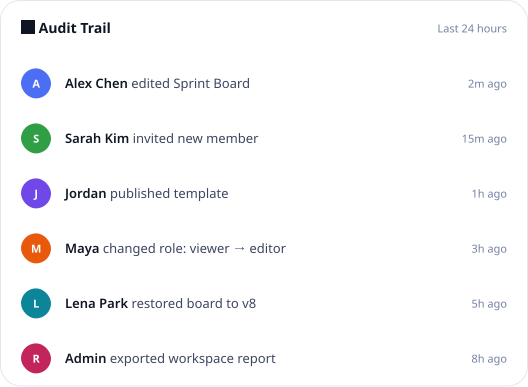
Every action across your entire workspace is logged in the audit log and trail — who accessed what, who changed what, and when it happened.
FEATURE COMPARISON
How Does Zunoy Canvas Stack Up?
An honest, side-by-side look at what you get — and what you don't — across the most popular Collaborative tool features available today.
| Features | Typical Webhook Tools |  Zunoy Canvas |
|---|---|---|
Authenticated Endpoints | Rarely | Required on all |
Team shared inbox | - | + |
Discord / Slack / Teams validation | - |  Real-time |
Alert integrations | - | Slack, Discord, Teams |
Payload retention | Session only | Plan Based |
Public payload links | - | + |
Part of a full testing suite | - | + |
Multiple isolated projects | - | + |
BUILT FOR YOUR TEAM
Whatever Your Team Does — There's a Canvas for It.
Zunoy Canvas flexes its collaborative whiteboard features around the way your team works. Here's how three very different teams use it every day.
FOR PRODUCT TEAMS
From Roadmap to Release — All in One Board.
Product teams use Zunoy Canvas to run sprint planning, map out user flows, and align stakeholders.
FOR EDUCATORS & TRAINERS
Teaching Is Better When Everyone's on the Same Board.
Educators use Zunoy Canvas to run interactive lessons, collaborative workshops and live group exercises.
FOR DEV & ENGINEERING TEAMS
Diagrams That Live Where Your Thinking Happens.
Engineering teams use Zunoy Canvas to document systems, sketch architecture, and collaborate on technical planning.
Frequently Asked Questions
What are the core features of Zunoy Canvas?
Zunoy Canvas provides top-tier online whiteboard features from day one — real-time collaboration, community templates, an image library, comments, detailed access and roles, an audit log, and full board customisation.
What is a Mermaid Diagram and how does it work?
Mermaid is a text-based diagramming language. Zunoy Canvas has this built in, so developers can write plain syntax and instantly render a Mermaid diagram without leaving the board.
Can I create private templates?
Yes. Enjoy canvas features like saving any board as private templates — visible only to you and your team.
Does Zunoy Canvas support UML diagrams?
Yes. Build flowcharts, sequence diagrams, class diagrams and more directly on your board using built-in UML components — no external tool needed.
Is version control available on the free plan?
Version control and board restoring are available on upgrade tiers. The free plan gives you a full canvas with all core features — upgrade when your team needs the ability to restore previous board states.
What does the Audit Log track?
The audit log records every action taken on your board — who made changes, what was changed and when, giving admins full visibility over everything that happens.
Get started
Every Feature. One Canvas. Zero Compromise.
Stop switching between tools. Everything your team needs from online whiteboard features is already here — free to start, built to scale with you.
Free forever
No credit card
Set up in 30 seconds
Every feature unlocked from day one

Canvas
Zunoy Canvas is the free online whiteboard tool and visual collaboration software.
Operational
Mail Us
support@zunoy.com
Copyright © 2026 - Mentcube Innovations Pvt Ltd.. All Rights Reserved.
v0.1.227