One Canvas. Every Team. Every Workflow.
Zunoy Canvas is not built for one kind of team. It is built for every team that thinks visually — designers wireframing, developers diagramming, educators teaching, product managers roadmapping, remote teams collaborating.

Free forever
No credit card
Works on every device
4200+ teams using Canvas
WHY USE CASES MATTER
Every Team Is Different. Your Canvas Should Know That.
Most whiteboard tools give every team the same experience and ask them to figure out the rest. Zunoy Canvas is different — every feature, every template and every workflow on the canvas is built around how real teams actually think, build and collaborate.Find your workflow below. See exactly how Zunoy Canvas fits into it.
A developer diagramming a system architecture needs something completely different from a teacher explaining a concept to thirty students.
A designer wireframing a product needs different tools from a marketing team planning a campaign.
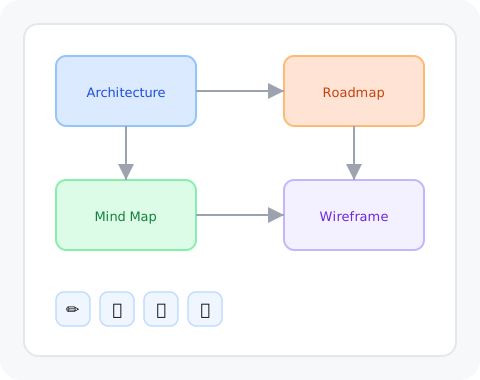
BY SCENARIO
Find Your Workflow.
Not sure where to start? Find the way your team works and we'll show you exactly how Zunoy Canvas fits in.

Diagramming
Turn ideas into structured diagrams — flowcharts, UML, Mermaid and more — without leaving the board.

Brainstorming
From scattered ideas to clear decisions. A Zunoy brainstorm actually ends with something your team can act on.

Collaborative Whiteboard
Real collaboration — not just real-time cursors. Voice rooms, comments, voting and activity timelines built in.

Technical Diagrams
Diagrams that live where the work happens — updated, shared and always in context with the rest of your team's thinking.

AI Diagrams
Describe what you need. Watch it become a diagram. AI and Mermaid working together on one canvas.

Mind Mapping for Teams
From topic to action in one board. Mind maps that end with decisions — not just colourful sticky notes.

Replace Zoom + Whiteboard
Stop switching between a video call and a whiteboard. The audio room is already on the canvas.
BY ROLE
Find Yourself on the Canvas.
Every role thinks differently. Every role works differently. Find yours and see how Zunoy Canvas was built around the way you actually work.

Designer
Wireframe, prototype and present — all on one canvas that keeps up with how designers actually think.

Product Manager
Your roadmap. Your decisions. Your team aligned — without five different tools to hold it all together.

UX Researcher
Map the full user journey. Align the full team. All the context your research needs in one shared board.

Software Developer
Write code. See the diagram. Stay on the board. Technical diagramming built for the way developers think.

Marketing Team
From brief to launch on one board. Campaign planning without the chaos of scattered docs and Slack threads.

Educator
Draw it. Diagram it. Let students build on it — together, in real time. Teaching that actually moves.
BY WORKFLOW
Find What You Are Building.
Sometimes you know exactly what you need to make. Find it here and start with a board that is already built for it.

Wireframing
From rough sketch to client-ready wireframe on one canvas. Every wireframing tool without the tool-switching.

Product Roadmap
From ideas to a roadmap your whole team actually believes in — and follows.

Software Architecture
The architecture diagram that never goes out of date — because it lives where the work happens.

Mind Maps for Students
Visual thinking for every subject. Mind maps that make complex ideas click — and actually stick.

Online Teaching
Live audio. Live equations. Live students. The online classroom that actually feels like one.

Campaign Planning
Brief to launch on one board. No more herding cats across five different tools.
WHY ZUNOY CANVAS
Whatever Your Workflow — Three Things Stay the Same.

One Tool. Every Workflow.
Diagramming, brainstorming, wireframing, teaching, planning — every workflow your team runs is supported on one canvas. No switching tools. No losing context. Just one place where everything happens.

Free to Start. No Feature Gating.
Every board feature — drawing tools, UML components, Mermaid diagrams, math equations, laser pointer, comments — is available on every plan including Free. You upgrade for more workspace and collaboration depth. Not to unlock the canvas itself.

Built for Real Collaboration.
Voice rooms, real-time cursors, comments and mentions, voting, activity timelines, task assignment — Zunoy Canvas is built for teams that need to actually work together, not just share a view of the same board.
18 use cases covered
4200+ teams using Canvas
Free forever plan
37% cheaper than Miro
FAQ
Frequently Asked Questions
What can Zunoy Canvas be used for?
Zunoy Canvas is a visual collaboration platform built for any team that thinks and works visually. Use cases include diagramming, brainstorming, wireframing, product roadmapping, software architecture, UX journey mapping, online teaching, campaign planning, mind mapping and remote collaboration — all on one free canvas.
Can designers use Zunoy Canvas instead of Figma?
For thinking, wireframing and collaboration — yes. Zunoy Canvas is built for the messy, creative phase of design work that precision tools like Figma are not designed for. Use Zunoy Canvas to think, wireframe and align. Use Figma to build.
Is Zunoy Canvas good for remote teams?
Yes. Zunoy Canvas was built with remote teams in mind. Live voice rooms, real-time cursors, comments and mentions, voting, task assignment and activity timelines keep distributed teams aligned without extra tools or extra meetings.
Is Zunoy Canvas free for educators?
Yes. The free plan includes everything most educators need — 3 boards, real-time student collaboration, math equations, Mermaid diagrams, drawing tools, templates, comments and a built-in voice room. Special education pricing is also available — up to 75% off for verified institutions.
Your Workflow Is Already on the Canvas. You Just Haven't Opened It Yet.
Free to start. No credit card. No setup. Just open a board and find your use case.
Free forever
No credit card
Works on every device
Set up in 30 seconds