HR Document Management System Where “Where’s That File?” Stops Being a Recurring Question
Grid or table view, folders that make sense, and search that actually finds what you typed — documents that behave like they're organized, because they are.
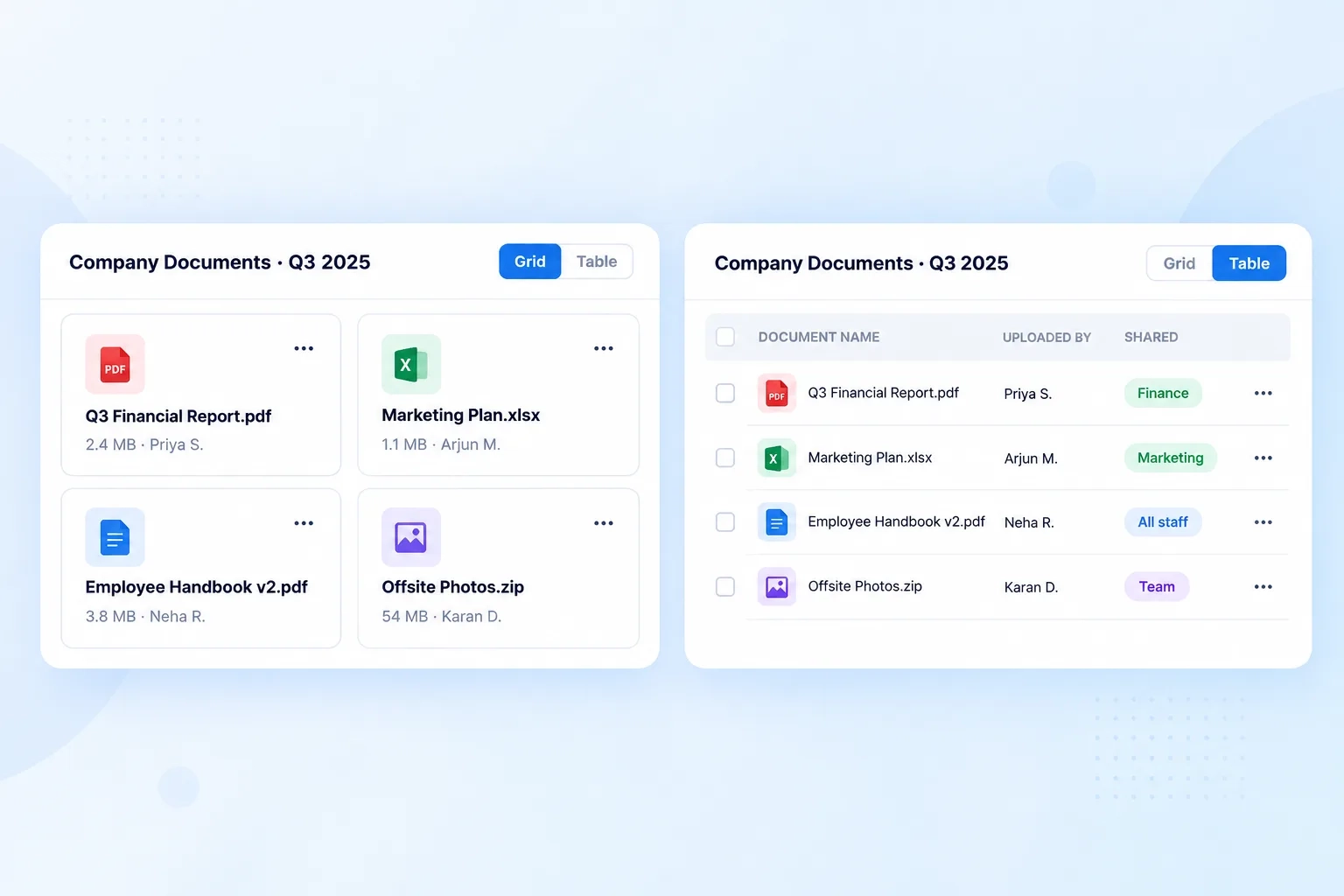
Documents Organized However You Actually Like to Browse

Layout & Navigation
Switch between grid cards and table list, with a sidebar supporting system folders like All Documents and Deleted, plus custom category folders.

Document Attributes & Search
Preview files by type icon, see size and uploader metadata, sharing scope tags, and search by file name or uploader.
YOURS, ORGANIZED
Digital HR Records That Live in Folders People Actually Chose
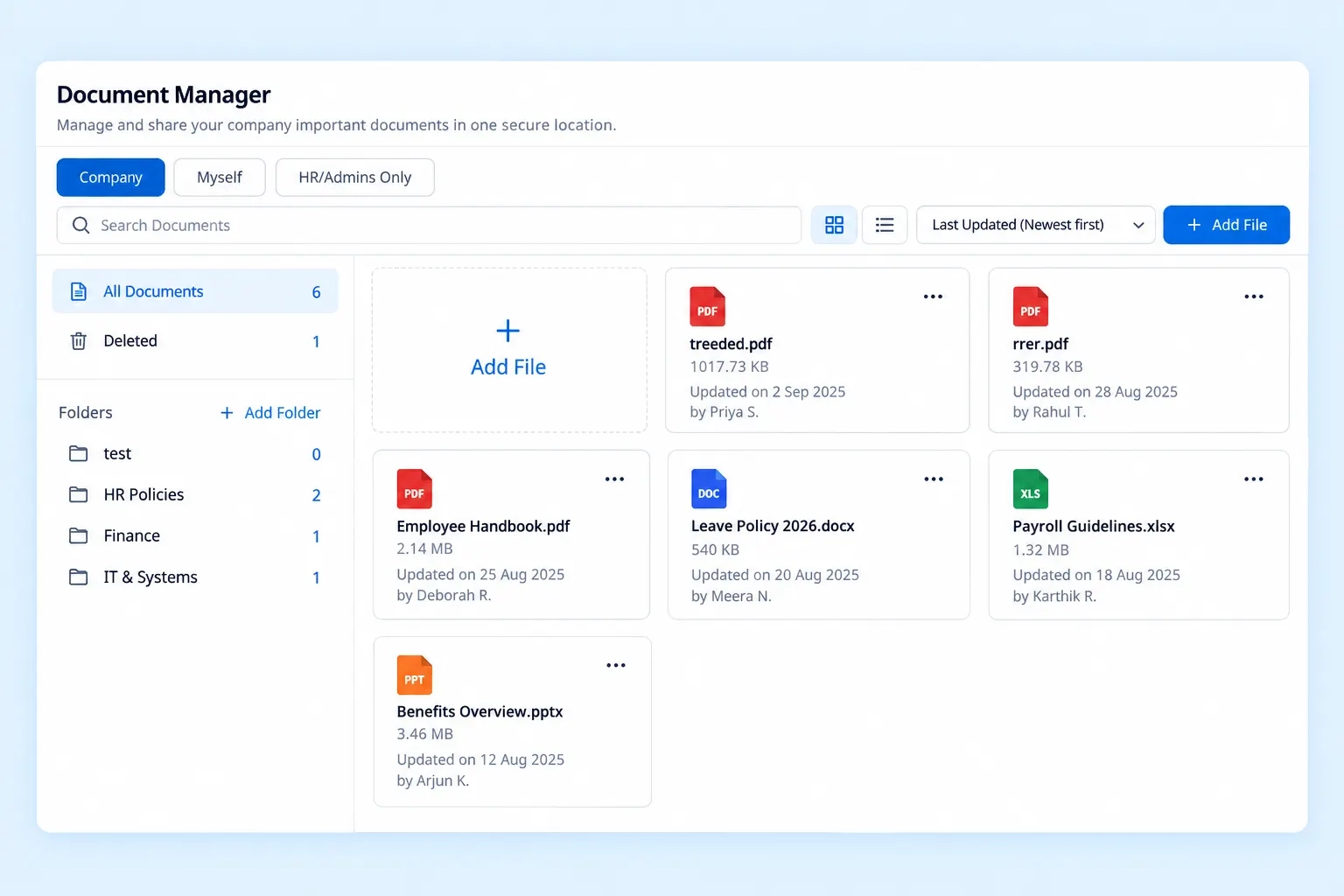
A single dumped folder of everything eventually becomes unusable. Custom category folders — Q3 2025, Compliance & Risk, or whatever structure your team defines — sit alongside system folders like All Documents and Deleted, so records stay organized around how your HR team actually thinks about them.
Custom category folders defined by your team
System folders for All Documents and Deleted
Structure that matches how HR actually organizes work
SEARCH, NOT SCROLL
Employee File Management Software Built Around Actually Finding Something
A search bar only helps if it searches the right things.

Search by File Name
Find a document by typing exactly what it’s called.

Search by Uploader
Locate files based on who uploaded them, not just the title.

File-Type Icons
Recognize document types at a glance, without opening each one.

Sharing Scope Tags
See who a document is shared with, directly from the list.
DETAIL, AT A GLANCE
The Metadata Behind Every Document in the Vault
QUESTIONS, ANSWERED
Frequently Asked Questions
What is an HR document management system?
It’s a system that lets organizations store, organize, and search HR-related documents through folders, previews, and metadata, replacing scattered file storage with one structured, searchable vault.
How are documents organized into folders?
System folders like All Documents and Deleted sit alongside custom category folders you create, such as Q3 2025 or Compliance & Risk, matching your own filing structure.
Can I search for a file by who uploaded it?
Yes, keyword search supports searching by file name or uploader, so you can locate a document even if you don’t remember its exact title.
Can I switch between grid and table views?
Yes, Layout & Navigation supports both a grid card display and a table list view, letting you browse documents in whichever format suits the task better.
Is this considered employee file management software?
Yes, it functions as complete employee file management software, covering storage, folder organization, search, and metadata tracking for HR-related documents.
What information is shown for each document?
Each file displays a file-type icon, file size, uploader metadata, and sharing scope tags, giving key details without needing to open the document.
Every HR Document, Filed Somewhere That Actually Makes Sense
Grid or table, custom folders or system folders — find any file in seconds, not a scroll through everything.
Grid & Table Views
Custom Folders
Keyword Search
Sharing Scope