HR Helpdesk Software Where a Question Doesn’t Just Sit in Someone’s Inbox
Every ticket tracked, threaded, and auto-closed if it goes seven days quiet — support that doesn’t rely on someone remembering to follow up.
TWO VIEWS, FULL LOOP
From Ticket Count to a Single Resolved Conversation

Ticket Metrics & Dashboard
An admin overview with key metrics — Total Tickets, Open Tickets, Avg. Resolution Time, New Tickets — and status tracking across Pending, Open, Closed, and Expired.

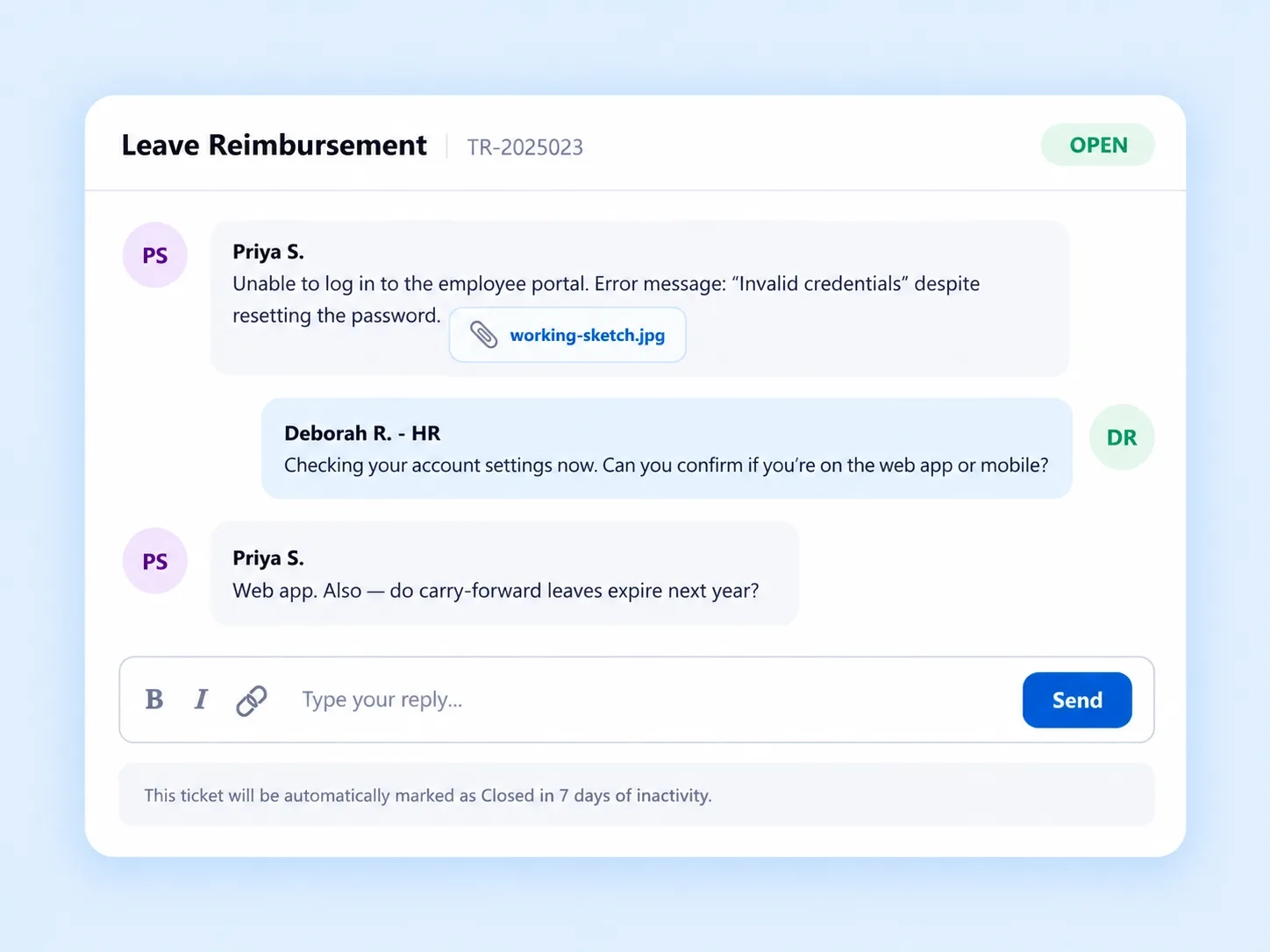
Ticket Detail & Resolution Thread
A full message history with file attachments, a rich text reply bar, assignment metadata, and automatic 7-day auto-close logic.
NOTHING LEFT HANGING
An HR Ticketing System That Closes Itself When Nobody Else Does
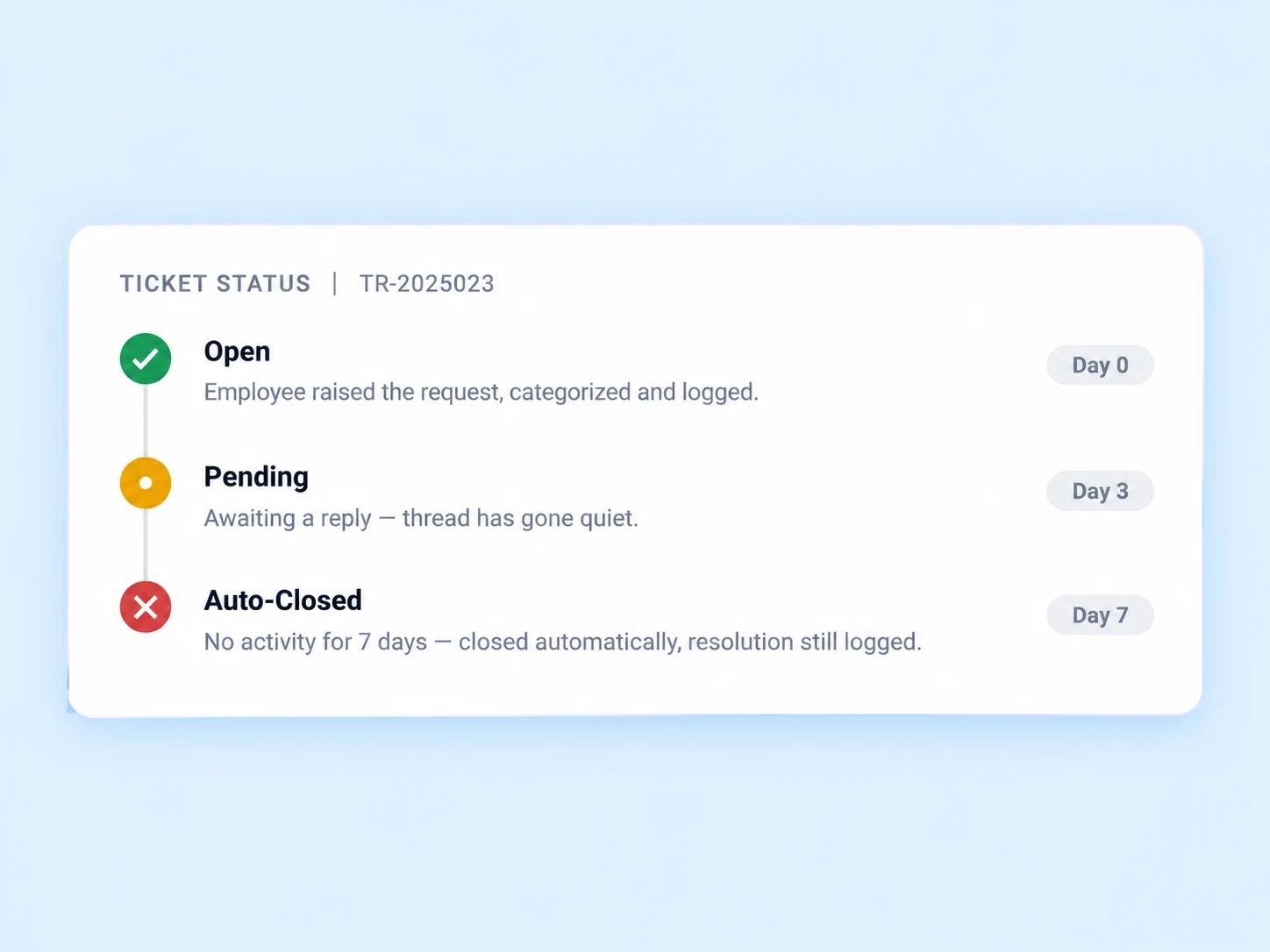
A support ticket that never gets a reply shouldn’t sit open forever either. Automatic 7-day auto-close logic means tickets that go quiet don’t linger indefinitely in the queue — resolved or not, the system keeps the ticket count honest instead of inflated by conversations nobody’s actively having.
Automatic auto-close after 7 days of inactivity
Ticket queue stays accurate, not artificially inflated
Resolution still tracked even for auto-closed tickets
FULL CONTEXT, ONE THREAD
Employee Support Portal Detail That Doesn’t Require Scrolling Through Email
Everything about a ticket lives in one place, not scattered across a forwarded email chain.

Full Message History
The entire conversation thread, visible from start to resolution.

File Attachments
Support for .jpg and .pdf files, attached directly to the ticket.

Rich Text Reply Bar
Formatted replies, not plain unformatted text blocks.

Assignment Metadata
Ticket ID, category, created by, closed by, and remarks, all tracked.
RAISED TO RESOLVED
How a Ticket Moves From Pending to Closed
From a logged request to refreshed dashboard metrics.
VISIBLE, NOT BURIED
An Internal Ticketing Tool Built for Admins Who Need the Bigger Picture
Four numbers that tell you whether support is actually keeping up.

Total Tickets
The full volume of requests raised, tracked continuously.

Open Tickets
What's currently unresolved, visible at a glance.

Avg. Resolution Time
How long tickets typically take to close.

New Tickets
Fresh requests, so nothing recent gets missed.
QUESTIONS, ANSWERED
Frequently Asked Questions
What is HR helpdesk software?
It’s a system that lets employees raise support requests and HR teams track, respond to, and resolve them through a structured ticketing dashboard with metrics and status tracking.
What happens if a ticket goes unanswered?
Automatic 7-day auto-close logic closes tickets that go quiet for a week, keeping the ticket queue accurate instead of accumulating stale, forgotten requests.
Can employees attach files to a support ticket?
Yes, the Ticket Detail & Resolution Thread supports file attachments in formats like .jpg and .pdf, directly within the same conversation thread.
What metrics does the ticket dashboard show?
It shows Total Tickets, Open Tickets, Avg. Resolution Time, and New Tickets, alongside status tracking across Pending, Open, Closed, and Expired categories.
Is this considered an HR ticketing system?
Yes, it functions as a complete HR ticketing system, covering ticket creation, threaded resolution, metadata tracking, and dashboard-level reporting in one place.
Is this an employee support portal or just an admin tool?
It’s both — employees raise and track their own tickets, while admins use the Ticket Metrics dashboard, making it a complete employee support portal.
Every Question Tracked, Threaded, and Closed — Automatically If Needed
Metrics, message history, and auto-close logic — support that doesn’t rely on someone remembering to follow up.
Ticket Metrics
Resolution Thread
File Attachments
Auto-Close Logic