Employee Pulse Survey Software That Asks How Someone's Doing Before It Becomes a Problem
A weekly mood tap, a workload check, an optional comment — thirty seconds that tell you more than a quarterly engagement survey ever could.
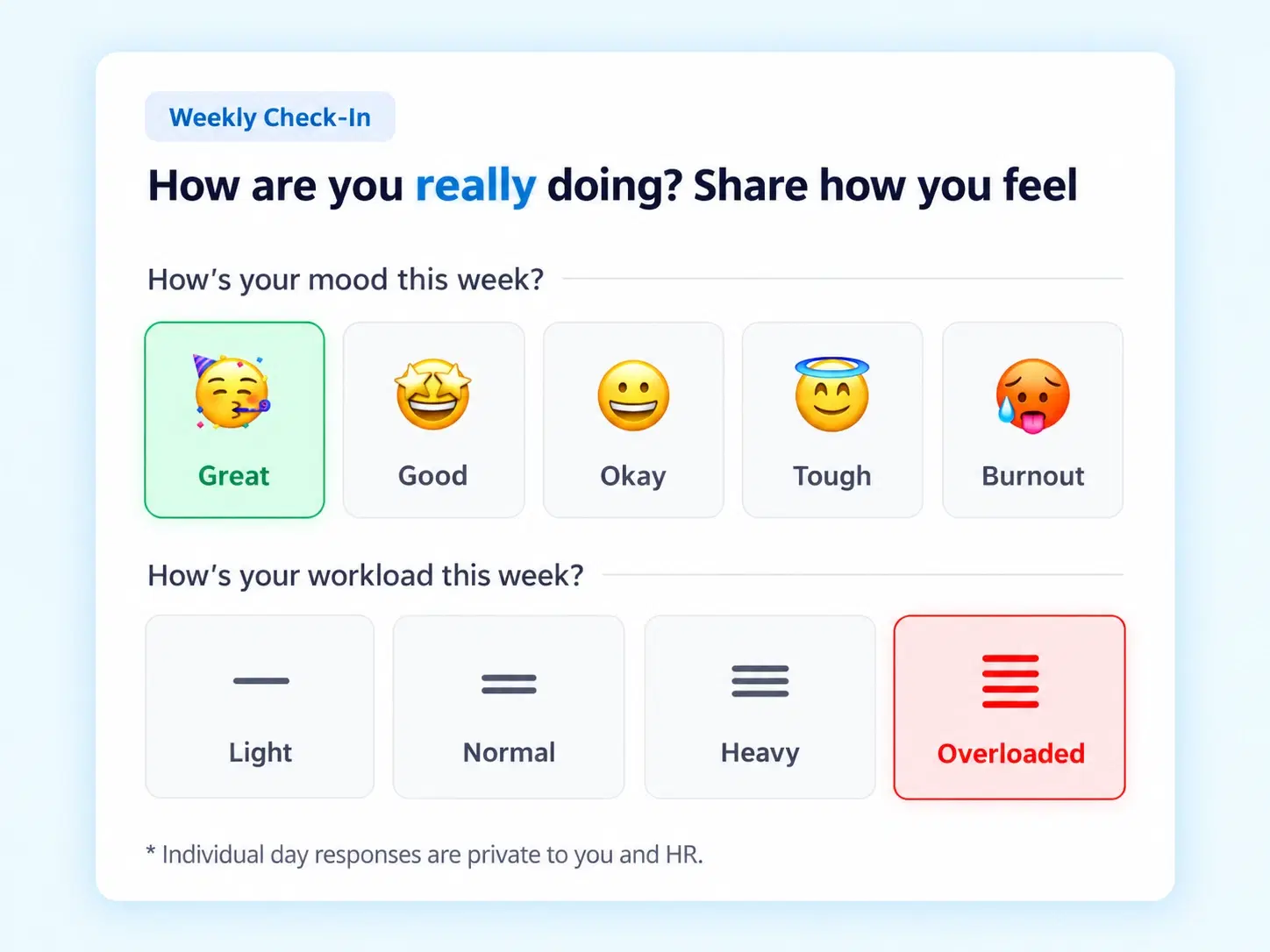
Four Taps, Full Picture
What a Thirty-Second Check-In Actually Captures
Weekly Mood Taps
Quick sentiment selection from Great to Burnout, logged in one tap.
Workload Sync Assessment
Pulse rating from Light to Overloaded, capturing capacity alongside mood.
Optional Comments & Anonymity
Context added openly or anonymously, whichever feels safer.
Check-In Modal / Banner
A quick-access prompt for submitting weekly status, no digging through menus.
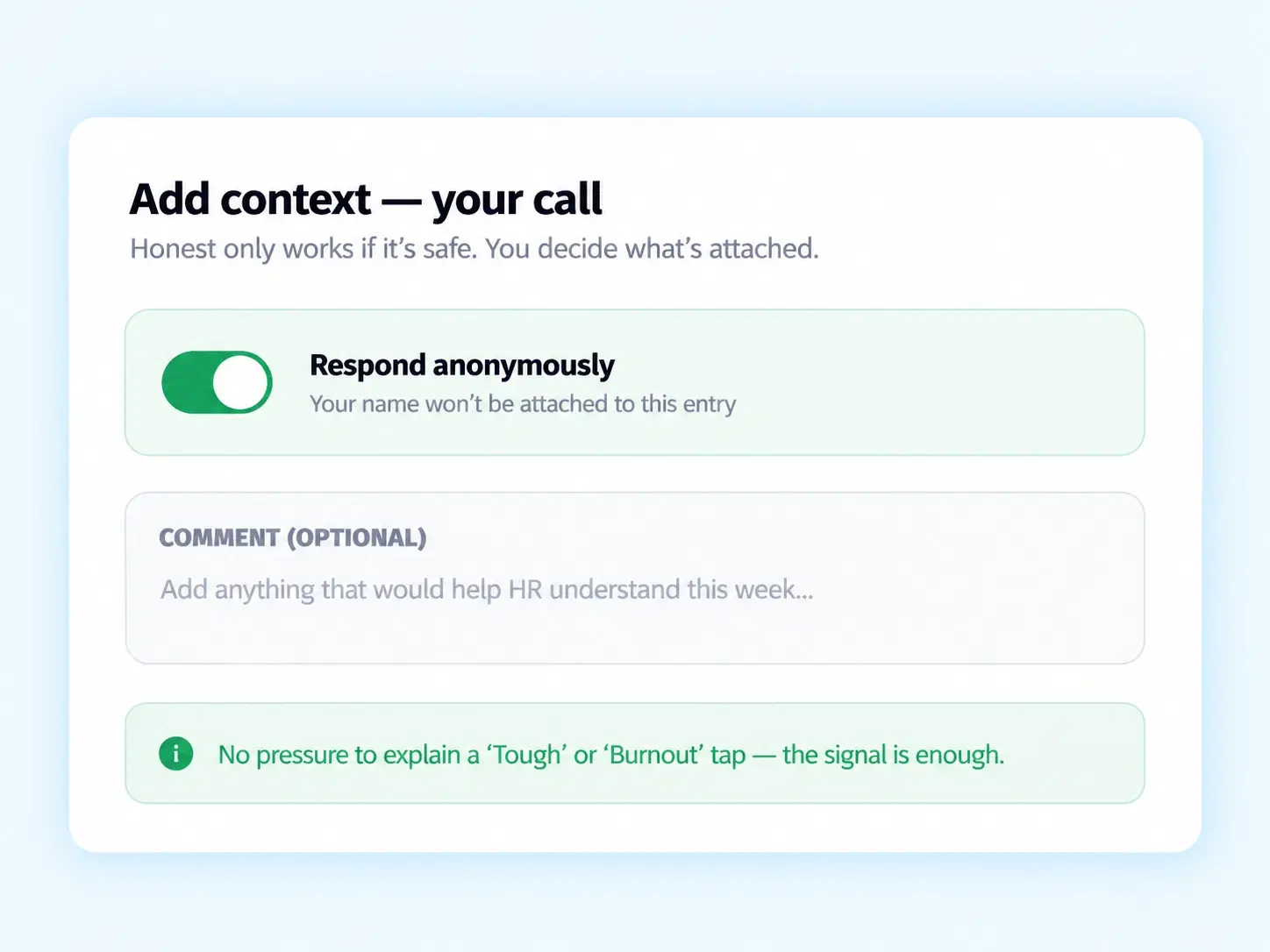
Safe to Say
An Employee Wellbeing Platform Where "Burnout" Doesn't Require a Sit-Down Meeting to Admit
Some things are easier to tap than to say out loud. Anonymity toggles mean an employee can flag "Overloaded" or "Burnout" honestly, without it being tied to their name unless they choose to add one. That honesty is the entire point — a pulse check only works if people trust it enough to answer truthfully.
Anonymous or open response, employee's choice
Optional comments for added context
No pressure to explain a "Tough" or "Burnout" tap
Two Signals, One View
Employee Sentiment Tracking That Doesn't Ignore What's Actually Causing It
A low mood score means little without knowing whether it's tied to workload — Zunoy tracks both together.

Sentiment + Capacity
Mood and workload captured side by side, not separately.

Trend Over Time
Weekly taps build a pattern, not just a single data point.

Early Signal Detection
"Overloaded" or "Burnout" flags surface before they become resignations.

Low Effort, High Signal
One tap a week, minimal friction, real data.
Tap to Insight
From a Weekly Prompt to a Pattern Worth Noticing
Questions, Answered
Frequently Asked Questions
What is employee pulse survey software?
It's a tool for collecting quick, frequent employee feedback — typically weekly — on mood and workload, giving organizations ongoing sentiment data instead of relying only on infrequent formal surveys.
Can employees respond anonymously?
Yes, Optional Comments & Anonymity toggles let employees choose whether to add context openly or anonymously, giving them control over how much personal detail is attached to their response.
Is this considered an employee wellbeing platform?
Yes, by combining mood, workload, and optional context, it functions as a genuine employee wellbeing platform, not just a single-question satisfaction survey.
How does the weekly mood tap work?
Employees select from five quick options — Great, Good, Okay, Tough, or Burnout — capturing sentiment in a single tap without requiring a written explanation each time.
What does the workload sync assessment measure?
It captures perceived workload using four levels — Light, Normal, Heavy, or Overloaded — giving a capacity signal alongside mood, since the two are often closely connected.
How often are pulse check-ins collected?
Check-ins are designed for weekly submission through a quick-access modal or banner, keeping the process lightweight enough that employees can respond in under a minute.
Know How Your Team Is Doing Before They Have to Tell You
One tap a week, honest by design, patterns visible before they become a problem.

HRMS
Manage your workforce -- attendance, payroll, and leave, all in one place.
Operational
Mail Us
support@zunoy.com
Copyright © 2026 - Mentcube Innovations Pvt Ltd.. All Rights Reserved.
v0.1.227