An Internal HR Helpdesk That Doesn't Feel Like a Ticket Queue
Recognition, discussions, support tickets, and account settings — all part of the same everyday workspace.
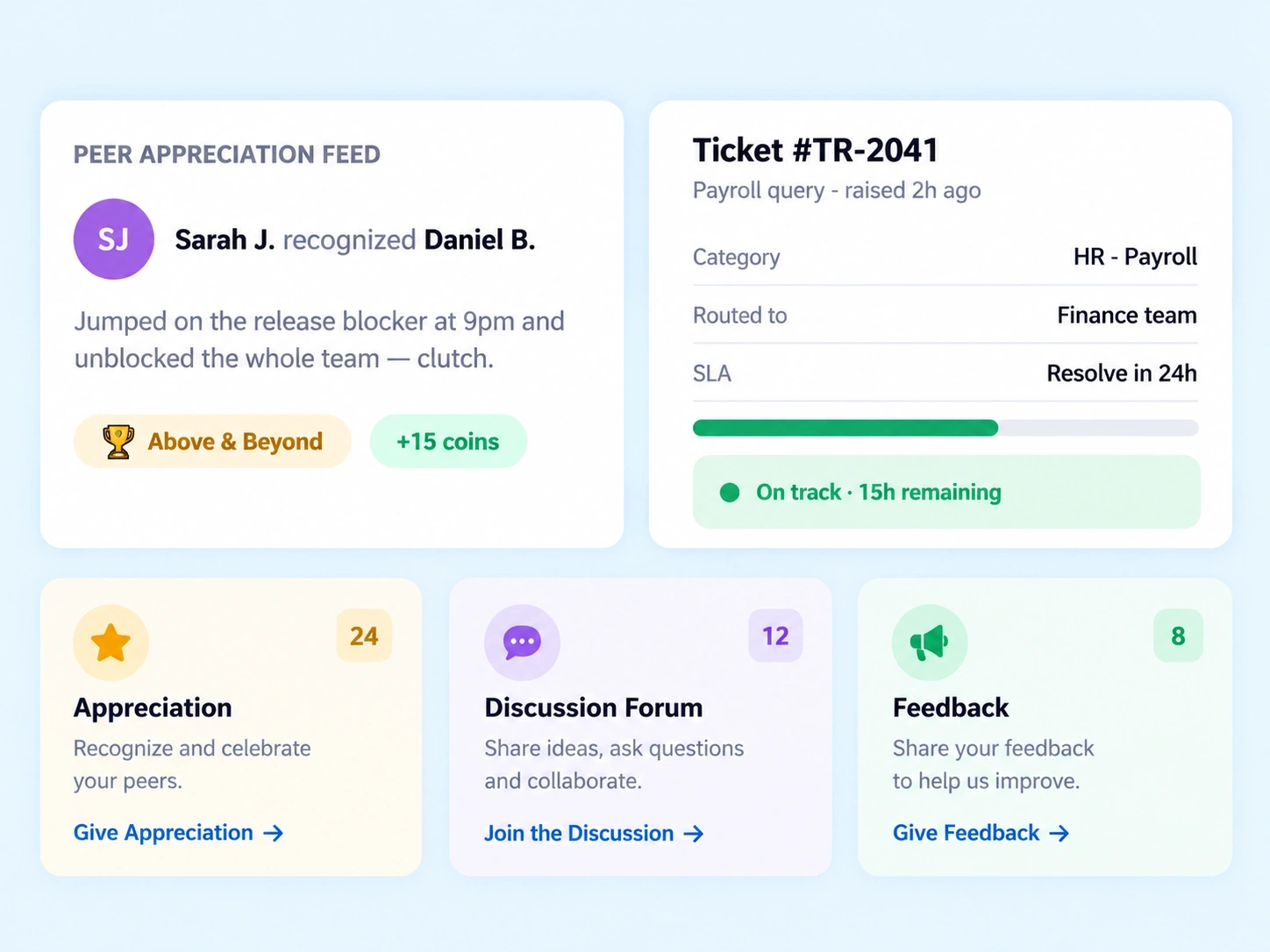
Three Layers
Culture, Support, and Settings Under One Roof
Community and support usually get treated as two unrelated things — one social, one operational. This internal HR helpdesk experience puts both in the same workspace, alongside the account controls employees actually need to manage day to day.

Engagement & Rewards
Peer appreciation, reward coins, badges, forums, polls, and a direct feedback box.

Helpdesk
HR & IT ticket logging with category routing and SLA visibility.

Account Preferences
Notification rules and account settings, managed globally by the employee.
Recognition, Out Loud
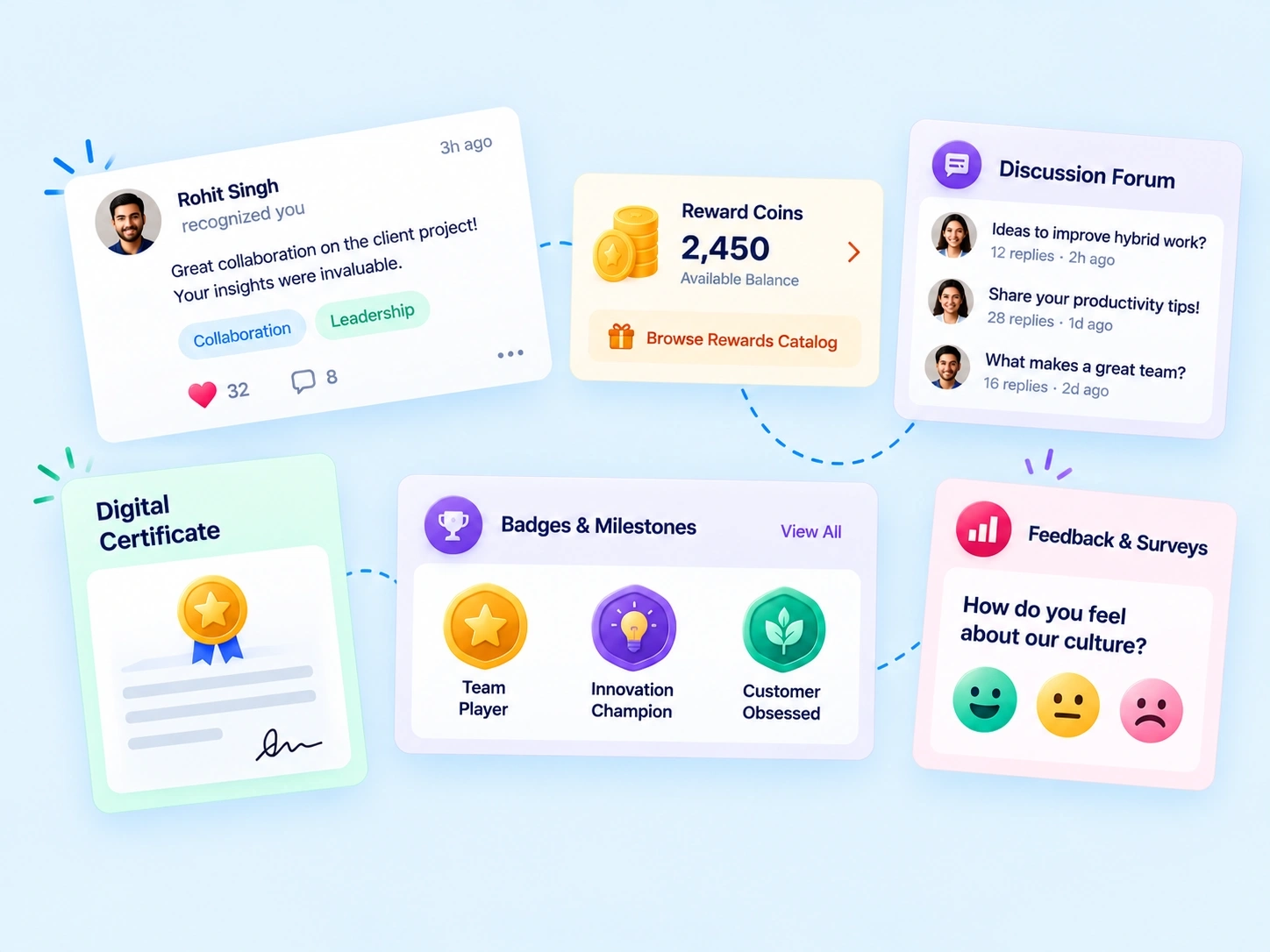
A Peer Recognition Software Layer Built Into the Daily Workspace
Recognition that lives in a private message or a quarterly review doesn't build much culture — it needs to be visible. This peer recognition software puts appreciation on a shared feed, backed by a reward system employees can actually redeem.

Peer Appreciation Feed where recognition is visible across the team, not just to one person
Digital Reward Coins Wallet & Catalog to redeem recognition into something tangible
Badges & Digital Certificates that mark milestones and contributions
Discussion Forums, Polls & Surveys for input that goes beyond a feedback box
Routed, Not Lost
An HR Ticketing System That Tells You Where a Request Stands
A support request shouldn't disappear into a shared inbox with no way to check on it. This HR ticketing system routes every ticket automatically and keeps its resolution status visible from the moment it's raised.
Raise a Ticket
Log an HR or IT issue directly, without needing to know who to email.
Smart Category Routing
Tickets route automatically to the right team based on category.
SLA Status Tracker
See exactly where a ticket stands against its resolution timeline.
Set Once, Applies Everywhere
Notification Rules That Don't Reset Every Login
Getting pinged for everything, everywhere, all the time isn't engagement — it's noise. This employee engagement portal gives employees control over exactly how and where they're notified, set once as a global default instead of adjusted per feature.
Channels & Scope
Default Notification Rules across Email, Push, and In-App
Settings apply globally, without repeating preferences per module
Employee Control
Account settings managed directly, without a request to IT
Preferences stay consistent even as new features are added
Community Questions
Community & Support FAQs
What does an internal HR helpdesk typically include?
It typically includes ticket logging for HR and IT issues, automatic category routing, and status tracking against resolution timelines, giving employees visibility into support requests instead of waiting on an email reply.
What can I redeem through the Digital Reward Coins Wallet?
Coins earned through peer recognition can be redeemed against a catalog of rewards, giving appreciation a tangible outcome beyond a message or a badge on a profile.
What does the SLA Status Tracker actually show?
It shows where a submitted ticket stands against its expected resolution time, so employees know whether a request is on track instead of wondering if it's been seen at all.
How does the peer recognition software work day to day?
Employees post appreciation directly to a shared feed, and recognition can be backed by reward coins redeemable through a catalog, making appreciation visible across the team rather than private and easily forgotten.
How does the HR ticketing system route support requests?
Tickets are routed automatically based on category, so an IT issue and an HR question reach the right team without the employee needing to know who handles what internally.
Can I control how I receive notifications from this employee engagement portal?
Yes. Default Notification Rules let employees choose Email, Push, or In-App alerts, set once as a global preference rather than adjusted separately across every feature.
Give Employees a Place to Be Heard and Helped
Recognition, support tickets, and settings — all in one connected workspace.