Employee Payroll Self Service That Puts Every Number in One Place
Payslips, tax breakdowns, claims, and advances — all accessible directly, without a single email to Finance.
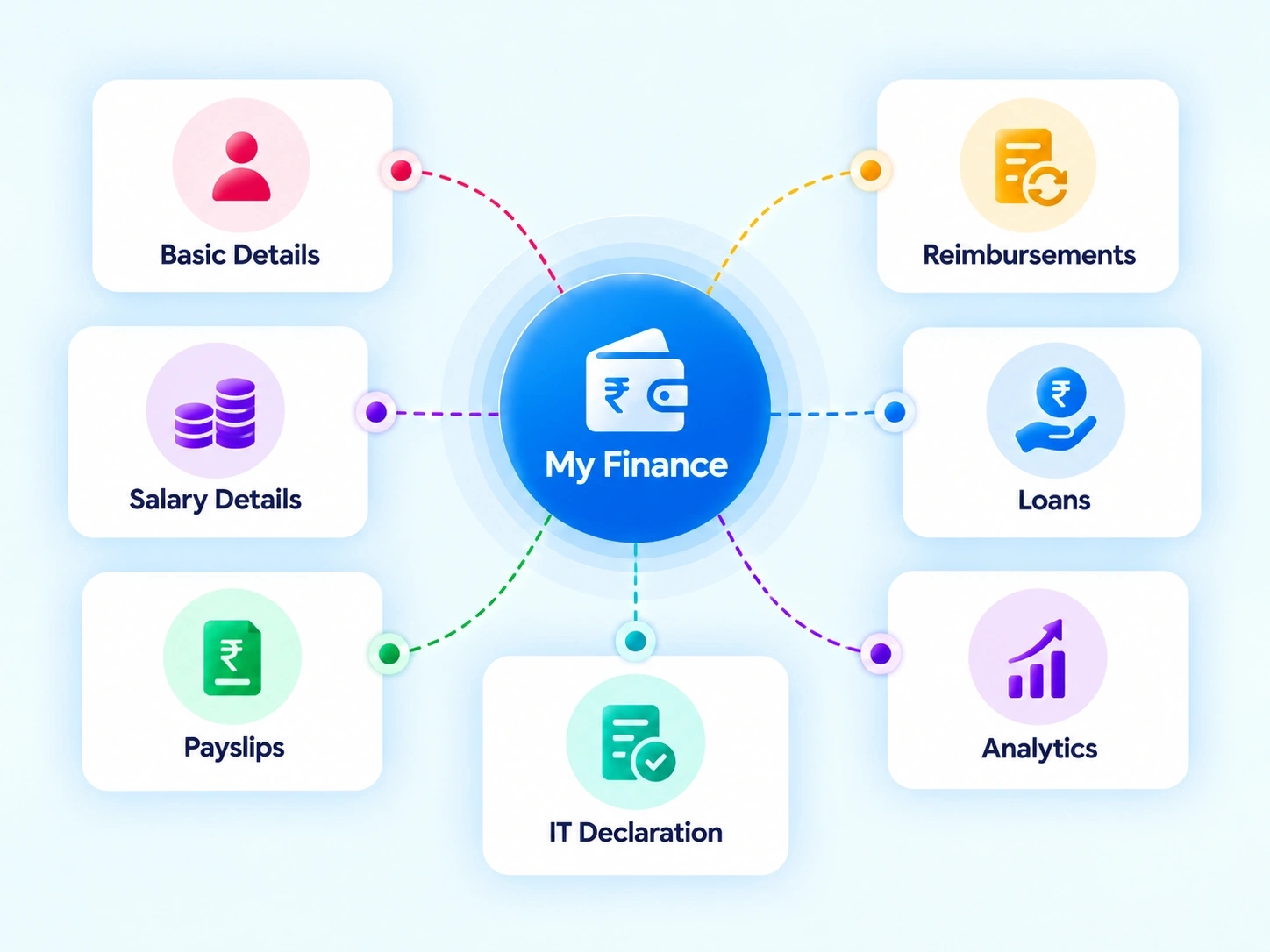
Payroll and Claims, No Longer Two Separate Conversations
Salary questions and reimbursement questions usually land in different inboxes, handled by different people, on different timelines. This employee payroll self service workspace brings both under one tab, so employees check one place instead of following up in two.

Payroll & Tax
Salary structure, statutory details, payslips, and tax breakdowns, all self-serve.

Claims & Reimbursables
Expense claims, investment declarations, salary advances, and financial stats in view.
NOTHING HELD BACK
A Payslip Portal That Doesn't Make You Ask For Access
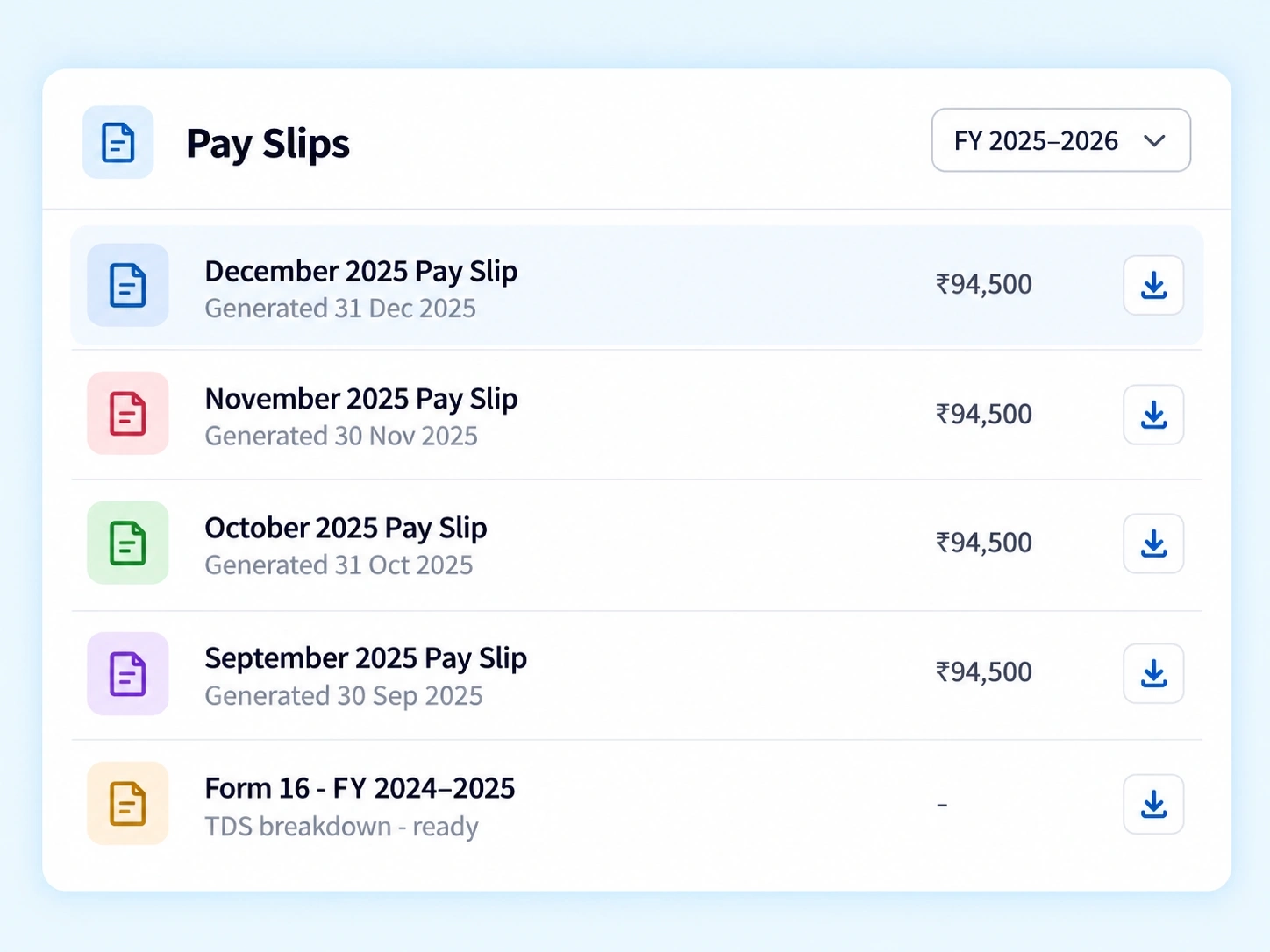
Chasing down last month's payslip or a Form 16 shouldn't require a message to HR and a two-day wait. This online payslip portal keeps every document available the moment it's generated, alongside the salary details behind it.

Salary Structure & CTC Breakup
Visible in full, not summarized.
Bank & Statutory (PF/ESI/PAN) Details
Accessible for verification anytime.
Monthly Payslips
Downloadable directly, no request required.
Form 16 & TDS Breakdowns
Ready ahead of tax filing season.
SUBMIT, TRACK, DONE
Claims That Don’t Vanish Into an Approval Queue
An expense claim submitted with no visibility into its status is really just a guess about when reimbursement will land. This employee expense claim software keeps every submission trackable, right alongside the other financial requests employees make regularly.
Expense & Travel Claims
Submit receipts and travel costs directly, with status visible from submission through approval.
Attach receipts inline
Pending / Approved / Rejected status on every request
Approved amount shown before it is credited
Investment Declarations & Proof Uploads
Declare investments and upload proofs directly, ahead of tax computation deadlines.
Declare once, reference at computation
Proof uploads tracked against the declaration
Deadline visible before the cutoff
Loan & Salary Advances
Request an advance without a manual conversation, tracked the same way as any other claim.
No informal ask to a manager
Same status flow as an expense claim
Repayment schedule visible on the record
Financial Stats
A personal view of earnings, deductions, and claims trends over time.
Earnings and deductions plotted over months
Claims activity summarized
A running snapshot, not a one-time PDF
Salary Advance Software That Skips the Awkward Ask
Requesting an advance shouldn’t mean a direct conversation with a manager about personal finances. This salary advance software routes the request the same way as any other claim — submitted, tracked, and approved without anyone having to explain themselves twice.
Loan and advance requests submitted directly, no manual approval chase
Status visible at every stage, same as expense claims
Investment proofs uploaded once, referenced for tax computation
Financial stats give employees a clear personal snapshot, not a static PDF
FINANCE QUESTIONS
Finances & Claims FAQs
What does employee payroll self service typically cover?
It typically covers salary structure visibility, statutory detail access, payslip downloads, and tax breakdowns — giving employees direct access to payroll information instead of routing every question through HR or Finance manually.
What details are included in the salary structure breakdown?
The full CTC breakup is visible, along with statutory details like PF, ESI, and PAN, giving employees a clear view of exactly how their compensation is structured.
Can investment declarations be updated after submission?
Proofs and declarations can be uploaded ahead of tax computation deadlines, and the system tracks what’s been submitted, making it easier to update before the filing cutoff arrives.
Can I download past payslips through the online payslip portal?
Yes. Monthly payslips remain available for download at any time, so employees don’t need to request older payslips separately when applying for loans or filing personal records.
How does employee expense claim software track submitted claims?
Each claim shows its current status — submitted, under review, or approved — so employees know where a reimbursement stands without needing to follow up directly with Finance.
How does salary advance software handle loan requests?
Loan and salary advance requests are submitted and tracked the same way as expense claims, removing the need for a direct, informal conversation with a manager about the request.
Give Employees Full Visibility Into Their Own Finances
Payroll, tax documents, claims, and advances — all self-serve, all in one tab.
Payslips
CTC Breakup
Form 16
Claims
Advances