Employee Directory Software Built Around a Living, Editable Profile
Personal details, access records, and the org chart — all in one place, and none of it locked behind an HR request form.
THREE PILLARS
Everything Tied to an Employee’s Identity, In One Screen
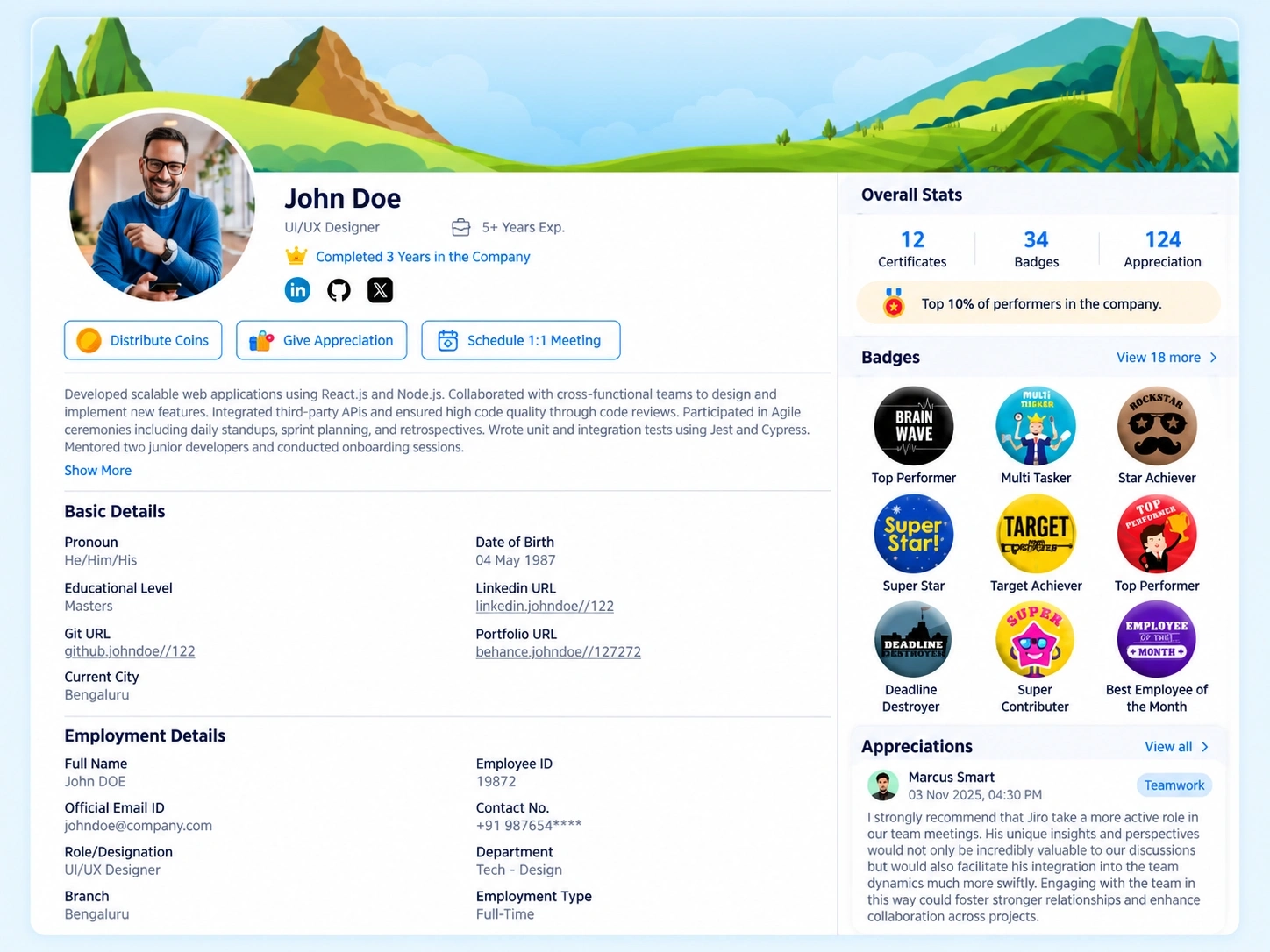
A profile page usually means three different things to three different people — HR wants records, IT wants access logs, employees just want to see their own details without asking. This employee directory software brings all three into a single structure instead of splitting them across separate tools.

Personal Vault
Personal info, emergency contacts, and identity documents, managed by the employee.

Records & Access
Assigned hardware, system accounts, and disciplinary logs, all visible in one view.

Organization
Interactive org chart, team directory, and company info for context.
EMPLOYEE-MANAGED, NOT HR-GATED
A Vault Employees Actually Control
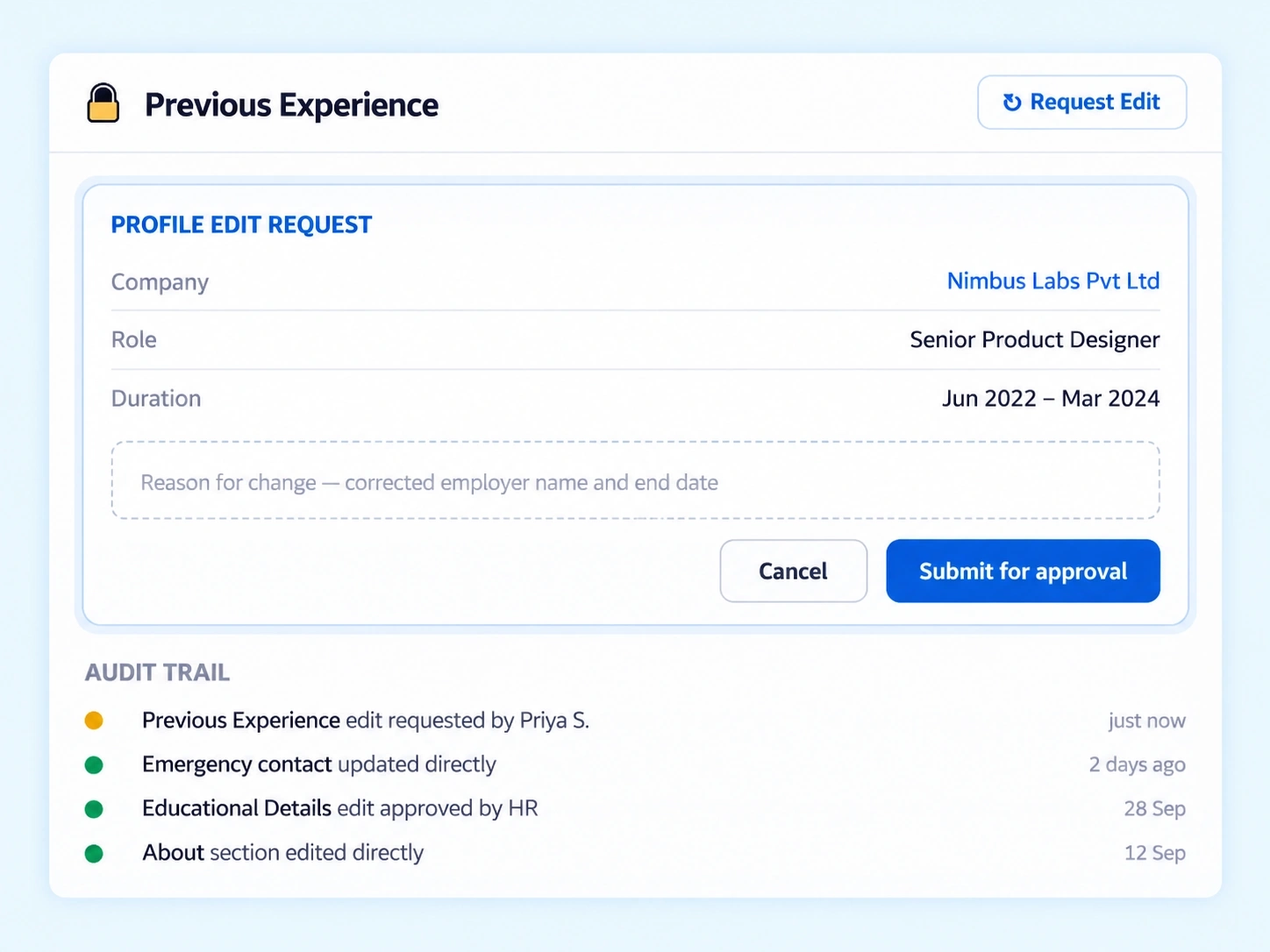
Most personal data in an HR system only moves through HR — someone emails a change, HR updates a field, and there's no record of who asked for what. This employee profile management approach flips that: employees hold their own Personal Vault, with a structured request workflow whenever a change needs approval.

Editable by the employee
Personal info and emergency contacts changed directly, no email to HR.
Documents stored on the profile
Identity documents kept securely against the employee's own record.
Approval where it's needed
Profile Edit Requests routed for sign-off when changes require it.
Full audit trail
Every edit and request logged, no matter how small.
What’s Assigned to You, What’s on Your Record
Employees rarely know exactly what hardware or system access is tied to their name until something goes wrong. This approach makes that visibility the default — assigned laptops, accounts, and even disciplinary logs sit on the same profile, not buried in a system only HR can open.

IT & System Access
Assigned hardware and active accounts listed clearly, so nothing is assigned without the employee knowing.

Disciplinary Logs
Formal records accessible directly to the employee, with no need to request them separately.
An Interactive Org Chart That Actually Makes Sense of the Company
Understanding where a role sits, who reports to whom, and how a team connects to the rest of the company shouldn't require a static PDF nobody's updated in a year. This interactive org chart software stays current automatically, paired with a searchable directory and company info for the bigger picture.
Interactive Org Chart
Navigate reporting lines and team structure visually, updated as roles change.
No stale PDF to maintain
All Team Directory
Search for any colleague by name, department, or role in seconds.
Filterable, not an endless scroll
Company Info
High-level context on the organization, accessible without leaving the profile view.
The bigger picture, one click away
PROFILE QUESTIONS
My Profile & Records FAQs
What does employee directory software cover beyond contact details?
Beyond basic contact info, it includes personal records, emergency contacts, identity documents, IT access, disciplinary logs, and organizational navigation — all tied to a single employee profile instead of scattered across separate systems.
What’s stored in the HR document vault?
Identity documents, personal information, and related records sit securely in the employee’s own vault, accessible to them directly rather than requiring a request to HR every time a document is needed.
Is disciplinary information visible to the employee themselves?
Yes. Formal disciplinary logs are accessible directly on the employee’s own profile, rather than being held in a separate system only HR or management can view.
How does employee profile management handle personal data changes?
Employees can edit some fields directly, like emergency contacts, while other changes route through a structured Profile Edit Request for approval — every change, big or small, is logged in a full audit trail.
Can employees see what hardware or accounts are assigned to them?
Yes. Assigned IT hardware and active system accounts are listed on the profile, so employees always know exactly what’s tied to their name without asking IT directly.
How current is the interactive org chart software?
It updates as roles and reporting lines change, so the chart reflects the current structure rather than a static document that needs manual updates every time someone moves teams.
Give Every Employee One Place for Everything That’s Theirs
Personal records, access details, and the org chart — all visible, all in one profile.
Personal Vault
Records & Access
Org Chart
Team Directory