Job Requisition Management Software That Moves as Fast as You Hire
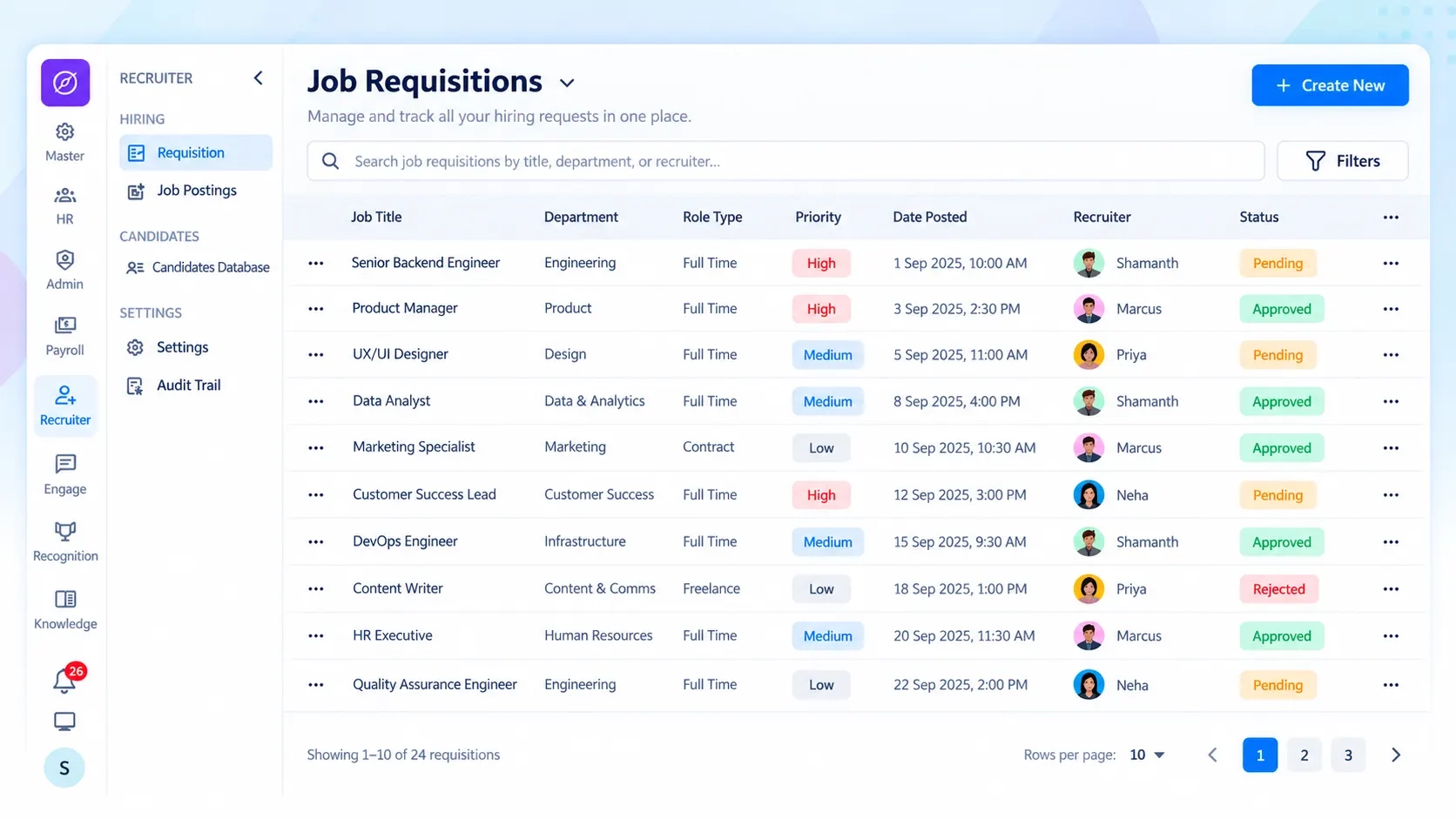
Job requisition management software is a tool that lets hiring teams create, route, and track new job openings through approval in one system. Zunoy HRMS job requisition software replaces email chains with a parallel hiring approval workflow — so every requisition moves faster.
BUILD IT RIGHT
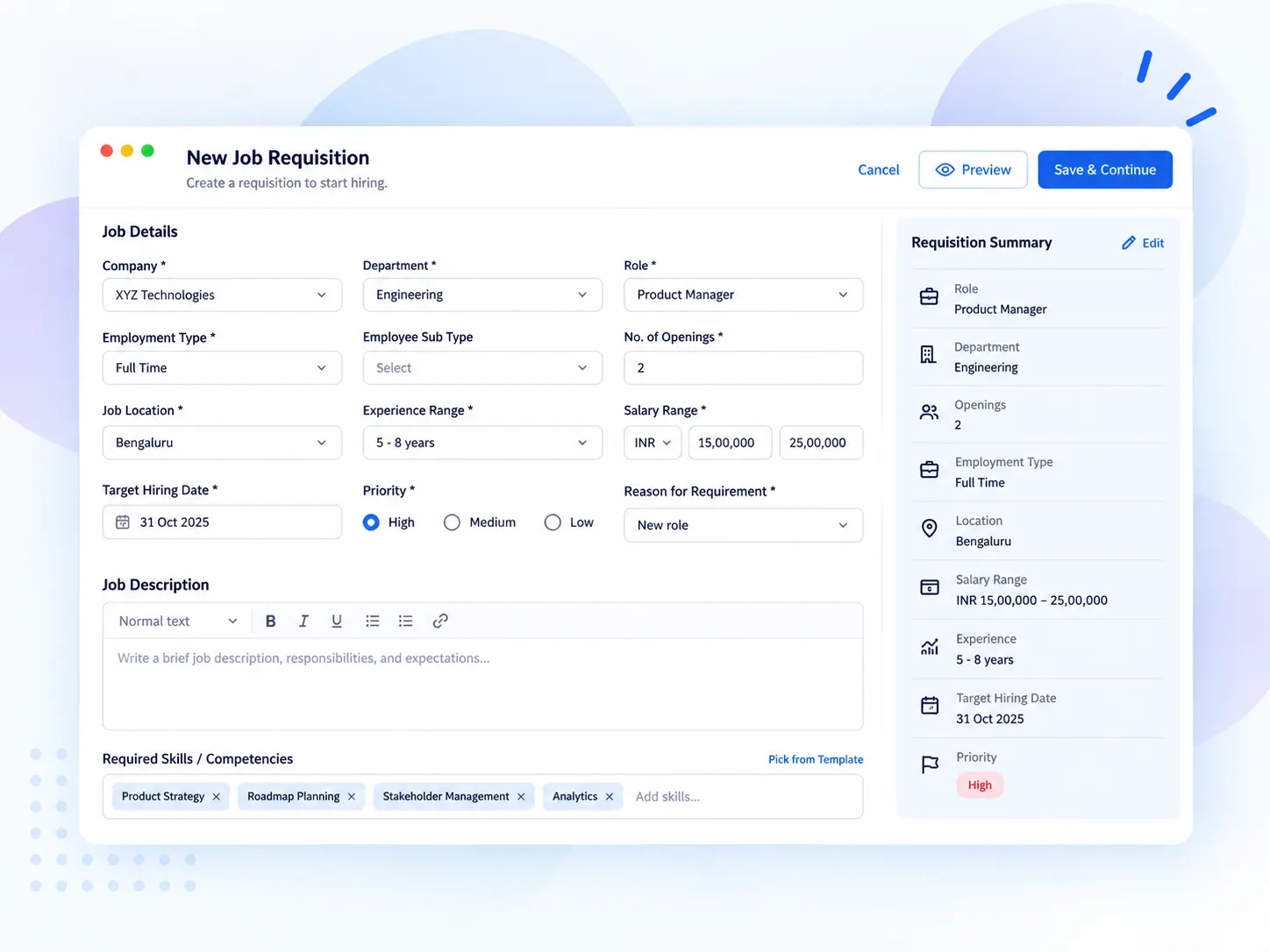
One Form. Everything an Approver Needs to Say Yes.
Every requisition in this recruitment requisition management system carries the same complete picture — no follow-up emails required. Fill it once, and approvers get the full story, not a half-finished request.

Branch and department
Openings and employment type
Experience range and salary band
Reason for the role
Job summary and tagged skills
Approvals in Parallel, Not in Line
No more waiting. This job requisition management software moves every approver at once — not one after another down a queue.
The Old Way
1Approver 1 signs off, then it sits in an inbox for days.
2Approver 2 finds out a week later.
3The role stays open longer than it should.
 1
1All approvers are notified together, the moment the requisition is raised.
2Everyone reviews at the same time, not in a queue.
3Sign-offs land faster, so hires happen sooner.
SEE EVERY STEP
Know Who Approved What — Without Asking
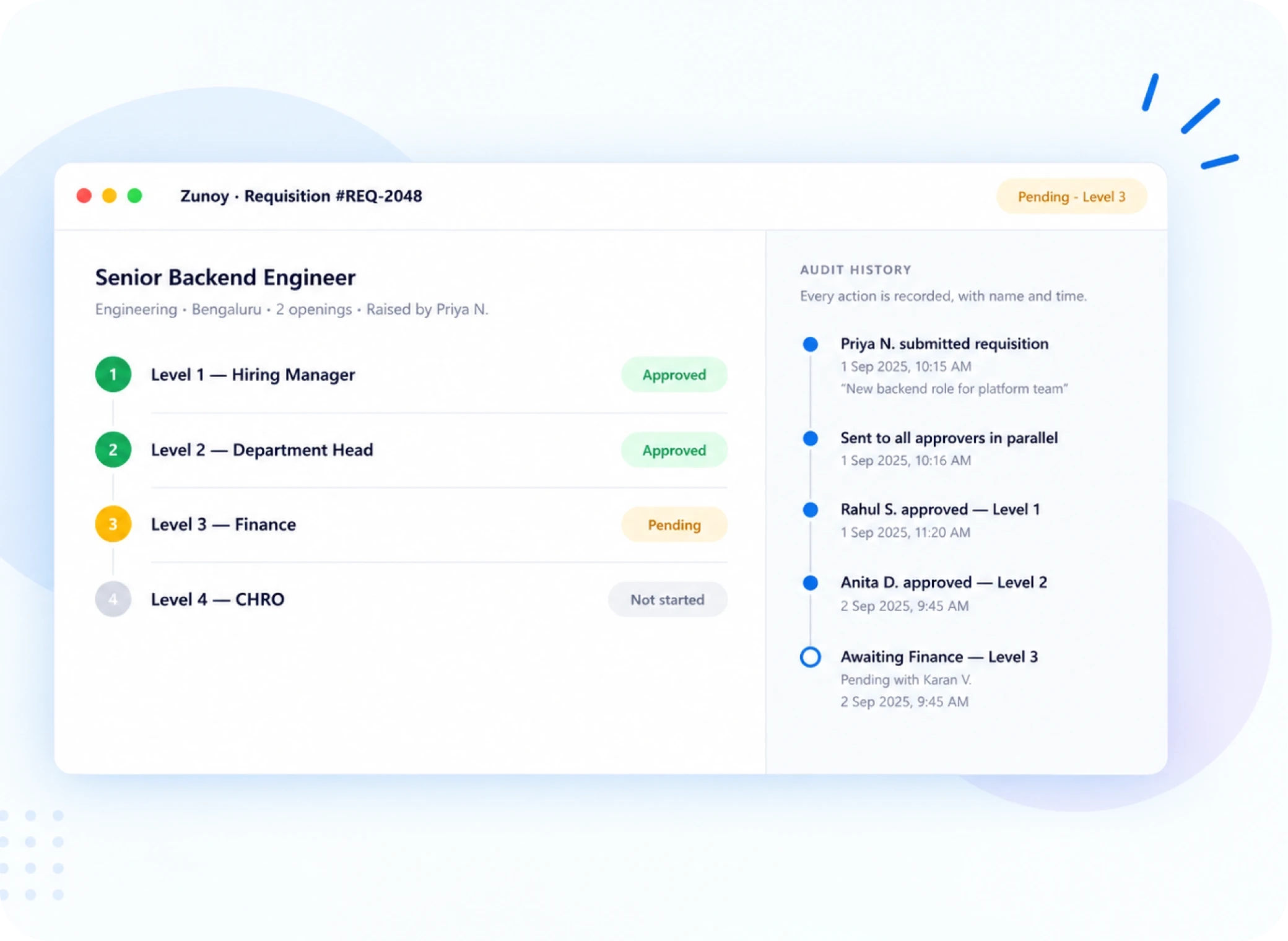
No "just checking in" emails. The status tag inside this hiring approval workflow tells hiring managers exactly where things stand. Every action who approved, and when sits in a timestamped audit trail you can open anytime.
Live status, always visible
Approved Level 1
Pending Level 3
Good for hiring managers today. Even better when compliance comes asking next year.
FAQ
Questions About Job Requisition Management Software
What is job requisition management software?
Zunoy's job requisition management software lets hiring teams create, send for approval, and track new job openings in one place. Instead of emailing a headcount request, you fill in the role details and the system routes it to approvers automatically — no follow-up needed.
Can I track how many approvals are pending?
Yes. Every requisition shows a clear status tag, like “Approved Level 1” or “Pending Level 3.” You always know exactly where a role stands without asking anyone or digging through email threads.
Can I raise requisitions for more than one branch?
Yes. Zunoy supports multiple branches, like Bengaluru or Hyderabad, so you can raise a requisition for any location your company runs. Each requisition carries its own branch, headcount, and salary details.
How does the approval workflow work?
When you submit a requisition, it goes to every approver at once — not one after another. This is parallel approval. Each approver signs off from their own screen, and you see the status update live as each level clears.
What details go into a job requisition?
You add the department, branch, number of openings, employment type, experience range, salary range, and the reason for the request — replacement or new role. You can also add a job summary and tag required skills right in the same form.
Is there a record of who approved a requisition?
Yes. Every approval is logged with a timestamp and the approver’s name in an audit history panel. You can open it anytime to see the full trail — useful for reviews or compliance checks.
Stop Chasing Approvals. Start Tracking Them.
Every open role deserves a clear approval trail, not a lost email thread. See how Zunoy's job requisition software and hiring approval workflow keep hiring moving.