Career Site Builder That Makes Candidates Want to Apply
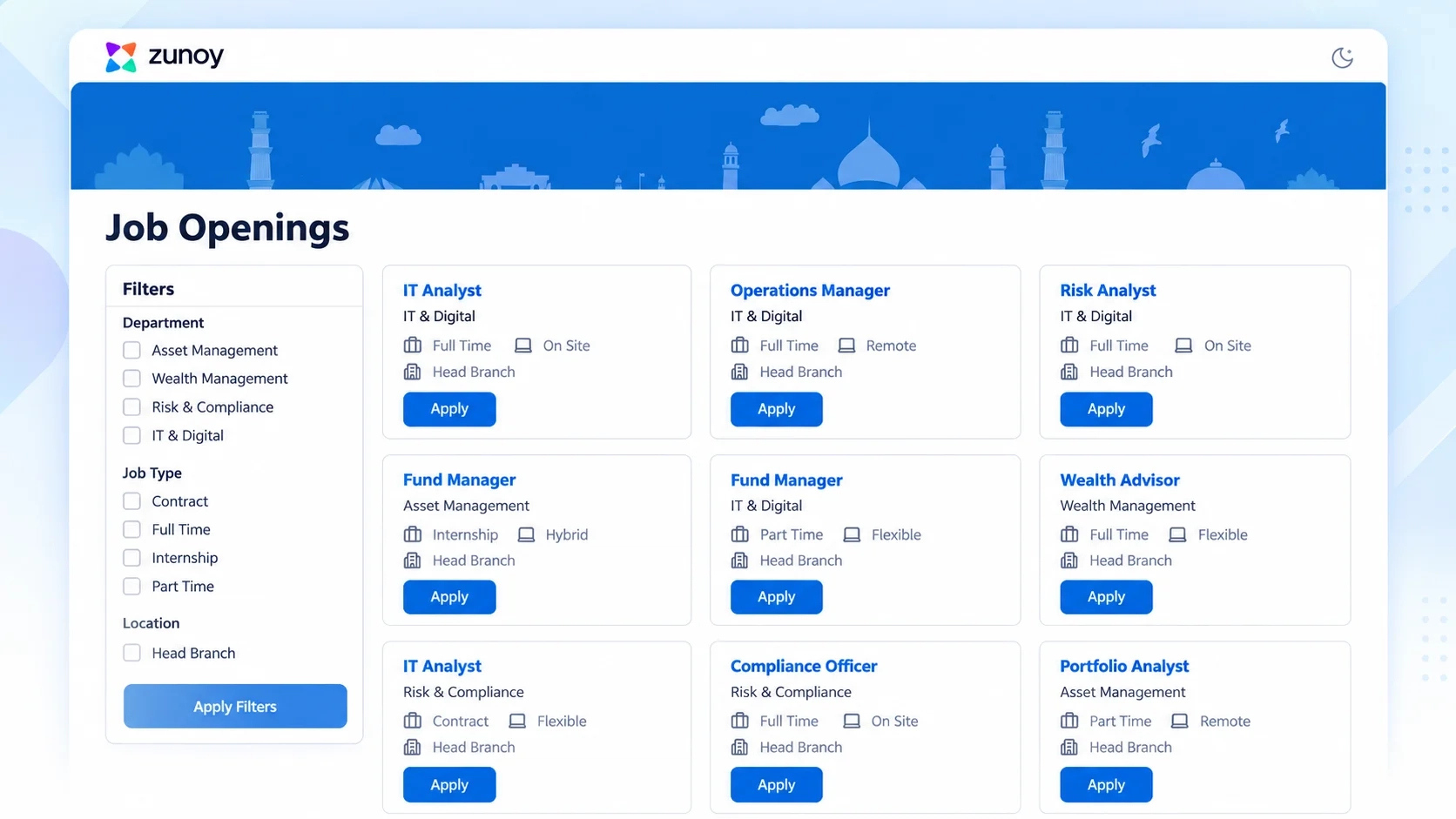
A career site builder is a tool that lets hiring teams create and manage a branded, mobile-friendly careers page without developer support. Zunoy HRMS career site builder handles branding, job listings, and candidate status updates — all connected to your recruitment process.
LOOK LIKE YOU
Your Career Page, Not a Generic Job Board
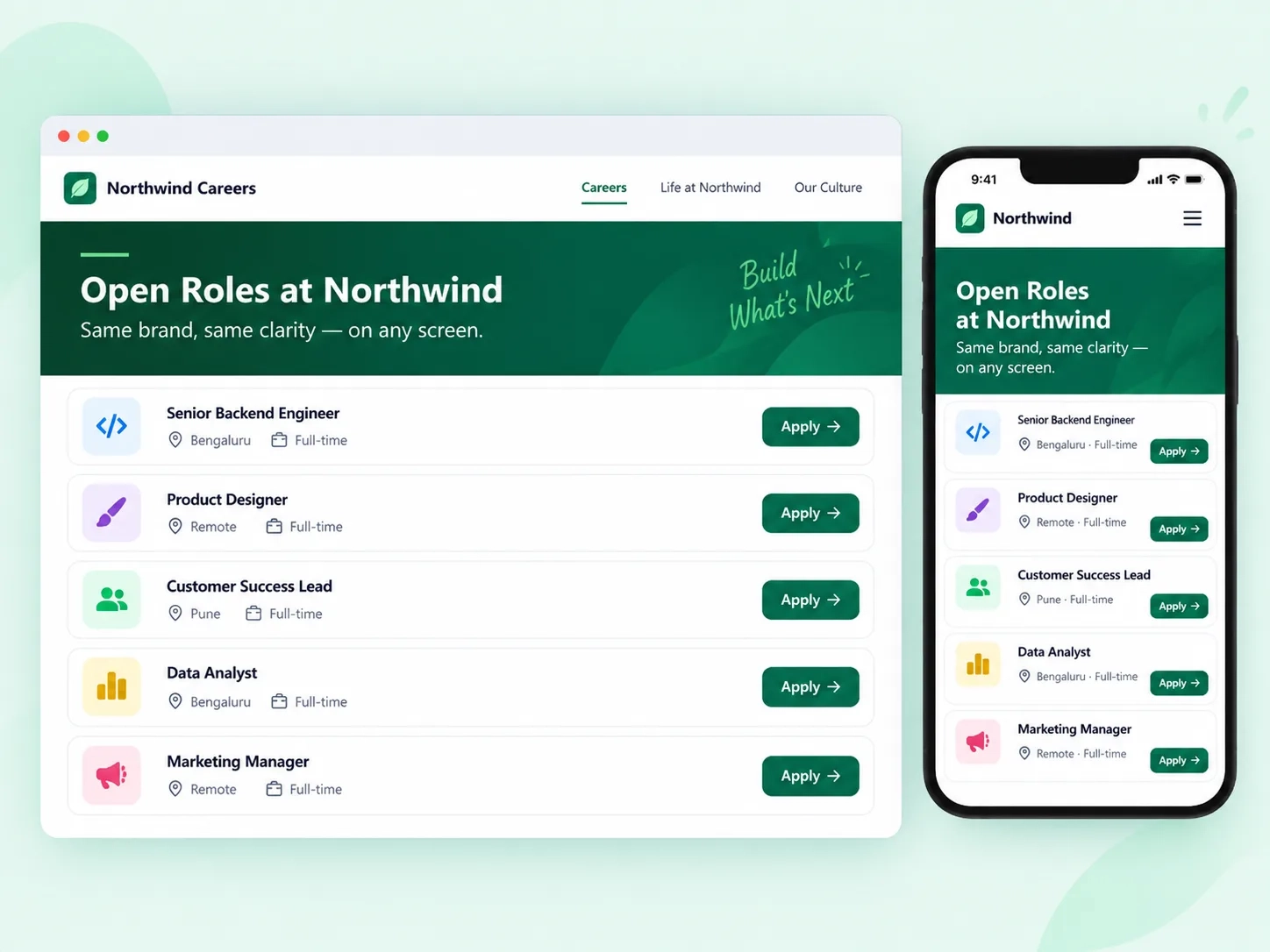
Candidates judge a company by its careers page before they judge the job. With Zunoy's career page builder, every page reflects your brand logo, colors, tone and works as well on a phone as on a laptop. Role requirements are laid out clearly, so candidates know exactly what they're applying for, no guesswork involved.

Full brand customization
Your logo, colors, and tone across every page — not a third-party template candidates click away from.
Mobile-responsive layout
Built for applicants who start their search on a phone — which is now most of them.
Structured role requirements
Every listing on your branded career site spells out exactly what the role needs — no guesswork before someone applies.
NO ONE LEFT WONDERING
The End of Candidate Ghosting
Silence after applying is the fastest way to lose a good candidate's trust and your employer brand along with it. This career site builder automates candidate-facing status updates, so applicants always know where they stand, without your recruiters manually replying to every inbox message.
STAY CURRENT
Old Listings Don't Linger
A career site full of expired roles tells candidates nobody's paying attention. Zunoy HRMS puplic career page auto-expires postings once they close, so your public site only shows active, high-priority openings — no manual cleanup required.

Auto-archive on close
Postings move to archive the moment a role is filled or closed — no one has to remember to do it.

Only current openings
Your public career site always reflects live, active roles, never a stale one.

No dead listings
No expired roles sitting there quietly damaging a candidate's first impression of you.
FAQ
Questions About Career Site Builder Software
What is a career site builder?
Zunoy's career site builder lets hiring teams build and manage a public-facing careers page without a developer. It handles branding, job listings, and candidate status updates — all connected to your recruitment process, so candidates see a branded career site that stays current.
Is the career site mobile-friendly?
Yes. The layout automatically adjusts for phones and tablets, so candidates browsing on mobile get the same clear experience as someone applying from a desktop. Most applicants now start their search on a phone.
Does this stop candidates from feeling ignored after applying?
Yes. Automated status touchpoints keep candidates informed at each stage, so nobody's left refreshing their inbox wondering if their application even went through. It's a small change that protects your employer brand significantly.
Can I customize the career page with our own branding?
Yes. You can add your logo, brand colors, and tone across the entire branded career site. It's built to look like your company's site, not a generic third-party job board that candidates click away from.
How do candidates know the status of their application?
Zunoy automatically updates candidates as their application moves — from applied, to under review, to interview, to a final decision. This happens without your recruiters manually messaging every applicant one by one.
Do old job postings stay live after the role is filled?
No. Postings auto-archive once they're closed or filled, so your career page never shows outdated roles. Candidates only ever see openings that are actually active and worth applying to.
Your Career Site Should Sell the Job Before They Even Apply.
Candidates decide fast. Give them a branded, current, transparent career site that keeps them moving forward — not clicking away. See Zunoy's career site builder in action.