Recruitment Task Management Software Where Nothing Falls Off the List
Recruitment task management software is a system that assigns, tracks, and manages every hiring task — screening calls, interviews, offer releases in one shared dashboard. Zunoy's hiring task management keeps every task owned, prioritized, and visible with a deadline attached.
EVERYTHING, ONE SCREEN
Every Task. Every Deadline. One View.
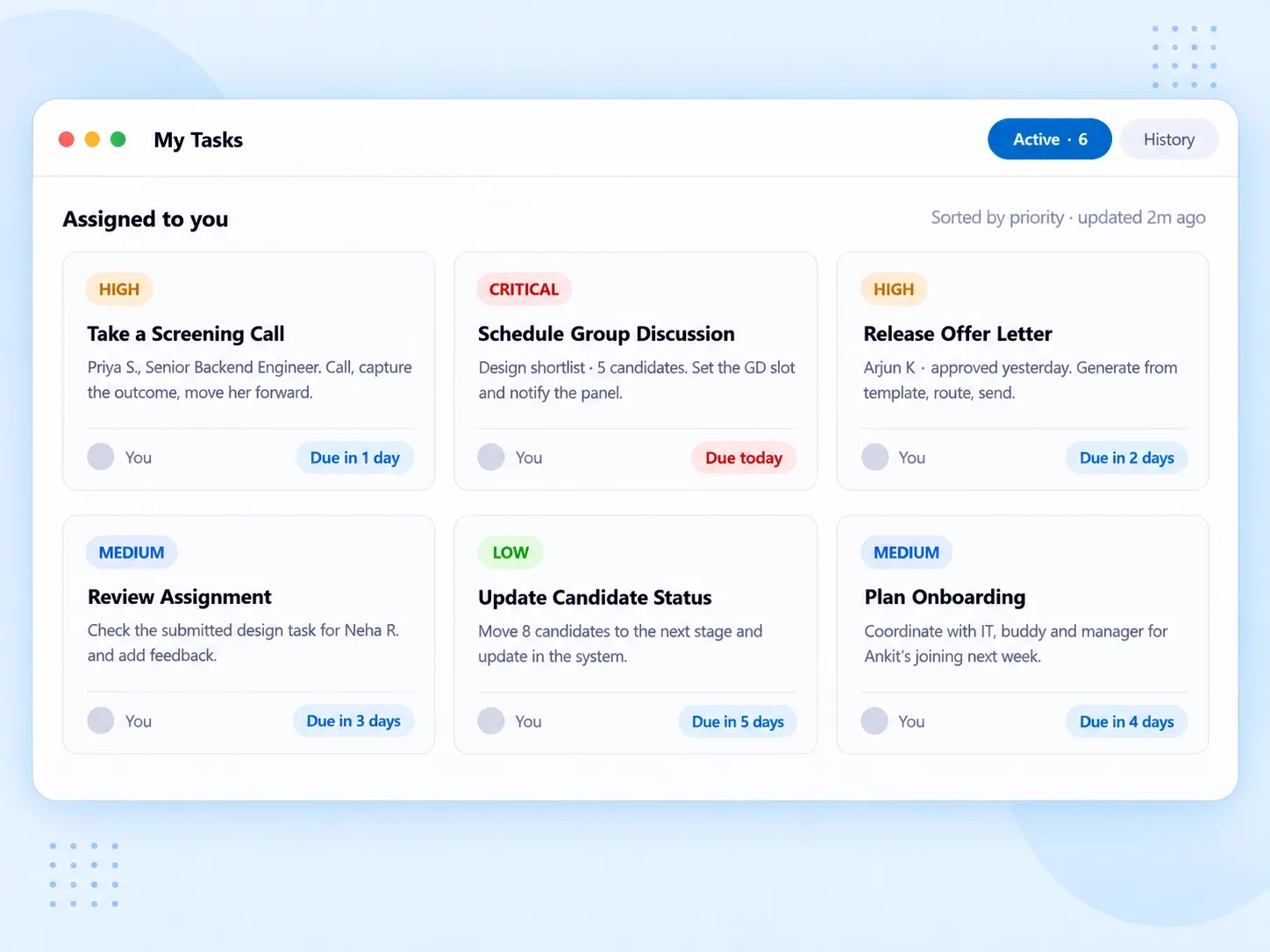
Hiring involves a dozen small actions across a dozen candidates — any one can quietly slip. Zunoy's recruitment task management software lays out every assigned task as a clear card: what it is, who owns it, how urgent it is, and how much time is left.
- HIGH
Take a Screening Call
Call the candidate, capture the outcome, and move them forward — or don't.
- CRITICAL
Schedule Group Discussion
Set the GD slot and notify the panel in a single step.
- HIGH
Release Offer Letter
Generate from a template, route for approval, and send.
Task cards for real actions · priority badges (High, Critical) · deadline countdowns right on the card — "1 day" means one day.
ACT WITHOUT LEAVING THE PAGE
Open It. Score It. Close It.
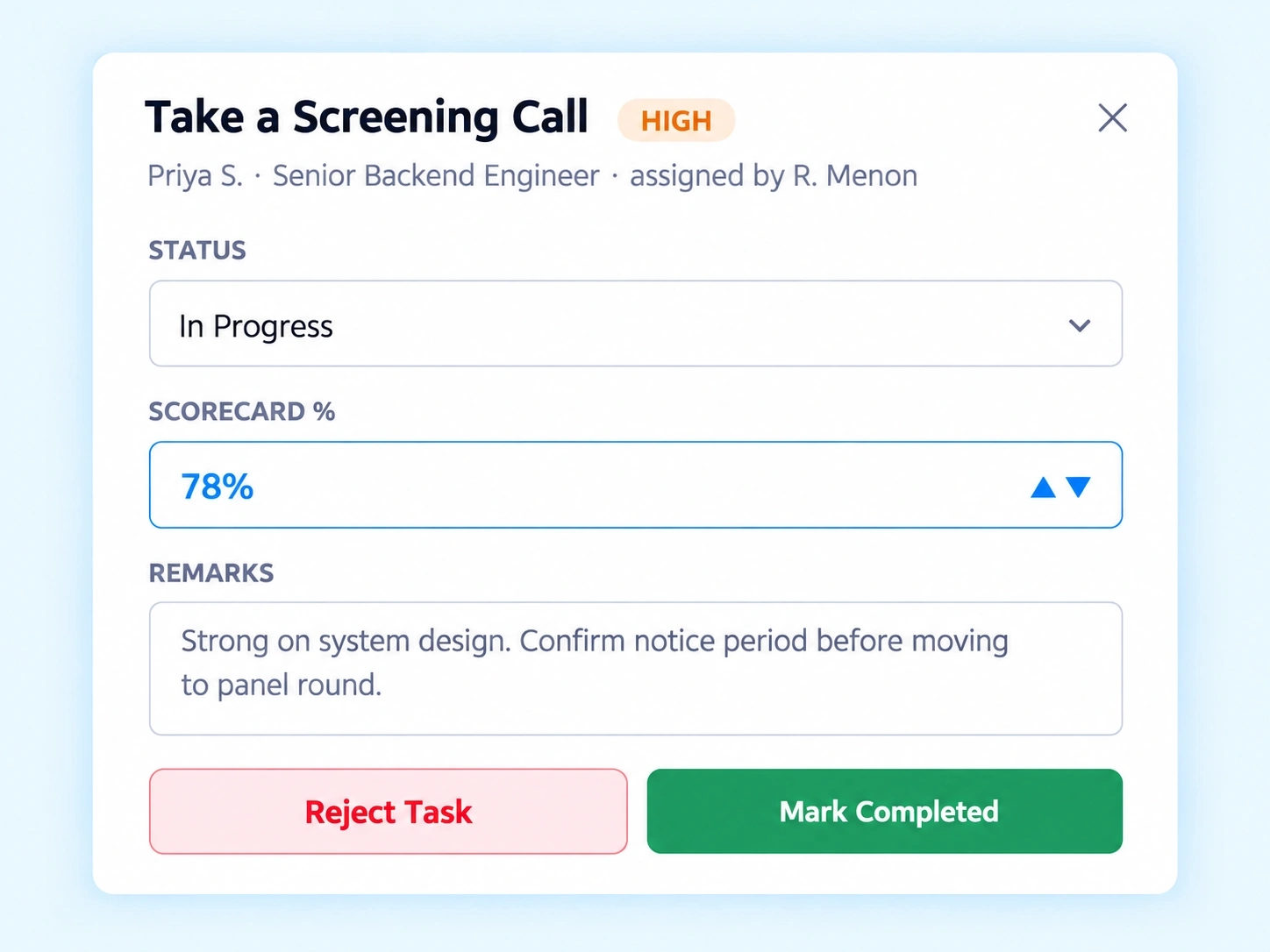
Switching between five tabs to update one task status is how tasks get abandoned halfway. Zunoy's task drawer opens right where the task lives — update the status, drop in a scorecard percentage, leave a quick remark, and mark it done. Or reject it, with a reason attached. All without ever leaving the dashboard.
Status dropdown — move a task from Pending to In Progress to Completed
Scorecard percentage input for interview feedback software
Remarks field for context the next person will need
Reject Task or Completed — one click, task closed
Every Completed Task, Still On Record
A closed task shouldn't mean a forgotten task. Zunoy's recruitment task management software keeps a full history tab alongside your active view — completed screening calls, scorecards, and approvals stay accessible for reporting, not buried the moment someone clicks "Done." Active tasks and history are one toggle apart, both fully searchable.
Active
Active
History
History
Every completed task stays here with its remarks and scorecard intact — ready for reporting, not buried.
Full remarks & scores
Past context stays attached to the task it belongs to.
Searchable
Filter completed tasks the same way you filter active ones.

FAQ
Questions About Recruitment Task Management Software
What is recruitment task management software?
Zunoy's recruitment task management software assigns, tracks, and manages every hiring task — screening calls, interviews, and offer releases in one shared dashboard. Instead of tracking tasks across email or chat, recruiters and hiring managers work from one visible hiring task management list.
Can hiring managers update tasks without leaving the dashboard?
Yes. A task drawer opens directly from the dashboard, letting managers update the status, enter a scorecard percentage, add remarks, and mark the task complete or rejected — all in one place, without switching screens.
What happens if I need to reject a task?
You can reject a task directly from the task drawer instead of leaving it stuck in Pending. This keeps your recruitment approval workflow honest — tasks are either completed, in progress, or explicitly closed, never left in limbo.
How are task priorities shown?
Each task carries a priority badge, like High or Critical, so the most urgent items stand out immediately. Combined with a deadline countdown, teams can see at a glance which tasks need attention first.
What is a scorecard percentage used for?
It records an evaluation score for a task like a screening call or interview. The scorecard input inside this interview feedback software gives every completed task a measurable result, not just a checkbox — helping with later hiring decisions and reporting.
Can I see a history of completed tasks?
Yes. A dedicated history tab keeps every completed task on record, along with its remarks and scorecard details. This gives you a reliable trail for recruitment reporting without digging through old messages.
Every Task Owned. Every Deadline Met.
Hiring moves fast when nothing gets stuck in someone's queue. See how Zunoy's recruitment task management software keeps your team accountable, start to finish.