Comp Off Management That Remembers Every Weekend You Gave Up
Weekend shifts, holiday work, extra hours — converted into time owed, tracked automatically, expiring exactly when your policy says it should.
SET IT, TRUST IT
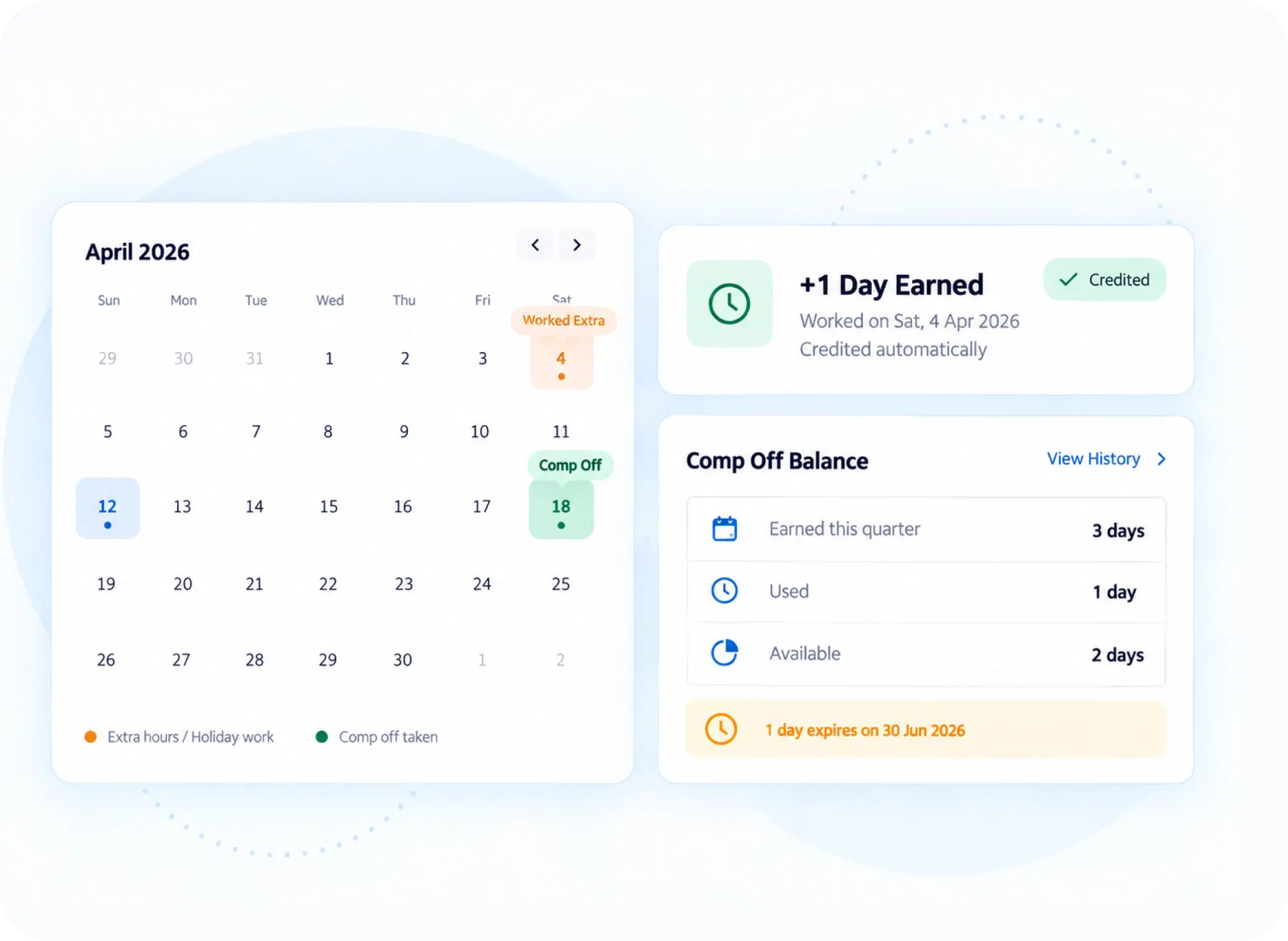
Four Controls Behind Every Comp-Off Earned
Configure it once and the balance takes care of itself.
NOT ALL EXTRA HOURS ARE EQUAL
Overtime Leave Software That Knows a Holiday Isn’t a Weekend
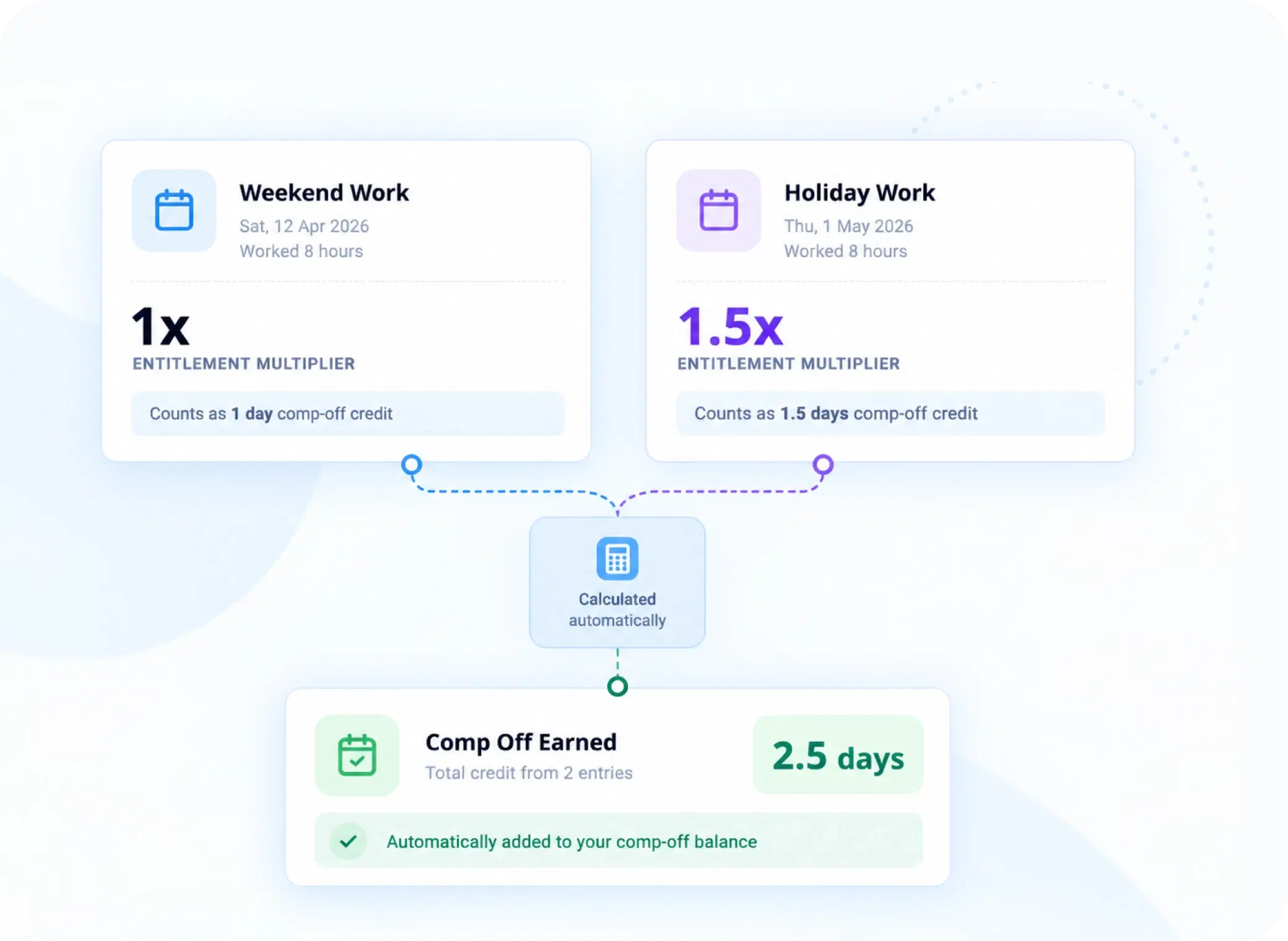
An employee who comes in on a national holiday hasn’t given up the same thing as one who worked a regular Saturday. Entitlement unit multipliers reflect that difference directly — holiday work can be weighted higher than weekend work, so compensation actually matches what was sacrificed.
Separate multipliers for weekend vs. holiday work
Entitlement calculated automatically at request time
No manual rate lookups required
BEFORE IT’S APPROVED
What Every Comp-Off Request Has to Clear First
Full-Day or Half-Day
Employees choose the exact unit they’re redeeming — no ambiguity about how much time is being used.
Future-Dated Requests
Comp-off can be scheduled ahead of time, so employees don’t lose earned time to expiry while waiting to use it.
Mandatory Reason Field
Every request carries a reason, keeping compensatory leave tracking clean and auditable from day one.
Expiry Enforcement
Whether it’s calendar year-end or a custom expiry month, unused comp-off is handled exactly as policy defines — automatically.
FAIR, BY DEFAULT
Compensatory Leave Tracking That Doesn’t Rely on Memory
When extra hours aren’t tracked properly, they’re usually forgotten — by the employee, and eventually by HR too.

Nothing Goes Untracked
Every eligible weekend or holiday shift is logged for compensation.

Fair Weighting
Holiday work isn’t treated the same as an ordinary weekend.

Clear Expiry
Employees know exactly when unused comp-off runs out.

No Manual Reconciliation
HR isn’t cross-checking overtime logs against leave balances by hand.
QUESTIONS, ANSWERED
Frequently Asked Questions
What is comp off management?
It’s the process of tracking, calculating, and managing time owed to employees for working weekends or holidays, converting extra hours into compensatory leave that can be redeemed later under defined policy rules.
Can Comp-Off be disabled organization-wide?
Yes, a global enable/disable toggle allows HR to switch Comp-Off on or off entirely for the organization, useful for companies that only want it active during specific periods or policies.
Can employees request Comp-Off for a future date?
Yes, future-dated requests are supported, letting employees schedule their comp-off in advance so earned time doesn’t risk expiring while they’re still deciding when to use it.
How do entitlement multipliers work for Comp-Off?
Multipliers determine how much compensatory time an employee earns per hour or day worked. Holiday work can carry a higher multiplier than weekend work, reflecting the added value of that time.
Is compensatory leave tracking accurate for holiday work?
Yes, compensatory leave tracking accounts separately for weekend and holiday work using distinct entitlement multipliers, so holiday-based comp-off is calculated correctly rather than treated the same as a regular weekend.
Is a reason required when requesting Comp-Off?
Yes, a mandatory reason field is required with every request, keeping the process auditable and giving managers context before approving overtime leave software requests.
Every Extra Hour Worked Deserves to Be Remembered
Set your multipliers, your restrictions, your expiry rules — and let Comp-Off calculate itself from there.

HRMS
Manage your workforce -- attendance, payroll, and leave, all in one place.
Operational
Mail Us
support@zunoy.com
Copyright © 2026 - Mentcube Innovations Pvt Ltd.. All Rights Reserved.
v0.1.227