Leave Approval Software That Checks Every Rule Before a Manager Even Opens the Request
Notice periods, attachment thresholds, consecutive day caps — verified automatically, so approvals are a formality, not an investigation.
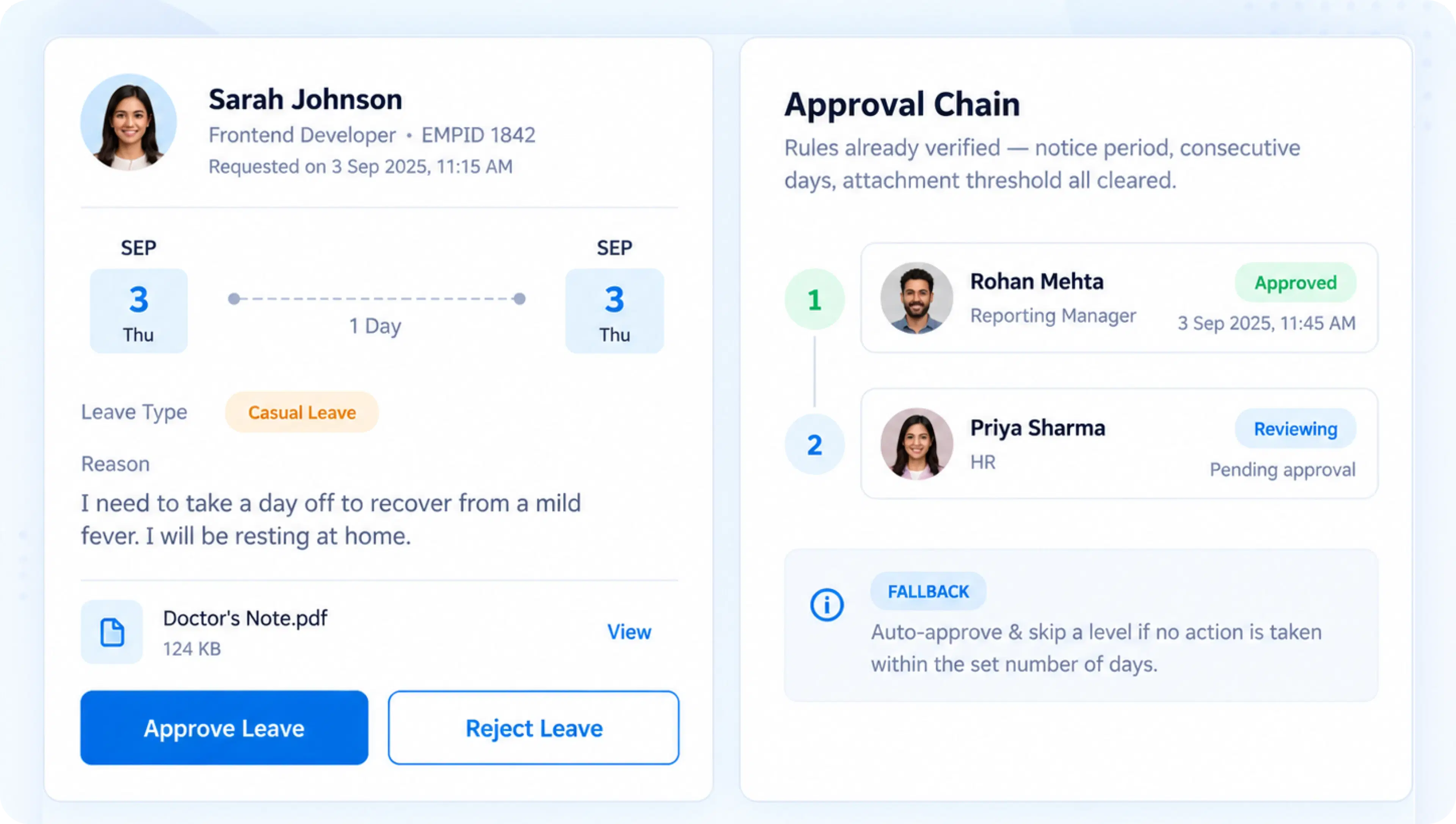
Four Layers of Control
Every Leave Request, Verified Before It Reaches a Manager

Application Modalities
Half-day allowances and time-input logging, captured directly at the point of request — no separate form needed.

Comment & Attachment Rules
Mandatory comments or supporting documents, triggered automatically once a leave request crosses a defined duration threshold.

Notice & Consecutive Day Limits
Notice period requirements, consecutive day caps, and rules for leave adjoining weekends or holidays — enforced before submission.

Multi-Level Approval Chains
Route requests through Reporting Manager, HR, or custom approval levels, with auto-approval fallback if no action is taken.
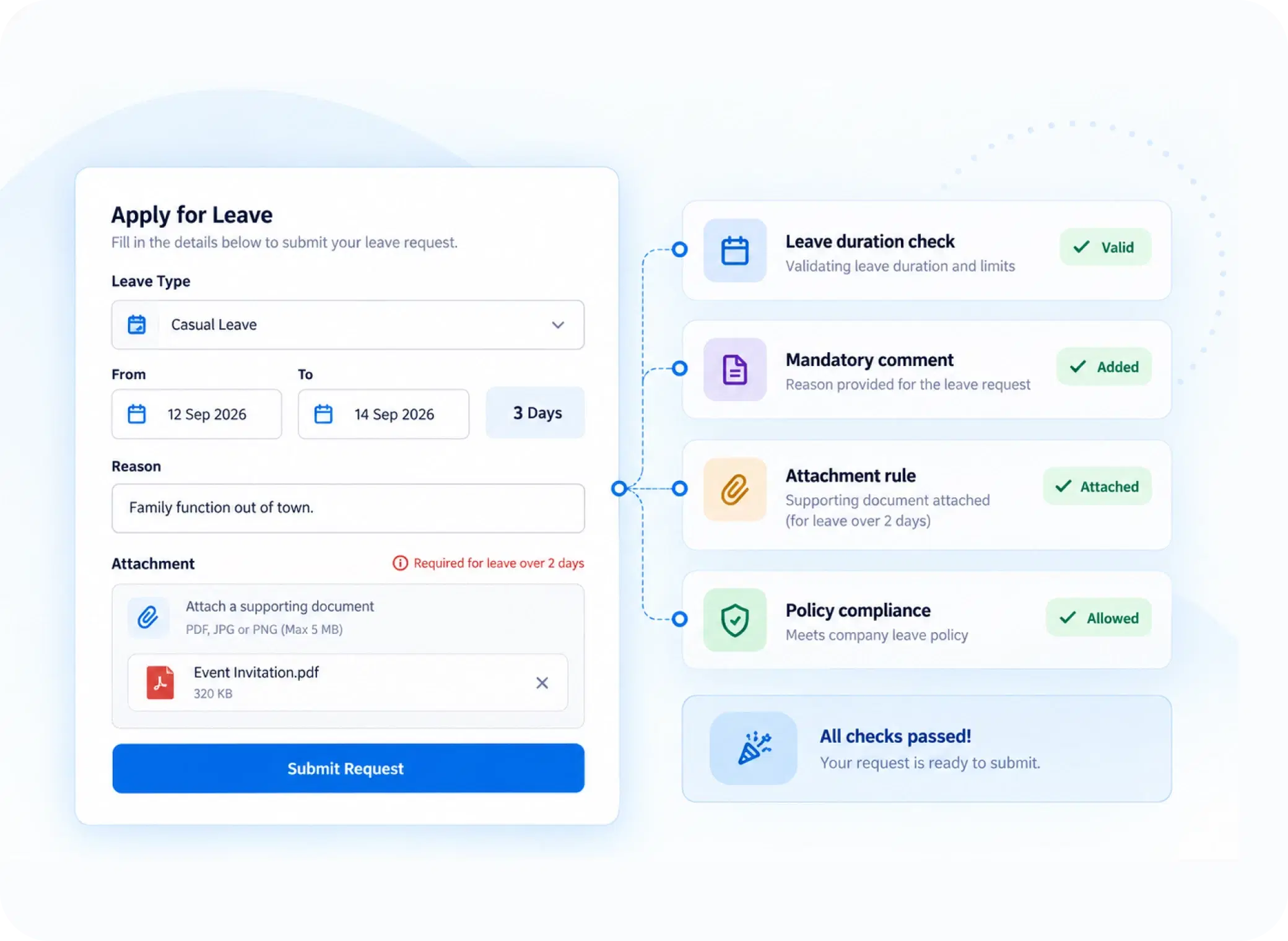
Verified, Not Assumed
Employee Leave Verification That Happens Before Approval, Not After
A three-day leave request without a reason shouldn't need a follow-up email — it should simply be blocked from submission. Mandatory comment and attachment rules kick in automatically once duration thresholds are crossed, so managers only ever see requests that already meet policy, not ones they have to chase down first.
Duration-based mandatory comment triggers
Attachment requirements for longer leave
Nothing incomplete reaches the approval queue
Policy, Enforced Early
Restrictions That Stop Problems Before They Reach an Inbox
Four checks that run the moment a leave request is drafted.
Too-close requests, flagged
Requests submitted too close to the leave date are flagged automatically.
Back-to-back caps
Limits on back-to-back leave days, enforced without manual tracking.
Adjoining-day rules
Rules governing leave that touches a weekend or holiday, applied consistently.
Consistent allowances
Defined half-day rules, applied the same way across every request.
Request to Decision
How a Leave Request Moves From Submission to Sign-Off
Questions, Answered
Frequently Asked Questions
What is leave approval software?
It's a system that automates the review and sign-off of employee leave requests, applying policy rules, routing approvals through defined levels, and reducing manual back-and-forth between employees and managers.
What triggers mandatory attachments on a leave request?
Attachment requirements are tied to duration thresholds. Once a leave request crosses a defined number of days, the system requires supporting documentation before the request can be submitted.
What happens if a manager doesn't act on a request?
Automated leave workflows include an auto-approval fallback. If no action is taken within a defined deadline, the request automatically moves forward instead of staying indefinitely pending.
How does the leave request system enforce notice periods?
Notice period requirements are checked automatically at submission. Requests that don't meet the minimum notice defined by policy are flagged or restricted before reaching a manager's approval queue.
Can approvals be routed through multiple levels?
Yes, multi-level approval chains support Reporting Manager, HR, and custom levels, so requests move through exactly the review stages your organization's policy requires before final approval.
Are there limits on consecutive leave days?
Yes, consecutive day caps can be configured to restrict how many back-to-back leave days an employee can request, enforced automatically without requiring manual policy checks.
Let Policy Do the Checking, So Managers Just Decide
Every rule verified before submission, every approval routed correctly, every fallback handled automatically.

HRMS
Manage your workforce -- attendance, payroll, and leave, all in one place.
Operational
Mail Us
support@zunoy.com
Copyright © 2026 - Mentcube Innovations Pvt Ltd.. All Rights Reserved.
v0.1.227