The Automated Attendance System That Clocks In So You Don’t Have To Chase It
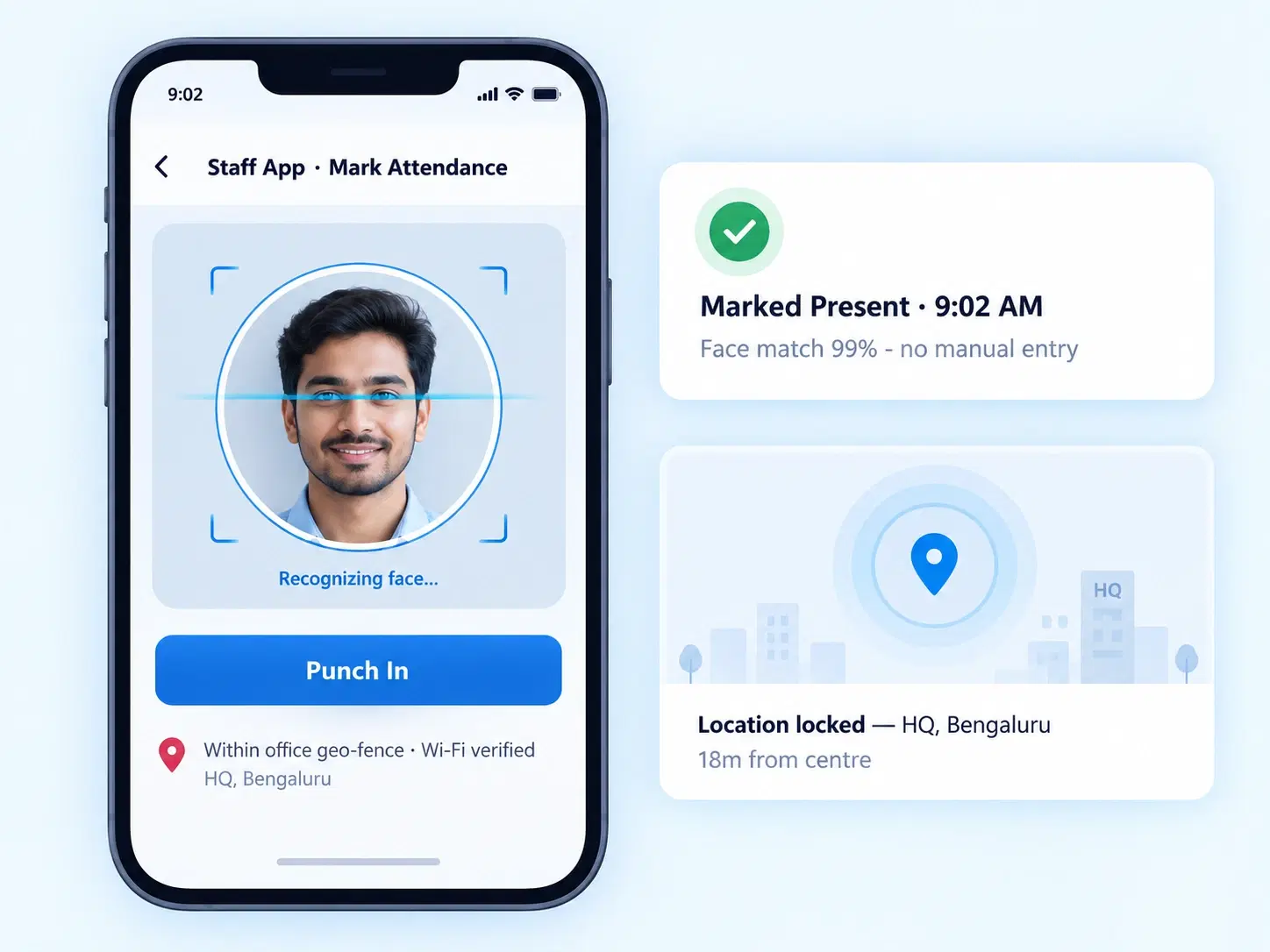
Face scans, geo-locks, QR taps — Zunoy marks attendance the moment it happens, no manual entry, no disputes.
HOW IT WORKS
One Attendance Engine, Every Way Your Team Clocks In
From face recognition to a simple selfie, Zunoy adapts to your floor, your field staff, and your policy — not the other way round.

Multi-Mode Punch Configuration
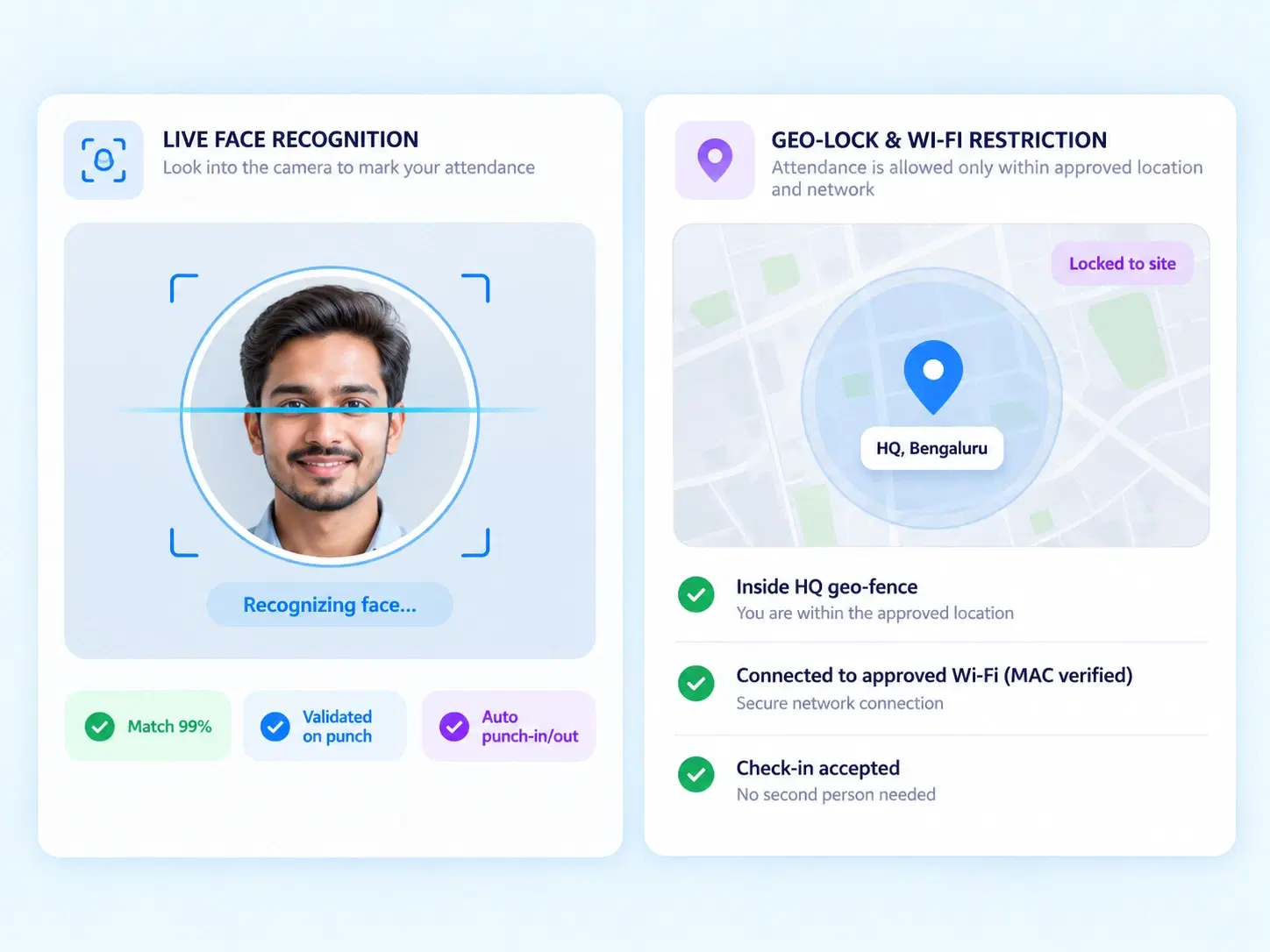
Turn on auto punch-in/out, live face recognition, geo-location locking, or Wi-Fi MAC address restriction — mix and match by team or site.

Staff App & Digital Attendance
Selfie attendance, QR code scans, and GPS tracking, all toggled on or off directly from admin settings.

Location-Based Rules
Lock attendance to office coordinates, or open it up for field and remote employees — your call, per role.

Smart Automation & Thresholds
Auto-mark present at day start, set punch-in triggers, define late-arrival half-day cutoffs, and lock in minimum working hours for credit.

Employee Self-Service Attendance
Let employees view their own attendance logs anytime, without a single HR query.
PUNCH CONFIGURATION
Attendance That Recognizes Your Team, Not Just Their Badge Number
Punch-ins shouldn’t need a second thought — or a second person to verify them. With live face recognition, geo-location locking, and Wi-Fi MAC address restriction, every check-in is validated the moment it happens. Turn on auto punch-in/out for teams with predictable shifts, or keep manual control where flexibility matters more. It’s employee attendance policy enforcement that runs quietly in the background, so your team stays focused on work, not on proving they showed up for it.
Live face recognition punch-in/out
Geo-location locking per site
Wi-Fi MAC address restriction
Auto punch-in/out toggle
Attendance Transparency, Without the Back-and-Forth
Give employees a direct, always-on view of their own attendance — no more “can you check my log?” emails to HR. Smart attendance tracking means your team sees exactly what’s recorded, in real time.
Self-view of daily and monthly attendance logs
Real-time visibility into punch status
Reduced HR queries and manual lookups
Built-in trust between employees and the system
AUTOMATION & THRESHOLD RULES
Rules You Set Once. Attendance the System Handles Forever.
FAQS
Frequently Asked Questions
What is an automated attendance system?
An automated attendance system records employee check-ins and check-outs using methods like face recognition, GPS, or QR codes — removing manual entry and reducing attendance errors or disputes altogether.
Does the Staff App support selfie attendance?
Yes, selfie attendance can be toggled on directly from admin settings. Employees mark attendance with a quick photo, verified instantly, making it ideal for field teams and multi-location businesses without fixed biometric devices.
Can employees view their own attendance records?
Yes, through Employee Self-Service permissions, employees can view their personal attendance logs anytime on the Staff App, improving transparency and cutting down repetitive HR queries about daily or monthly records.
Can I restrict attendance to only the office location?
Yes. Zunoy lets you lock punch-ins to specific office coordinates using geo-location rules, or open attendance to remote and field employees based on their role and work location.
How does late punch-in affect attendance status?
Admins can configure a late punch-in threshold. Once an employee crosses it, the system automatically marks that day as a half-day, based on rules your HR team defines — no manual review needed.
What is Wi-Fi MAC address restriction used for?
It ties attendance marking to a specific approved network, ensuring employees can only punch in while connected to office Wi-Fi — an added layer of location-based attendance verification for on-site teams.
Attendance That Runs Itself. HR That Finally Gets Time Back.
Set your rules once — face recognition, geo-locks, thresholds — and let every punch-in fall in line automatically.
Face Recognition
GPS Tracking
QR Attendance
Self-Service Access

HRMS
Manage your workforce -- attendance, payroll, and leave, all in one place.
Operational
Mail Us
support@zunoy.com
Copyright © 2026 - Mentcube Innovations Pvt Ltd.. All Rights Reserved.
v0.1.227