GPS Attendance Tracking for Teams That Never Sit at One Desk
One tap on the Staff App, verified by location and a live face scan — attendance that moves with your people.
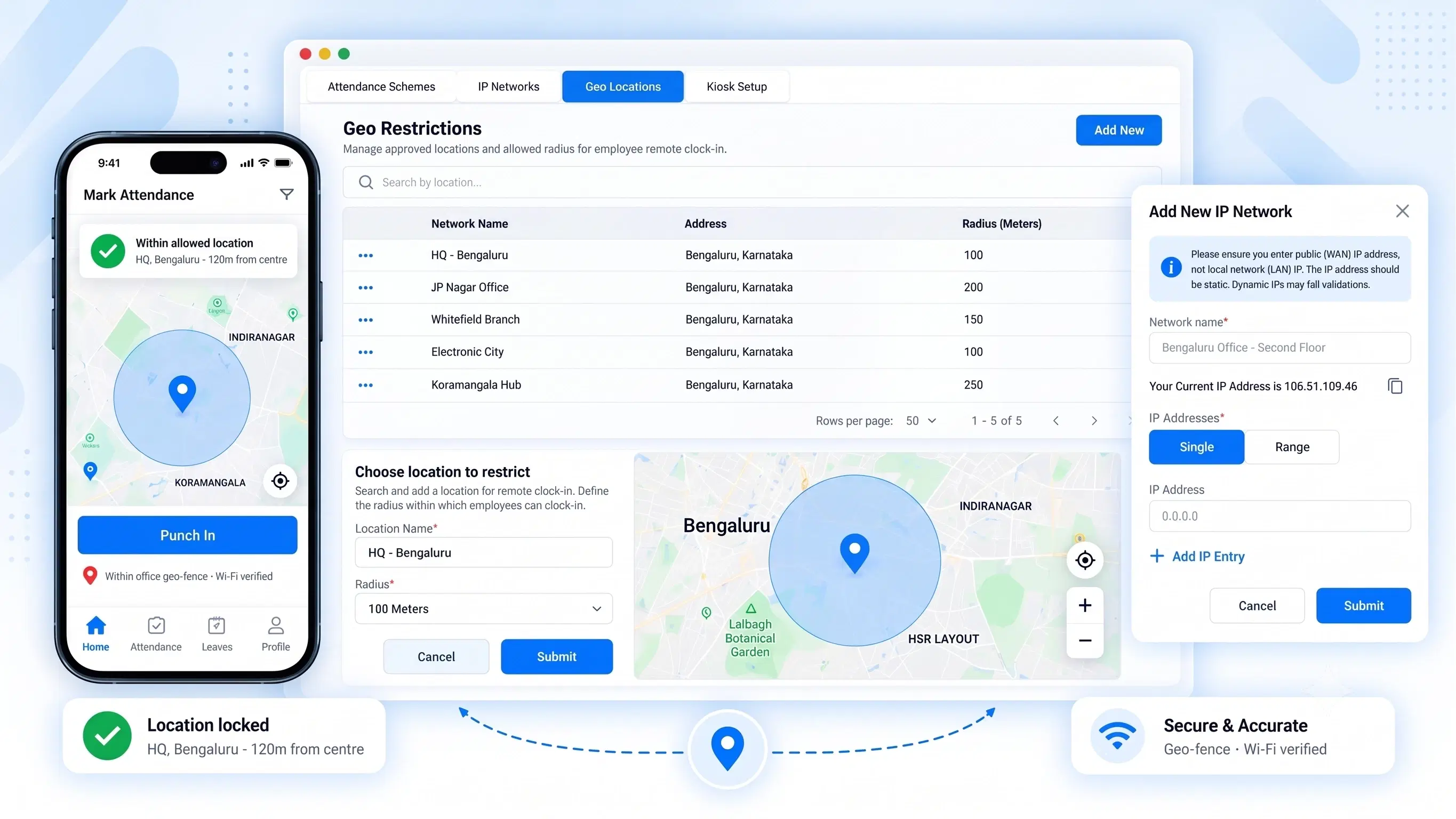
FOUR CHECKS, ONE TAP
Zero Guesswork on Who Punched In, From Where

Staff Mobile App Punching
Clock in and out straight from the mobile app — built for employees who are always moving, not sitting behind a desk.

Geo-Fencing & Geo-Location Locking
Draw a virtual perimeter around your office or site. Punch-ins outside it simply won't register.

Biometric & Verification Checks
A live selfie and facial recognition scan confirm it's really them — not their phone doing the punching.

Wi-Fi MAC Address Security Lock
Attendance only counts when the device is on an approved company network — no workaround, no spoofing.
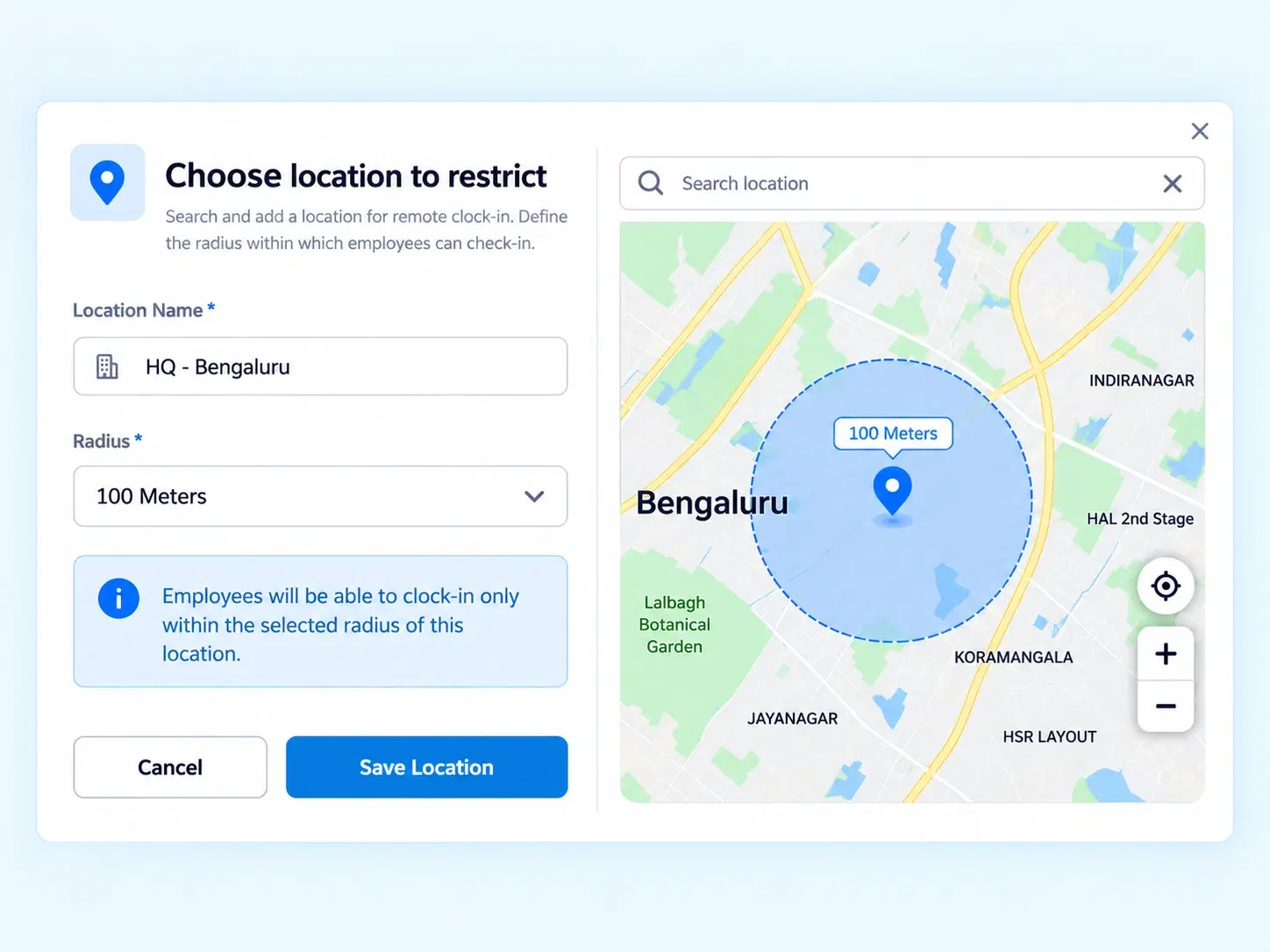
KNOW WHERE, KNOW WHO
Attendance That Knows Where Your Team Actually Is
Geo-fencing locks punch-ins to real coordinates, so a check-in from outside the perimeter simply doesn’t go through — no exceptions, no manual override needed.
Coordinate-based perimeter setup
Automatic rejection of out-of-zone punches
Works across multiple office or site locations
EVERY LOOPHOLE, CLOSED
Built For Field & Frontline Teams
Four ways location intelligence keeps attendance honest.

No Proxy Punches
Face verification stops one employee from clocking in for another.

No Off-Site Check-ins
Location based attendance blocks punches outside approved zones.

No Network Spoofing
MAC address locking ties attendance to real company Wi-Fi.

No Manual Disputes
Every punch is location- and identity-verified automatically.
QUESTIONS, ANSWERED
Frequently Asked Questions
What is GPS attendance tracking?
It verifies an employee’s exact location at the moment of punch-in, ensuring attendance is only marked when they’re physically present at an approved site or zone.
Is the mobile attendance app suitable for field employees?
Yes, it’s built for on-the-go teams. Employees clock in and out directly from their phones, with location and identity verified in real time, wherever work takes them.
What happens if a punch-in occurs outside the geofence?
The system automatically rejects it. Employees must be within the defined coordinates for the punch to register, keeping attendance accurate and dispute-free.
How does geofencing attendance software work?
It creates a virtual boundary around a location. Employees can only punch in or out while inside that boundary — any attempt from outside is automatically rejected.
Can employees fake their location to punch in early?
No. Geo-location locking combined with facial recognition and Wi-Fi MAC address checks makes it extremely difficult to fake a punch-in from an unapproved device.
Does the app require constant GPS access?
GPS is checked at the moment of punch-in and punch-out, not continuously — balancing accurate tracking with employee privacy throughout the rest of the day.
Stop Wondering Where Your Team Clocked In From
GPS Attendance Tracking, biometric checks, and network locks — running quietly behind every punch.

HRMS
Manage your workforce -- attendance, payroll, and leave, all in one place.
Operational
Mail Us
support@zunoy.com
Copyright © 2026 - Mentcube Innovations Pvt Ltd.. All Rights Reserved.
v0.1.227