Biometric Attendance Software That Turns Any Corner Into a Check-In Point
A shared kiosk, a fingerprint scanner, an RFID tag — pick your hardware, and let attendance mark itself.
Open What You Need
Every Way Your Team Can Check In, Built Into One System

Device Management
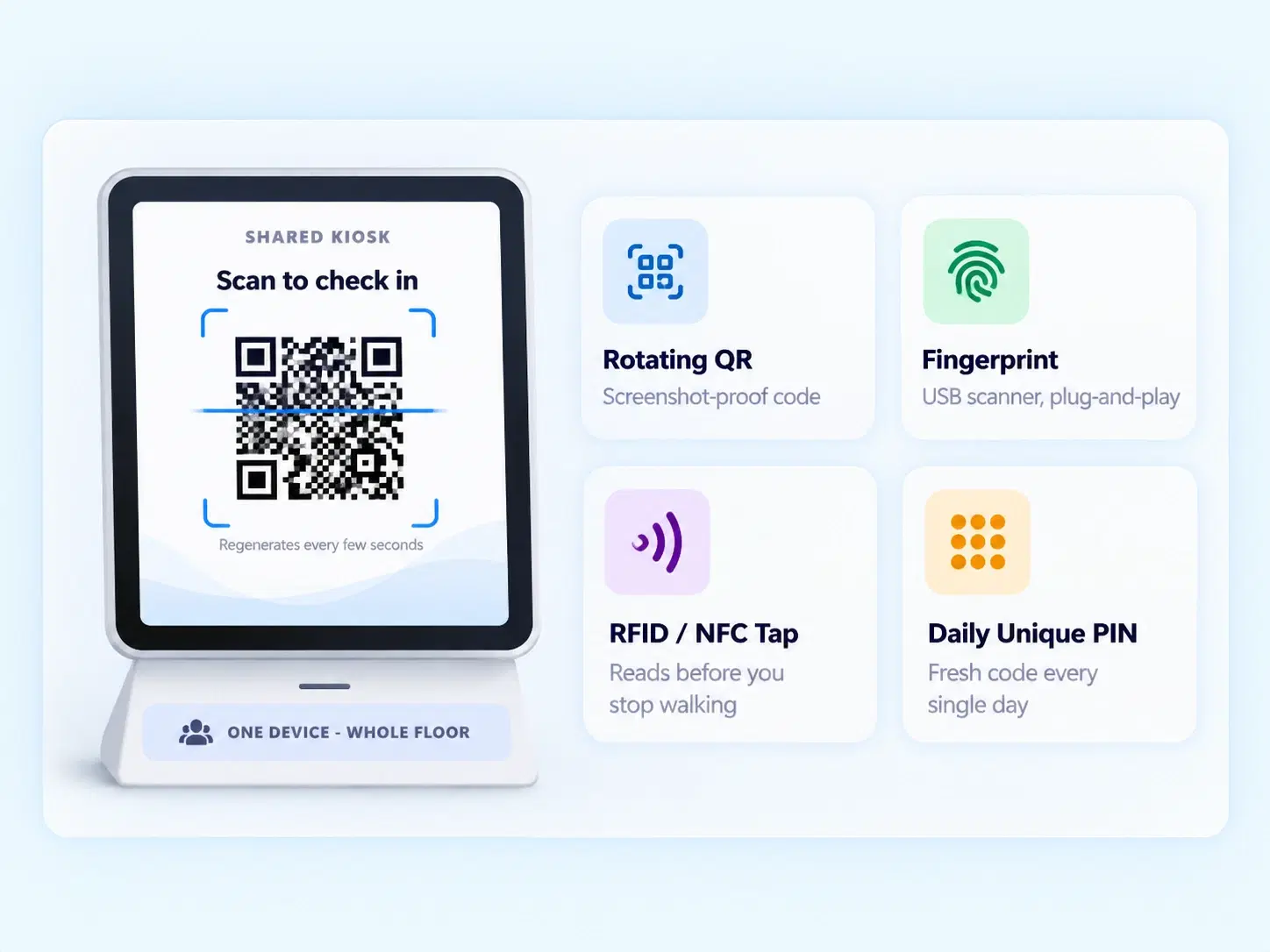
Register every shared kiosk device by location and type. Name it, place it, assign an attendance method — and it's live.

Dynamic QR Kiosk Mode
A QR code that regenerates on its own, refusing to sit still long enough for a screenshot to fool it.

Daily Unique PIN Mode
A fresh, system-generated PIN every single day. No shared passwords, no yesterday's code sneaking through today.

Offline Mode Sync
No internet at the site? Attendance still gets captured — and quietly syncs the moment connectivity returns.

DIY Hardware Plug-In
USB fingerprint scanners, RFID card tagging, Bluetooth and NFC proximity — plug it in, and it just works.
No Touch, No Fuss
A Touchless Attendance System Built for the Shared Entrance
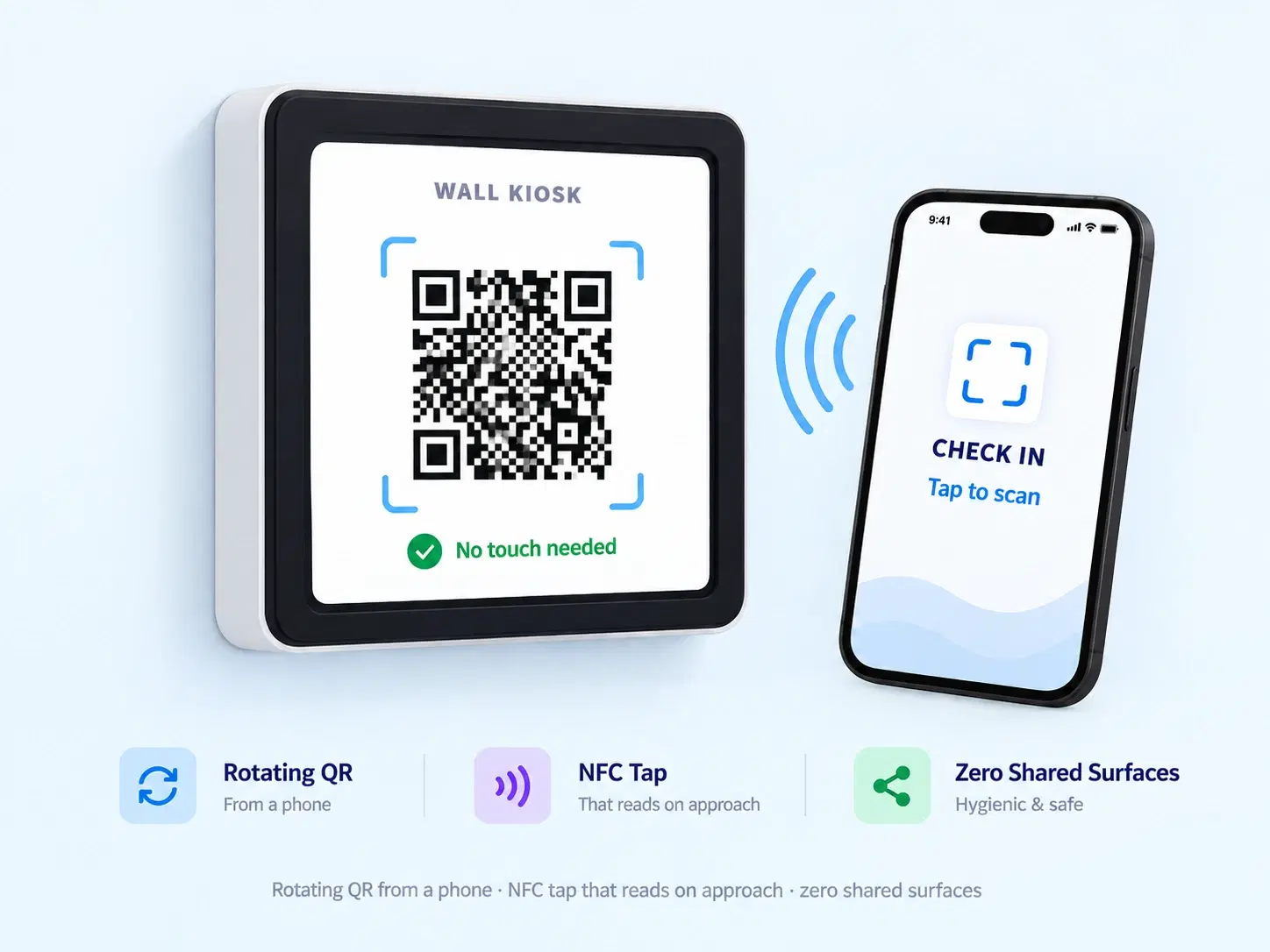
One kiosk. A hundred employees. Zero shared surfaces. Whether it's a rotating QR code flashed from a phone or an NFC tap that reads before you've even stopped walking, this is attendance that keeps up with foot traffic — not the other way round.
Dynamic, self-refreshing QR display
NFC and Bluetooth proximity check-ins
No physical contact required at the kiosk
Built for Shared Spaces
A Kiosk Attendance System That Doesn't Slow the Queue
Shared entrances shouldn't mean shared bottlenecks.

No Personal Devices Needed
One kiosk serves an entire floor or gate.

Tamper-Resistant by Design
Regenerating QR codes and daily PINs can't be reused or shared.

Works Offline
Connectivity drops don't stop attendance from being captured.

Hardware-Flexible
Bring your own scanner, RFID reader, or NFC device.
Questions, Answered
Frequently Asked Questions
What is biometric attendance software?
It's a system that verifies employee identity using physical traits like fingerprints or facial recognition, ensuring only the actual employee can mark their own attendance.
What if the kiosk location has no internet connection?
Offline mode sync handles this. Attendance is still captured locally at the device and automatically syncs to the system once connectivity is restored.
Is this a touchless attendance system?
Yes, options like QR scanning and NFC proximity check-ins let employees mark attendance without touching any shared surface on the kiosk device.
How does QR code attendance work on a shared kiosk?
A dynamic QR code displays on the kiosk screen and regenerates automatically, so employees scan it with their phone to check in without any physical contact.
Can I use my own fingerprint scanner or RFID reader?
Yes, DIY hardware integration supports plug-and-play setup for USB fingerprint scanners, RFID card tagging, and Bluetooth or NFC proximity devices.
How often does the employee PIN change?
The system generates a new, unique PIN daily, so yesterday's code can't be reused and each day's attendance stays independently secure.
Turn One Wall-Mounted Device Into Your Entire Attendance System
Register a kiosk, plug in your hardware, and let every check-in handle itself from there.
One kiosk, a whole floor
Regenerating codes, daily PINs
Bring your own hardware

HRMS
Manage your workforce -- attendance, payroll, and leave, all in one place.
Operational
Mail Us
support@zunoy.com
Copyright © 2026 - Mentcube Innovations Pvt Ltd.. All Rights Reserved.
v0.1.227