Shift Scheduling Software That Ends the Spreadsheet Chaos
Build shifts, assign them by department, and let working hours calculate themselves — no more juggling rosters by hand.
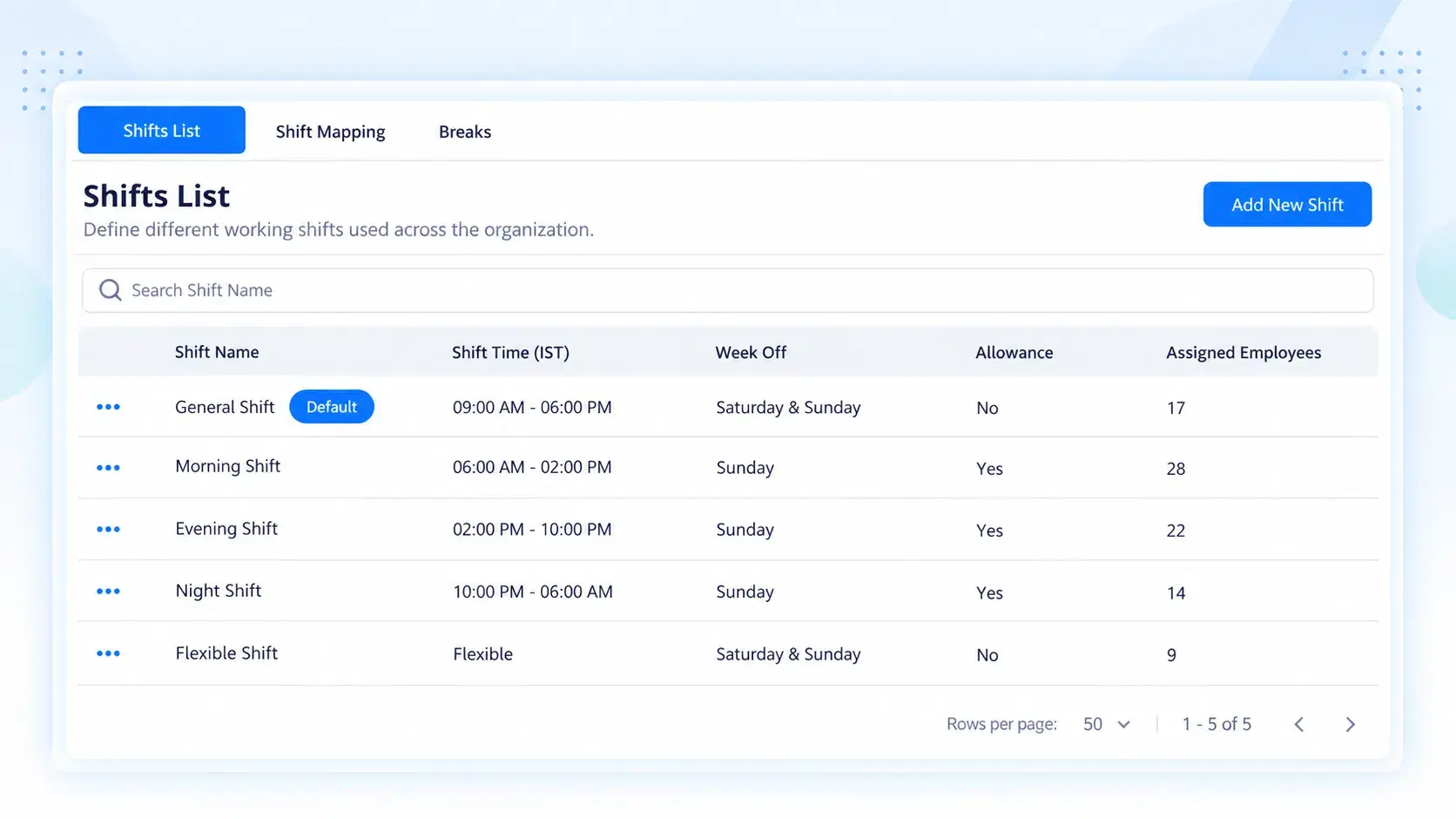
Set Once, Repeat Daily
Three Moves to a Fully Running Shift System
Custom Shift Creation
Define start and end times for any shift pattern your business runs. Total daily hours calculate automatically — no manual arithmetic.
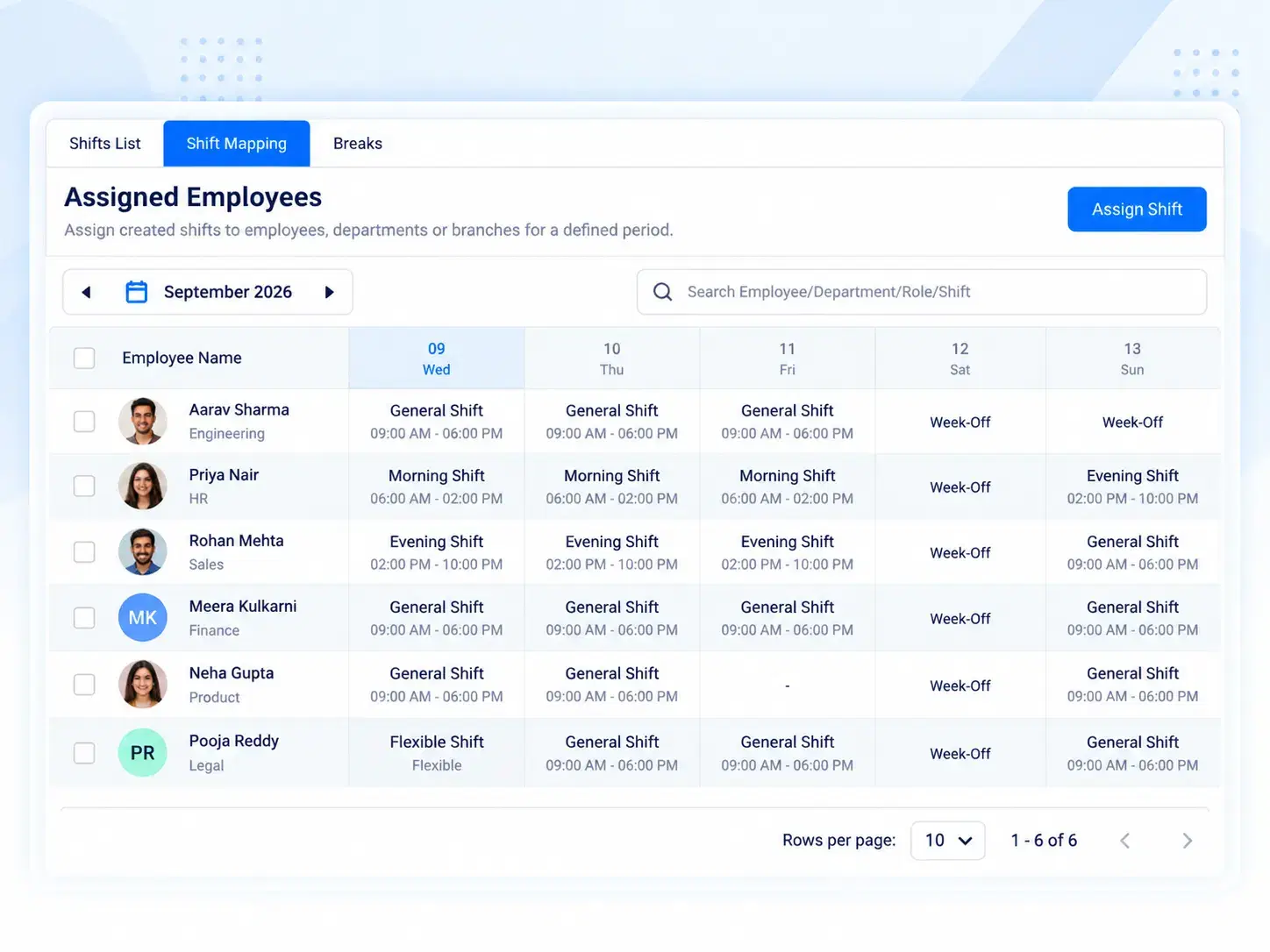
Shift Allocation Table
See every department's assigned shift in one table — IT Shift, Sales Shift, or whatever tags fit your org — with default designations built in.
Break & Work-Time Rules
Set fixed or flexible timing rules, and let the system track daily working hours against them automatically.
Built By Department
Employee Shift Management That Doesn't Need a Spreadsheet Anymore
Every team runs differently — and shift scheduling software should reflect that. Assign distinct shifts by department or role, view them all from a single allocation table, and skip the back-and-forth of manually telling each team when to log in.
Department-wise and role-wise shift tagging
Default designation shifts, pre-mapped
One central table, always up to date
Timing, Your Way
Fixed Hours or Flexible Hours — Zunoy Tracks Either
Less Manual Work
A Work Roster Software That Actually Keeps Up With You
Shift planning shouldn't mean re-building the roster every time someone changes teams.

Faster Rostering
Build and update shift allocations in minutes, not spreadsheets.

Fewer Errors
Auto-calculated hours remove manual miscounts.

Clear Ownership
Every department sees its own shift, clearly tagged.

Scales With You
Add new shifts or departments without rebuilding the system.
Questions, Answered
Frequently Asked Questions
What is shift scheduling software?
It's a system that lets HR teams create, assign, and manage employee work shifts digitally — automatically calculating hours instead of tracking them manually.
How does the shift allocation table work?
It's a central view showing which shift each department or role is assigned to, like IT Shift or Sales Shift, with default designation tags included.
Is this considered a work roster software?
Yes, it functions as a complete work roster software — organizing shifts by department, tracking hours, and keeping every team's schedule visible in one place.
Can I create custom shifts for different departments?
Yes. Custom shift creation lets you set specific start and end times per department or role, with total daily hours calculated automatically.
What's the difference between fixed and flexible shift timing?
Fixed timing sets exact clock-in and clock-out hours. Flexible timing allows a working-hour window instead, while still tracking daily working hours accurately.
Can employees be reassigned to a different shift easily?
Yes, shift allocation can be updated anytime from the central table, instantly reflecting the change without disrupting existing hour-tracking or records.
Stop Rebuilding Your Roster Every Week
Set your shifts once — Zunoy handles the allocation, the hours, and the tracking from there.
Custom shifts, defined once
Hours calculate themselves
Every department, one table

HRMS
Manage your workforce -- attendance, payroll, and leave, all in one place.
Operational
Mail Us
support@zunoy.com
Copyright © 2026 - Mentcube Innovations Pvt Ltd.. All Rights Reserved.
v0.1.227