Payroll Analytics Software That Turns Every Pay Run Into a Story You Can Read
Costs, liabilities, headcount, pending approvals — one dashboard that shows exactly where payroll stands, right now.
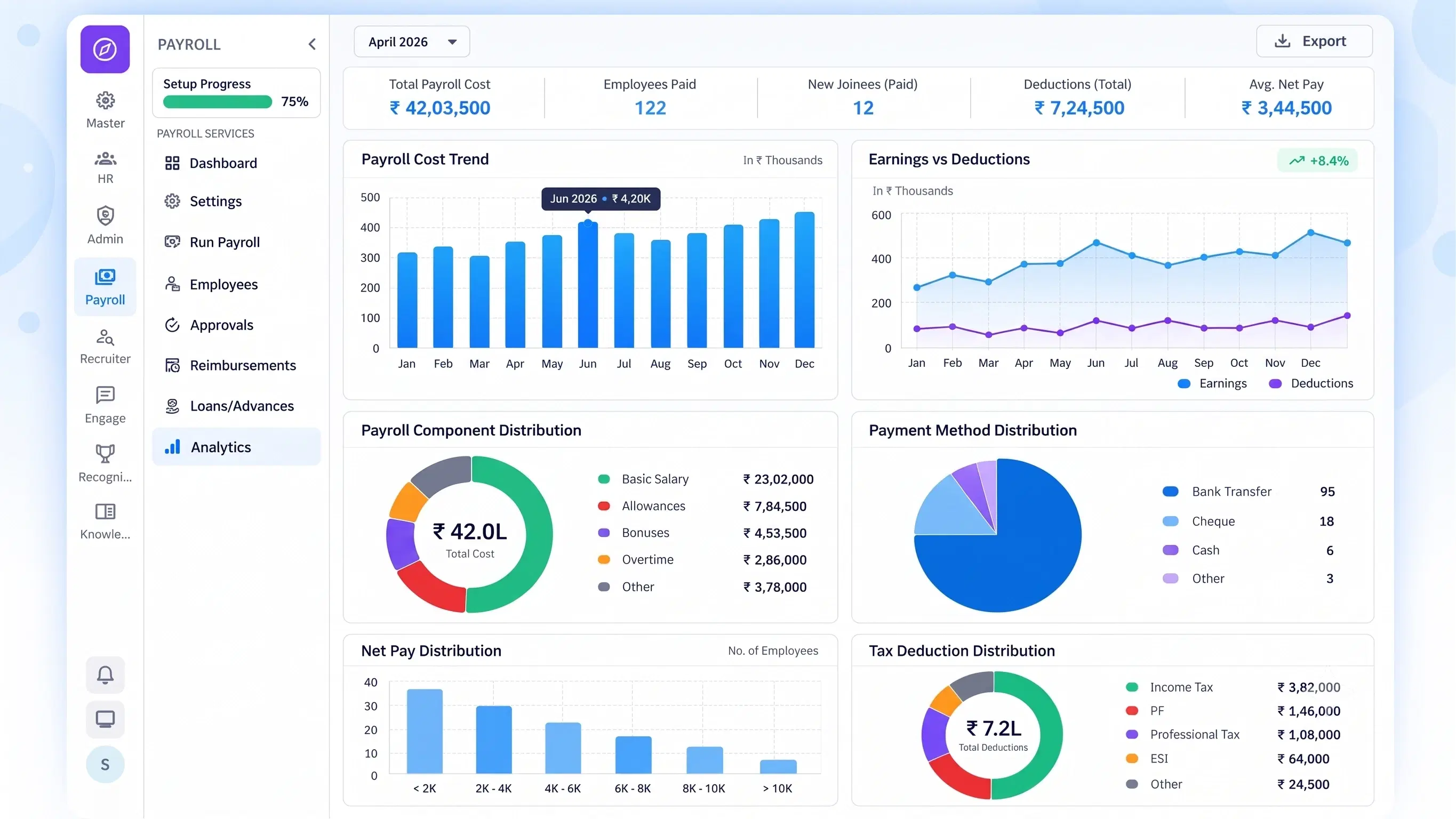
Five Views, One Dashboard
Everything Payroll Leadership Needs to See, In One Place
From total spend to individual pending approvals, every payroll signal lives on the same screen.

Cost & Spend Trends
Total payroll costs, monthly spend trends, and overall workforce status, summarized at a glance.

Liability Breakdown
Granular views of deductions, TDS sheets, and statutory liabilities across departments or pay groups.

Workforce Metrics
Headcount tracking, joiner and leaver summaries, and departmental payroll breakdowns.

Actionable To-Do Lists
Centralized alerts for pending approvals and upcoming due pay runs.

System Settings
Role-based access permissions and automated email template configuration.
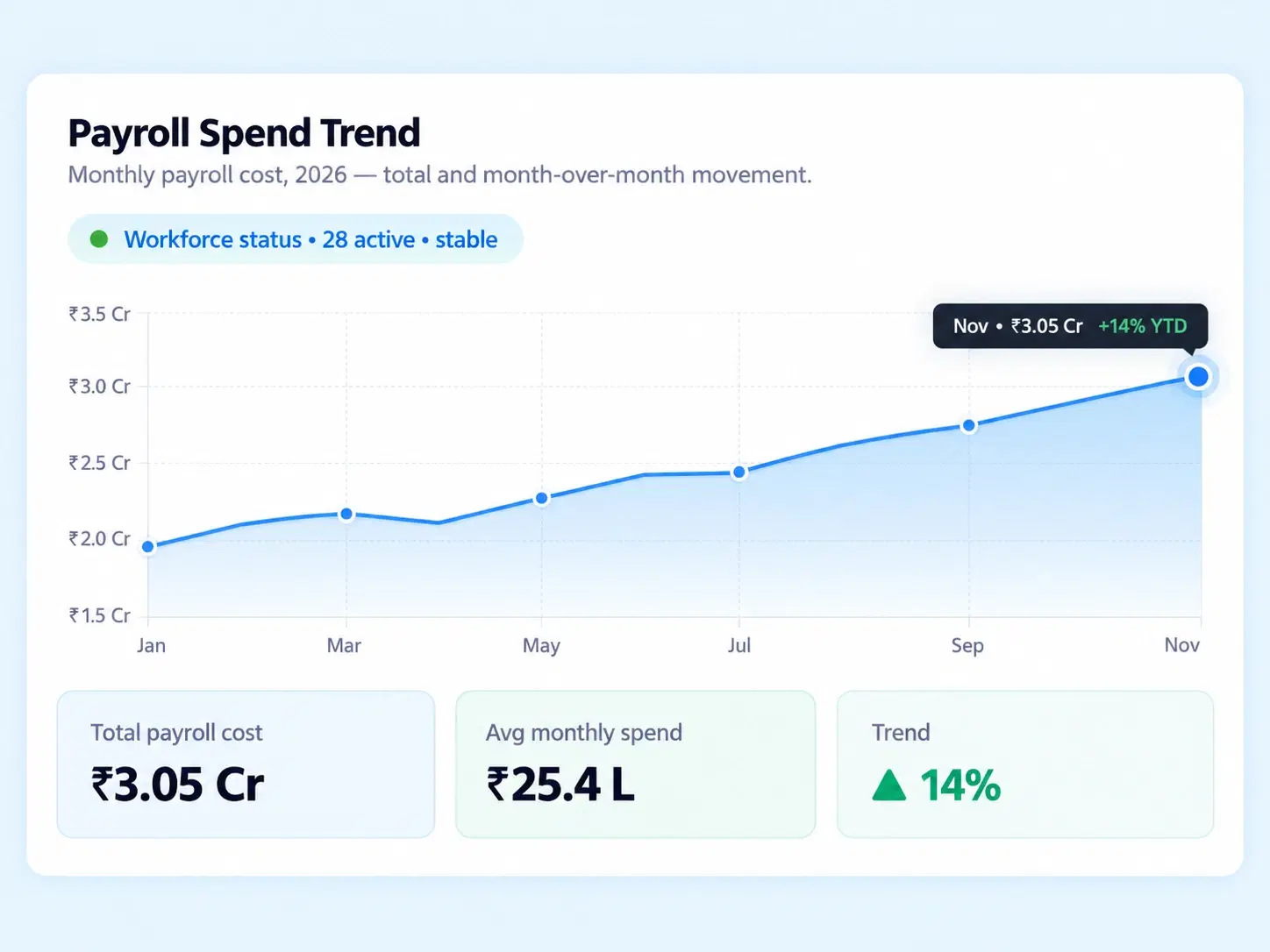
Spend, Visible
Payroll Cost Analysis That Shows the Trend, Not Just the Total
A single monthly payroll number doesn't tell you much on its own. Seeing that number change — month over month, department by department — is what actually helps finance plan ahead. The high-level dashboard summarizes total payroll costs and spend trends alongside overall workforce status, so shifts are visible before they become surprises.
Total payroll cost, summarized at a glance
Monthly spend trend tracking
Overall workforce status in the same view
Owed, Broken Down
HR Payroll Dashboard Detail That Doesn't Stop at the Total Number
People, Counted
What the Workforce Metrics View Actually Tracks
Nothing Falls Through
Payroll Reporting Tools That Also Tell You What Still Needs Doing
A dashboard is only useful if it points to what's pending, not just what's already happened.

Centralized Alerts
Pending salary revisions, loans, and attendance regularizations, all in one list.

Upcoming Pay Runs
Due dates surfaced before they're missed, not after.

Role-Based Access
Super Admin, Processor, Approver, and Auditor permissions, clearly separated.

Automated Email Templates
Notifications configured once, sent consistently every cycle.
Questions, Answered
Frequently Asked Questions
What is payroll analytics software?
It's a system that visualizes payroll data — costs, liabilities, workforce metrics, and pending approvals — through dashboards, replacing manual report-building with real-time, structured insights across the organization.
Can I track headcount and workforce changes?
Yes, Workforce Metrics covers headcount tracking, joiner and leaver summaries, and departmental payroll breakdowns, giving a clear view of workforce movement over any selected period.
Does the HR payroll dashboard show pending approvals?
Yes, actionable to-do lists centralize pending approvals like salary revisions, loans, and attendance regularizations, alongside upcoming due pay runs, so nothing sits unnoticed.
What does the liability breakdown show?
It shows granular deductions, TDS sheets, and statutory liabilities, viewable across departments or pay groups, giving finance and compliance teams a detailed rather than summarized picture.
What kind of payroll reporting tools are included?
The dashboard includes cost and spend trend reports, liability breakdowns, workforce metrics, and actionable to-do lists, covering both historical reporting and pending action items in one place.
How does payroll cost analysis help with planning?
It shows monthly spend trends and total payroll costs together, helping finance teams spot cost shifts early and plan budgets based on actual patterns rather than static totals.
Stop Building Payroll Reports. Start Reading a Dashboard That's Already Built.
Costs, liabilities, workforce metrics, and pending approvals — visible the moment you open it.
Cost Trends
Liability Breakdown
Workforce Metrics
To-Do Lists
Access Control

HRMS
Manage your workforce -- attendance, payroll, and leave, all in one place.
Operational
Mail Us
support@zunoy.com
Copyright © 2026 - Mentcube Innovations Pvt Ltd.. All Rights Reserved.
v0.1.227