Expense Reimbursement Software That Doesn’t Make Employees Chase Their Own Money
Travel claims, loans, EMI deductions — submitted, approved, and paid out through one connected payroll-linked flow.
FOUR FLOWS, ONE QUEUE
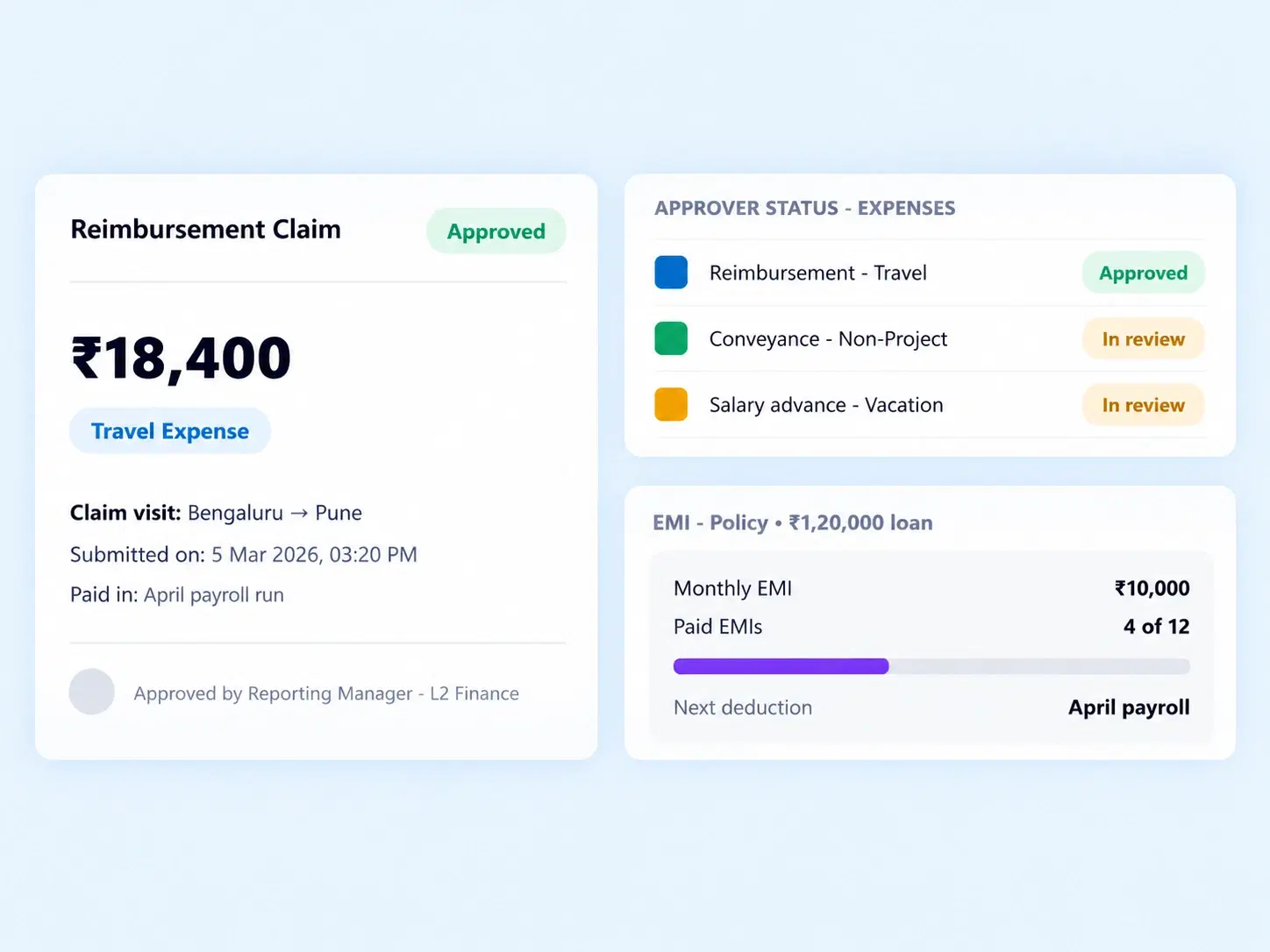
Every Claim, Loan, and Deduction Handled From a Single Dashboard

Global Reimbursements
Submit, track, and categorize expense claims like travel expenses through a dedicated portal, with multi-level approvals built in.

Loans & Advances
Process employee applications for financial advances and company loans directly within the system.

EMI Automation
Set custom repayment schedules and configure automatic monthly EMI deductions tied to upcoming payroll runs.

Approval Queues
A centralized dashboard for HR and finance to review all pending loan, advance, and reimbursement requests together.
CLAIMS, CATEGORIZED
Employee Expense Management That Tracks a Claim From Submission to Payout
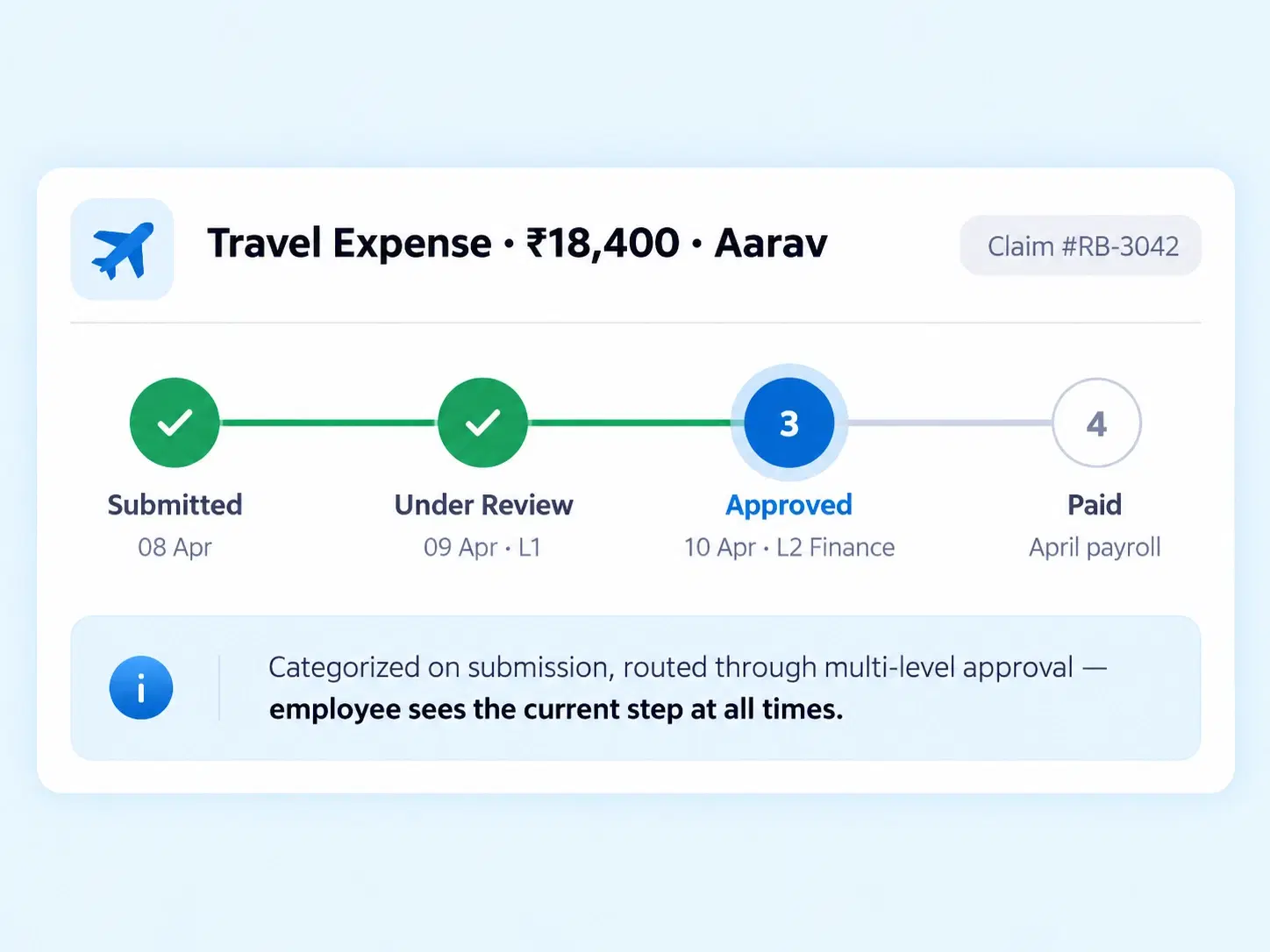
A travel claim shouldn’t disappear into an inbox for three weeks. Every expense submitted through the portal is categorized, routed through multi-level approvals, and tracked all the way to payout — so employees always know exactly where their claim stands.
Categorized expense submission (travel, and more)
Multi-level approval routing
Payout tracking through to completion
SUPPORT, STRUCTURED
An Employee Loan Management System Built Into Payroll, Not Bolted On
Financial support for employees, without a separate manual process to track it.

Loan Applications
Employees apply for company loans directly within the system.

Advance Requests
Financial advances processed alongside standard loan applications.

Linked to Payroll
Every approved loan connects directly to upcoming pay runs.

Fully Trackable
Loan status visible from application through to final repayment.
LOAN TO DEDUCTION
How a Loan Turns Into Automated Monthly Deductions
One request, one approval, and the deductions run themselves.
LESS MANUAL CHASING
Automated EMI Deductions That Never Miss a Payroll Cycle
Manual EMI tracking is where repayment schedules quietly fall apart.

Never Missed
Deductions apply automatically to every relevant payroll run.

Custom Schedules
Repayment terms configured to fit the loan, not a fixed template.

One Dashboard
Loans, advances, and reimbursements reviewed from the same queue.

Full Visibility
Employees and finance both see real-time repayment status.
QUESTIONS, ANSWERED
Frequently Asked Questions
What is expense reimbursement software?
It’s a system that lets employees submit, track, and get approved for expense claims like travel costs, routing them through multi-level approvals until payout, replacing manual reimbursement forms entirely.
Can employees apply for both loans and advances?
Yes, the system supports applications for both company loans and financial advances, processed through the same portal and reviewed within a centralized approval queue.
What are automated EMI deductions?
They’re monthly loan repayments deducted automatically from payroll based on a custom repayment schedule, removing the need for HR or finance to manually process each deduction.
How does employee expense management track a claim?
Every submitted claim is categorized and moves through approval stages visible to the employee, from submission to final payout, so status is always transparent rather than hidden in email threads.
How does the employee loan management system connect to payroll?
Approved loans link directly to upcoming payroll runs, so repayment isn’t tracked separately — it’s built into the same payroll cycle as regular salary processing.
Can repayment schedules be customized per loan?
Yes, repayment scheduling is configurable per loan or advance, allowing different EMI durations and amounts depending on what was approved for that specific employee.
Claims, Loans, and EMIs — All Settled Through Payroll, Automatically
One dashboard for approvals, one flow for payouts, and deductions that never need a manual reminder.
Expense Claims
Loans & Advances
EMI Automation
Approval Queue

HRMS
Manage your workforce -- attendance, payroll, and leave, all in one place.
Operational
Mail Us
support@zunoy.com
Copyright © 2026 - Mentcube Innovations Pvt Ltd.. All Rights Reserved.
v0.1.227