Payroll Compliance Software That Doesn't Wait for an Audit to Get It Right
EPF, ESI, Professional Tax, income tax declarations — configured once, verified continuously, audit-ready by default.
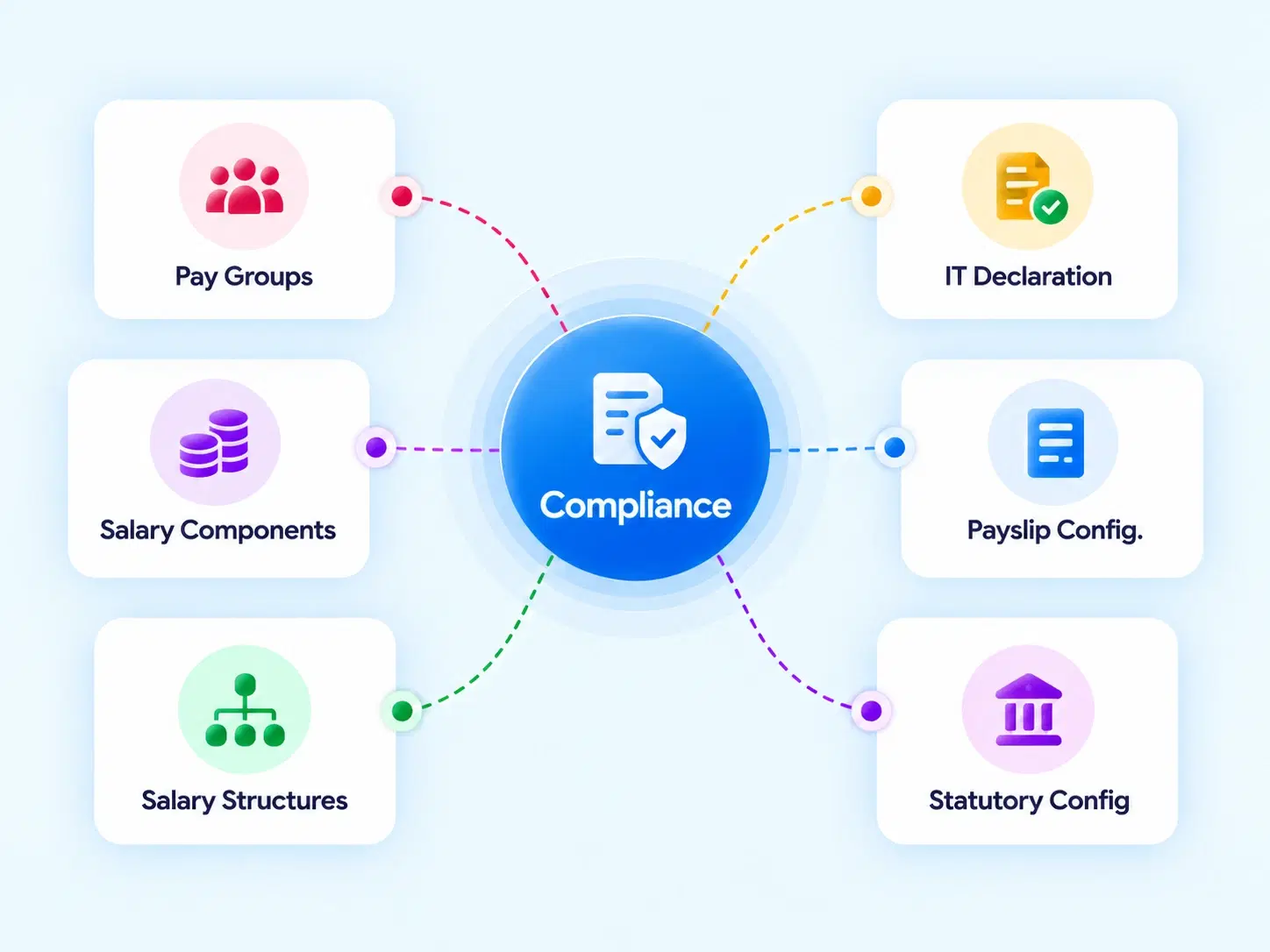
Four Pillars, Fully Covered
Every Statutory Requirement, Configured Into the System

Statutory Configurations
Manage mandatory deductions and employer contributions — EPF, ESI, Professional Tax, and Employee Welfare Fund — from one settings panel.

Income Tax (IT) Settings
Configure organizational tax details, manage Form 16 signatory data, and handle employee IT declaration preferences.

Proof Verification
HR reviews, verifies, and tracks employee-submitted investment proofs directly against their IT declarations.

Approvals & Audit Trails
Multi-level approval pipelines with clear audit logs for reviewing attendance and payroll changes before final submission.
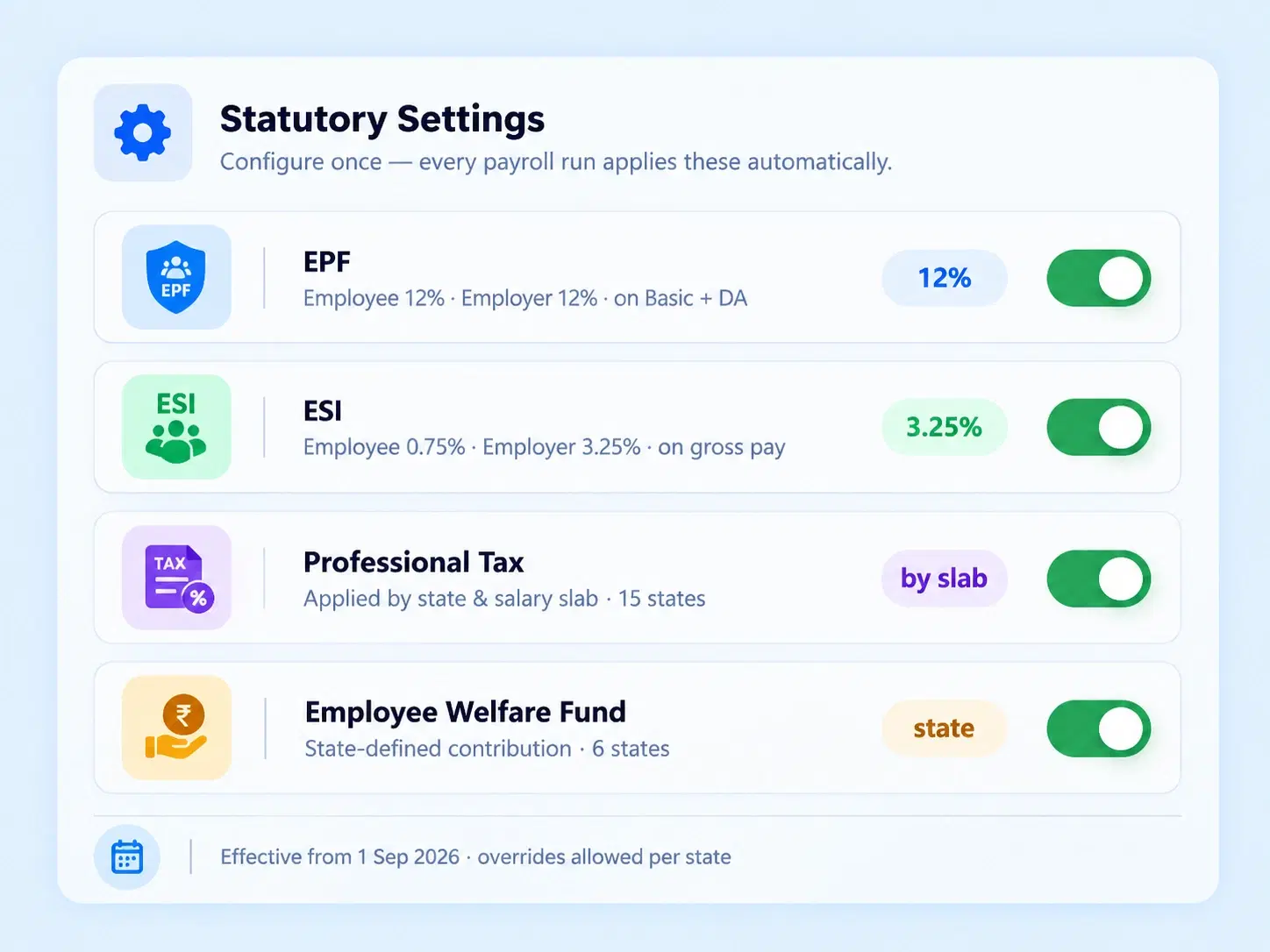
Contributions, Correct
EPF and ESI Payroll Software That Calculates Contributions Without a Manual Cross-Check
Statutory deductions aren't optional line items — they're legal obligations with strict calculation rules. Configure EPF, ESI, Professional Tax, and Welfare Fund settings once, and every payroll run applies them automatically, correctly, and consistently across every eligible employee.
EPF and ESI contribution rules, configured centrally
Professional Tax applied by state and slab
Employee Welfare Fund deductions handled automatically
Tax, Organized
Payroll Tax Software That Handles Both the Organization and the Individual
Declared to Verified
How an Investment Proof Moves From Submission to Sign-Off
Nothing Untraceable
Statutory Compliance Software Built to Survive Scrutiny, Not Just Pass It
Compliance isn't just about getting the numbers right today — it's about being able to show your work later.

Multi-Level Approvals
Every payroll change reviewed through a defined approval pipeline.

Clear Audit Logs
Attendance and payroll changes tracked before final submission.

Verified Investment Proofs
Tax declarations backed by reviewed documentation, not self-reported claims.

Form 16 Ready
Signatory data managed in advance, not scrambled together at filing time.
Questions, Answered
Frequently Asked Questions
What is payroll compliance software?
It's a system that manages statutory deductions, tax configurations, and audit trails required by law, ensuring payroll runs stay compliant with EPF, ESI, Professional Tax, and income tax regulations automatically.
How does EPF and ESI payroll software calculate contributions?
Contribution rules for EPF and ESI are configured centrally in statutory settings, then applied automatically to every eligible employee's payroll calculation, removing the need for manual percentage tracking.
What does payroll tax software manage besides deductions?
Beyond deductions, it handles organizational tax settings, Form 16 signatory data, and employee-level IT declaration preferences, covering both company-wide and individual tax requirements in one system.
What statutory deductions does the system handle?
It manages EPF, ESI, Professional Tax, and Employee Welfare Fund contributions, applying the correct calculation rules automatically during every payroll run without requiring manual configuration each cycle.
How are employee investment proofs verified?
HR reviews employee-submitted investment proofs against their IT declarations through a dedicated verification workflow, confirming accuracy before the proofs are reflected in final tax calculations.
Is there an audit trail for payroll changes?
Yes, clear audit logs track attendance and payroll changes before final submission, giving compliance and finance teams a traceable record of every modification made.
Statutory Rules, Configured Once. Applied Correctly, Every Cycle.
EPF, ESI, tax declarations, and audit trails — handled automatically, so compliance never depends on someone remembering a rule.
EPF, ESI, PT, Welfare Fund configured centrally
Investment proof verification workflow
Multi-level approval pipelines
Clear audit logs for every change

HRMS
Manage your workforce -- attendance, payroll, and leave, all in one place.
Operational
Mail Us
support@zunoy.com
Copyright © 2026 - Mentcube Innovations Pvt Ltd.. All Rights Reserved.
v0.1.227