Your Notes. Your AI Choice.
Connect your preferred AI provider and use Zunoy's AI features with your own API key.

Try Zunoy AI free
BYOA supported
Private by default
AI is included in every plan
Works across your entire workspace
One Default Does Not Work for Everyone
You Should Not Be Locked Into One AI Provider.
Your team may already use a preferred provider, model, billing setup, or security process. BYOA lets you keep that choice while using AI inside Zunoy Notes.
AI That Fits Your Setup
Bring the Provider. Keep the Workflow.
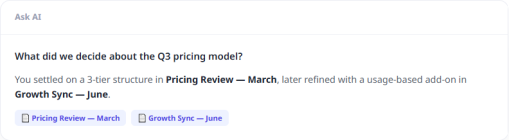
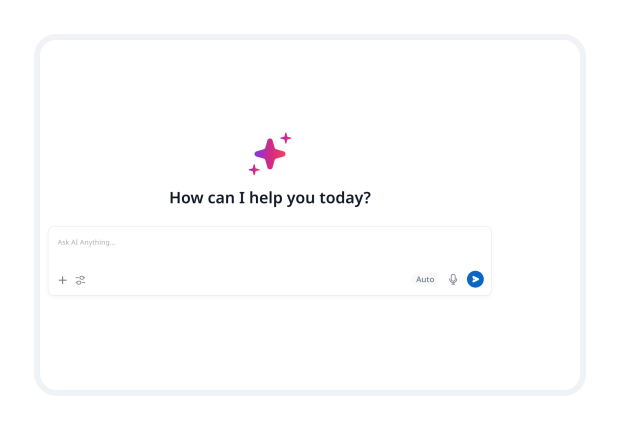
Connect your own API key, choose a supported model, and use AI for writing, summaries, search, and more without moving your notes elsewhere.
Use the Models You Already Trust.
OpenAI
Connect supported OpenAI models to use AI inside your workspace.
Anthropic
Use supported Claude models for writing, analysis, and long-form work.
Gemini
Connect supported Gemini models to your Zunoy Notes workflow.
Future Providers
More provider options can be added as Zunoy expands AI integrations.
AI That Works on Your Terms.
Cost Control
Use your own provider account and manage AI usage through the billing setup you already have.
Flexibility
Choose the model that fits the task instead of relying on one default option.
Compliance
Use a provider that better matches your team’s internal policies and review requirements.
Start Using Your AI in Four Steps.
Use BYOA Your Way.
Individuals
Use the provider you already pay for across notes, research, and writing.
Teams
Connect an approved provider that fits existing billing and AI policies.
Power Users
Choose models based on the task, not a fixed default.
Questions About Bring Your Own AI.
What is BYOA?
BYOA means Bring Your Own AI. It lets you connect your own supported AI provider API key to Zunoy Notes.
Do I need my own API key?
Yes. You need an API key from a supported provider to use BYOA.
Which providers are supported?
OpenAI, Anthropic, and Gemini are supported, with more providers planned.
Can I use OpenAI with Zunoy Notes?
Yes. Connect a supported OpenAI API key and use available models in your workspace.
Can I use Claude with Zunoy Notes?
Yes. Connect a supported Anthropic API key to use available Claude models.
Can I use Gemini with Zunoy Notes?
Yes. Connect a supported Gemini API key to use available Gemini models.
Use the AI That Fits Your Work.
Keep your notes in Zunoy. Bring the provider and model you prefer.


Notes
Zunoy online notes helps you capture every idea, organise the knowledge behind it.
Operational
Contact Us On
Mail Us
support@zunoy.comCopyright © 2026 - Mentcube Innovations Pvt Ltd.. All Rights Reserved.