Give Every AI Tool the Context It Needs.
Connect Zunoy Notes to tools like Claude, Cursor, and custom AI agents. Let them use your notes, project decisions, and research without pasting the same background into every prompt.

Try Zunoy AI free
BYOA supported
Private by default
AI is included in every plan
Works across your entire workspace
AI Starts Fresh Every Time
Your AI Cannot Use What It Does Not Know.
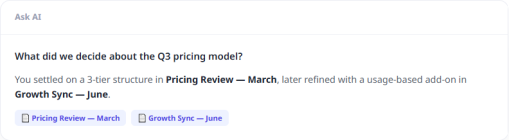
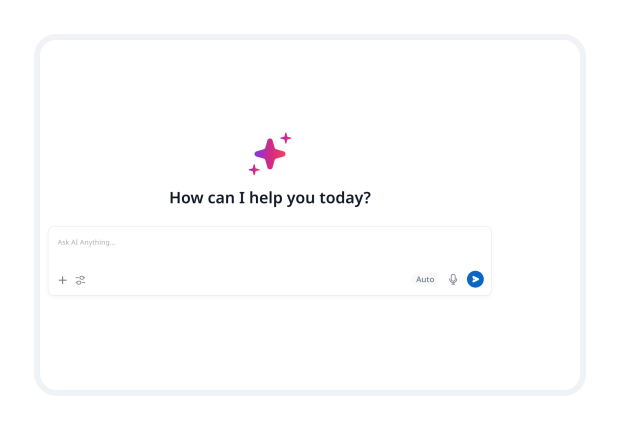
Your notes already contain project details, decisions, research, meeting context, and past work. But most AI tools cannot see any of it.So every new conversation starts with the same routine: copy notes, explain the project, paste the brief, repeat the decision history.That is not just repetitive. It also means AI answers without the full picture.
One Connection, Less Re-Explaining
Let AI Work With Your Workspace, Not Around It.
Zunoy connects your workspace to supported AI tools through MCP, short for Model Context Protocol. It is simply the connection that lets an AI tool securely use the Zunoy information you allow.You do not need to understand the technical side. Connect your tool, choose what it can access, and work with AI that already has the right background.Context Changes the Quality of AI Work: AI can only work with the information it has. When your notes, decisions, and project knowledge are available as approved context, AI can give more relevant answers and create work that fits what your team is actually doing.
Your Notes Become Useful Context for AI.
AI Can Read Relevant Notes
Let AI search approved notes, project pages, research, and decisions when it needs background for a task.
AI Can Save Work Back to Zunoy
Save useful outputs such as summaries, drafts, research, and documentation directly into your workspace instead of losing them inside an AI chat.
Your Workspace Becomes Shared Memory
Use Zunoy as the place where project knowledge lives, while different AI tools use that same context when you need them.
You Stay in Control
Choose exactly what each connected tool can read, search, or write. Your workspace is not automatically open to every AI tool.
Bring Zunoy Context Into Your AI Workflow.
Claude
Ask questions with your research, notes, and project decisions already available as context.
Cursor
Give your coding assistant access to technical notes, documentation, and project decisions while you build.
Custom AI Agents
Connect internal assistants to approved workspace knowledge so they can answer questions and save useful outputs back to Zunoy.
Other Supported AI Tools
Any AI tool that supports MCP can connect to your Zunoy workspace.
Connect Your Tool in Four Steps.
Useful When Your Work Has More Context Than One Prompt Can Hold.
Developers
Connect coding tools to technical notes, documentation, architecture decisions, and project context.
AI-Native Teams
Give approved AI tools access to shared workspace knowledge without rebuilding the same context for every task.
Power Users
Use your notes as a personal memory layer across the AI tools you work with most.
Teams Scaling With AI
Keep AI outputs connected to the projects, decisions, and knowledge they came from.
Questions About AI Tool Connections.
Do I need to understand MCP to use this?
No. MCP is the connection standard working in the background. You only need to connect a supported AI tool and choose what it can access.
What does connecting an AI tool do?
It lets the tool use approved Zunoy notes, project context, research, and workspace knowledge when helping you work.
What is MCP?
MCP stands for Model Context Protocol. It is a standard that helps AI tools securely connect to services like Zunoy Notes.
Which AI tools can connect to Zunoy?
Claude, Cursor, custom AI agents, and other tools that support MCP can connect to Zunoy.
Can I use this with Claude?
Yes. Claude can use approved Zunoy workspace context after you connect it through MCP.
Can I use this with Cursor?
Yes. Cursor can use relevant technical notes, documentation, and project context from Zunoy.
Your Notes Already Hold the Context. Let Your AI Tools Use It.
Connect Zunoy to the AI tools you use and stop rebuilding the same background from scratch.


Notes
Zunoy online notes helps you capture every idea, organise the knowledge behind it.
Operational
Contact Us On
Mail Us
support@zunoy.comCopyright © 2026 - Mentcube Innovations Pvt Ltd.. All Rights Reserved.