Push a Release From a Bitrise Workflow
Add AppShare as a Script step in your Bitrise workflow, right alongside your build and signing steps, and a release goes out the moment that step runs.
What You Get
Three Reasons Teams Automate This Step

Built for Mobile Already
Bitrise's workflows are built around mobile builds specifically, so a release step fits naturally next to your existing build and code signing steps.
No YAML Required to Set It Up
Add the step through the Workflow Editor's visual interface if you'd rather not touch
bitrise.ymldirectly.Secrets Never Touch Your Repo
Store the API key as a Secret, and it stays encrypted, out of the YAML file, and out of your build logs.
SETUP
Add AppShare to Your Bitrise Workflow
Connect Bitrise to instantly upload builds post-deployment using workflow steps.
Open the Workflow Editor
From your app on Bitrise, go to Workflows tab or edit bitrise.yml directly.
Add your API key as a Secret
In the Secrets tab, add APPSHARE_TOKEN with your API key.
Add a Script step
Add a script step after your build/signing steps to upload artifacts.
Commit & Run
Save the workflow to trigger automated distribution.
Open the Workflow Editor
Open your app on Bitrise and navigate to the Workflows tab or edit bitrise.yml in code view.
bitrise.yml
format_version: '13'
default_step_lib_source: https://github.com/bitrise-io/bitrise-steplib.git
workflows:
  deploy:
    steps:
# Your existing build and test stepsLIFECYCLE
What Actually Happens on a Run
UNDER THE HOOD
Bitrise Just Runs the CLI
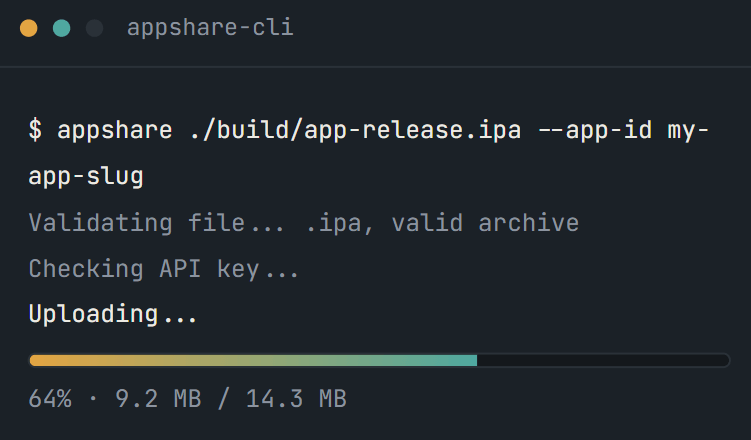
That Script step is just AppShare CLI, running inside Bitrise instead of your terminal.
Other Platforms
AppShare Works With Your Pipeline Too
FAQ
Questions About the Bitrise Integration
Do I need to edit bitrise.yml directly?
No. You can add the Script step through the Workflow Editor's visual interface, editing the YAML directly is optional.
What kind of step do I use to run AppShare CLI?
A Script step, the same one used for any custom bash command in a Bitrise workflow.
Can I add release notes automatically?
Yes, using the --notes flag on the upload command, either a static string or a value built from a Bitrise-exposed environment variable.
What happens if the Script step fails?
The workflow shows that step as failed, and the build log shows exactly which command in the script didn't succeed.
Can I still push a build manually after setting this up?
Nothing about the step removes that option, it just means a routine release doesn't need it anymore.
How do I keep my API key out of the workflow file?
Add it in the Secrets tab, not as a regular Env Var. Secrets stay encrypted, hidden from bitrise.yml, and hidden from build logs.
Where should the step go in my workflow?
After whatever step produces your build artifact, since the upload needs a finished .apk or .ipa to work with.
Does this work for both Android and iOS builds?
Yes, point the script at whichever artifact variable your workflow produces, $BITRISE_APK_PATH for Android or the IPA path for iOS.
Is Bitrise integration included on the Free plan?
Yes. CI/CD integration comes with every AppShare plan, it isn't held back for a paid tier.
Does this work with Bitrise's Pipelines and Stages feature?
Yes, the Script step works the same way whether it's inside a standalone workflow or one stage of a multi-stage Pipeline.
Get Started
Add It to Your Next Workflow
Add the step, store the Secret, and your next build ships itself.
No YAML editing required
Secrets encrypted, never logged
Works alongside your signing steps