Ship on Every Fastlane Run
Drop a few lines into your Fastfile, and whichever lane builds your release now pushes it to AppShare too, no separate tool bolted on.
What You Get
Three Reasons Teams Automate This Step

Fits an Existing Lane
Add it to the release lane you already run, instead of standing up something new.
Works Anywhere Fastlane Does
Standalone from your terminal, or inside whatever CI is already calling Fastlane, same two lines either way.
No Separate Secrets Setup
Use the same
ENVvariable approach Fastlane already recommends for every other key you're managing.
SETUP
Add It to Your Fastfile
Use Fastlane to upload Android/iOS builds to AppShare in your existing lanes.
Open your Fastfile
Find it in the fastlane/ folder at your project root.
Set your API key in .env
Add APPSHARE_TOKEN to fastlane/.env or set it in your CI environment.
Add the commands to a lane
Add the upload_to_appshare lane to trigger the CLI upload.
Commit & Run
Run your lane locally or push to trigger your CI workflow.
Open your Fastfile
Open fastlane/Fastfile in your repository.
fastlane/Fastfile
default_platform(:android)

platform :android do
  # Your existing lanes
endLIFECYCLE
What Actually Happens on a Push
UNDER THE HOOD
Fastlane Just Runs the CLI
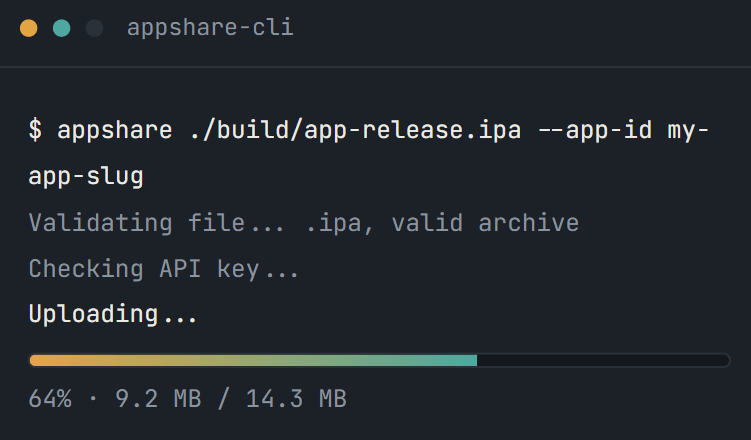
Those two lines in the lane are just AppShare CLI, running inside Fastlane instead of your terminal.
Other Platforms
AppShare Works With Your Pipeline Too
FAQ
Questions About the Fastlane Integration
Where does the AppShare code go?
Inside a lane in your Fastfile, the same file already handling your build and signing steps.
Does Fastlane need a specific CI service to run this?
No, that's the point. Run fastlane release from your terminal, or trigger it from whatever CI you already use.
Can I add release notes automatically?
Yes, using the --notes flag on the upload command, either a static string or a value pulled from Fastlane's own build metadata.
What happens if a step in the lane fails?
Fastlane stops the lane at that point, the same as any other action failing partway through.
Is Fastlane integration included on the Free plan?
It's bundled with CI/CD access generally, available from Free onward, nothing extra to unlock.
How do I keep my API key out of the Fastfile?
Set it as an ENV variable, either in a gitignored .env file locally or as a CI-provided environment variable, Fastlane's own recommended approach for any key.
What does the sh action actually do?
It runs a shell command from the lane, the same as typing it into a terminal yourself.
Does this work for both Android and iOS builds?
Yes, since Fastlane already supports both, the same lane can push either kind of build.
Does the sh action run from my project root?
No, it runs from inside the fastlane folder by default, worth accounting for in your file paths.
Can I still push a build manually after setting this up?
Nothing about the lane removes that option, it's just one more way to trigger the same release.
Get Started
Two Lines, One Existing Lane
Add the commands, set your key, and your next fastlane release ships the build too.
Runs standalone or inside any CI
Two lines, one existing lane
Works for iOS and Android alike