From CircleCI Job to Install Link
Drop AppShare into your config.yml, and a build ships the moment your workflow reaches that job, no separate tool, no manual step waiting at the end of the pipeline.
What You Get
Three Reasons Teams Automate This Job

Keeps Pace With a Fast Pipeline
CircleCI is built around quick feedback and caching, adding AppShare as a job doesn't slow that down, it just adds one more thing that happens automatically.
Fits Into an Existing Workflow
If you're already orchestrating multiple jobs with
workflows, the release job slots in as one more step with its own filters and dependencies.Starts From a Clean Environment Every Time
Each job runs in a fresh Docker image, so there's nothing left over from a previous run that could affect the upload.
SETUP
Add AppShare to Your CircleCI Config
Push a build from a CircleCI job automatically as part of your existing pipeline.
Open .circleci/config.yml
Find your config file under the .circleci folder.
Set your API key in Environment Variables
In Project Settings → Environment Variables, add APPSHARE_TOKEN.
Add the upload job
Add the upload job to your CircleCI workflow.
Commit & Push
Push your changes to trigger your CircleCI pipeline.
Open .circleci/config.yml
Open .circleci/config.yml at your repository root.
.circleci/config.yml
version: 2.1
jobs:
# Your existing build and test jobsLIFECYCLE
What Actually Happens on a Run
UNDER THE HOOD
CircleCI Just Runs the CLI
The job you added is just AppShare CLI, executing inside CircleCI instead of your terminal.
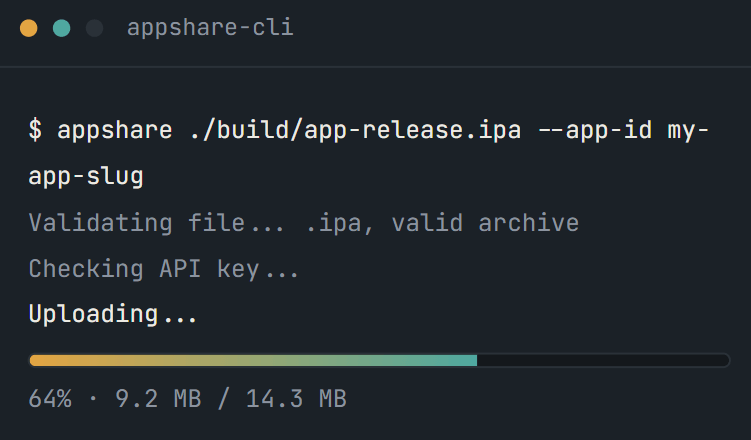
Not Using CircleCI
AppShare Works With Your Pipeline Too
FAQ
Questions About the CircleCI Integration
Where does the AppShare job go?
In .circleci/config.yml, as a new entry under jobs:, referenced from a workflows: block.
What triggers the release job?
Whatever you define under filters in the workflow, most commonly a specific branch, though tags and other conditions work too.
Can I gate the release behind other jobs passing first?
Yes, using requires: in the workflow, so push_to_appshare only runs after your build and test jobs succeed.
Does this work for both Android and iOS builds?
The job doesn't care either way, it just uploads whatever file path you give it, an .apk from a Docker executor or an .ipa from a macOS one.
Is CircleCI integration included on the Free plan?
It's bundled with CI/CD access generally, so it's there from the Free plan onward, not held back for a higher tier.
How do I keep my API key out of the config file?
Add it in Project Settings → Environment Variables, or in a Context if you want to share it across multiple projects, then reference it as $APPSHARE_API_KEY in your run step.
Which executor should the release job use?
A Docker executor is enough, since the job only needs to install the CLI and upload a file, no need for a full machine or macOS executor unless the rest of your build already requires one.
Can I add release notes automatically?
Yes, using the --notes flag on the upload command, either a static string or a value built from a CircleCI-provided variable like the commit SHA.
What happens if the job fails?
CircleCI marks that job as failed in the workflow view, with the full output available in the job's logs.
Can I still push a build manually after setting this up?
The job doesn't take that option away, it just means a routine release stops needing it.
Get Started
Add It to Your Next Workflow Run
Add the job, set the variable, and CircleCI takes it from there.
Runs in a clean container every time
Gate it behind test jobs with requires
Works with Docker, machine, or macOS executors