Ship on Every GitLab Pipeline Run
Add a job to your .gitlab-ci.yml, and any pipeline that reaches it pushes a build to AppShare, no separate step for anyone to remember.
What You Get
Three Reasons Teams Automate This Job

One File, Every Merge
Add a single job to the
.gitlab-ci.ymlyou already have, and it applies to every pipeline run from then on.Runs on the Runner You Already Use
Whether you're on GitLab.com's shared runners or a self-managed instance, the release job runs on the same runner as the rest of your pipeline.
Control Exactly When It Fires
GitLab's
ruleskeyword lets you decide precisely which branch, tag, or event triggers the release, not just "every push."
SETUP
Add AppShare to Your Pipeline
Follow these four steps to automate your mobile distribution on every merge or pipeline run.
Open your .gitlab-ci.yml
Find the file at your repo root or create one if this is your first pipeline.
Add a masked CI/CD variable
In Settings → CI/CD → Variables, add APPSHARE_API_KEY as a masked variable.
Add the upload job
Add the upload_to_appshare job to execute when your pipeline passes.
Commit & Push
Push your changes to trigger your first automated build and distribution.
Open your .gitlab-ci.yml
Open your repository's .gitlab-ci.yml at the project root. Ensure your pipeline defines the build and release stages.
.gitlab-ci.yml
stages:
  - build
  - release

# Your existing build job produces the APK/IPA artifact
build_app:
  stage: build
  script:
    - ./gradlew assembleRelease
  artifacts:
    paths:
- app/build/outputs/apk/release/*.apkLIFECYCLE
What Actually Happens on a Push
UNDER THE HOOD
GitLab Just Runs the CLI
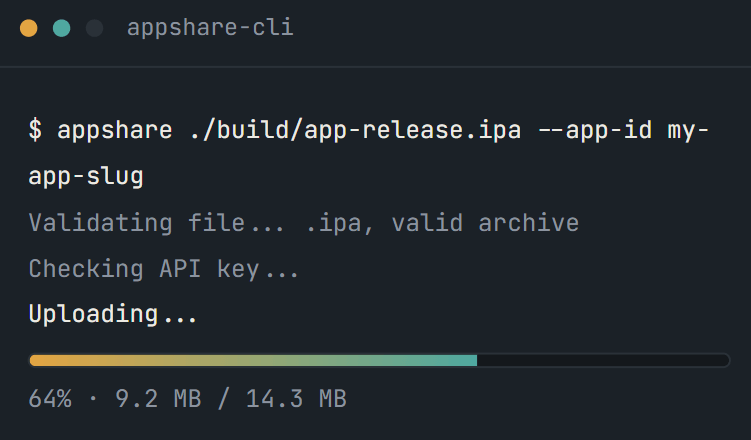
That script step is just AppShare CLI, running inside your pipeline instead of your terminal.
Other Platforms
AppShare Works With Your Pipeline Too
FAQ
Questions About the GitLab CI/CD Integration
Where does the AppShare job go?
In your existing .gitlab-ci.yml, as a new job assigned to whichever stage makes sense in your pipeline.
What triggers the release job?
Whatever you define under rules or only/except, a push to a specific branch, a merge request pipeline, or a tag, it's entirely up to your configuration.
Can I trigger this from a merge request pipeline instead of a branch push?
Yes, adjust the rules block to match on merge request events instead of $CI_COMMIT_BRANCH.
Does this work for both Android and iOS builds?
The script doesn't care which platform it's uploading. Point appshare-cli upload at an .apk or an .ipa and it behaves the same either way.
Is GitLab CI/CD integration included on the Free plan?
It's part of CI/CD access generally, available from the Free plan up, not gated behind a specific tier.
How do I keep my API key out of the YAML file?
Add it as a CI/CD variable in Settings → CI/CD → Variables, set to Masked, and reference it in your script as $APPSHARE_API_KEY.
Do I need a specific GitLab Runner for this?
No. It runs as a standard script job, so any runner capable of running shell commands and Node-based tools works.
Can I add release notes automatically?
Yes, using the --notes flag on the upload command, either a static string or a value built from a predefined GitLab CI/CD variable like the commit message.
What happens if the job fails?
The pipeline shows that job as failed, the same as any other failed job, visible in the pipeline's job log.
Can I still push a build manually after setting this up?
Nothing about the job blocks the dashboard or the CLI. It just means you won't need either one for a routine release anymore.
Get Started
Add It to Your Next Pipeline
Add the job, mask the variable, and every pipeline after this one handles the release on its own.
Works on shared or self-managed runners
Controlled by rules, not guesswork
Masked variables, not plaintext keys