Automate Releases in Jenkins
Add AppShare as a stage in your Jenkinsfile, and any pipeline run that reaches it pushes a build automatically, whether that's triggered by a webhook, polling, or a manual run.
What You Get
Three Reasons Teams Automate This Step

Fits the Jenkins file You Already Have
Add one more stage to a pipeline you're already running, instead of adopting a separate tool just for distribution.
Runs on Infrastructure You Control
Jenkins runs wherever your team already hosts it, and the release stage runs on that same agent, no external service in between.
Every Branch, One Jenkinsfile
A Multibranch Pipeline job picks up the Jenkinsfile automatically, so the release stage applies to every branch that has one, not just main.
SETUP
Add AppShare to Your Jenkinsfile
Integrate Jenkins jobs to automatically deliver builds to AppShare after each successful run.
Open your Jenkinsfile
Locate the Jenkinsfile checked into your repository root.
Store your API key in Credentials
In Manage Jenkins → Credentials, add your API key as Secret text.
Add the upload stage
Add the upload stage to run the CLI and deliver builds.
Save & let it run
Commit the Jenkinsfile to trigger automated releases.
Open your Jenkinsfile
Open the Jenkinsfile at your project root.
Jenkinsfile
pipeline {
  agent any
  stages {
    // Existing build and test stages
  }
}LIFECYCLE
What Actually Happens on a Run
UNDER THE HOOD
Jenkins Just Runs the CLI
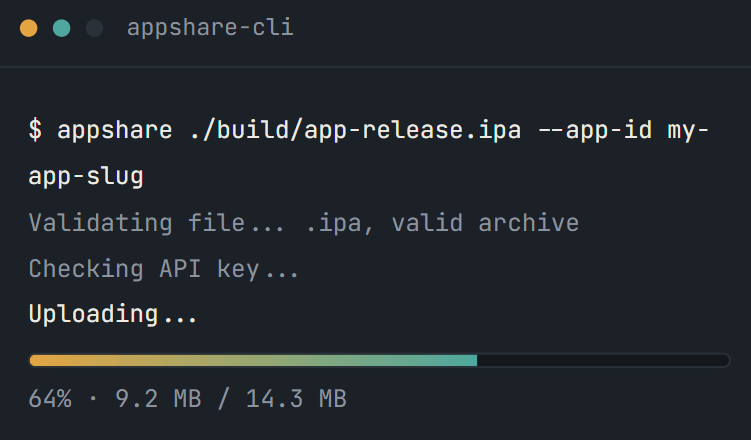
Installing the CLI and pushing the build is just AppShare CLI, running inside Jenkins instead of your terminal.
NOT JUST JENKINS
AppShare Works With Your Pipeline Too
FAQ
Questions About the Jenkins Integration
Where does the AppShare stage go?
In your existing Jenkinsfile, as an additional stage block inside stages, wherever it makes sense in your build order.
What triggers the pipeline?
Whatever you've already configured, a webhook from your Git provider, Jenkins polling for changes, or a manual run, the AppShare stage runs whenever the pipeline reaches it.
Does this work with a Multibranch Pipeline?
Yes. Since the Jenkinsfile lives in the repo, a Multibranch Pipeline job picks it up automatically on every branch that has one.
Does this work for both Android and iOS builds?
It doesn't distinguish between them. The sh step just runs appshare-cli upload against whatever file path you point it at, .apk or .ipa.
Is Jenkins integration included on the Free plan?
Yes, alongside every other CI/CD integration. There's no separate tier for it.
How do I keep my API key out of the Jenkinsfile?
Store it in Jenkins Credentials as a Secret text entry, then reference it with the credentials() helper inside your pipeline's environment block.
Do I need a plugin to run the AppShare stage?
No. It runs as a standard sh step, no custom Jenkins plugin required.
Can I add release notes automatically?
Yes, using the --notes flag on the upload command, either a static string or a value pulled from the commit that triggered the build.
What happens if the upload stage fails?
The pipeline run shows that stage as failed, the same as any other failed stage, visible in the Jenkins build log.
Can I still push a build manually after setting this up?
The stage doesn't lock you out of the dashboard or the CLI. Automating the pipeline just means you don't have to.
Get Started
Add It to Your Next Pipeline Run
Add the stage, store your API key, and the next pipeline run does the rest.
No plugin required
Runs on your own infrastructure
Fits any Multibranch Pipeline