Blacklist & Email Deliverability Monitoring for Mail That Actually Arrives
Blacklist & Email Deliverability Monitoring helps you track domain and IP blacklisting, monitor email reputation, and verify email authentication settings. With Zunoy Uptime, you can check spam blacklists and authentication records such as SPF, DKIM, DMARC, and BIMI to identify potential delivery issues early.

What to Check
What You Can Actually Check

Mail Domain
Add your domain, and every email check turns on automatically.

Sending IP
Just need IP blacklist monitoring? No domain needed.

Mail Servers
Check the actual machines that send your email.

Custom List
Already know a blacklist to watch? Add it yourself.
Getting Started
Set It Up in Under a Minute
Add your domain or IP
A mail domain unlocks everything. Just an IP? That's blacklists only, and that's fine too.
Pick your blacklists
Go with everything, or just the recommended ones that cover the big spam lists.
Turn on your email trust checks
SPF, DKIM, DMARC, and BIMI, checked against what you've actually got set up.
Decide what counts as "too many"
Want to know the second you're on one list? Or wait until it's a few? You choose.
Built-In Checks
More Than Just One List

Blacklist Checks
Dozens of spam lists at once, or just start with the recommended set.

Email Trust Checks
Email authentication monitoring for the settings (SPF, DKIM, DMARC, BIMI) that tell mailbox providers your email is really you.

Mail Server Alerts
A heads-up the moment your mail servers change, in case that wasn't you.

Your Own Lists
Watch a private or client-specific blacklist nobody else is tracking.

Auto-Detection
The common settings get found for you, no digging required.
Port Checks
Confirm your mail server is actually reachable where it needs to be.
It Works With Everything Else You've Set Up
This doesn't sit off on its own. It connects to the rest of your workspace automatically.
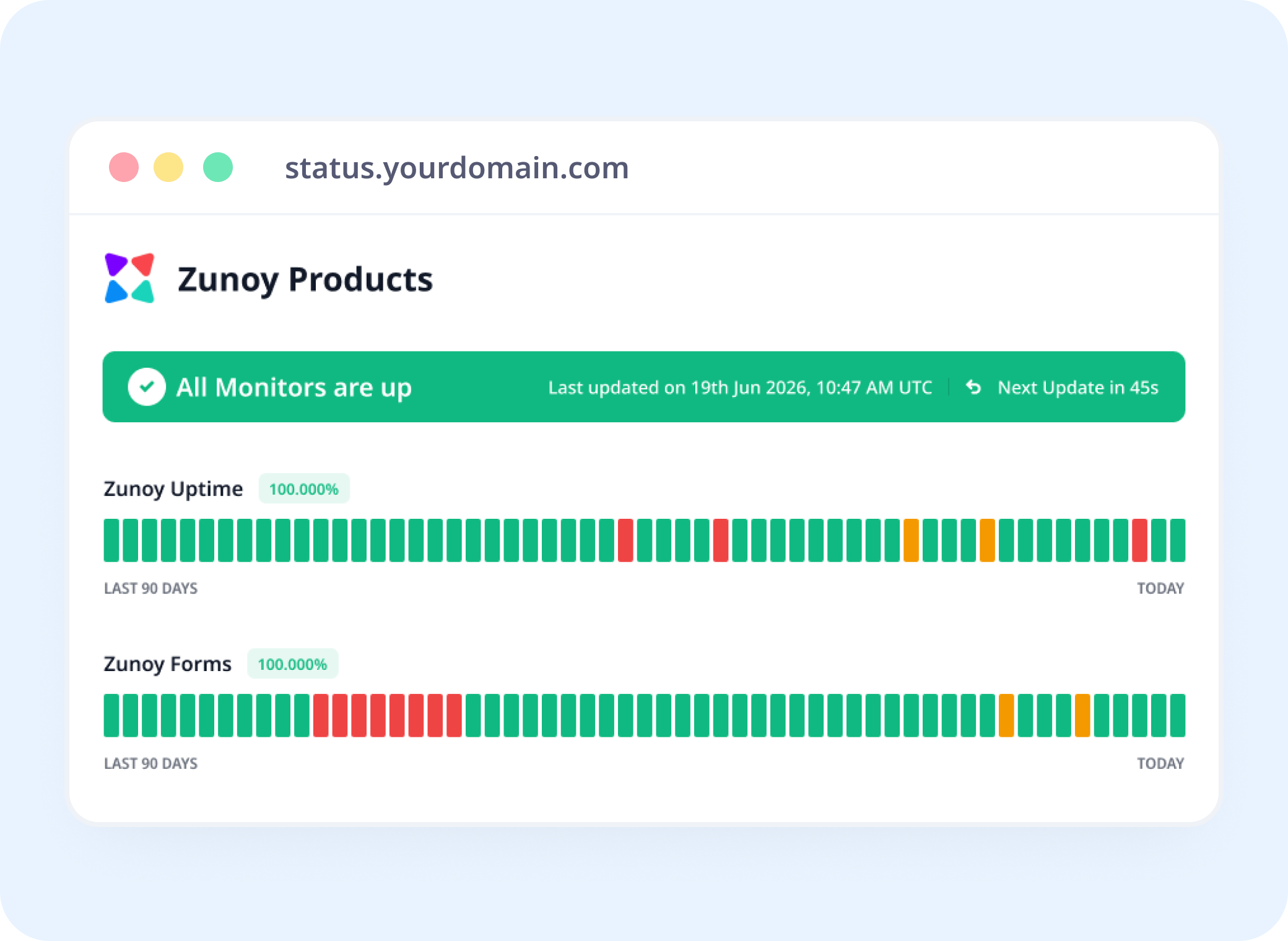
Status Pages
Show Email Health Right Alongside Everything Else
Add it to a status page, so your team sees email reputation the same way they see server status.
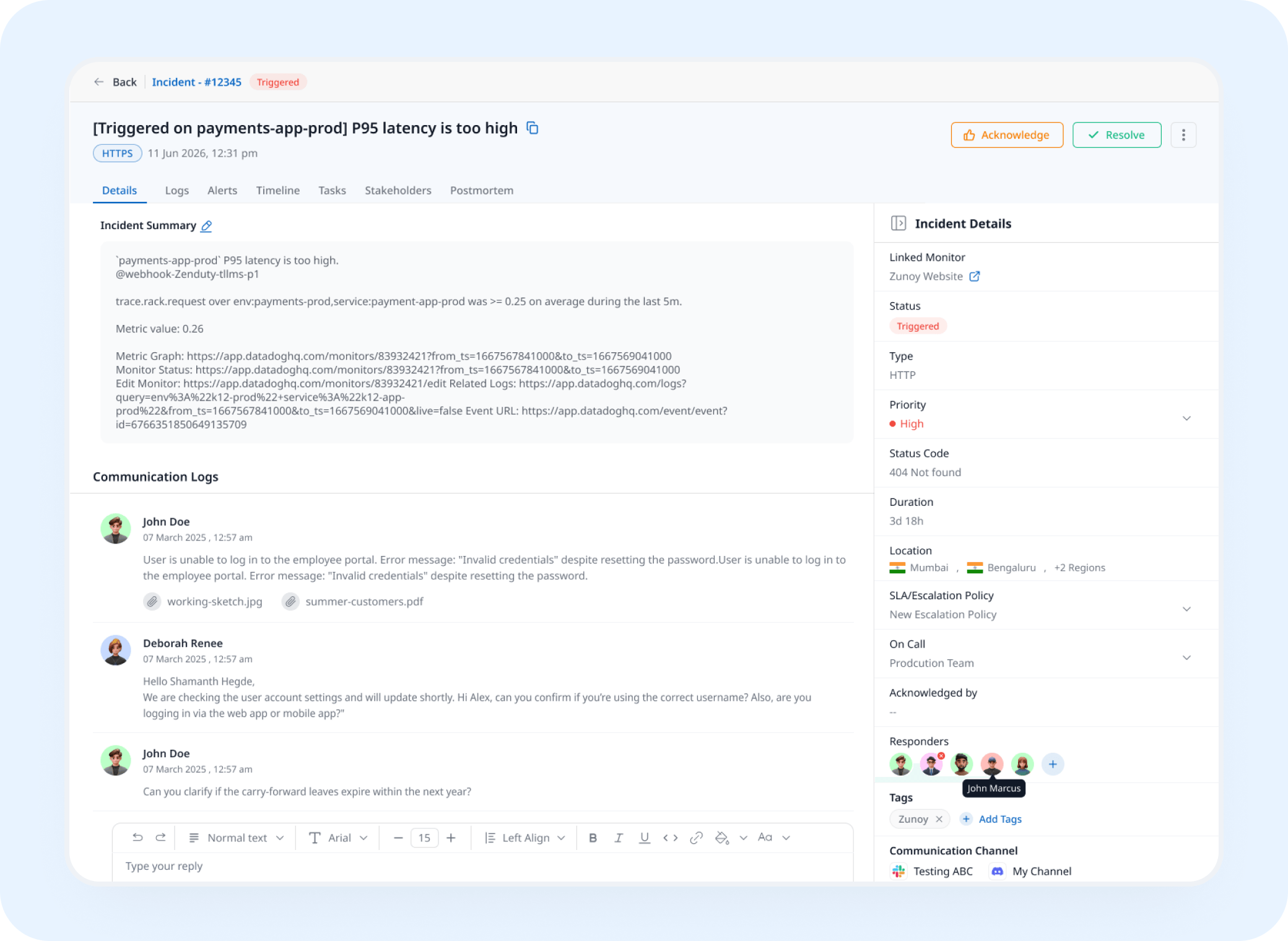
Incident Response
A New Listing Becomes a Real Incident
Getting blacklisted opens an incident automatically, so someone's actually assigned to it instead of it just sitting there.
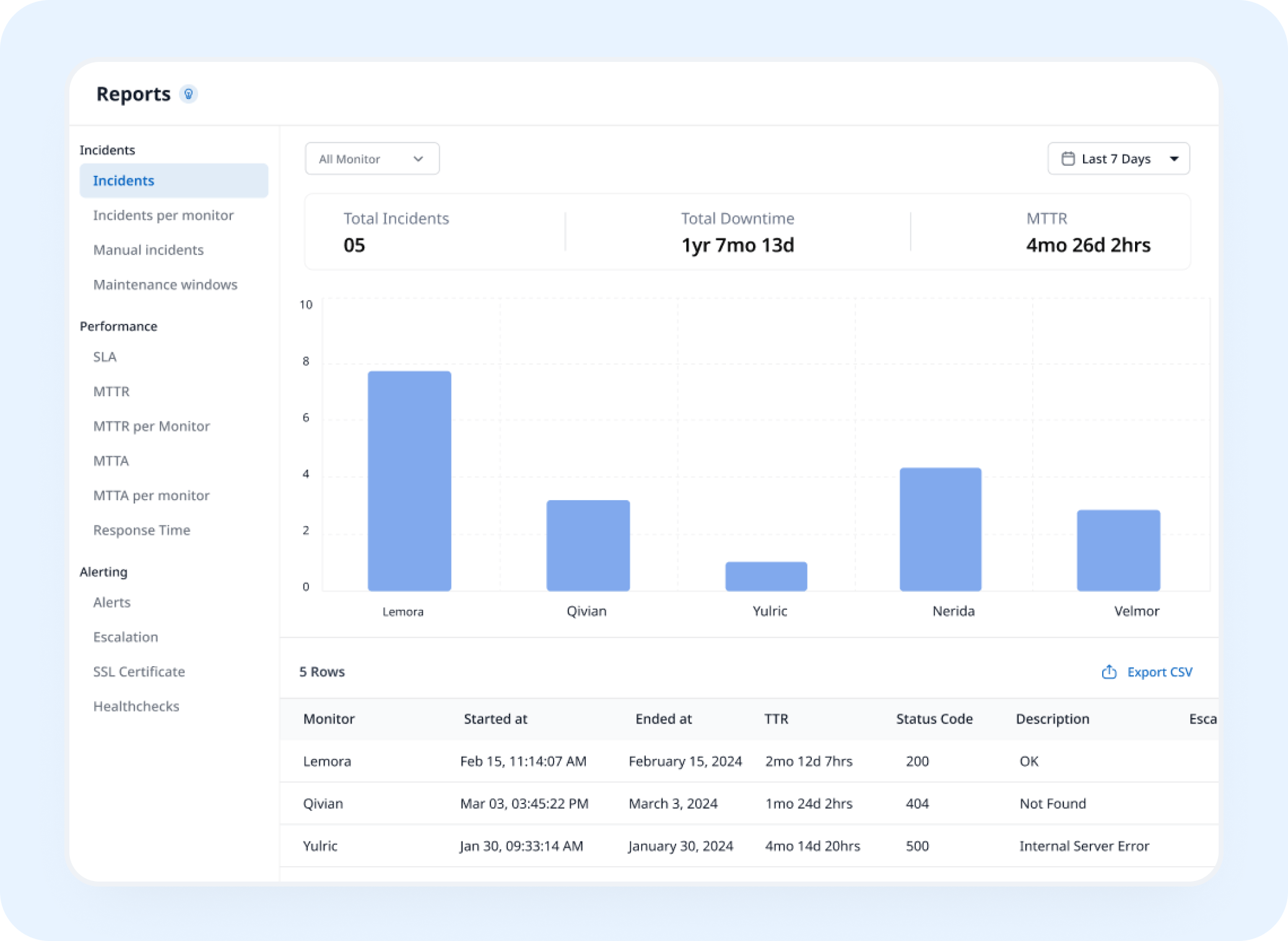
Analysis
See How Things Have Trended
Every past check adds to your history, so you can see when something changed and how long it took to sort out.
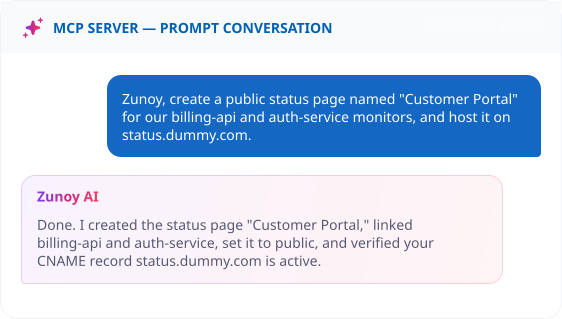
AI Features
Just Ask What Happened
Got blacklisted? Ask AI Agent what happened, and it'll walk you through which list flagged you and why.
Benefits
What Every Check Actually Verifies
Email that never arrives doesn't send you an error message, it just doesn't show up. Here's what we check so that silence doesn't happen to you.

You find out before your customers do
Getting blacklisted doesn't throw an error, your email just quietly vanishes into spam.
We check what mailbox providers check
The exact settings Gmail and Outlook look at before deciding to trust you.
A server change gets flagged, just in case
An unexpected change to your mail servers might be nothing, or it might be a hijack. Either way, you'll know.
One check instead of a dozen tabs
No more visiting each blacklist site by hand to see if you're listed.
ALTERNATIVE
When It's Not Actually You
Sending through a marketing tool or a transactional email service? Track that provider as a Dependent Monitor. If they're having a bad day, your status page can say so, instead of leaving you to figure it out.
Track providers you depend on
See the real cause right away
Shows up on your status page automatically


Stay Notified
Get the Alert to the Right Person
A blacklisting won't show up on a website check. Send it to Slack, email, or wherever the person who actually handles email is already looking.
You Might Also Want to Check


Real Scenarios
Who This Actually Helps
- MARKETING
Marketing Teams
Your sending address gets blacklisted mid-campaign, and email blacklist monitoring catches it before your open rates quietly tank.
- SAAS
SaaS Platforms
Password resets start landing in spam, and you catch it before support gets flooded with "I never got the email" tickets.
- IT
IT & Security Teams
Your mail servers change out of nowhere, and you find out it might be a hijack instead of assuming it's fine.
- AGENCY
Agencies
A dozen client domains, each with their own reputation to protect, all watched from one place.
- COMPLIANCE
Compliance Teams
A saved record of your email security setup, ready the moment someone actually asks for it.
FAQ
Quick Answers About Blacklist & Email Deliverability Monitoring
What is blacklist and email deliverability monitoring?
Blacklist and email deliverability monitoring is a check that watches spam blacklists and the settings (SPF, DKIM, DMARC, BIMI) that decide whether your email actually gets delivered.
How many blacklists get checked?
Dozens, but you don't have to pick them all yourself, there's a recommended set covering the big ones.
Do I need to set up DKIM myself?
Usually not. The common setups get found automatically. Only add your own if things are set up unusually.
Can I just check an IP, no domain?
Yes. You can monitor a mail server IP address on its own, without a domain. This is useful for dedicated sending IPs, outbound relays, and servers that send transactional or marketing email.
What do the email checks actually look at?
SPF, DKIM, DMARC, and optionally BIMI, the settings mailbox providers check before deciding your email is legit.
How many blacklists before I get notified?
You decide. Set the alert to fire the moment your domain or IP appears on a single blacklist, or only once it’s listed on several, so you can match the alert to how urgently your team needs to act.
Protect Delivery
A Blacklisting Never Announces Itself
Your email doesn't bounce with a helpful error, it just disappears. Watch your reputation directly, and know the moment something changes.
Checks dozens of blacklists at once
Confirms your email trust settings
Tells you before a hijacked server goes unnoticed