Page Speed Monitoring With Scheduled Lighthouse Audits
Page speed monitoring runs scheduled Lighthouse audits across mobile and desktop to track load performance, Core Web Vitals, and performance regressions. Monitor website speed over time and get alerted when key metrics fall below your targets.

What to Check
Where a Slow Load Actually Costs You

Landing Page
The page most likely to lose a visitor if it loads slow.

Product Page
A page speed load test catches images and scripts that quietly bloat load time over months.

Checkout Flow
A slow step here costs conversions before anything even breaks.

Blog Post
Content-heavy pages where a few added scripts add up fast.
Getting Started
Set Up Page Speed Monitoring in Under a Minute
Add your website URL
Give it a name, or let it default to the URL itself.
Choose your devices
Test mobile, desktop, or both, since a page rarely performs the same on each.
Set your frequency
Daily, or every 3, 7, 15, or 30 days, whatever fits how often the page actually changes.
Set your performance budget
Minimum scores, maximum load times, all optional, leave a metric blank if it doesn't matter to you.
Built-In Checks
More Than a Single Load Time

Real Lighthouse Audits
Page speed tests on the same engine Google uses, run on a schedule instead of by hand.

Mobile & Desktop Testing
Test both separately, since performance rarely matches between them.

Core Web Vitals Tracking
Monitor Core Web Vitals for SEO, including LCP, INP, and CLS, alongside Lighthouse performance metrics.

Custom Performance Budgets
Set minimum scores and maximum load times, and get flagged the moment a page falls short.

Flexible Fail Conditions
Mark a run down when any rule fails, or only when every rule fails.

Recheck on Failure
Re-run a failed audit automatically to rule out a fluke before it counts.
It Works With Everything Else You've Set Up
Page speed monitoring connects with status pages, incidents, reporting, and alerts across your workspace.
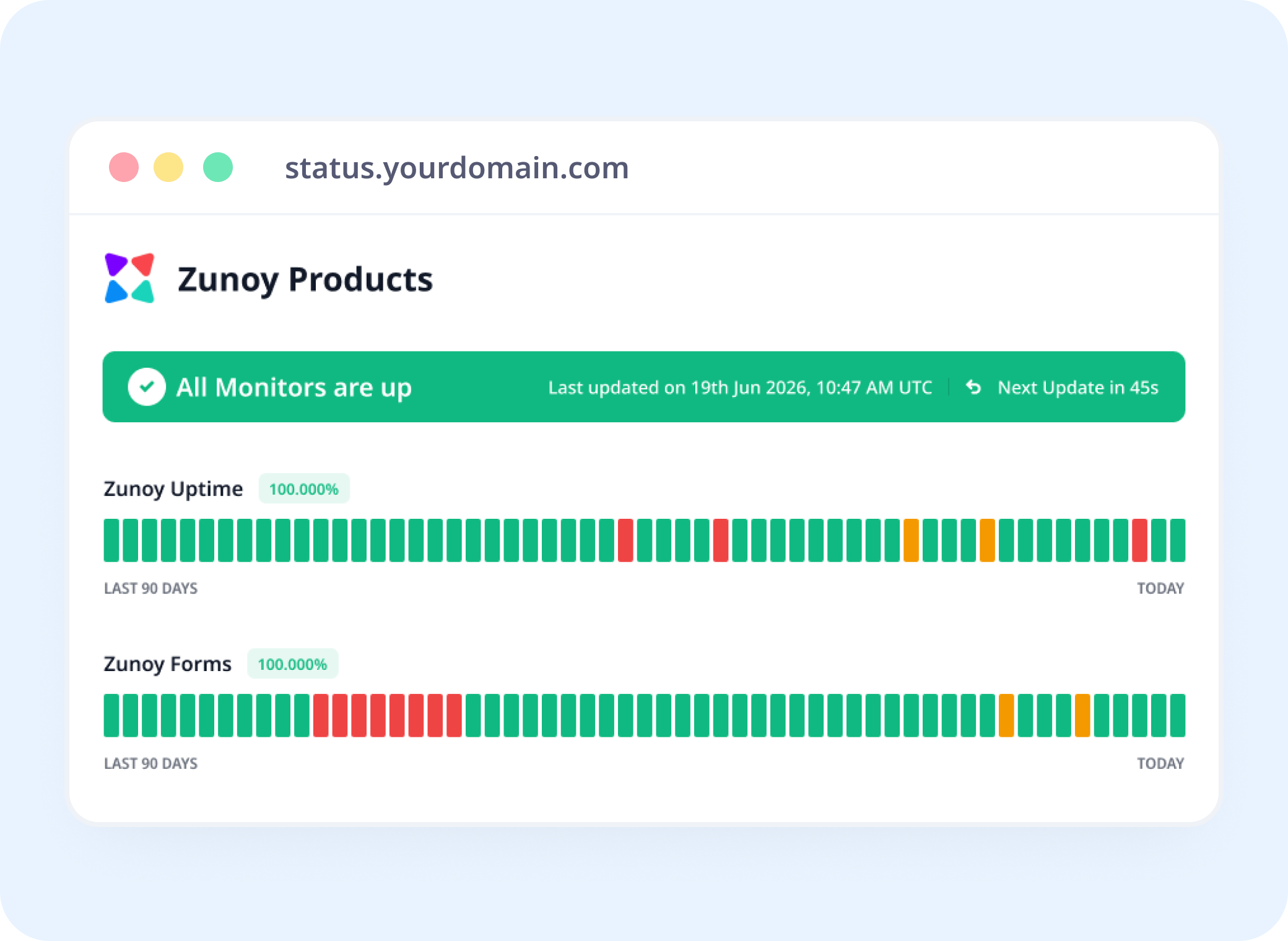
Status Pages
Show Speed, Not Just Whether It's Up
Add it to a status page, so visitors and your team see performance, not just an operational badge.
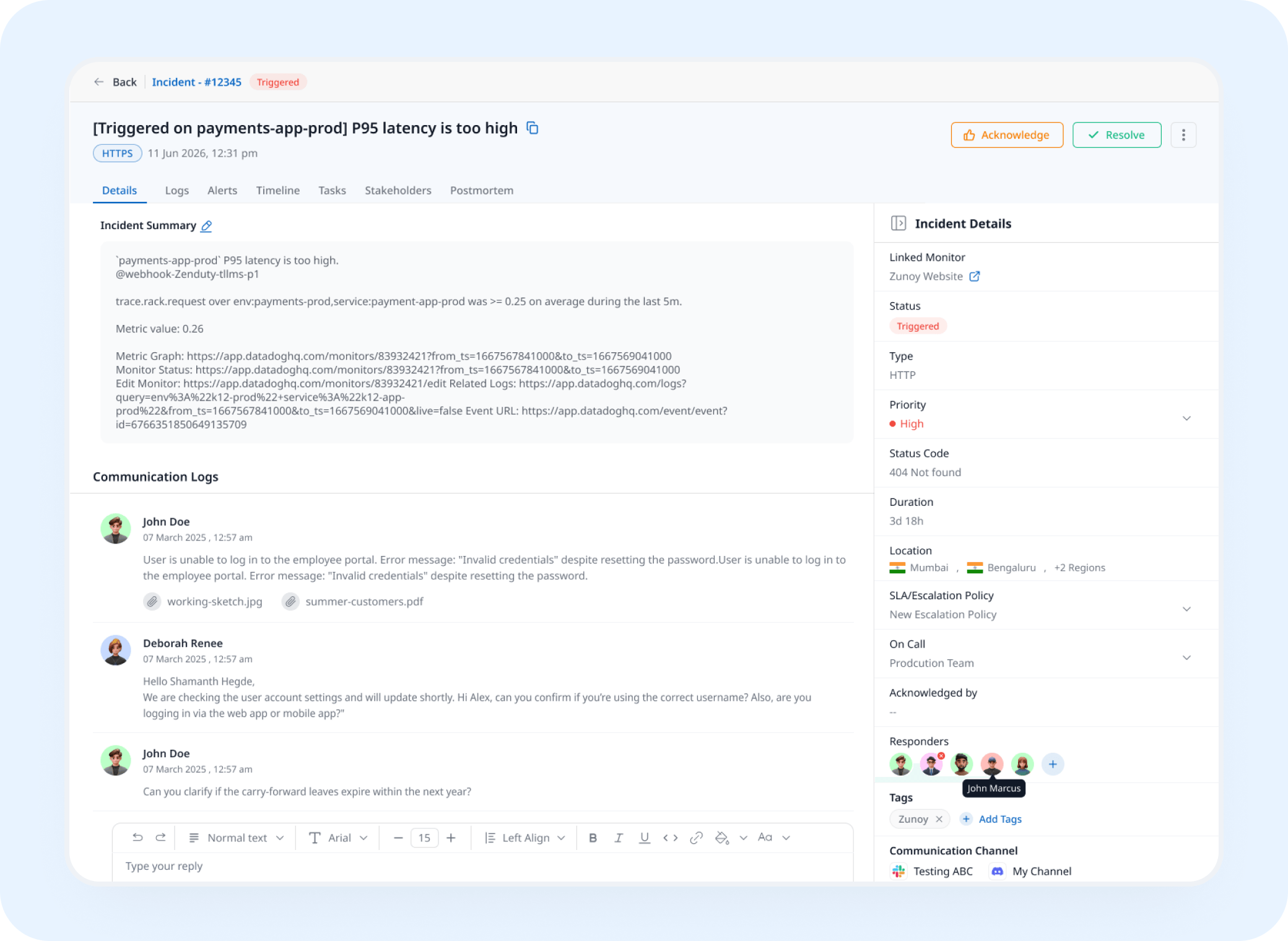
Incident Response
A Failed Budget Opens a Real Incident
A run that falls outside your performance budget opens an incident automatically, tracked and assigned instead of noticed weeks later.
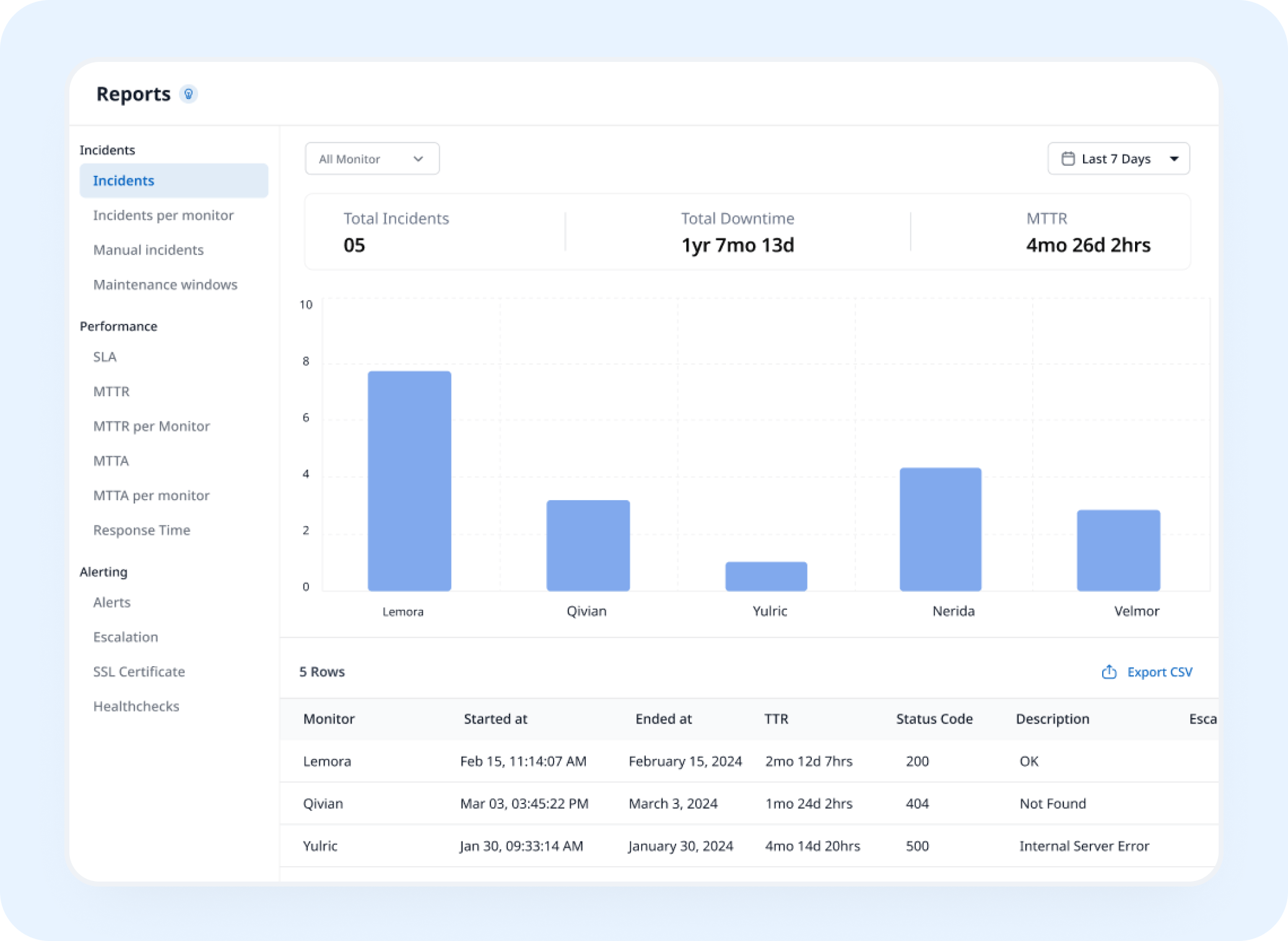
Analysis
See Your Scores Trend Over Time
Page speed monitoring builds a history of every audit, helping you see exactly when performance started declining.
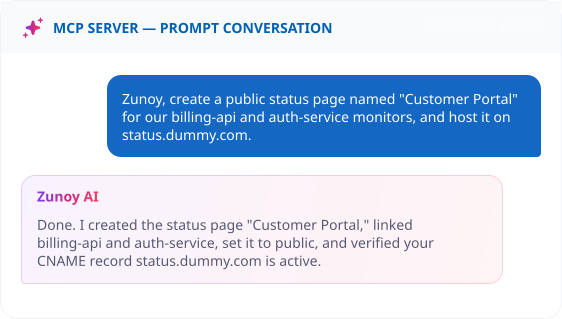
AI Features
Ask AI What Actually Got Slower
When a budget fails, ask what happened. AI Agent points to which metric slipped and what likely caused it, instead of you digging through a raw report.
Benefits
What Every Check Actually Verifies
Page speed monitoring verifies whether a page meets your performance targets, not just whether it successfully loads.

Runs the same audit Google actually uses
Real Lighthouse page speed scores, so what you see is what search engines see too.
Tests mobile and desktop separately
A page fast on desktop can still be painfully slow on the device most visitors use.
Tracks the metrics that affect ranking
Core Web Vitals aren't just a nice-to-know, they're part of how a page gets ranked.
Rules out a one-off fluke automatically
A failed audit re-runs before it counts, so a bad network blip doesn't skew your data.
ALTERNATIVE
When It's Not Actually Your Code
A lot of page speed issues trace back to a third-party script, an ad network, an analytics tag, a chat widget, not your own code. Track that provider as a Dependent Monitor, and let your status page explain a slowdown as their issue, not yours.
Track providers you depend on
See the real cause instantly
Reflected on your status page automatically


Stay Notified
Get the Alert to the Right Person
A slow page won't show up on a server health check. Send it to Slack, email, or wherever the person who owns that page is already looking.
You Might Also Want to Check


Real Scenarios
Who This Actually Helps
- SEO
SEO Teams
Core Web Vitals slip after a redesign, caught before rankings actually drop.
- ECOMMERCE
Ecommerce Teams
A new tracking pixel quietly adds two seconds to checkout, flagged before it hits conversion.
- MARKETING
Marketing Teams
A landing page fails its own performance budget the week of a launch, caught with time to fix it.
- AGENCY
Agencies
A dozen client sites, each with their own speed budget, tracked from one place.
- PRODUCT
Product Teams
A new feature ships and drags mobile performance down, caught the same week, not the same quarter.
FAQ
Quick Answers About Page Speed Monitoring
What is page speed monitoring?
Page speed monitoring is a check that runs real Google Lighthouse audits on a schedule, tracking performance, accessibility, best practices, and SEO scores, along with Core Web Vitals.
What are minimum scores and maximum metrics?
Minimum scores are the lowest Performance, Accessibility, Best Practices, or SEO score you'll accept. Maximum metrics are the highest LCP, FCP, TBT, Speed Index, or CLS you'll tolerate. Both are optional.
Does one bad run mark the page as failing?
Not necessarily. Lighthouse scores naturally vary between runs because of network conditions and server load, so you can set the monitor to alert only after 1, 2, or 3 consecutive failed audits. A higher setting filters out one-off dips while still catching sustained slowdowns.
Does it test mobile and desktop separately?
Yes. Test one or both, since a page rarely performs identically across devices.
What's the difference between "any rule fails" and "all rules fail"?
Any rule fails marks a run down the moment one metric misses its budget. All rules fail waits until every metric misses before flagging it.
How often can I run an audit?
Daily, or every 3, 7, 15, or 30 days. Unlike a one-off web page speed test, it keeps running as the page changes.
Before It Ranks You Down
A Slow Page Costs You Before It Ever Breaks
Page speed monitoring helps you catch performance regressions when they happen, before slower pages affect users, conversions, or search visibility.
Runs real Google Lighthouse audits
Tests mobile and desktop separately
Rechecks automatically to rule out a fluke