Website Status Widget for Live Uptime and Incident Updates
A website status widget displays live uptime, service availability, and incident updates directly on your website, app, or customer portal. Embed Zunoy Uptime's widget to show service health without requiring visitors to open a separate status page.

THE NEED
Why Visible Reliability Matters
Reliability shouldn't be a verbal agreement. Just like your product, your assurance should also be visible to the clients.
Proof Over Promises
Proof Over Promises
Trust Before They Ask
Trust Before They Ask
Visitors see reliability before doubt even sets in.
Consistent Confidence
Consistent Confidence
Every visit quietly reinforces that you're actually dependable.
No Extra Step
No Extra Step
The proof sits right there, not hidden behind a link.
In Practice
Put Your Website Status Widget Anywhere

Open Source Projects
Drop a live status widget in your GitHub README, so contributors see live status without leaving the repo.

Marketing Campaign
A footer badge quietly proving reliability on every page a visitor lands on.

Login Pages
An embedded status widget right where users sign in, so they know before they’re even inside.

Internal Tools
A widget on an internal wiki or dashboard, so the team sees the same status without opening a separate tab.
SETUP
Get a Widget Live In Minutes
Multi-Product
Running More Than One Product?
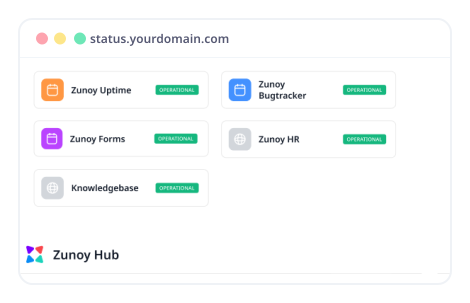
A widget shows one status page's data. Juggling several products means juggling several widgets, unless you group the pages behind them first.
One shared URL for every linked status page
Incidents rolled up automatically across all of them
Branded to match the rest of your product
USE CASES
Who Uses a Website Status Widget
- SAAS
SaaS Companies
Fewer "is this down" tickets during a real incident, the proof is already visible.
- API
API Providers
Developers check your reliability before they build anything on top of it.
- ENTERPRISE
Enterprise Teams
Show every client a live status badge instead of a promise in a contract.
- DEV
DevOps Teams
A shared view of status without pinging the on-call engineer to ask.
FAQ
Quick Answers
What is a status widget?
A status widget, or service status widget, is a small embeddable element that shows your service’s live status, uptime, and incidents. With Zunoy Uptime, you can place one on your website, app, or customer portal so users can check service health without leaving the page.
Can I customize how a floating widget looks?
Yes. For a Floating Widget, you can set the background and foreground colors, screen position, and spacing. For a Footer Badge, you can set the theme and size. Each widget type has its own settings, so you can style them independently.
Can I preview a status widget before publishing it?
Yes. You can preview any status page widget in Zunoy Uptime before its embed code goes live on your site.
What widget types are available?
Zunoy Uptime offers three widget types: a Floating Widget, a Footer Badge, and a Custom Widget. Use the Floating Widget for an always-visible status indicator, the Footer Badge for a compact display in your site footer, and the Custom Widget to build your own design.
Does a status widget need to be linked to a status page?
Yes. Each widget pulls its data from a linked status page, which you choose when you create the widget. Once it’s linked, copy the embed code that Zunoy Uptime generates and paste it into your website. The widget then displays live status data from that status page.
Can I build my own custom widget design?
Yes. Zunoy Uptime provides a JSON endpoint that returns a live status summary. Use it to power a fully custom widget that matches your product’s design. Sample responses are available for reference.
Get Started
Show Your Uptime, Not Just Report It
Stop giving clients verbal promises. Show them, right on the page they’re already on. Drop the uptime status widget into your site, and it stays live from there, no manual updates.
Live status, embedded anywhere
Floating widget, footer badge, or custom
Matches your site's own theme
Updates the instant status changes