Scripted Browser Monitoring for Real User Flows
Scripted Browser Monitoring helps you test real user journeys by running automated scripts in a browser. Simulate logins, fill out forms, click buttons, and verify workflows to identify issues before they affect users. With Zunoy Uptime, you can monitor critical browser interactions and detect failures early.

Why It Matters
What a Basic Check Can't Test

Real Form Fill
Filling an email, clicking submit, and confirming the redirect actually happened.

Multi-Step Flow
Each step building on the last, the way a real user actually moves through your product.

Script, Not Clicks
Developers who know exactly what to test don't need a visual builder to slow them down.

Rendered UI Check
Scripted browser checks confirm what actually renders in a browser, not just what an API returns underneath it.
Getting Started
Write a Script in Four Steps
Built-In Checks
A Script Is All It Takes

Line-Based Script DSL
One action per line, readable at a glance, no separate documentation required to understand what a script does.

Core Actions
navigatefillclickassert, the building blocks for testing a real flow.
Full Playwright Execution
Browser automation monitoring that runs every script on real Playwright underneath, not a simplified simulation.

Variables & Extractions
Pull a value out of one step and reuse it later in the same script.

Import & Export Scripts
Move a script between monitors, or keep a copy outside the platform entirely.
Where Browser Script Monitoring Plugs In
A browser script monitor doesn't work in isolation. It feeds directly into the rest of the platform.
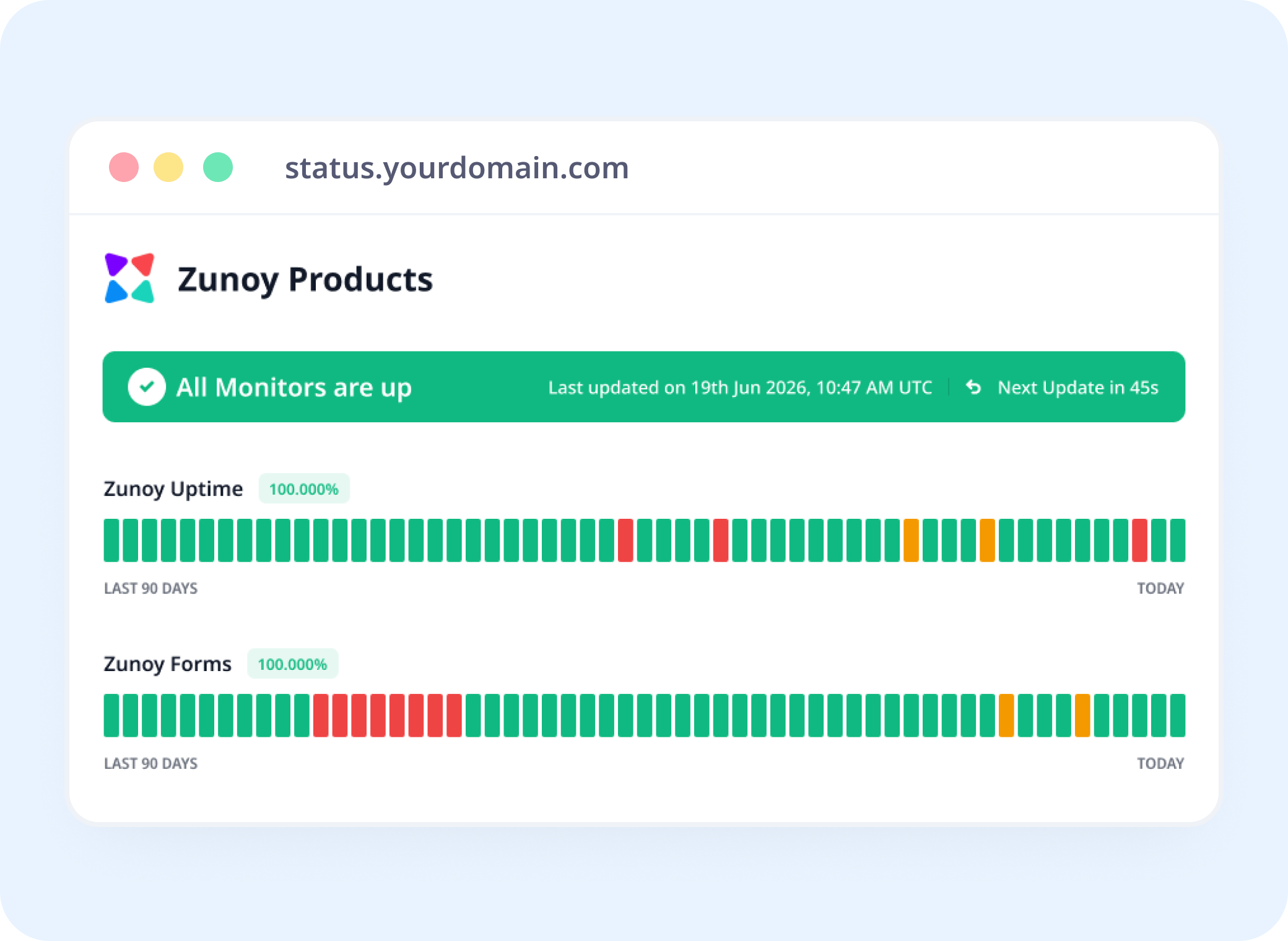
Status Pages
Show a Flow's Health, Not Just a Server's
Link a script monitor to a status page, so "Login Flow: Operational" is something visitors and your team can actually see.
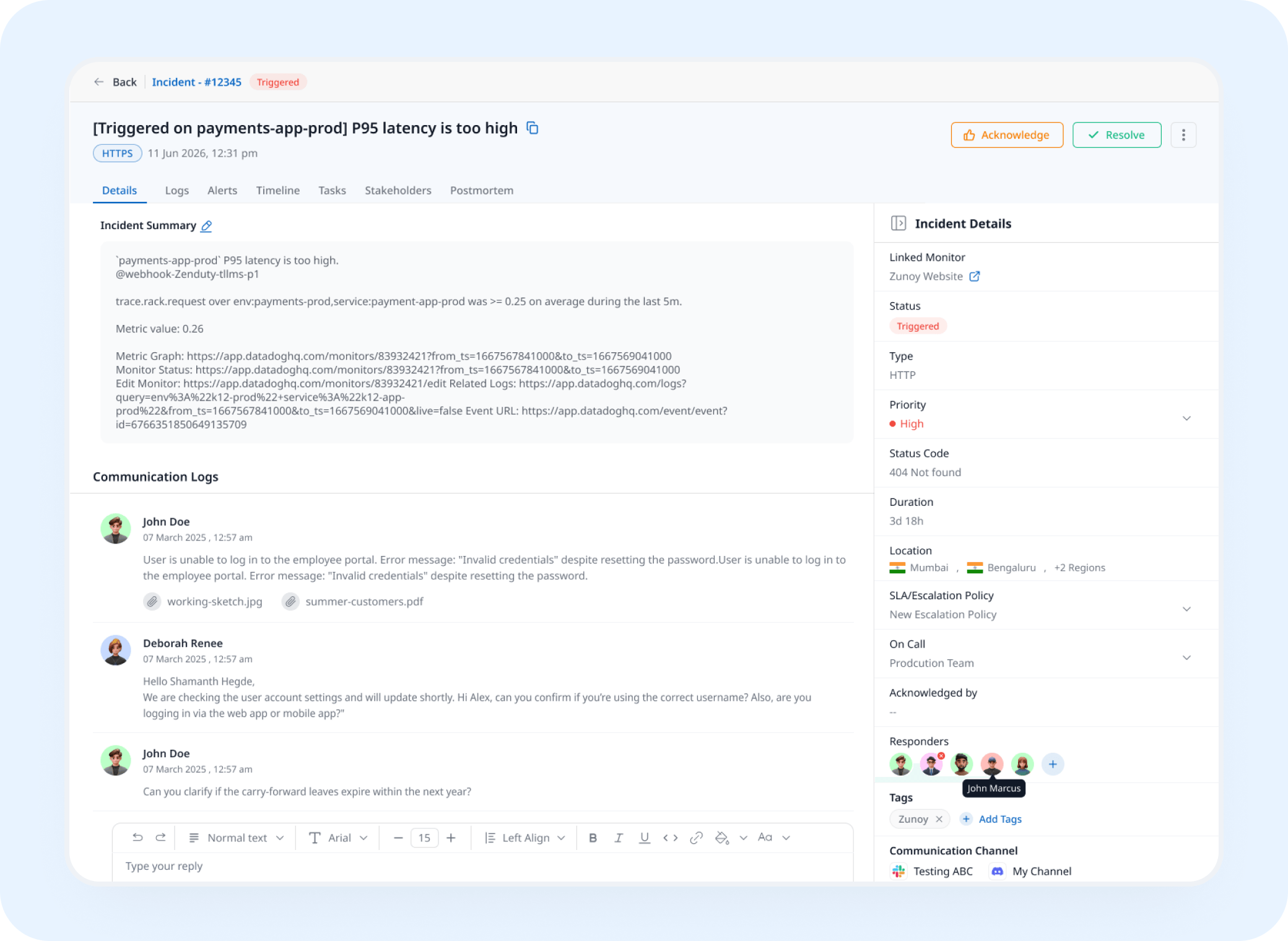
Incident Response
A Failed Assertion Opens a Real Incident
A script that fails partway through triggers an incident automatically, tracked and assigned instead of discovered from a user complaint.
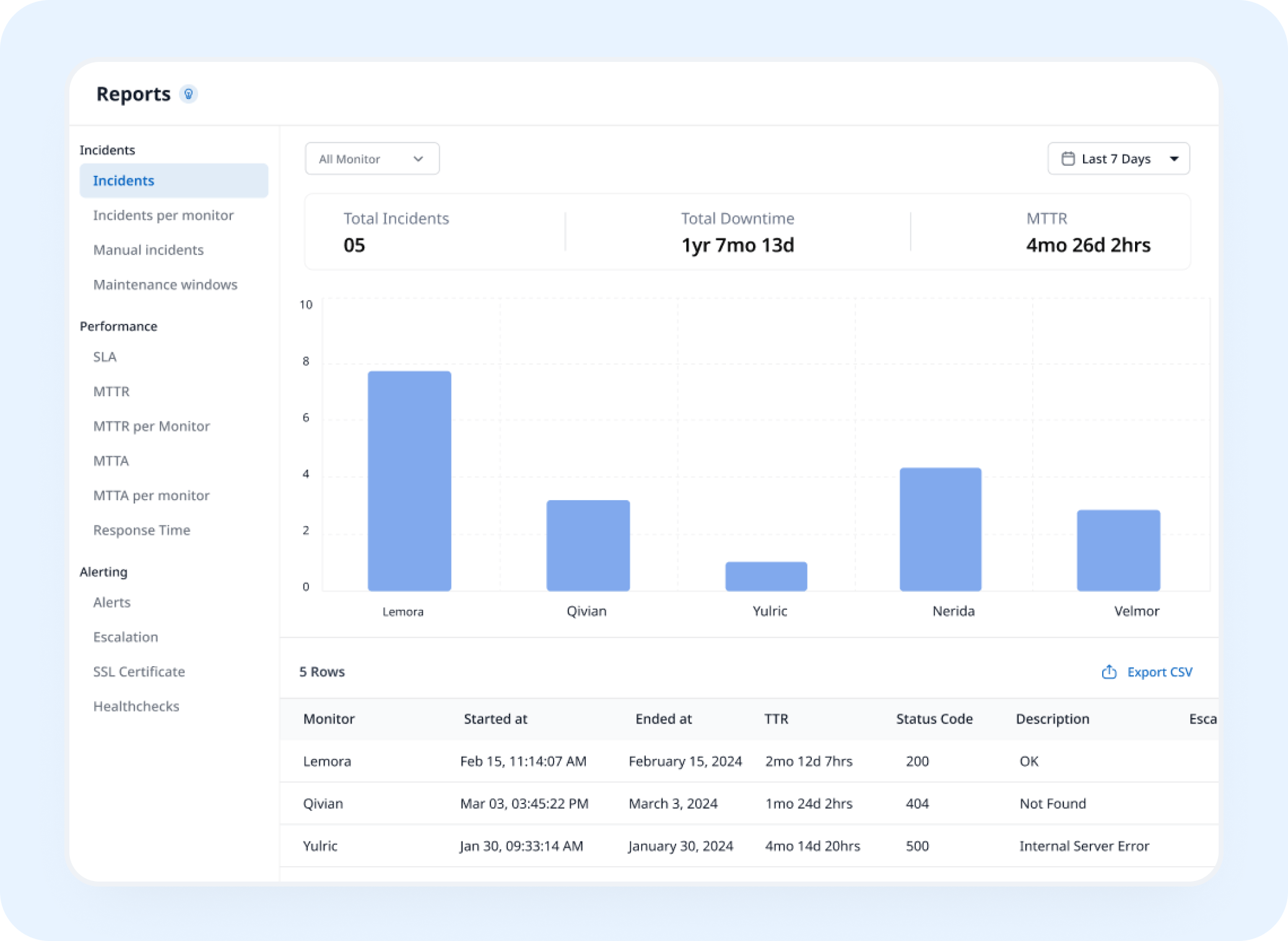
Analysis
See Which Line Actually Breaks Most Often
Web script monitoring builds historical run data into a record of exactly where in the script things tend to go wrong.
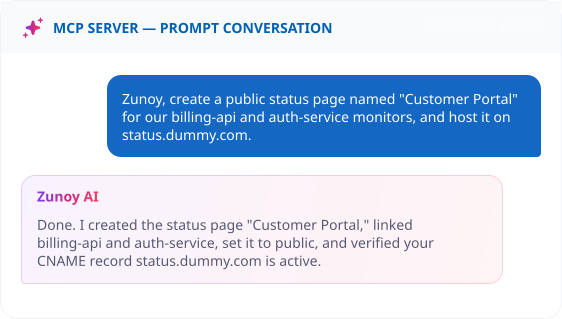
AI Features
Ask AI Agent Where the Script Failed
When a run fails, ask what happened. AI Agent points to the exact line and assertion that broke, instead of you reading through a raw run log.
Benefits
What a Script Actually Proves
An API responding correctly says nothing about what a user actually sees. Here's what a real browser script confirms instead.
Tests the flow the way a user experiences it
A real browser renders every step, not just an API response behind it.
Gives developers direct control
Write exactly what to test, without translating it through a visual builder first.
Runs on real Playwright, not a simulation
The script behaves like an actual browser would, quirks included.
Points to the exact line that broke
Not just that the script failed, but where in it things actually went wrong.
Alternative
When a Flow Can't Be Scripted Reliably
Some flows sit behind a CAPTCHA, complex MFA, or authentication that breaks an automated script constantly. Set its status by hand with a Manual Monitor instead, still tracked, still visible, just without fighting the automation.
No script required
Still visible on your status page
Incidents can still be tracked against it


Stay Notified
Routing a Broken Flow to the Right Team
Send it to Slack, Microsoft Teams, Discord, email, SMS, or a webhook, whichever channel the team responsible for that flow actually watches.
You'll Probably Want One More Check


Real Scenarios
This Is What It Actually Catches
- SAAS
SaaS Teams
With scripted transaction monitoring, a login script confirms the whole auth flow works, not just that the login page loads.
- ECOMMERCE
Ecommerce
With full-path transaction monitoring, a script fills a form, adds an item, and confirms checkout redirects correctly, caught the moment any step breaks.
- DEV TOOLS
Developer Tools Companies
A signup flow tested exactly the way a new user would actually experience it.
- PLATFORMS
Platform Teams
A script that navigates to an API-backed page and confirms it renders, not just that the API itself responds.
FAQ
Quick Answers About Scripted Browser Monitoring
What is Browser Script Monitoring?
Browser Script Monitoring, also known as scripted browser monitoring, is a synthetic monitor type where you write a short line-by-line script, navigate, fill, click, assert, and each line runs as a real browser action.
What actions can I write in a script?
Scripts can do anything a user does in a browser, including navigating to pages, clicking elements, filling and submitting forms, selecting options, uploading files, waiting for elements, and asserting that text or elements appear.
Can I reuse a value from earlier in the script?
Yes. Extract a value in one step and reference it later in the same script.
How is this different from a visual flow builder?
It's built for developers who'd rather write a script directly than click through a drag-and-drop builder. Same underlying execution, different way to build it.
What actually runs my script?
Full Playwright execution, so the script behaves like a real browser, not a simplified simulation.
What happens when a script fails partway through?
You're alerted after your set number of consecutive failures, and an incident can open automatically if Incident Management is turned on.
Write It Yourself
If You Know What to Test, Just Write It
No builder required. Describe the flow line by line, and know the moment any part of it actually breaks.
Tests a real flow in a real browser
Points to the exact line that failed
No drag-and-drop builder required