Port Monitoring
That Keeps Services Reachable
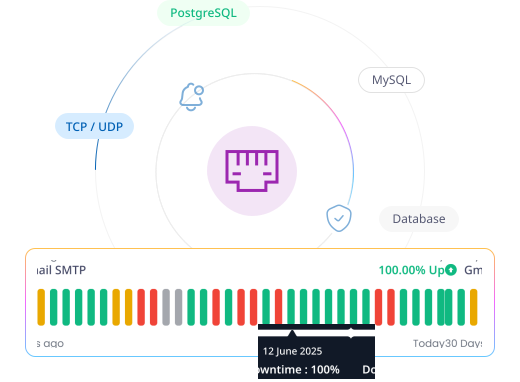
Port monitoring checks whether critical TCP or UDP ports, such as 22, 25, or 3306, are open and reachable. Zunoy Uptime checks them as often as every 30 seconds and alerts your team when a port becomes blocked or stops responding.
What to Check
Check the Exact Port a Service Depends On

Database Port
3306, 5432, or whichever port your app actually connects to for data.

Mail Port
25 or 587, confirming outgoing mail can actually leave your server.
SSH Port
22, confirming you can still reach the server you'd need to fix.

Custom Application Port
Any service running on its own port, with the same port tracking as the rest.
Getting Started
Get a Port Watched in Under a Minute
Create your monitor
Create a monitor and give it a name you’ll recognize at a glance.
Set the host, port, and protocol
Enter the host or IP address and port number, choose TCP or UDP to match the service, and set a check interval.
Set your alerts
Choose in-app, email, or both, and set how often to resend alerts if a check keeps failing.
Turn on Incidents
A failing check opens an incident automatically, ready to be assigned and tracked.
Built-In Checks
It Watches More Than Open or Closed

Protocol Selection
Choose TCP or UDP so the check matches how the service on that port actually communicates.

Request Timeout
Set how long Zunoy waits for a port response before marking the check as failed.

Recheck Configuration
Control how many times a failed port gets rechecked before it's confirmed down.

Team Notification Default
Notify every teammate automatically, or select specific members.
Nothing Runs on Its Own
A port monitoring tool doesn’t work in isolation. It connects directly with the rest of the platform.
Status Pages
Show Backend Health, Not Just the Homepage
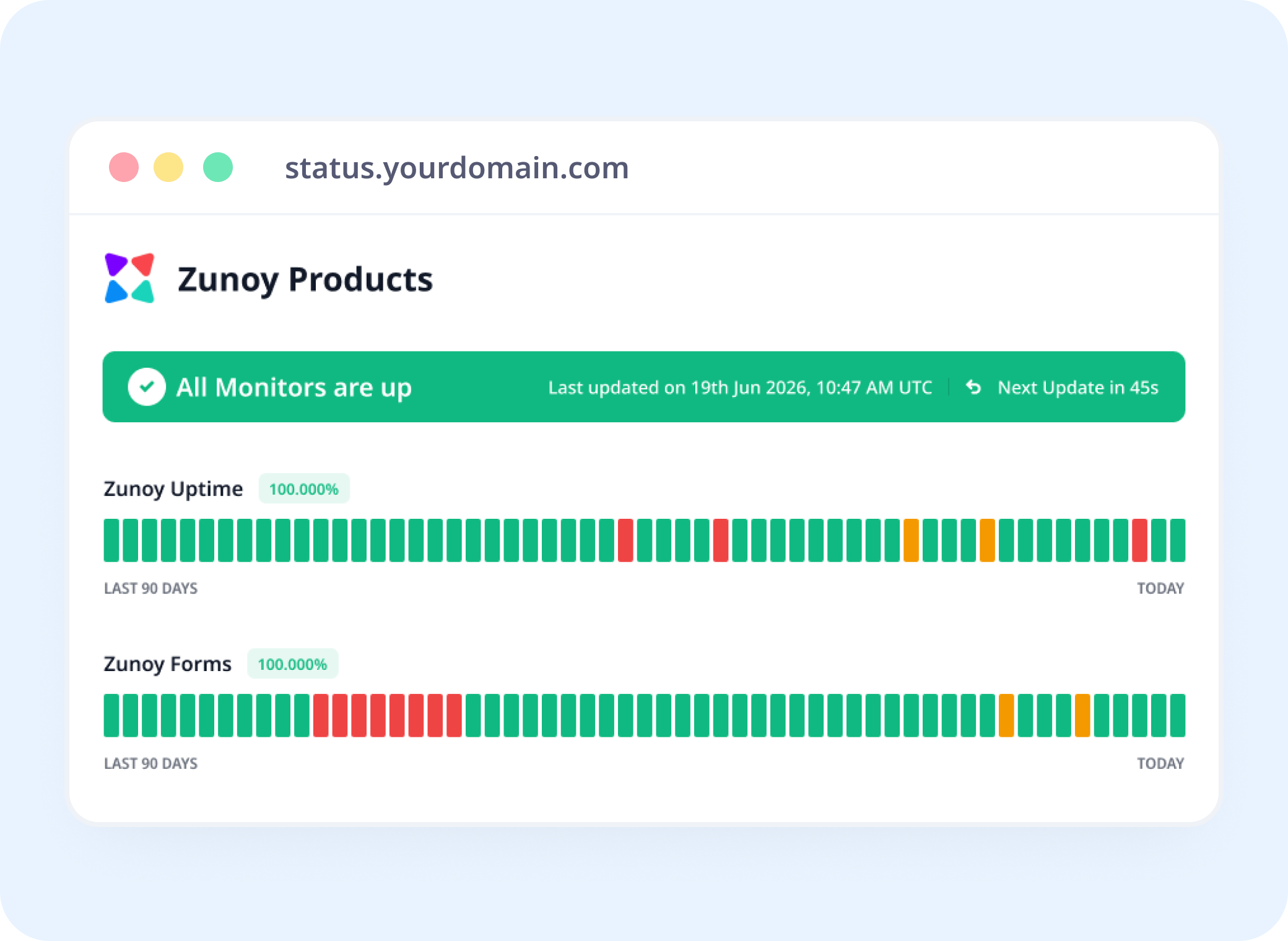
A blocked database port doesn't always show up on your website, but it can still show up on your status page, so your team catches it even when the site looks fine.
Incident Response
Route It to Whoever Owns That Service
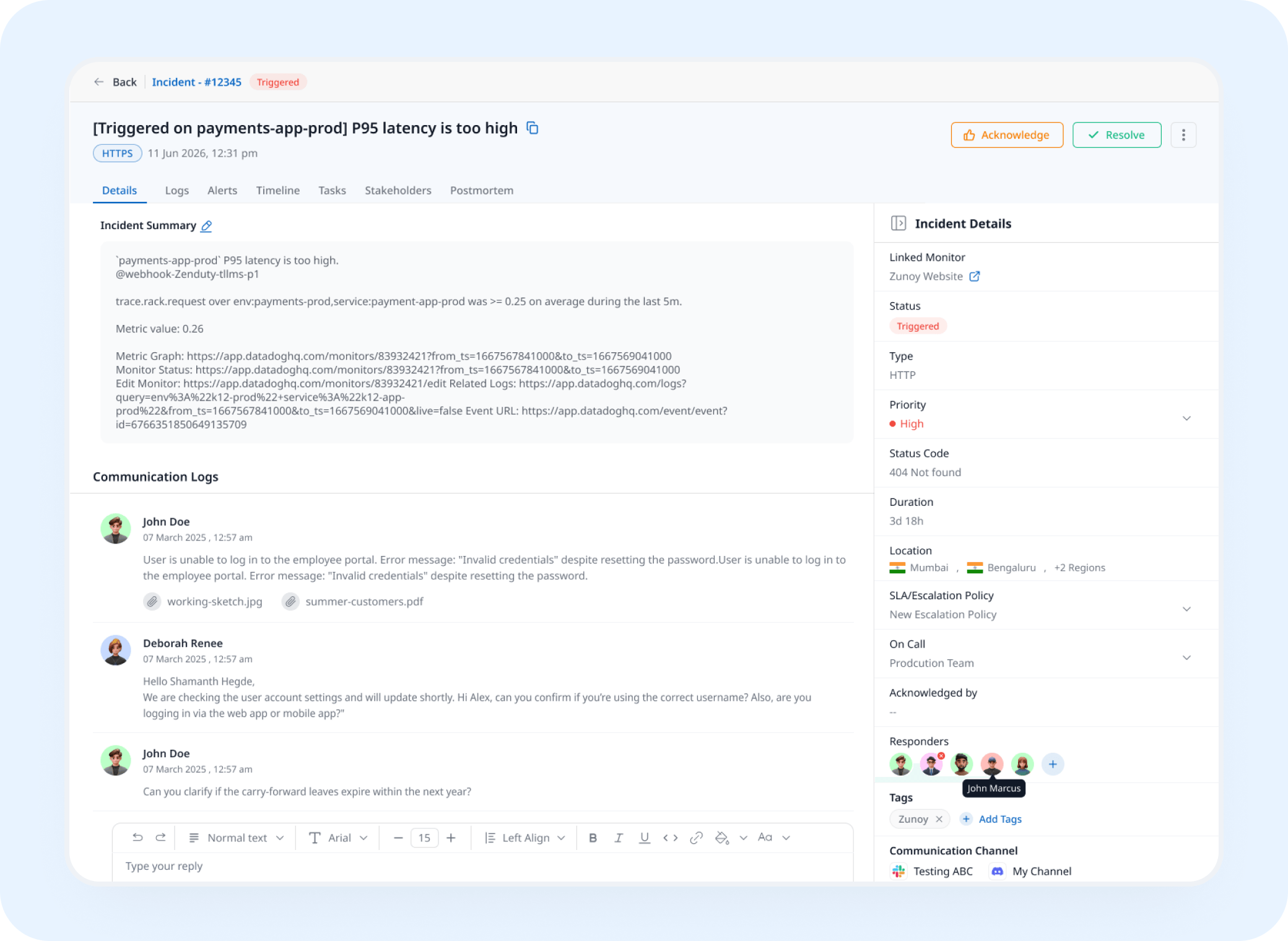
A blocked port opens an incident and assigns it automatically, so the person who owns that database or mail server hears about it first.
Analysis
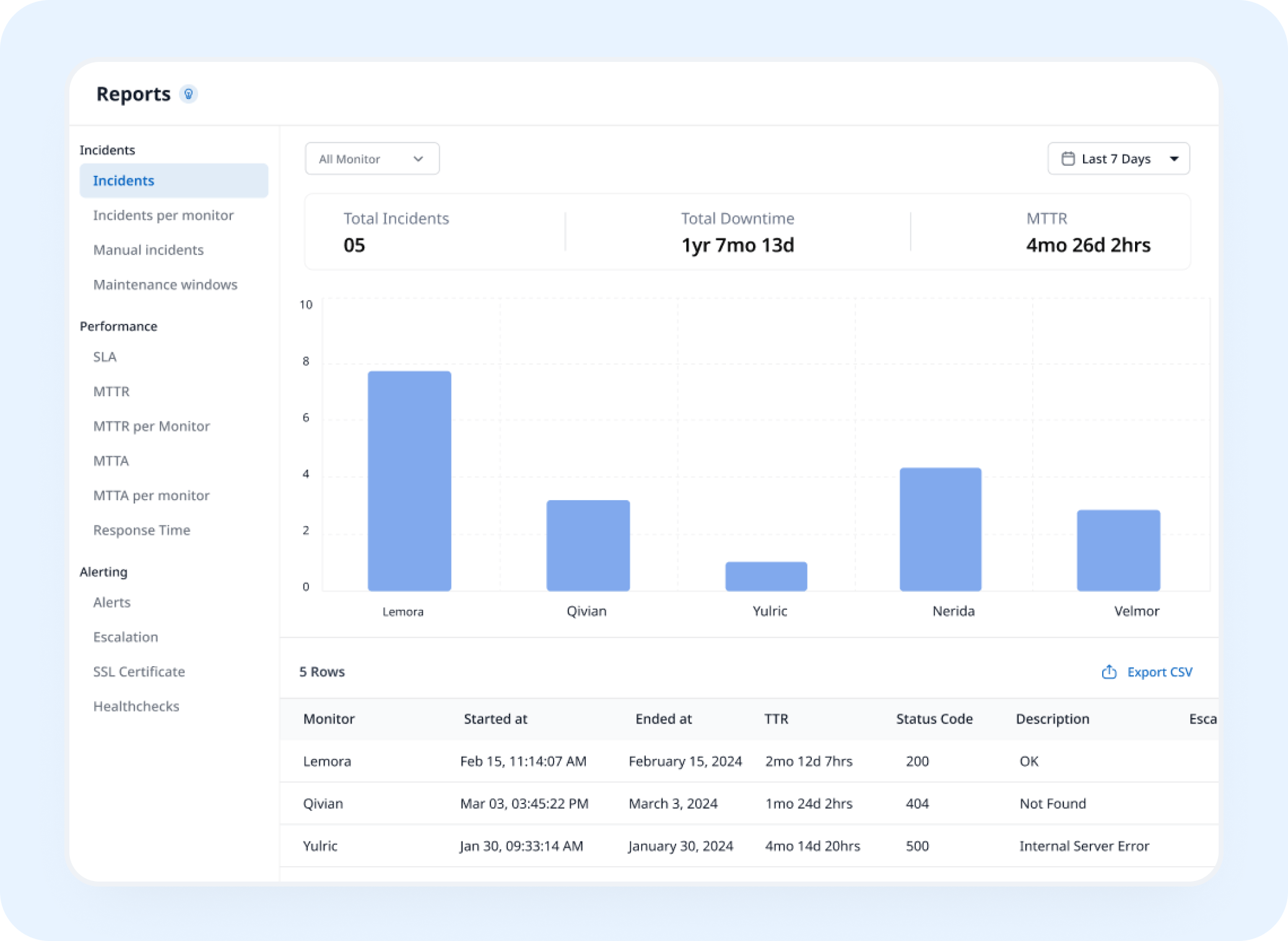
Know How Often That Port Actually Holds
Port uptime monitoring tracks response time and downtime history in reports you can export as SLA-ready PDF or CSV files.
AI Features
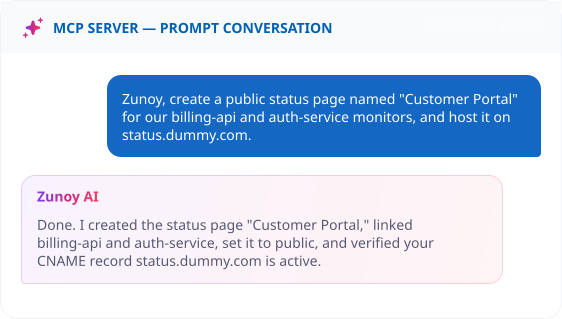
Ask AI to Watch a Port For You
Ask your MCP-connected terminal to create a monitor. AI SRE keeps watching in the background before a blocked port turns into a full outage.

Slack

Discord

Webhooks

Microsoft Teams

Telegram

ALERTS
Get Notified on Any Communication Channel
Connect Slack, Discord, Microsoft Teams,telegram, email, SMS, or webhooks to get instant alerts when a monitored port becomes unavailable - no need to keep a browser tab open. Get real-time visibility into port availability and service disruptions.
You'll Probably Want One More Check


Real Scenarios
This Is What It Actually Catches
- DEVOPS
DevOps Teams
A database port silently closes after a firewall update, and every dependent service goes down without a single web error.
- EMAIL
Email Teams
An SMTP port gets rate-limited by a provider, and outgoing mail backs up quietly for hours.
- FINANCE
Fintech Companies
A payment processor's socket connection drops, and transactions queue up long before anyone opens a dashboard.
- MSP
Managed Service Providers
A client's mail server port closes overnight, and you're the one who catches it before their inbox does.
FAQ
Quick Answers
What is Port monitoring?
Port monitoring checks whether a specific TCP or UDP port is open and accepting connections, helping you detect blocked or unreachable services before they cause wider outages.
What happens when a port stops responding?
You're alerted in-app or by email, based on your resend settings, and an incident can open automatically with ownership assigned if Incident Management is turned on.
Does one failed check mark my port as down?
No. Monitoring Sensitivity lets you require a set number of consecutive identical results before the state changes, so a single blip doesn't trigger a false alarm.
How often does Zunoy Uptime check my port?
You choose the interval, from every 30 seconds up to every 60 minutes. Free port monitoring checks every 5 minutes, and paid plans go down to 30 seconds.
Does Port monitoring work for any port number?
Yes. Enter any port, common ones like 22, 25, or 3306, or a custom port your service listens on.
What counts as a failed port check?
A port that doesn't respond within your request timeout, or that actively refuses the connection, counts as a failure.
STAY CONNECTED
Go Ahead and Monitor Your Port
Watch the exact port your service depends on, checked as often as every 30 seconds, with no dashboard required to set it up.
Confirms the port is actually open
Checks both TCP and UDP ports
Alerts before it becomes an outage